
naptha/tesseract.js
naptha/tesseract.js has 38,831 GitHub stars and 2,404 forks. GitHot measured +3 stars in 24 hours and +23 in 7 days. Last checked 2026-11-10 23:08 UTC. Last push 2026-05-17.
순수 JavaScript OCR로 100개 이상의 언어를 지원 📖🎉🖥
측정된 스타 증가
- in 24h
- +3
- in 7 days
- +23
- in 15 days
- 업데이트 지연
- in 1 month
- 업데이트 지연
서로 겹치는 기간의 순증가량이며 일별 합계가 아닙니다. 측정값이 없으면 비워 둡니다. 스타는 관심도를 나타내며 품질을 보장하지 않습니다.
README.md
Original



Tesseract.js is a javascript library that gets words in almost any language out of images. (Demo)
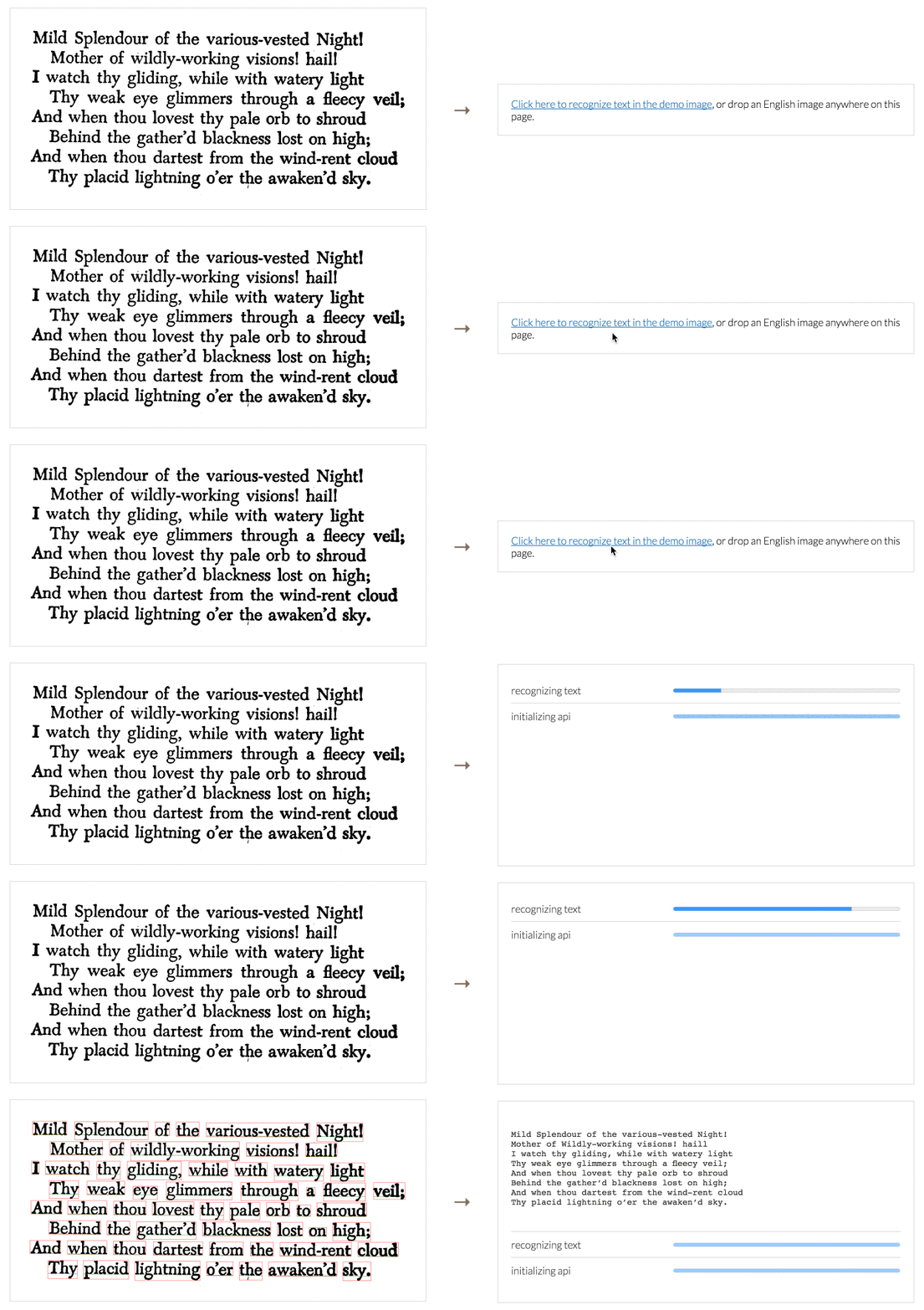
Image Recognition
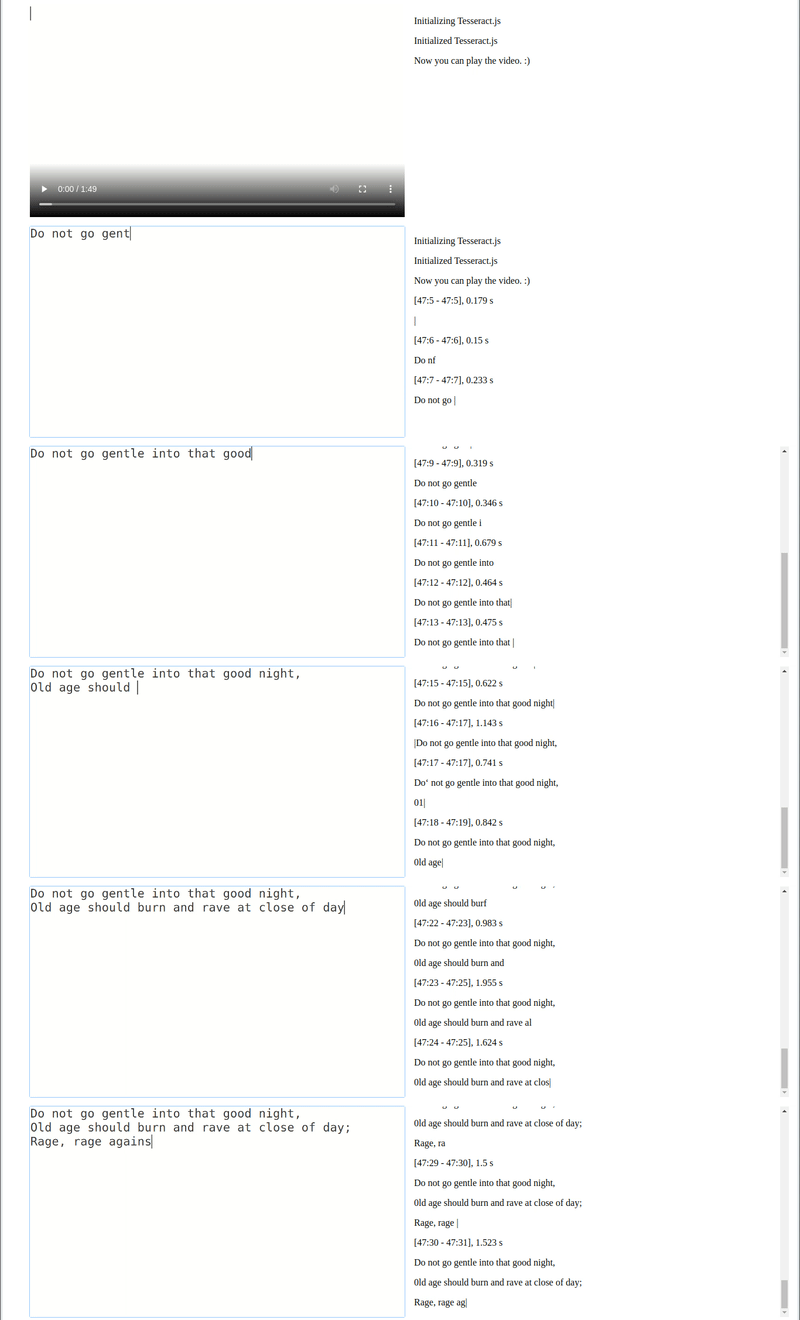
Video Real-time Recognition
Tesseract.js works in the browser using webpack, esm, or plain script tags with a CDN and on the server with Node.js. After you install it, using it is as simple as:
import { createWorker } from 'tesseract.js';

(async () => {
  const worker = await createWorker('eng');
  const ret = await worker.recognize('https://tesseract.projectnaptha.com/img/eng_bw.png');
  console.log(ret.data.text);
  await worker.terminate();
})();
When recognizing multiple images, users should create a worker once, run worker.recognize for each image, and then run worker.terminate() once at the end (rather than running the above snippet for every image).
Installation
Tesseract.js works with a <script> tag via local copy or CDN, with webpack via npm and on Node.js with npm/yarn.
CDN
<!-- v5 -->
<script src='https://cdn.jsdelivr.net/npm/tesseract.js@5/dist/tesseract.min.js'></script>
After including the script the Tesseract variable will be globally available and a worker can be created using Tesseract.createWorker.
Alternatively, an ESM build (used with import syntax) can be found at https://cdn.jsdelivr.net/npm/tesseract.js@5/dist/tesseract.esm.min.js.
Node.js
Tesseract.js v7 requires Node.js v16 or newer. (Tesseract.js v6 requires Node.js v14 or newer.)
# For latest version
npm install tesseract.js
yarn add tesseract.js

# For old versions
npm install [email protected]
yarn add [email protected]
Project Scope
Tesseract.js aims to bring the Tesseract OCR engine (a separate project) to the browser and Node.js, and works by wrapping a WebAssembly port of Tesseract. This project does not modify core Tesseract features. Most notably, Tesseract.js does not support PDF files and does not modify the Tesseract recognition model to improve accuracy.
If your project requires features outside of this scope, consider the Scribe.js library. Scribe.js is an alternative library created to accommodate common feature requests that are outside of the scope of this repo. Scribe.js includes improvements to the Tesseract recognition model and supports extracting text from PDF documents, among other features. For more information see Scribe.js vs. Tesseract.js.
Documentation
Community Projects and Examples
The following are examples and projects built by the community using Tesseract.js. Officially supported examples are found in the examples directory.
- Projects
- Scribe OCR: web application for scanning documents (images and PDFs)
- Site at scribeocr.com, repo at github.com/scribeocr/scribeocr
- Chrome Extension (with Manifest V3): https://github.com/Tshetrim/Image-To-Text-OCR-extension-for-ChatGPT
- Scribe OCR: web application for scanning documents (images and PDFs)
- Examples
- Converting PDF to text: https://github.com/racosa/pdf2text-ocr
- Use
blocksoutput to generate granular data [word/symbol level]: https://github.com/Kishlay-notabot/tesseract-bbox-examples - Electron: https://github.com/Balearica/tesseract.js-electron
- Typescript: https://github.com/Balearica/tesseract.js-typescript
If you have a project or example repo that uses Tesseract.js, feel free to add it to this list using a pull request. Examples submitted should be well documented such that new users can run them; projects should be functional and actively maintained.
Major changes in v6
Version 6 changes are documented in this issue. Highlights are below.
- Fixed memory leak in previous versions
- Overall reductions in runtime and memory usage
- Breaking changes:
- All outputs formats other than
textare disabled by default.- To re-enable the
hocroutput (for example), set the following:worker.recognize(image, {}, { hocr: true })
- To re-enable the
- Minor changes to the structure of the JavaScript object (
blocks) output - See this issue for full list
- All outputs formats other than
Major changes in v5
Version 5 changes are documented in this issue. Highlights are below.
- Significantly smaller files by default (54% smaller for English, 73% smaller for Chinese)
- This results in a ~50% reduction in runtime for first-time users (who do not have the files cached yet)
- Significantly lower memory usage
- Breaking changes:
createWorkerarguments changed- Setting non-default language and OEM now happens in
createWorker- E.g.
createWorker("chi_sim", 1)
- E.g.
- Setting non-default language and OEM now happens in
worker.initializeandworker.loadLanguagefunctions should be deleted from code- See this issue for full list
Upgrading from v2 to v5? See this guide.
Major changes in v4
Version 4 includes many new features and bug fixes--see this issue for a full list. Several highlights are below.
- Added rotation preprocessing options (including auto-rotate) for significantly better accuracy
- Processed images (rotated, grayscale, binary) can now be retrieved
- Improved support for parallel processing (schedulers)
- Breaking changes:
createWorkeris now asyncgetPDFfunction replaced bypdfrecognize option
Contributing
Development
To run a development copy of Tesseract.js do the following:
# First we clone the repository
git clone https://github.com/naptha/tesseract.js.git
cd tesseract.js

# Then we install the dependencies
npm install

# And finally we start the development server
npm start
The development server will be available at http://localhost:3000/examples/browser/basic-efficient.html in your favorite browser.
It will automatically rebuild tesseract.min.js and worker.min.js when you change files in the src folder.
Building Static Files
To build the compiled static files just execute the following:
npm run build
This will output the files into the dist directory.
Run Tests
Always confirm the automated tests pass before submitting a pull request. To run the automated tests locally, run the following commands.
npm run lint
npm run test
Contributors
Code Contributors
This project exists thanks to all the people who contribute. [Contribute].

Financial Contributors
Become a financial contributor and help us sustain our community. [Contribute]
Individuals

Organizations
Support this project with your organization. Your logo will show up here with a link to your website. [Contribute]


관련 프로젝트 살펴보기
tensorflow/tensorflow
모두를 위한 오픈소스 머신러닝 프레임워크
201,505 스타huggingface/transformers
🤗 Transformers: 텍스트, 비전, 오디오, 멀티모달 분야의 최첨단 머신러닝 모델을 위한 모델 정의 프레임워크로, 추론과 학습을 모두 지원합니다.
168,815 스타AUTOMATIC1111/stable-diffusion-webui
Stable Diffusion 웹 UI
165,289 스타Comfy-Org/ComfyUI
그래프와 노드로 구성된 인터페이스를 갖춘, 가장 강력하고 모듈성이 뛰어난 확산 모델 GUI, API, 백엔드입니다. 세계에서 가장 빠른 로컬 추론 엔진입니다.
146,271 스타