
luigifreda/slamplay
luigifreda/slamplay has 451 GitHub stars and 43 forks. GitHot measured 0 stars in 24 hours. Last checked 2026-11-22 13:18 UTC. Last push 2026-05-19.
What you can do
- SuperPoint and SuperGlue (TensorRT)
- HFNet (TensorRT and TensorFlow)
측정된 스타 증가
- in 24h
- 0
- in 7 days
- 기록 수집 중
- in 15 days
- 기록 수집 중
- in 1 month
- 기록 수집 중
서로 겹치는 기간의 순증가량이며 일별 합계가 아닙니다. 측정값이 없으면 비워 둡니다. 스타는 관심도를 나타내며 품질을 보장하지 않습니다.
소개
slamplay is a collection of powerful tools to start playing and experimenting with SLAM in C++
머신러닝README.md
Original

slamplay
Author: Luigi Freda
- slamplay
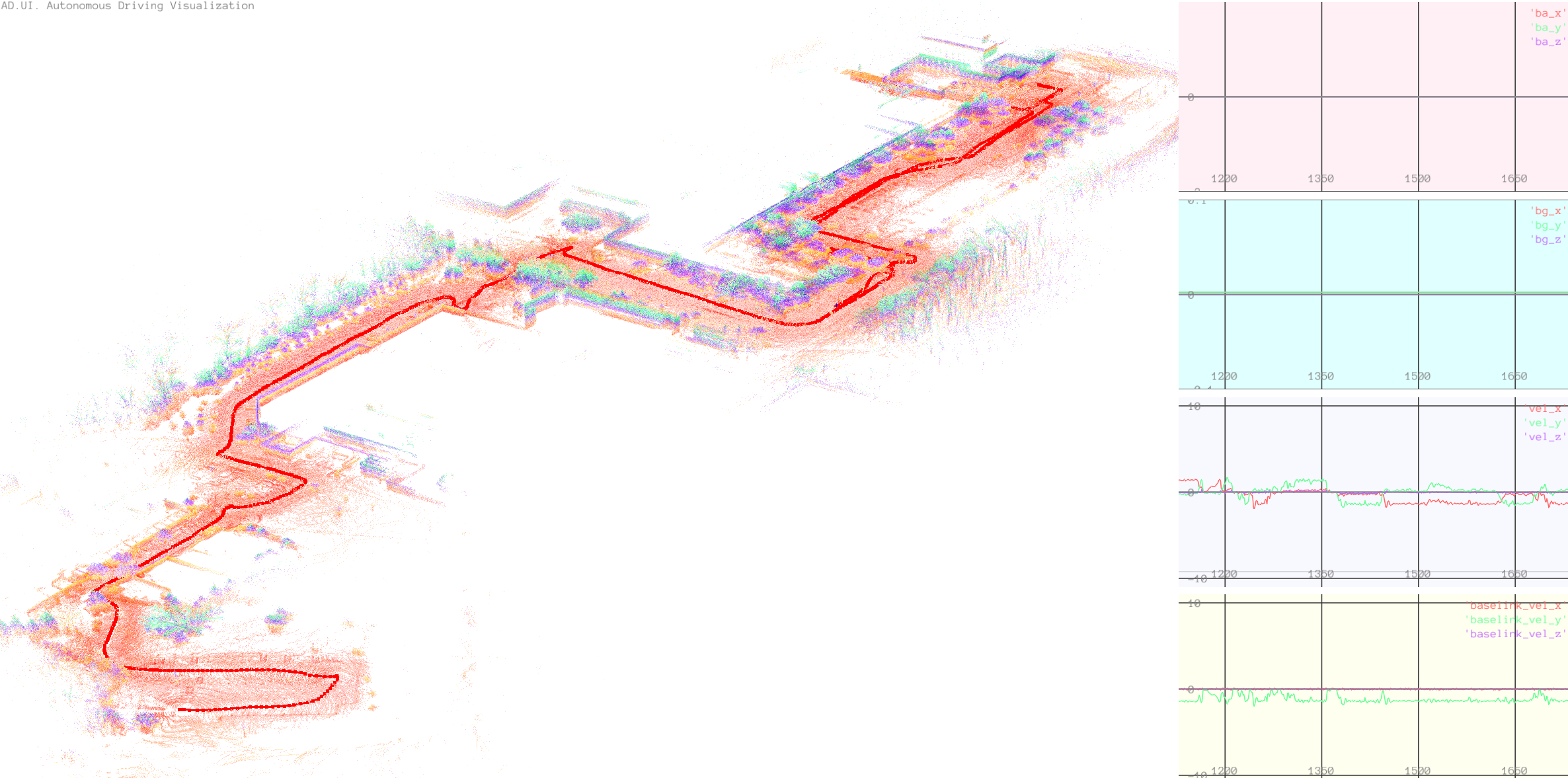
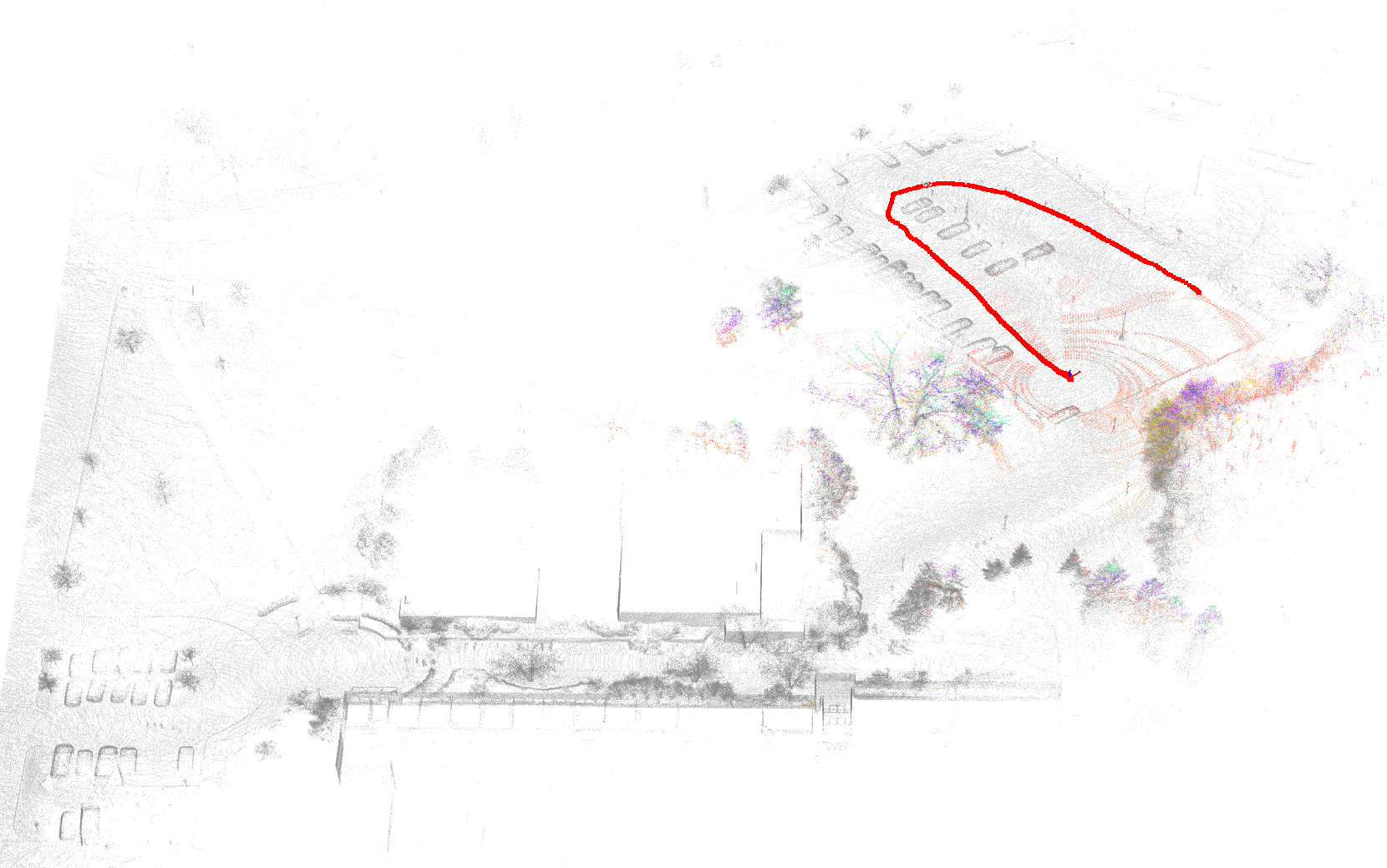
slamplay is a collection of tools to start playing and experimenting with SLAM in C++. It installs and wires up, in a single CMake framework, some of the most important
- back-end frameworks (g2o, gtsam, ceres, se-sync, etc.),
- front-end tools (OpenCV, PCL, lidar/IMU processing, etc.),
- algebra and geometry libs (eigen, sophus, cholmod, etc.),
- viz tools (pangolin, imgui, rerun, etc.),
- loop-closure frameworks (DBoW2, DBoW3, iBoW, etc.),
- deep learning tools (TensorRT, tensorflow_cc, libtorch, onnxruntime, etc.),
along with commented examples to get started quickly.
I created slamplay for a computer vision class I taught. I started developing it for fun, during my free time, taking inspiration from some repos available on the web.




Repository layout
| Folder | Role |
|---|---|
algebra_geometry |
Eigen / geometry tutorials and examples |
backend |
g2o, gtsam, ceres, se-sync examples |
config |
YAML configs (vslam/, lio_slam/) |
core |
Shared libraries: DL models, ad/ lidar–IMU stack |
data |
Datasets and sample assets |
dense_mapping |
Dense / surfel mapping examples |
docs |
Extra documentation |
frontend |
Vision and sensor front-end examples (*) |
full_slam |
End-to-end SLAM: vslam/, lio_slam/, apps |
io |
I/O utilities |
loop_closure |
Place-recognition examples |
ros |
ROS-compat modules (no system ROS required) |
results |
Default output for mapping runs |
scripts |
Helper scripts |
semantics |
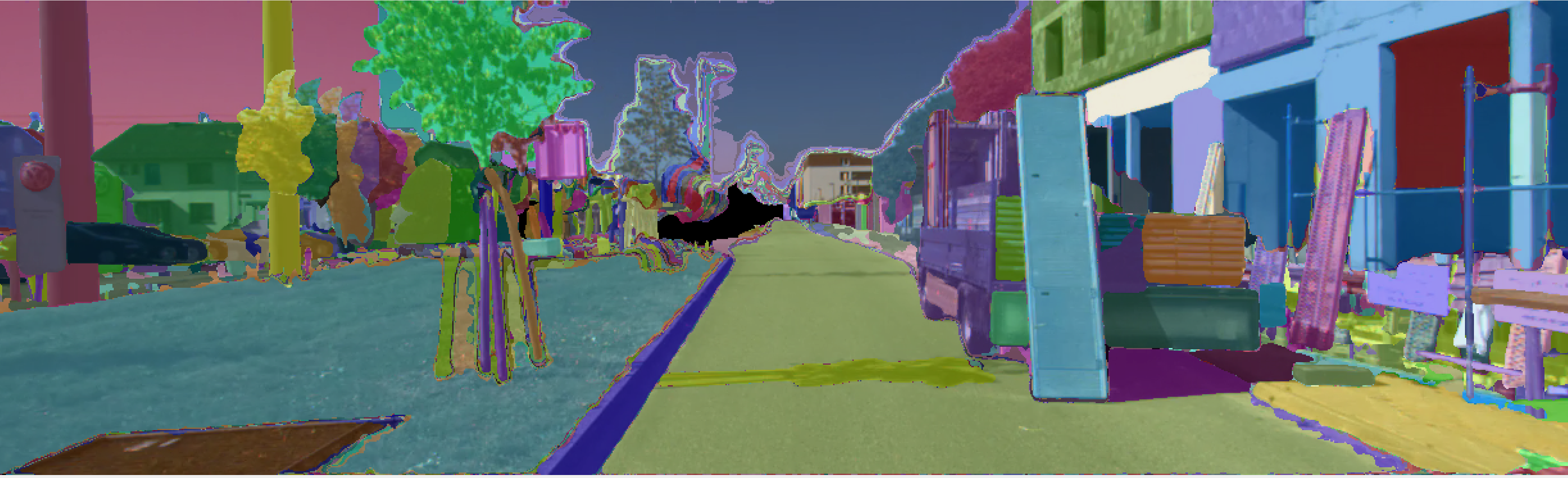
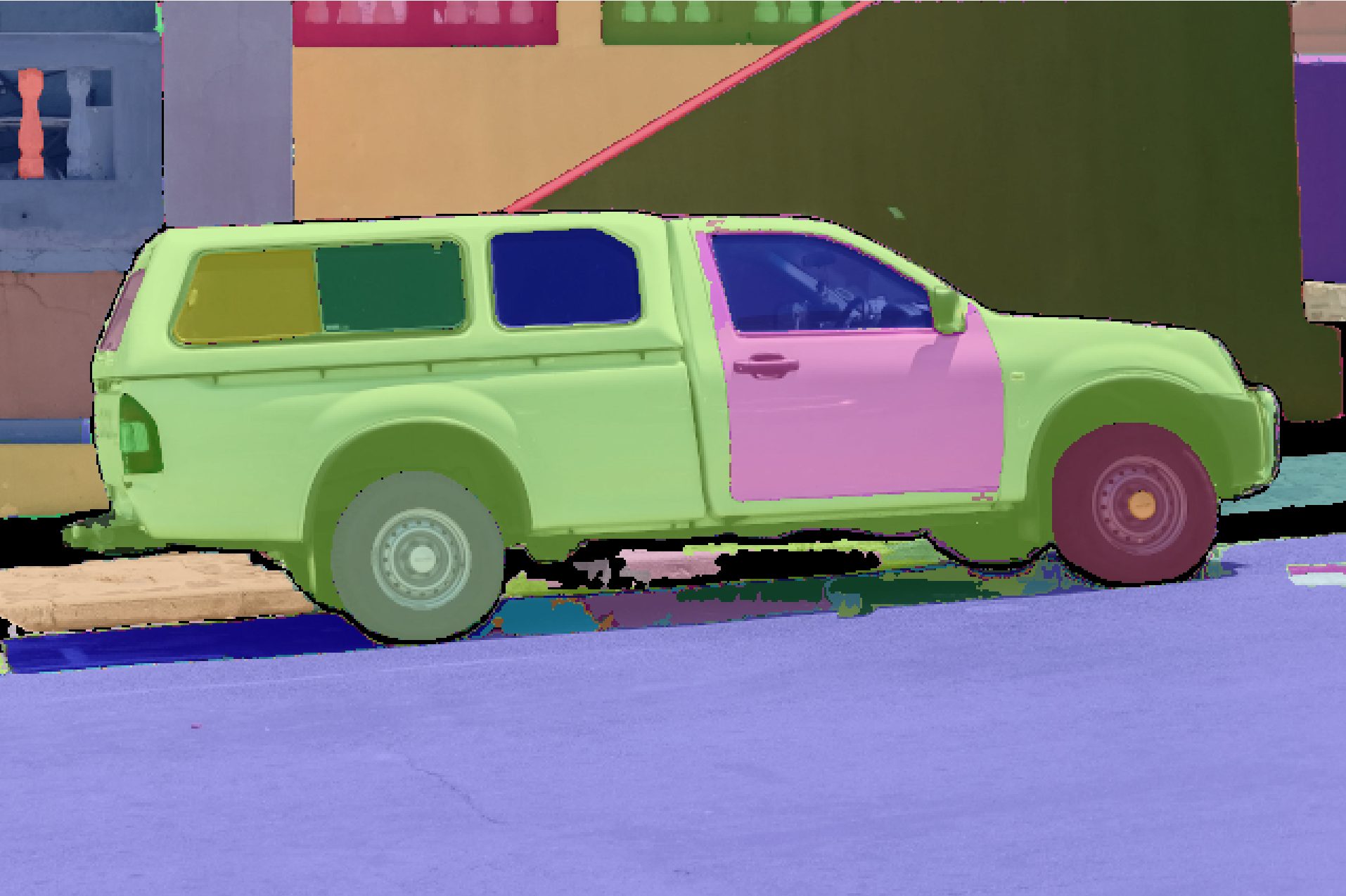
Semantic segmentation (*) |
utils |
Misc utilities |
viz |
Visualization tools |
(*) C++ tools based on TensorRT, tensorflow_cc, onnxruntime — e.g. SuperPoint, SuperGlue, Depth-Anything, HFNet, Segment-Anything (SAM).
Visual SLAM building blocks live under core/ (features, features_dl, depth_dl, …) with VO and geometry examples (camera_model, stereo_vision, motion estimation, triangulation, direct method, …) in frontend/. The stereo SLAM pipeline is in full_slam/vslam/ (frontend, backend, visual odometry, map).
LiDAR-inertial building blocks live under core/ad/ (laser_2d, laser_3d, imu, pointcloud, nav, …) with LIO variants (lio_iekf, lio_preinteg, NDT, LOAM-like) in core/ad/laser_3d/. The mapping pipeline is in full_slam/lio_slam/ (frontend, loop closure, pose-graph optimization, localization fusion).
How to start
Tested on Ubuntu 20.04, 22.04, and 24.04.
- Install basic dependencies:
$ ./install_dependencies.sh - Install OpenCV locally:
$ ./install_local_opencv.sh - Build:
$ ./build.sh
This takes a while. When the build finishes, enter build/ and run the examples. See Full SLAM for the main end-to-end apps.
No system ROS install is required. Examples that read .bag files use a minimal ROS1-compatible C++ subset vendored in thirdparty/ros/ (librosbag.a and message headers). There is no catkin workspace and no dependency on a distro ROS package. Optional ROS-compat helpers live under ros/. See thirdparty/ros/README.md for scope and limitations.
Configuration
config.sh defines your working environment and is sourced automatically by the install/build scripts.
To skip the local OpenCV install, set OpenCV_DIR in config.sh. This is not recommended: mixed dependency versions can cause undefined behaviour and you may lose features.
Install data
To run examples with the default input data, download the provided images and videos (deployed under data/):
$ ./install_data.sh
Deep learning (DL)
Install DL models
To use the DL models, download weights and related data:
$ ./install_dl_models.sh
GPU support with CUDA, cuDNN, TensorRT
See these tested configurations for the CUDA ecosystem.
Install tensorflow C++ API
For the TensorFlow C++ API (e.g. HFNet):
$ ./install_tensorflow_cc.sh
See tensorflow_cc for details. This step is long, so you must run install_tensorflow_cc.sh manually.
Docker
For containerized use, see rosdocker (images with or without CUDA).
Full SLAM
End-to-end pipelines live under full_slam/. Config files are in the top-level config/ folder (compiled into apps as CONFIG_DIR).
Visual SLAM (vSLAM)
- Edit
config/vslam/kitti.yamlorconfig/vslam/euroc.yaml - Run:
cd build/full_slam/apps/vslam
./run_vslam_kitti_stereo   # or ./run_vslam_euroc_stereo
Library and apps: full_slam/vslam/, full_slam/apps/vslam/.
VSLAM datasets
- KITTI: Download the dataset (grayscale images) from http://www.cvlibs.net/datasets/kitti/eval_odometry.php and prepare the KITTI folder as specified above
- EUROC: https://projects.asl.ethz.ch/datasets/euroc-mav/
LiDAR-inertial SLAM (LIO)
Offline mapping pipeline (frontend → optimization → loop closure → re-optimization).
- Edit
config/lio_slam/mapping.yaml(bag path, dataset-specificlio_yaml, output underresults/) - Pick a sensor preset in
config/lio_slam/(velodyne.yaml,avia.yaml,velodyne_nclt.yaml, …) - Run the full pipeline:
cd build/full_slam/apps/lio_slam
./run_lio_mapping
Step-wise apps (same config): run_lio_step_frontend, run_lio_step_optimization, run_lio_step_loop_closure, run_fusion_offline.
Utilities: dump_lio_map, split_lio_map.
Related front-end demos in frontend/laser_3d/ (implementations in core/ad/laser_3d/):
- Standalone LIO:
test_3d_lio_iekf,test_3d_lio_preinteg,test_3d_lio_loosely_coupled - LiDAR odometry:
test_3d_ndt_lo,test_3d_ndt_lo_inc,test_3d_loam_odom
LIO examples use the same config/lio_slam/ presets (--bag_path, --dataset_type, --config):
cd build/frontend/laser_3d
./test_3d_lio_iekf --bag_path=... --dataset_type=NCLT
or
./test_3d_lio_preinteg --bag_path=... --dataset_type=NCLT
LIO datasets
Download the datasets by using this link.
Eigen Tutorials
See the ascii quick reference.
- Quick reference
- Dense matrix manipulation
- Dense linear problems and decompositions
- Sparse linear algebra
- Geometry
Front-end
Notes on selected front-end features.
Features DL (Deep Learning)
In frontend/features_dl (and core/features_dl):
- SuperPoint and SuperGlue (TensorRT)
- HFNet (TensorRT and TensorFlow)
Warning: The first TensorRT run converts each onnx model to an engine and can take a while.
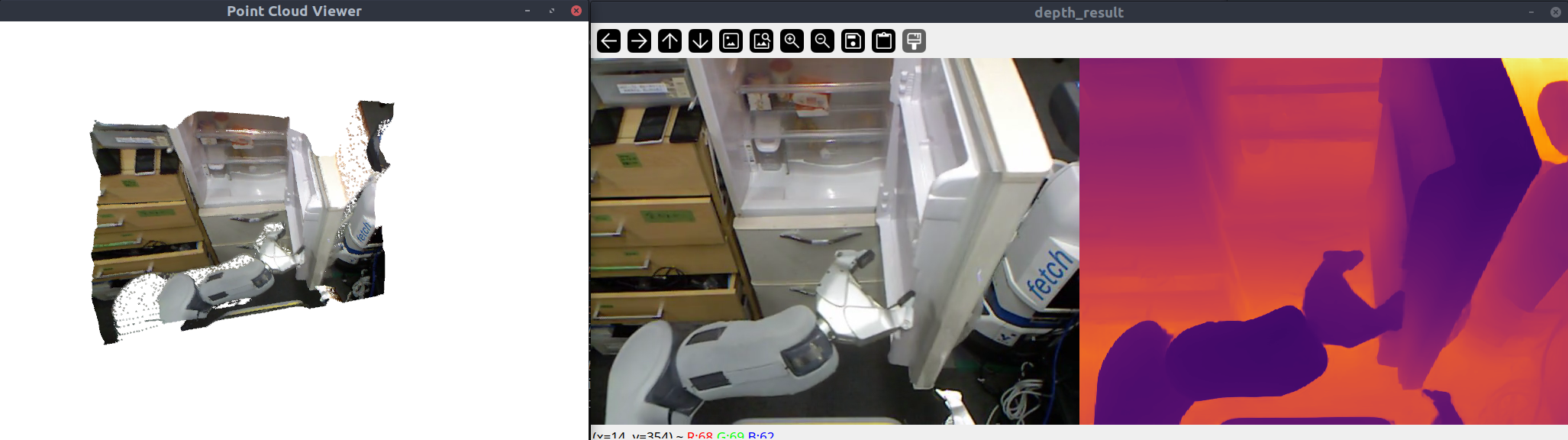
Depth DL
In frontend/depth_dl (and core/depth_dl):
- Depth-Anything-V2.0 (TensorRT)
Warning: Same engine-build delay on first run.
Tensorflow C++ API
As above: $ ./install_tensorflow_cc.sh — see tensorflow_cc. See also GPU_support.md.
Back-end
Notes on selected back-end frameworks.
GTSAM examples
Installed tag 4.2a9
Documentation
- https://gtsam.org/docs/
- https://gtsam.org/tutorials/intro.html
- See
docsfor more.
Known issues
To avoid double free or corruption on exit with gtsam, disable -march=native for gtsam-related targets (remove it from folder-level compile flags). See:
- https://bitbucket.org/gtborg/gtsam/issues/414/compiling-with-march-native-results-in
- https://groups.google.com/g/gtsam-users/c/jdySXchYVQg
Ceres examples
Installed tag 2.1.0
Documentation
- http://ceres-solver.org/tutorial.html
- See
docs.
g2o examples
Installed tag 20230223_git. Examples.
Issues:
- Built binaries may link the system g2o instead of the local build → crashes. Fixes: set
LD_LIBRARY_PATH, or enableRPATHat build time (SET_RPATHin CMake; main file uses-Wl,--disable-new-dtags). See https://stackoverflow.com/questions/47117443/dynamic-linking-with-rpath-not-working-under-ubuntu-17-10 - double free or corruption on exit: often
-march=nativemismatch — rebuild g2o with-DBUILD_WITH_MARCH_NATIVE=ONif you compile slamplay with-march=native.
IO
Notes on I/O utilities.
chrono
https://www.modernescpp.com/index.php/the-three-clocks
Differences amongst the three clocks?
- std::chrono::system_clock: Wall-clock time;
to_time_t/from_time_tfor calendar dates. - std::chrono::steady_clock: Monotonic; preferred for durations and timeouts.
- std::chrono::high_resolution_clock: Highest resolution; may alias
system_clockorsteady_clock.
The standard does not fix accuracy, epoch, or range. system_clock is usually UNIX epoch (1970); steady_clock is often time since boot.
Layman terms: system_clock is a watch (what time is it?). steady_clock is a stopwatch (how long did the lap take?).
Profiling
Tracy
Installed by build.sh. Repo: https://github.com/wolfpld/tracy — docs.
- Include
profiler/profiler_tracy.hin files you want to profile. - Set
USE_TRACY=1inconfig.shsoTRACY_ENABLEis defined project-wide. - Add
ZoneScopedat the start of functions to profile. - Run
./thirdparty/tracy/tracy-profiler, connect, then run your app. - Use the Tracy UI statistics view for results.
Credits
- Some C++ code and examples (updated and commented) from:
- https://github.com/gaoxiang12/slambook2
- https://github.com/gaoxiang12/slam_in_autonomous_driving
Many thanks to the Author for his outstanding work.
- https://github.com/nicolov/simple_slam_loop_closure/ — confusion-matrix scripts.
- https://github.com/yuefanhao/SuperPoint-SuperGlue-TensorRT — SuperPoint/SuperGlue TensorRT.
- https://github.com/LiuLimingCode/HFNet_SLAM — HFNet integration.
- https://github.com/spacewalk01/depth-anything-tensorrt and https://github.com/ojh6404/depth_anything_ros — DepthAnything v2.
License
slamplay is released under GPLv3. Modified third-party libraries retain their own licenses; where none is stated, GPLv3 applies.
관련 프로젝트 살펴보기
불러오는 중…