
llSourcell/A_Guide_to_Running_Tensorflow_Models_on_Android
llSourcell/A_Guide_to_Running_Tensorflow_Models_on_Android has 346 GitHub stars and 182 forks. GitHot measured -1 stars in 24 hours. Last checked 2026-11-19 20:55 UTC. Last push 2020-06-08.
측정된 스타 증가
- in 24h
- -1
- in 7 days
- 기록 수집 중
- in 15 days
- 기록 수집 중
- in 1 month
- 기록 수집 중
서로 겹치는 기간의 순증가량이며 일별 합계가 아닙니다. 측정값이 없으면 비워 둡니다. 스타는 관심도를 나타내며 품질을 보장하지 않습니다.
소개
This is the code for"A Guide to Running Tensorflow Models on Android" By SIraj Raval on Youtube
머신러닝README.md
OriginalA_Guide_to_Running_Tensorflow_Models_on_Android
This is the code for"A Guide to Running Tensorflow Models on Android" By SIraj Raval on Youtube
Overview
This is the code for this video on Youtube by Siraj Raval.
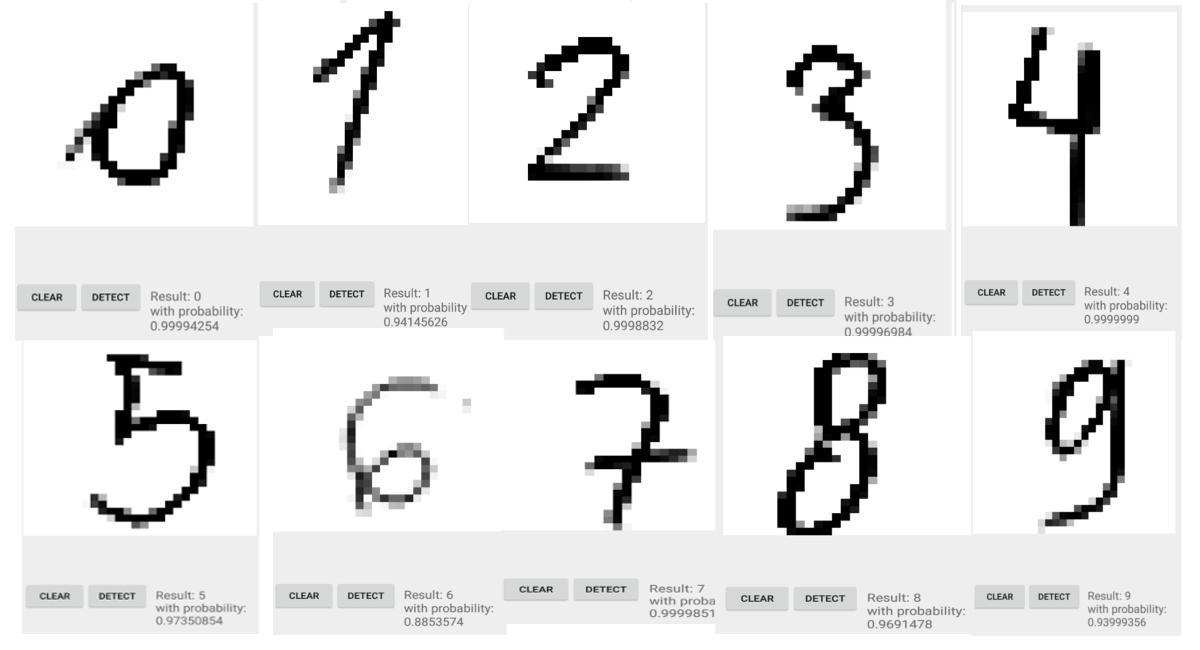
Handwritten digits classification from MNIST on Android with TensorFlow.
If you want to make your own version of this app or want to knowhow to save your model and export it for Android or other devices check the very simple tutorial below. The UI and expert-graph.pb model were taken from: https://github.com/miyosuda/TensorFlowAndroidMNIST, so thank you miyousuda.
Dependencies
All included
Usage
Just open this project with Android Studio and is ready to run, this will work with x86 and armeabi-v7a architectures.
How to export my model?
A full example can be seen here
Train your model
Keep an in memory copy of eveything your model learned (like biases and weights) Example:
_w = sess.eval(w), where w was learned from training.Rewrite your model changing the variables for constants with value = in memory copy of learned variables. Example:
w_save = tf.constant(_w)Also make sure to put names in the input and output of the model, this will be needed for the model later. Example:
x = tf.placeholder(tf.float32, [None, 1000], name='input')y = tf.nn.softmax(tf.matmul(x, w_save) + b_save), name='output')Export your model with:
tf.train.write_graph(<graph>, <path for the exported model>, <name of the model>.pb, as_text=False)
How to run my model with Android?
You need tensorflow.aar, which can be downloaded from the nightly build artifact of TensorFlow CI, here we use the #124 build.
Interacting with TensorFlow
To interact with TensorFlow you will need an instance of TensorFlowInferenceInterface, you can see more details about it here
Credits
Credits for this code go to mari-linhares. I've merely created a wrapper to get people started.