
lab-emi/OpenDPD
lab-emi/OpenDPD has 182 GitHub stars and 42 forks. Star changes are not measured yet. Last checked 2026-11-14 07:05 UTC. Last push 2026-11-13.
측정된 스타 증가
- in 24h
- 기록 수집 중
- in 7 days
- 기록 수집 중
- in 15 days
- 기록 수집 중
- in 1 month
- 기록 수집 중
서로 겹치는 기간의 순증가량이며 일별 합계가 아닙니다. 측정값이 없으면 비워 둡니다. 스타는 관심도를 나타내며 품질을 보장하지 않습니다.
소개
OpenDPD is an end-to-end learning framework built in PyTorch for power amplifier (PA) modeling and digital pre-distortion (DPD). You are cordially invited to contribute to this project by providing your own backbone neural networks, pretrained models or measured PA datasets.
머신러닝README.md
OriginalTry OpenDPD Studio in your browser →
No installation. Explore example data or upload your own CSV, train PA/DPD models on shared CUDA compute, and download your checkpoints. During the trial, 2 hours without user activity clears that IP’s temporary workspaces; all data is deleted within 12 hours.
OpenDPD


Model a power amplifier. Train a digital predistorter. Understand the result.
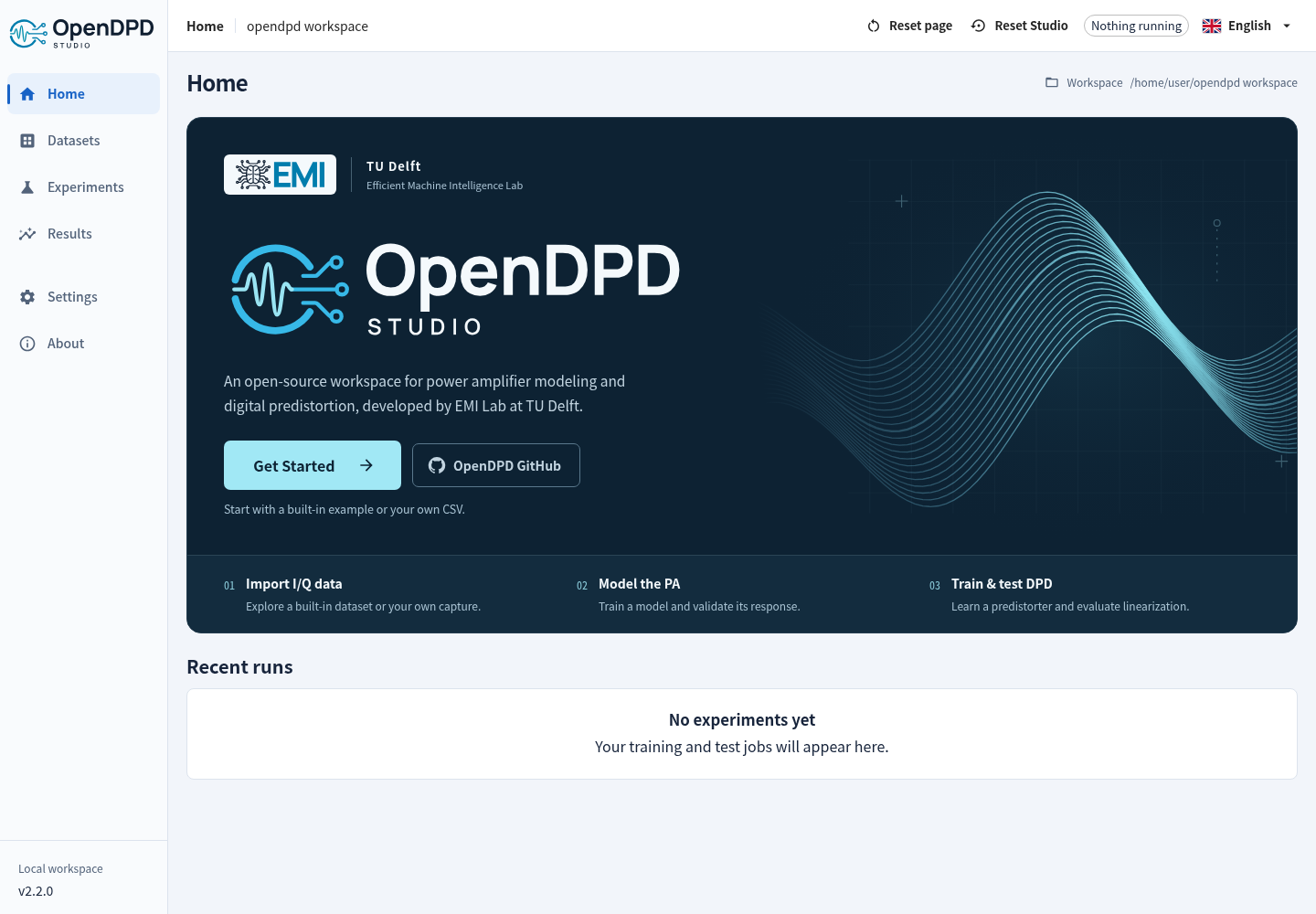
OpenDPD is a PyTorch framework for power amplifier (PA) modeling and digital predistortion (DPD), developed by the Efficient Machine Intelligence Lab at TU Delft. Use OpenDPD Studio in the browser or locally for a guided workflow, or automate experiments with the CLI and Python API. All three use the original OpenDPD training core.



Documentation · Studio walkthrough · Examples & Colab · Papers & citation
What's new
OpenDPD 2.4.2 reduces hosted VM memory residency while retaining the same 8 GiB guest capacity, compute limits and numerical behavior. See the 2.4.2 release notes.
OpenDPD 2.4.1 adds the NR FR1 standard test models of 3GPP TS 38.141-1 to the Signal Generator: NR-FR1-TM1.1, 1.2, 2, 2a, 2b, 3.1, 3.1a, 3.1b, 3.2, 3.3 and NR-N-TM, as FDD or TDD baseband signals of 15/30/60 kHz and 3–100 MHz with one to sixteen carriers. The 5G NR tab opens on the model picker and lists what the standard fixes; the generic preset matrix is behind a button. With the data convention set to MATLAB's, the resource grids agree with MATLAB R2026a's 5G Toolbox in all 438 compared configurations (414 bit-identical, the rest within 3.2e-16); the default convention follows the standard's text and differs from MATLAB's random bits for TDD, TM2/2a/2b and captures longer than one frame. The signals are uncoded baseband stimuli (PDCCH, PDSCH and DM-RS); at default settings 35 of the 80 combinations of duplex mode, subcarrier spacing and bandwidth (10 of 40 FDD, 25 of 40 TDD) of a single carrier are shorter than the standard's 10 or 20 ms, because a capture holds at most 1,000,000 samples; the EVM shown is a known-grid diagnostic, not a conformance claim.
OpenDPD 2.4.0 added the MATLAB toolbox, MATLINK and a Python SDK: train PA/DPD models from MATLAB, export portable model packages, and verify them in plain MATLAB. Two versioned LTE EVM/ACLR profiles pass all 115 registered digital-signal comparisons with MATLAB; the original v1 failure record remains available. DPD Arena, introduced in 2.3.0, compares 23 DPD model entries on APA_200MHz_b across parameter budgets using test EVM, output ACLR, arithmetic cost and Pareto fronts. Results are predictions through one frozen PA model, not new hardware measurements.
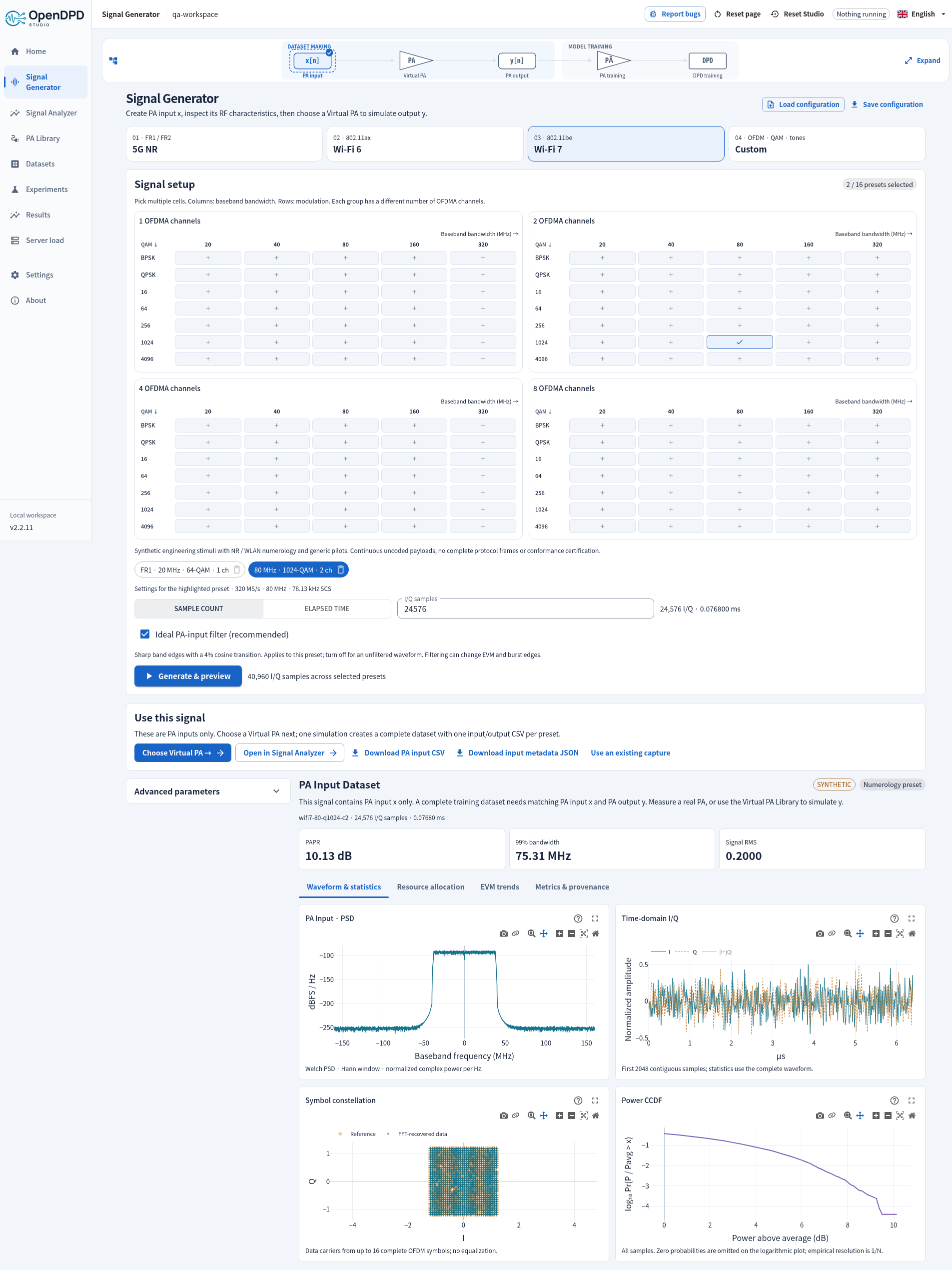
Signal Generator → PA Library → PA training → DPD training/testing. Generate a PA input, simulate its output with one of nine Virtual PAs, or use existing input/output data. Matrix presets are uncoded engineering stimuli and the NR test models are uncoded baseband implementations of the standard's definitions; each capture keeps its own sample rate and length.
2.4.1 release notes · NR standard test models · MATLAB toolbox · Signal Generator · Signal Analyzer. During the hosted trial, 2 hours of inactivity clears that IP’s temporary workspaces; the top bar shows the expiry time.
Feature history · Verified platform status
Get started with Studio
Use Studio on the web, or install locally:
1. Install uv (then open a new terminal).
macOS / Linux:
curl -LsSf https://astral.sh/uv/install.sh | sh
Windows PowerShell:
powershell -ExecutionPolicy ByPass -c "irm https://astral.sh/uv/install.ps1 | iex"
2. Create an environment, install, and launch (same commands on all three platforms):
mkdir opendpd-lab
cd opendpd-lab
uv venv --python 3.12
uv pip install --python .venv "opendpd==2.4.2" --torch-backend=auto
uv run --no-project --python .venv opendpd gui
PyTorch, Studio and pywebview install together; no Node.js is needed. uv selects a PyTorch backend for the detected platform/drivers. Studio prefers available CUDA or Apple MPS, then CPU. Keep the terminal running. A 127.0.0.1 link opens on the computer running OpenDPD; for SSH, use the port-forwarding instructions.
Click Get Started → Signal Generator, or Use an existing dataset. See Installation for drivers, Linux system libraries, native-window troubleshooting and pip; Studio walkthrough for your first experiment.
Studio 2.3 adds DPD Arena with Rank, Submit and Rules pages. The benchmark uses only APA_200MHz_b. Compare individual DPD configurations through one frozen TRes-GRU PA, using complete-symbol EVM, output ACLR and fixed-reference complexity FoM across a 250–2,000-parameter sweep. Inspect PA validation/test accuracy, actual parameter and operation counts, and four Pareto plots, or evaluate a validated custom backbone in your workspace. PA and DPD training, validation and test inputs come only from original measured captures; cascade outputs are PA-model predictions.
Develop from source (Git and Node.js 22.22+ required)
git clone https://github.com/lab-emi/OpenDPD.git
cd OpenDPD
uv venv --python 3.12
uv pip install --python .venv -e ".[dev]" --torch-backend=auto
npm --prefix frontend ci
npm --prefix frontend run build
uv run --no-project --python .venv opendpd gui
The PA → DPD workflow
| Step | What you do | What you learn |
|---|---|---|
| 1. Make or select data | Generate x → configure a Virtual PA → simulate y → create a paired dataset; or open existing x/y data. | Input/output provenance, signal quality and data splits. |
| 2. Model the PA | Train a behavioral model, then test it on held-out data. | How closely it predicts the dataset response, measured or explicitly synthetic. |
| 3. Train DPD | Place a predistorter before the trained PA model. | Whether the simulated cascade becomes more linear. |
| 4. Test & export | Compare results and export the predistorted I/Q signal. | A PA input signal ready for a separate measurement experiment. |
A DPD result evaluated through a PA model is a simulation. Exported u = DPD(x) is the PA input; a physical PA measurement is needed to establish measured linearization performance. See the Studio walkthrough and measured DPD guide.
PA Library guide · Reading signal-chain PSD plots
Choose your next step
| I want to… | Read |
|---|---|
| Run the same workspace experiments from a terminal | Headless CLI |
| Train from Python or try a notebook | Examples · API reference |
| Understand the original training pipeline and quantization | Training guide |
| Use my own I/Q measurements through Python or the CLI | Dataset formats · Import & preprocessing |
| Configure plots, animations and dashboards | Visualization guide |
| Compare models or reproduce a paper | Benchmark · Reproduction guide |
| Evaluate waveforms, streaming or hardware export | Advanced guides |
| Resolve installation or signal-metric questions | FAQ |
Contribute & cite
Contributions of models, tests and documentation are welcome. Start with CONTRIBUTING.md; see testing and how we maintain the docs.
If you use OpenDPD in research, cite the OpenDPD paper. BibTeX and related papers · CITATION.cff
Chang Gao — Project Leader · Yizhuo Wu — Leading Developer. Meet the team · EMI Lab
관련 프로젝트 살펴보기
tensorflow/tensorflow
모두를 위한 오픈소스 머신러닝 프레임워크
201,591 스타huggingface/transformers
🤗 Transformers: 텍스트, 비전, 오디오, 멀티모달 분야의 최첨단 머신러닝 모델을 위한 모델 정의 프레임워크로, 추론과 학습을 모두 지원합니다.
168,958 스타AUTOMATIC1111/stable-diffusion-webui
Stable Diffusion 웹 UI
165,311 스타Comfy-Org/ComfyUI
그래프와 노드로 구성된 인터페이스를 갖춘, 가장 강력하고 모듈성이 뛰어난 확산 모델 GUI, API, 백엔드입니다. 세계에서 가장 빠른 로컬 추론 엔진입니다.
146,746 스타