
hassony2/torch_videovision
hassony2/torch_videovision has 278 GitHub stars and 42 forks. GitHot measured 0 stars in 24 hours, 0 in 7 days, 0 in 15 days, and 0 in 30 days. Last checked 2026-11-24 23:55 UTC. Last push 2021-06-07.
측정된 스타 증가
- in 24h
- 0
- in 7 days
- 0
- in 15 days
- 0
- in 1 month
- 0
서로 겹치는 기간의 순증가량이며 일별 합계가 아닙니다. 측정값이 없으면 비워 둡니다. 스타는 관심도를 나타내며 품질을 보장하지 않습니다.
소개
Transforms for video datasets in pytorch
머신러닝README.md
Originaltorch_videovision - Basic Video transforms for Pytorch
This repository implements several basic data-augmentation transforms for pytorch video inputs
The idea was to produce the equivalent of torchvision transforms for video inputs. (The code is therefore widely based on the code from this repository :) )
The basic paradigm is that dataloading should produce videoclips as a list of PIL Images or numpy.ndarrays (in format as read by opencv).
Several transforms are then provided in video_transforms.
Each transform iterates on all the images in the list and applies the wanted augmentation.
We then have to convert those inputs to torch tensors. This can be produced by the volume_transform.ClipToTensor class, which produces a video volume in format (n_channels, n_images, height, width) where n_channels = 3 in case of images.
When randomness is involved, the same random parameters (crop size, scale size, rotation angle,...) are applied to all the frames.
Transforms can be composed just as in torchvision with video_transforms.Compose.
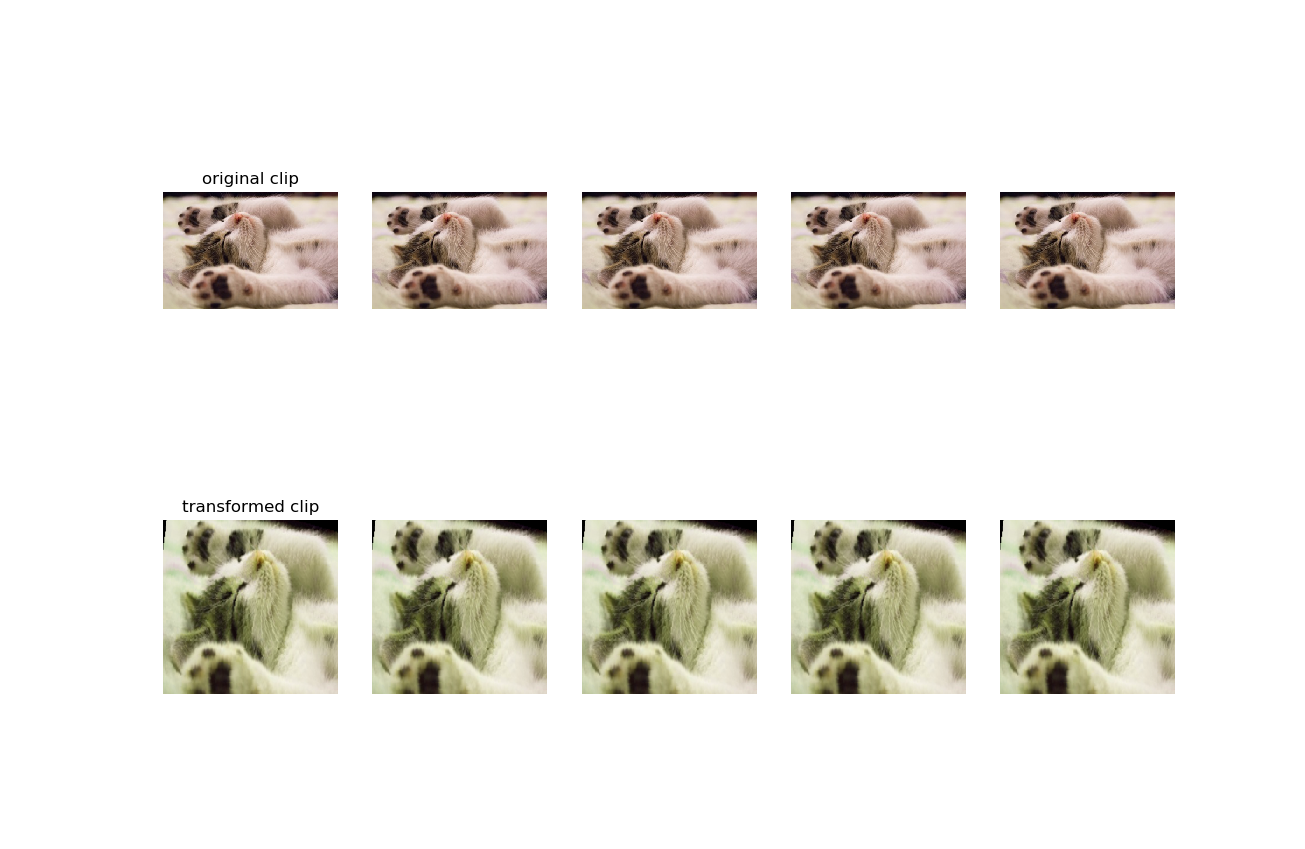
To quickly see a demo of the transformations, run python testtransforms.py
This should produce something like the top image (this is a dummy clip for now, so the same image is repeated several times)
Advancement
- Compose
- Resize
- CenterCrop
- RandomCrop
- RandomHorizontalFlip
- RandomResize
- RandomRotation
- ColorJitter (acts on brightness, saturation, contrast and hue, only on PIL Images for now)
- RandomResizedCrop
ClipToTensor
Add profiling utilites
How to use
Install torch_videovision
pip install git+https://github.com/hassony2/torch_videovision
Thanks to bachsh !
In your python script
from torchvideotransforms import video_transforms, volume_transforms

video_transform_list = [video_transforms.RandomRotation(30),
			video_transforms.RandomCrop((200, 200))
			volume_transforms.ClipToTensor()]
transforms = video_transforms.Compose(video_transform_list)
관련 프로젝트 살펴보기
불러오는 중…