
amueller/introduction_to_ml_with_python
amueller/introduction_to_ml_with_python has 8,233 GitHub stars and 4,673 forks. GitHot measured 0 stars in 24 hours, +2 in 7 days, and +8 in 15 days. Last checked 2026-11-21 12:34 UTC. Last push 2024-03-14.
측정된 스타 증가
- in 24h
- 0
- in 7 days
- +2
- in 15 days
- +8
- in 1 month
- 기록 수집 중
서로 겹치는 기간의 순증가량이며 일별 합계가 아닙니다. 측정값이 없으면 비워 둡니다. 스타는 관심도를 나타내며 품질을 보장하지 않습니다.
소개
도서 "Introduction to Machine Learning with Python"의 노트북과 코드
머신러닝README.md
Original
Introduction to Machine Learning with Python
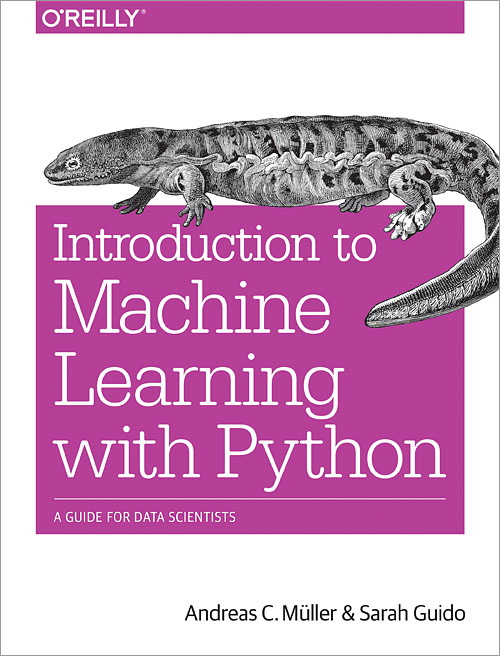
This repository holds the code for the forthcoming book "Introduction to Machine Learning with Python" by Andreas Mueller and Sarah Guido. You can find details about the book on the O'Reilly website.
The book requires the current stable version of scikit-learn, that is
0.20.0. Most of the book can also be used with previous versions of
scikit-learn, though you need to adjust the import for everything from the
model_selection module, mostly cross_val_score, train_test_split
and GridSearchCV.
This repository provides the notebooks from which the book is created, together
with the mglearn library of helper functions to create figures and
datasets.
For the curious ones, the cover depicts a hellbender.
All datasets are included in the repository, with the exception of the aclImdb dataset, which you can download from the page of Andrew Maas. See the book for details.
If you get ImportError: No module named mglearn you can try to install mglearn into your python environment using
the command pip install mglearn in your terminal or !pip install mglearn in Jupyter Notebook.
Errata
Please note that the first print of the book is missing the following line when listing the assumed imports:
from IPython.display import display
Please add this line if you see an error involving display.
The first print of the book used a function called plot_group_kfold.
This has been renamed to plot_label_kfold because of a rename in
scikit-learn.
Setup
To run the code, you need the packages numpy, scipy, scikit-learn, matplotlib, pandas and pillow.
Some of the visualizations of decision trees and neural networks structures also require graphviz. The chapter
on text processing also requires nltk and spacy.
The easiest way to set up an environment is by installing Anaconda.
Installing packages with conda:
If you already have a Python environment set up, and you are using the conda package manager, you can get all packages by running
conda install numpy scipy scikit-learn matplotlib pandas pillow graphviz python-graphviz
For the chapter on text processing you also need to install nltk and spacy:
conda install nltk spacy
Installing packages with pip
If you already have a Python environment and are using pip to install packages, you need to run
pip install numpy scipy scikit-learn matplotlib pandas pillow graphviz
You also need to install the graphiz C-library, which is easiest using a package manager.
If you are using OS X and homebrew, you can brew install graphviz. If you are on Ubuntu or debian, you can apt-get install graphviz.
Installing graphviz on Windows can be tricky and using conda / anaconda is recommended.
For the chapter on text processing you also need to install nltk and spacy:
pip install nltk spacy
Downloading English language model
For the text processing chapter, you need to download the English language model for spacy using
python -m spacy download en
Submitting Errata
If you have errata for the (e-)book, please submit them via the O'Reilly Website. You can submit fixes to the code as pull-requests here, but I'd appreciate it if you would also submit them there, as this repository doesn't hold the "master notebooks".
관련 프로젝트 살펴보기
불러오는 중…