
SystemErrorWang/White-box-Cartoonization
SystemErrorWang/White-box-Cartoonization has 4,002 GitHub stars and 732 forks. GitHot measured 0 stars in 24 hours, +2 in 7 days, and 0 in 15 days. Last checked 2026-11-24 22:35 UTC. Last push 2026-01-19.
측정된 스타 증가
- in 24h
- 0
- in 7 days
- +2
- in 15 days
- 0
- in 1 month
- 기록 수집 중
서로 겹치는 기간의 순증가량이며 일별 합계가 아닙니다. 측정값이 없으면 비워 둡니다. 스타는 관심도를 나타내며 품질을 보장하지 않습니다.
소개
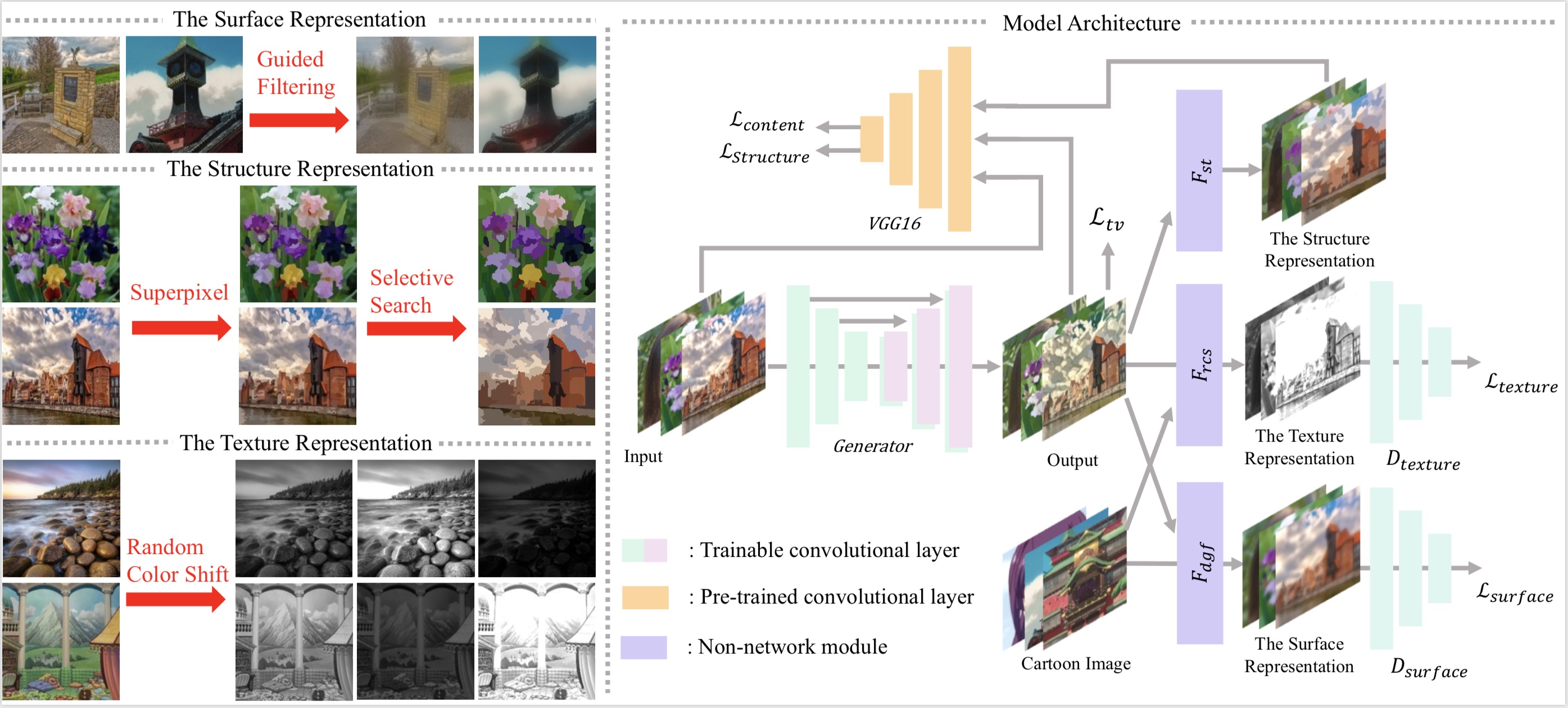
CVPR 2020 논문 “Learning to Cartoonize Using White-box Cartoon Representations”의 공식 TensorFlow 구현
머신러닝README.md
Original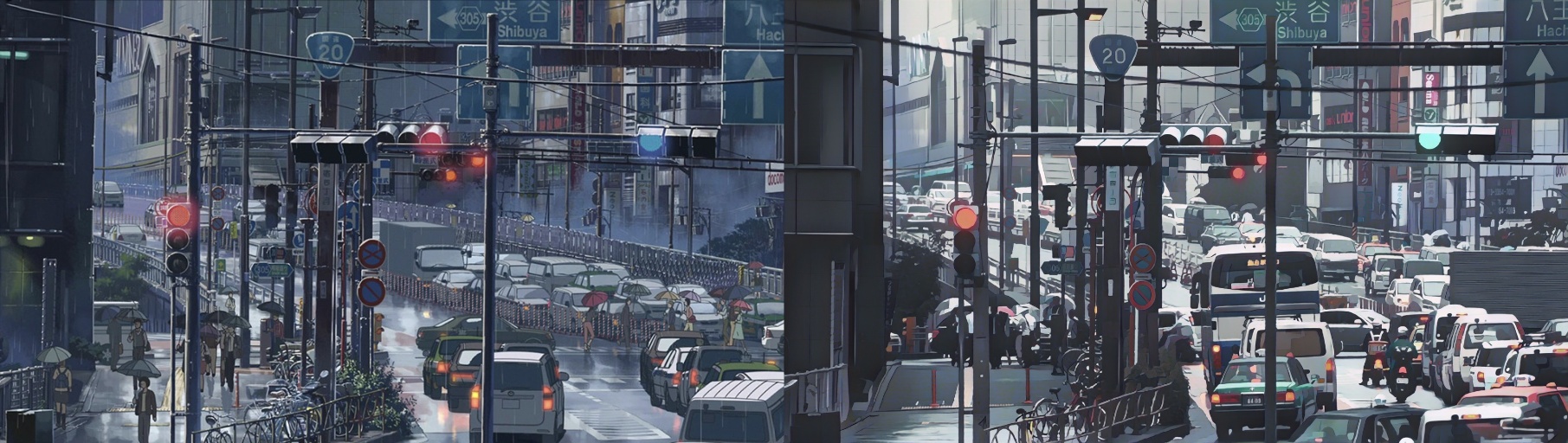
[CVPR2020]Learning to Cartoonize Using White-box Cartoon Representations
project page | paper | twitter | zhihu | bilibili | facial model
- Tensorflow implementation for CVPR2020 paper “Learning to Cartoonize Using White-box Cartoon Representations”.
- Improved method for facial images are now available:
- https://github.com/SystemErrorWang/FacialCartoonization
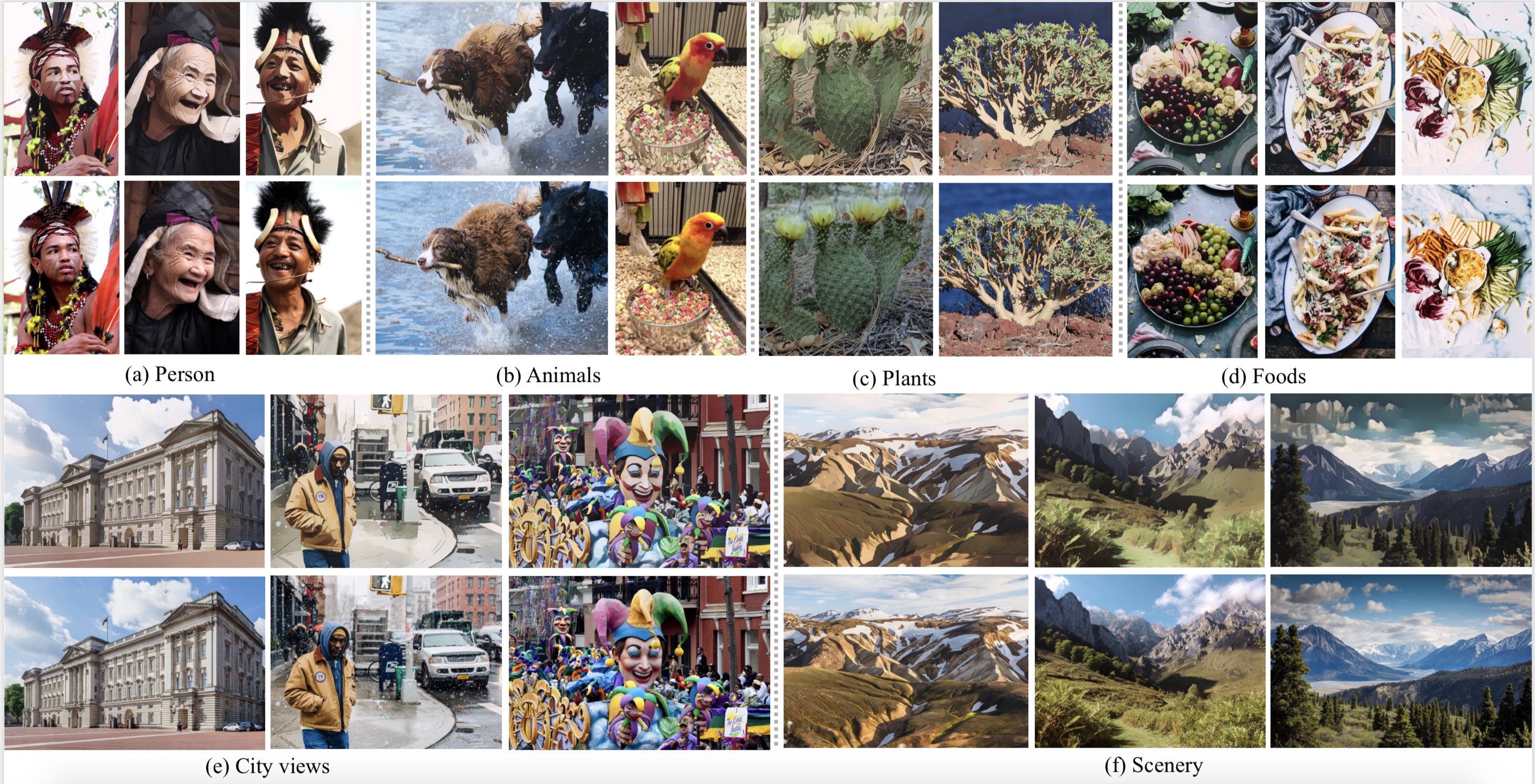
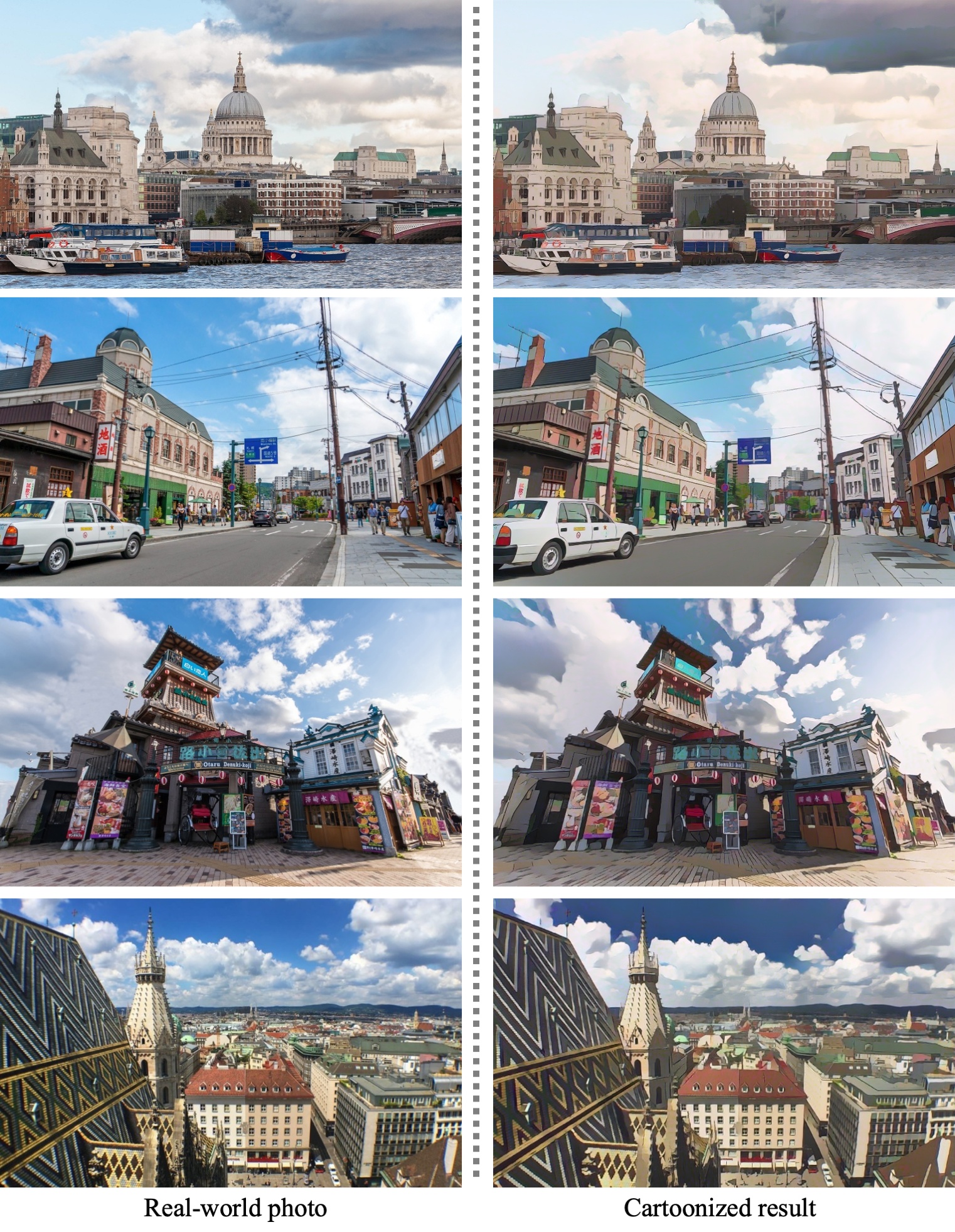
Use cases
Scenery

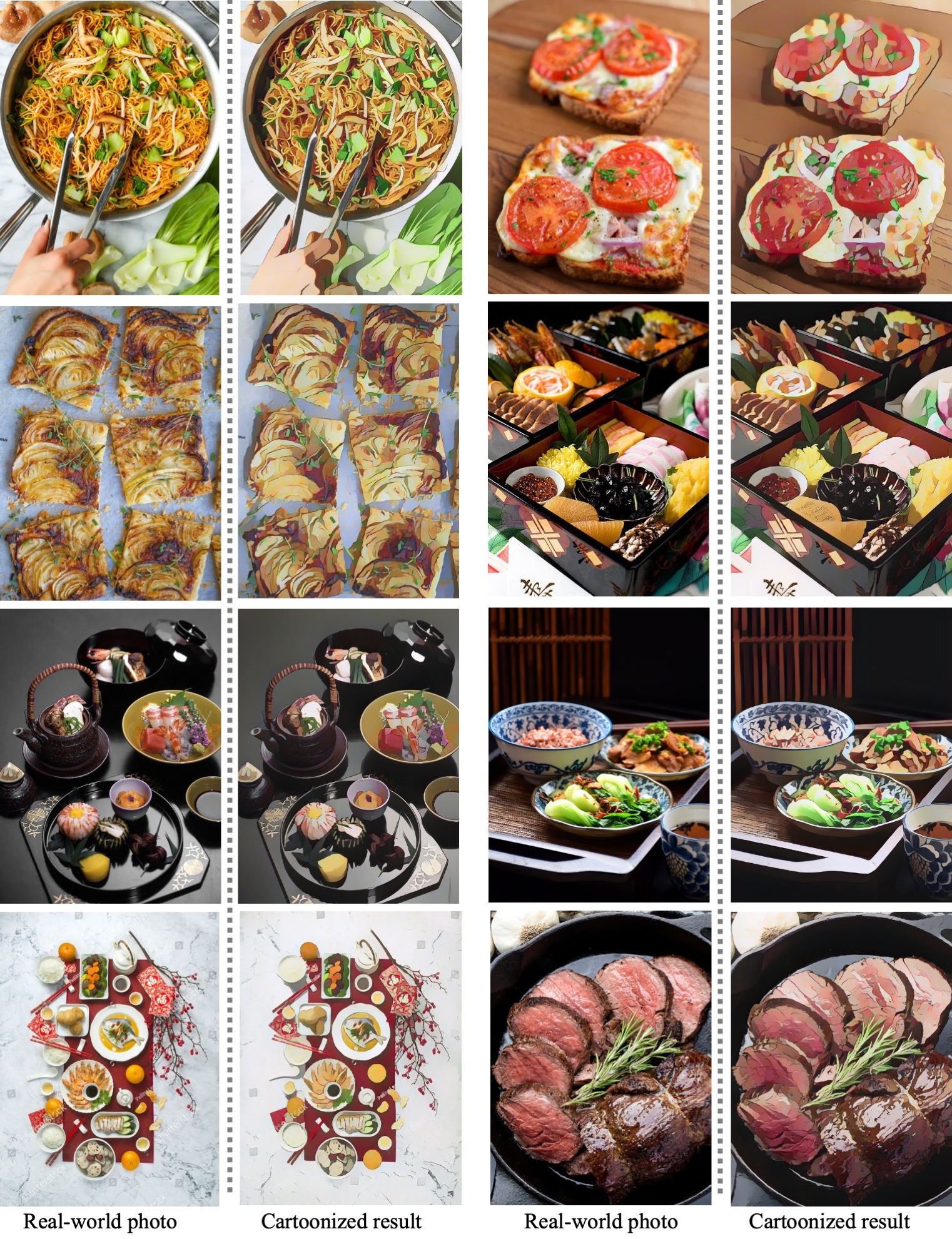
Food
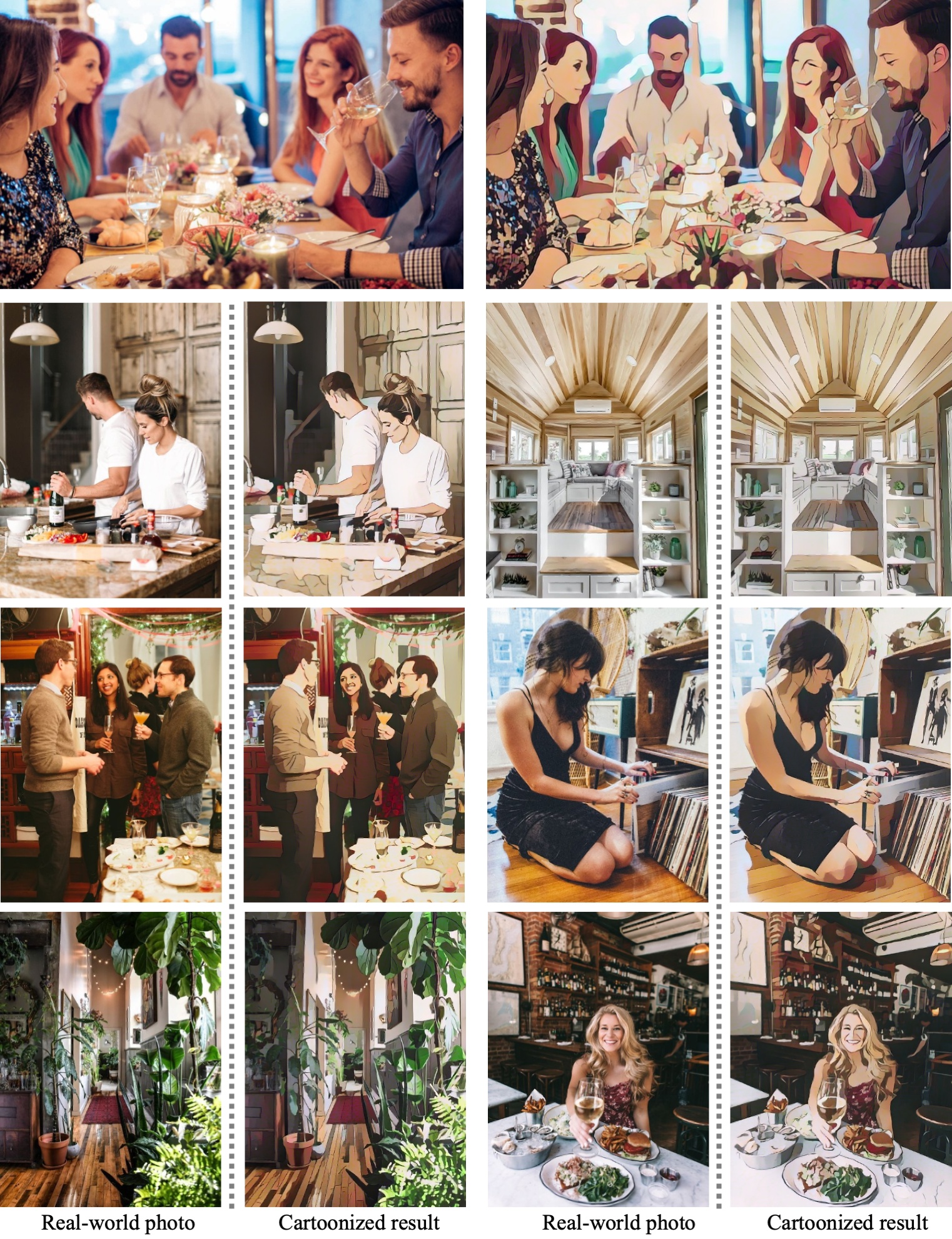
Indoor Scenes
People
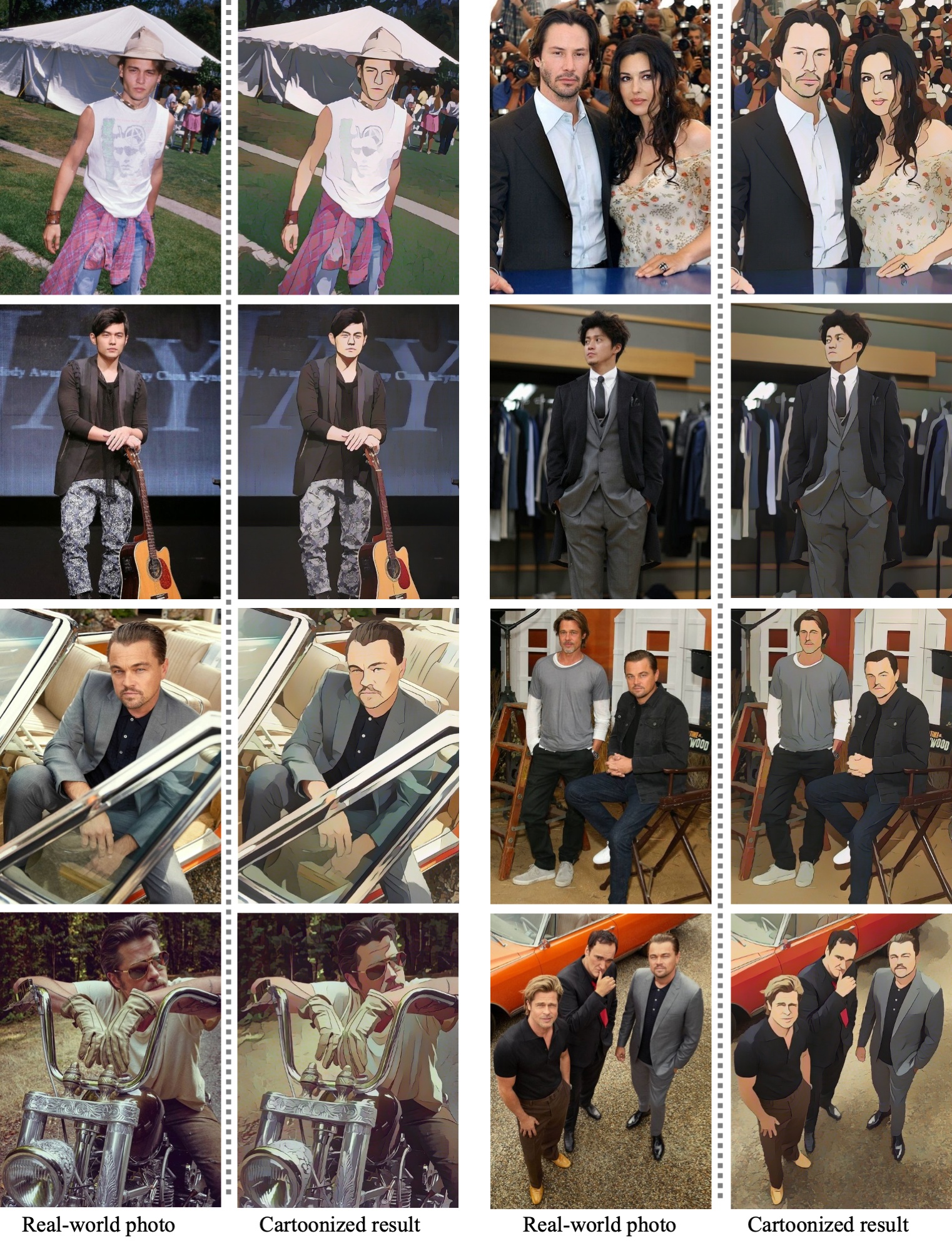
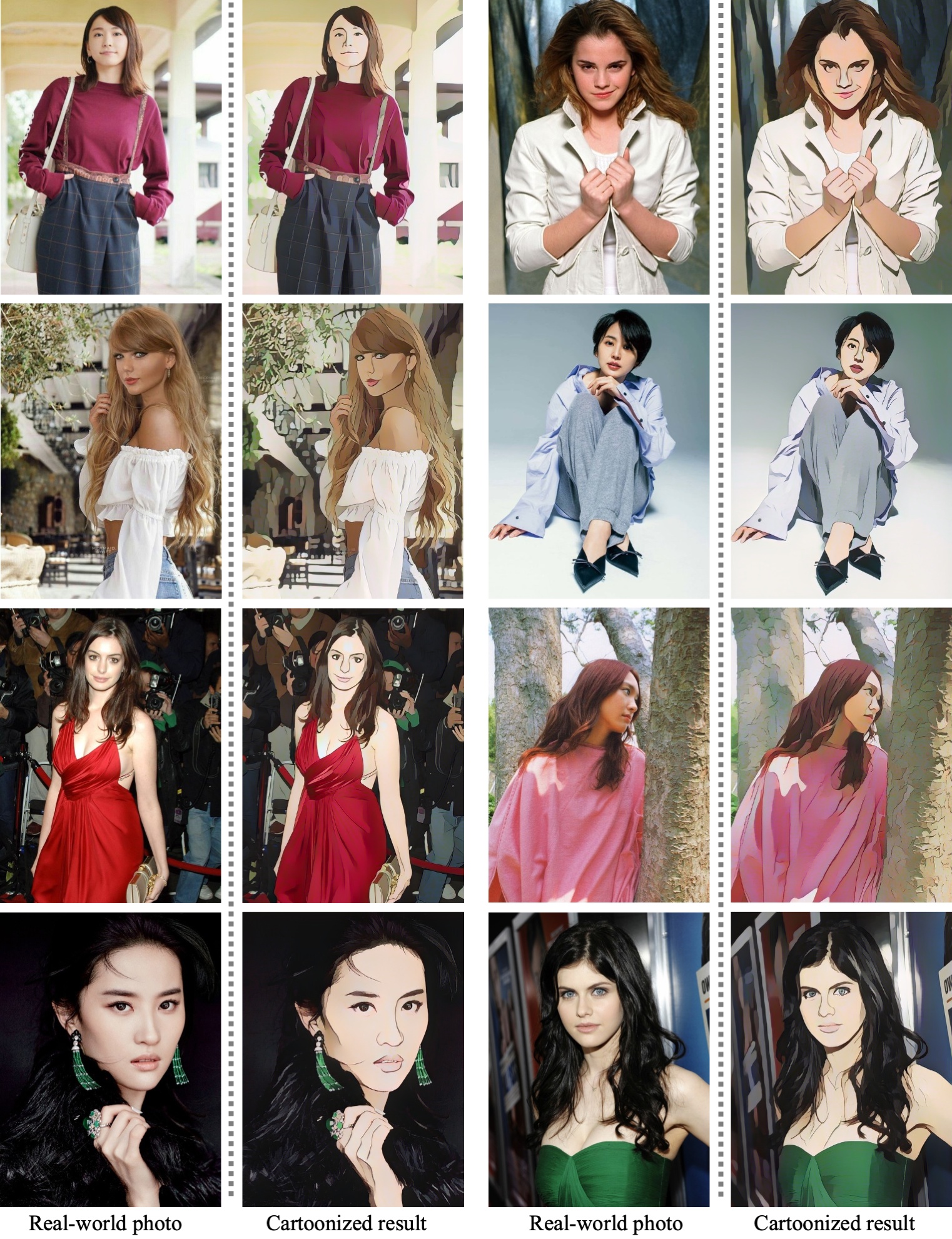
More Images Are Shown In The Supplementary Materials
Online demo
- Some kind people made online demo for this project
- Demo link: https://cartoonize-lkqov62dia-de.a.run.app/cartoonize
- Code: https://github.com/experience-ml/cartoonize
- Sample Demo: https://www.youtube.com/watch?v=GqduSLcmhto&feature=emb_title
Prerequisites
- Training code: Linux or Windows
- NVIDIA GPU + CUDA CuDNN for performance
- Inference code: Linux, Windows and MacOS
How To Use
Installation
- Assume you already have NVIDIA GPU and CUDA CuDNN installed
- Install tensorflow-gpu, we tested 1.12.0 and 1.13.0rc0
- Install scikit-image==0.14.5, other versions may cause problems
Docker
You can run the cartoonization using Docker without installing any dependencies locally.
Build the Docker image
docker build --platform linux/amd64 -t whitebox-cartoonization:latest .
Run with default test images
docker run --rm --platform linux/amd64 whitebox-cartoonization:latest
Run with custom images
Mount your input and output directories as volumes:
docker run --rm --platform linux/amd64 \
  -v /path/to/your/images:/app/test_code/test_images \
  -v /path/to/output:/app/test_code/cartoonized_images \
  whitebox-cartoonization:latest
Docker environment details
- Base image: tensorflow/tensorflow:1.15.5-py3 (Ubuntu 18.04)
- Python: 3.6
- TensorFlow: 1.15.5
- Platform: linux/amd64 (works on Apple Silicon via emulation)
Inference with Pre-trained Model
- Store test images in /test_code/test_images
- Run /test_code/cartoonize.py
- Results will be saved in /test_code/cartoonized_images
Train
- Place your training data in corresponding folders in /dataset
- Run pretrain.py, results will be saved in /pretrain folder
- Run train.py, results will be saved in /train_cartoon folder
- Codes are cleaned from production environment and untested
- There may be minor problems but should be easy to resolve
- Pretrained VGG_19 model can be found at following url: https://drive.google.com/file/d/1j0jDENjdwxCDb36meP6-u5xDBzmKBOjJ/view?usp=sharing
Datasets
- Due to copyright issues, we cannot provide cartoon images used for training
- However, these training datasets are easy to prepare
- Scenery images are collected from Shinkai Makoto, Miyazaki Hayao and Hosoda Mamoru films
- Clip films into frames and random crop and resize to 256x256
- Portrait images are from Kyoto animations and PA Works
- We use this repo(https://github.com/nagadomi/lbpcascade_animeface) to detect facial areas
- Manual data cleaning will greatly increace both datasets quality
Acknowledgement
We are grateful for the help from Lvmin Zhang and Style2Paints Research
License
- Copyright (C) Xinrui Wang All rights reserved. Licensed under the CC BY-NC-SA 4.0
- license (https://creativecommons.org/licenses/by-nc-sa/4.0/legalcode).
- Commercial application is prohibited, please remain this license if you clone this repo
Citation
If you use this code for your research, please cite our paper:
@InProceedings{Wang_2020_CVPR, author = {Wang, Xinrui and Yu, Jinze}, title = {Learning to Cartoonize Using White-Box Cartoon Representations}, booktitle = {IEEE/CVF Conference on Computer Vision and Pattern Recognition (CVPR)}, month = {June}, year = {2020} }
中文社区
我们有一个除了技术什么东西都聊的以技术交流为主的群。如果你一次加群失败,可以多次尝试: 816096787。
관련 프로젝트 살펴보기
불러오는 중…