
HerRei/local-upscale
HerRei/local-upscale has 80 GitHub stars and 2 forks. GitHot measured +6 stars in 24 hours. Last checked 2026-11-11 06:09 UTC. Last push 2026-11-09.
Free, open-source desktop app for offline AI image and video upscaling, denoising and restoration. Runs entirely on your machine: macOS (Metal), Windows and Linux. Tauri + Svelte host, PyTorch engine. Beta.
What you can do
- Enlarge photos and artwork by 2×, 3× or 4×. Quick is a good starting point; Best spends more time on photo detail.
- Clean up noise, blur and JPEG artifacts before enlarging. Face restoration is available with compatible models.
- Watch the result take shape. Finished tiles appear as the job runs. When it finishes, drag the comparison slider to see what changed, or switch between Original, Split and Enhanced above the preview. The slider stays in place while you zoom in, and holding M shows the original. Large exports get a smaller preview while the saved file keeps every pixel.
- Process a folder or build a queue of images and videos. Save a setup as a recipe if you want to use it again.
측정된 스타 증가
- in 24h
- +6
- in 7 days
- 기록 수집 중
- in 15 days
- 기록 수집 중
- in 1 month
- 기록 수집 중
서로 겹치는 기간의 순증가량이며 일별 합계가 아닙니다. 측정값이 없으면 비워 둡니다. 스타는 관심도를 나타내며 품질을 보장하지 않습니다.
README.md
OriginalLocalSR
Enlarge photos and restore images on your own computer.
LocalSR is a free desktop app for upscaling photos, cleaning up noise and blur, and enhancing video. Choose an image, pick Quick or Best, and compare the result with your original. The models run on your computer; your photos stay there too.
Download LocalSR · Try it in your browser · Website · User guide · Changelog
| Original detail | LocalSR, 4× with Quick |
|---|---|
 |
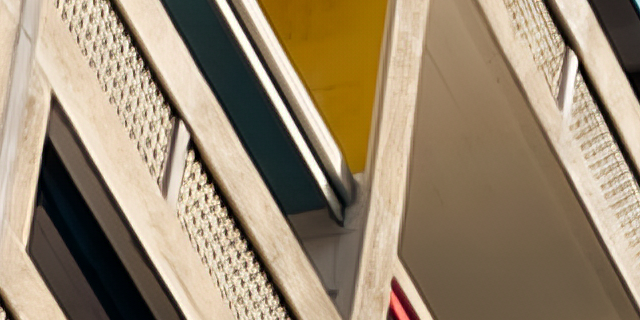 |
An actual result from SPAN NomosUni, with no added sharpening. Photo by Tim Ziegelbaum. Image credits and processing details.
New in 0.2: a calmer window
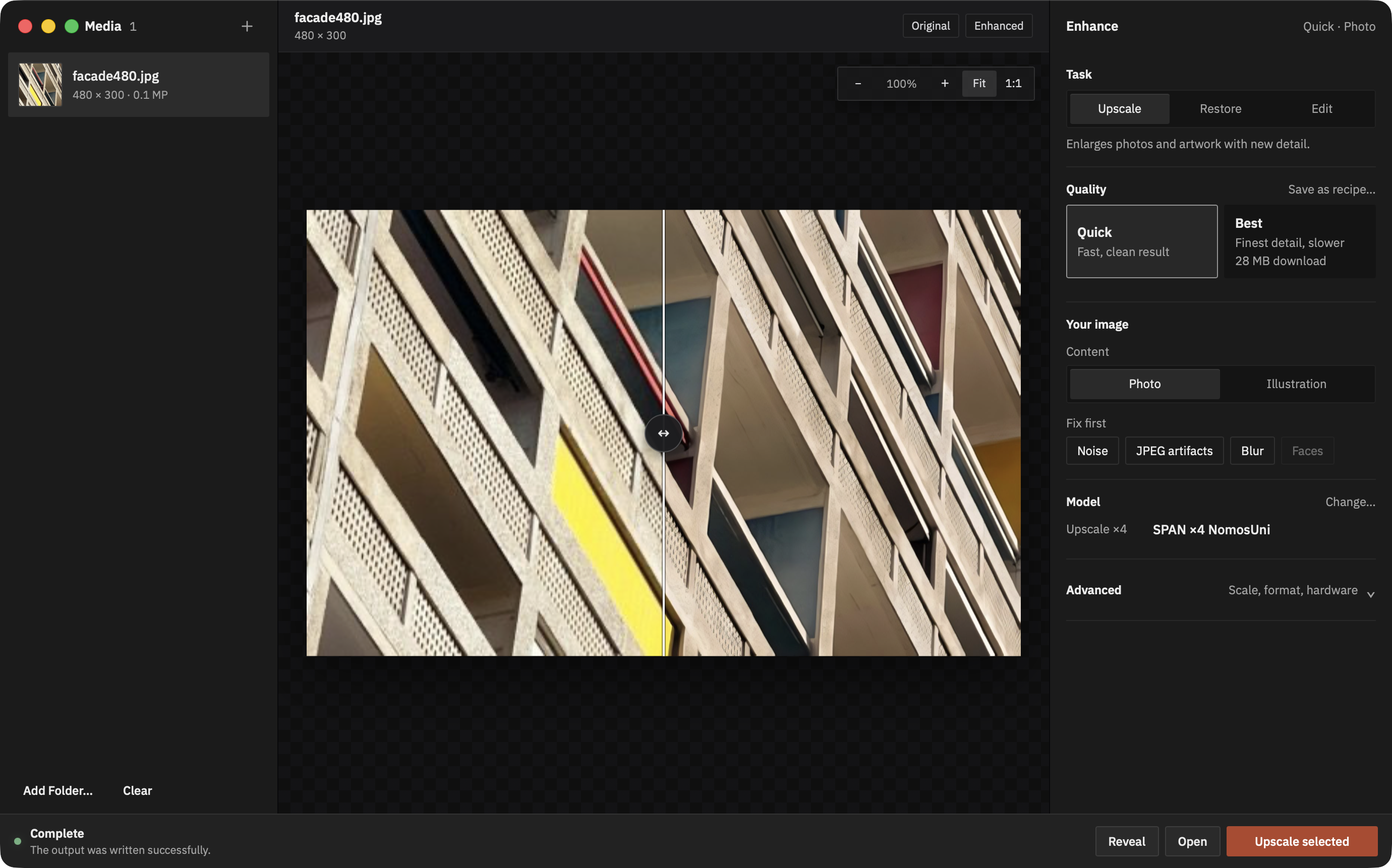
Version 0.2 redesigns the window for people who open LocalSR for the first time. There is one way to start: add a photo, choose Quick or Best and press the button at the bottom right. If a model is missing, that button says so ("Download 4 MB, then upscale") and does both. Quick and Best are described by what you get rather than by model name, Upscale handles videos too, and the top bar is gone: the model library, performance and updates live in the menu bar. The app ships IBM Plex Sans, uses square corners and neutral greys, and keeps colour for the button that starts work. New installations start on the GPU. Release notes.
0.2.1 keeps the comparison divider in place while you zoom, so a close look still shows before and after side by side. Original · Split · Enhanced above the preview switches between the whole original, the divider and the whole result, and holding M shows the original from any view. Release notes.
0.2.2 compares a finished video the way it compares a photo: the same canvas, a divider that stops at the edges of the frame, zoom with 1:1, and playback controls below the picture. Space plays and pauses. Release notes.
0.3.0 runs Quick photo, Real-ESRGAN and JPEG cleanup on the Mac's Neural Engine and Best photo through Core ML on the GPU, two to three times as fast with a fraction of the energy. Videos upscale about twice as fast and, with the new Automatic format, go straight to the Mac's hardware HEVC encoder. Videos also play before they are upscaled. Release notes.
Download
The download page has the installers and instructions for each platform:
- macOS v0.3.0-beta: a Mac with Apple Silicon (M1 or newer) and macOS 14 or later. Intel Macs are not supported. Signed and notarized by Apple, with signed updates in the app.
- Windows v0.3.0-beta: Windows 10 or 11, x86-64. CPU, DirectML and NVIDIA CUDA editions; the GPU editions are labelled untested. Installers are unsigned, so SmartScreen warns first: choose More info, then Run anyway.
- Linux v0.3.0-beta: x86-64 AppImages for CPU, AMD ROCm and NVIDIA CUDA. ROCm was tested on a Radeon RX 9060 XT with earlier builds; CUDA is untested.
With Homebrew, the Mac installer is one command:
brew install --cask herrei/tap/localsr
The cask follows each release, and the app keeps updating itself as before (HerRei/homebrew-tap).
Editing with a prompt is available on the Mac only.
The larger GPU editions come in parts. The download page explains how to put these together. See platform support for the testing details.
The Mac app takes about 1.2 GB on disk. Models download when you need them. Quick needs about 4.5 MB and most other models are under 500 MB. SeedVR2 for video takes several gigabytes, and the editing models 5 to 26 GB. Upscaling and editing with FLUX.2 klein are tested on a Mac with 16 GB of memory. Qwen Image Edit needs 24 GB or more.
LocalSR is only published on
GitHub Releases and on
herrei.github.io/localsr, which links the
same files. The Homebrew cask installs the same DMG. GitHub shows a SHA-256 for
every file, and each installer has a .sha256 file next to it. The Mac app is
signed as Developer ID Application: Hermes Reisner (Z2TU844D84), and
spctl -a -vv /Applications/LocalSR.app shows it.
What you can do
- Enlarge photos and artwork by 2×, 3× or 4×. Quick is a good starting point; Best spends more time on photo detail.
- Clean up noise, blur and JPEG artifacts before enlarging. Face restoration is available with compatible models.
- Watch the result take shape. Finished tiles appear as the job runs. When it finishes, drag the comparison slider to see what changed, or switch between Original, Split and Enhanced above the preview. The slider stays in place while you zoom in, and holding M shows the original. Large exports get a smaller preview while the saved file keeps every pixel.
- Process a folder or build a queue of images and videos. Save a setup as a recipe if you want to use it again.
- Edit with a prompt. Describe a change and a local Qwen Image Edit or FLUX.2 klein model creates a new image. This is experimental; FLUX.2 klein Q4_0 at 512 px has been tested on a 16 GB M1 Pro. The editing models are separate downloads of 5–26 GB. About editing.
- Enhance video frame by frame, keeping the source timing, rotation and audio. SeedVR2, HDR preservation and other Labs options still need more testing. Video support.
- Automate jobs with the
localsrcommand, including watch folders and CPU/GPU benchmarks. Command line guide.
JPEG, PNG, WebP, TIFF, AVIF, GIF, JPEG 2000 and camera RAW files are supported. On macOS, HEIC/HEIF and JPEG XL open through the system decoders. You can save images as PNG, JPEG, TIFF or WebP. Metadata and colour.
Choose a model
You can start with the presets and explore the library later. Each model shows
its download size, license, source and estimated memory use. LocalSR checks
curated downloads against their expected size and SHA-256 checksum before use.
You can also import your own compatible .safetensors files.
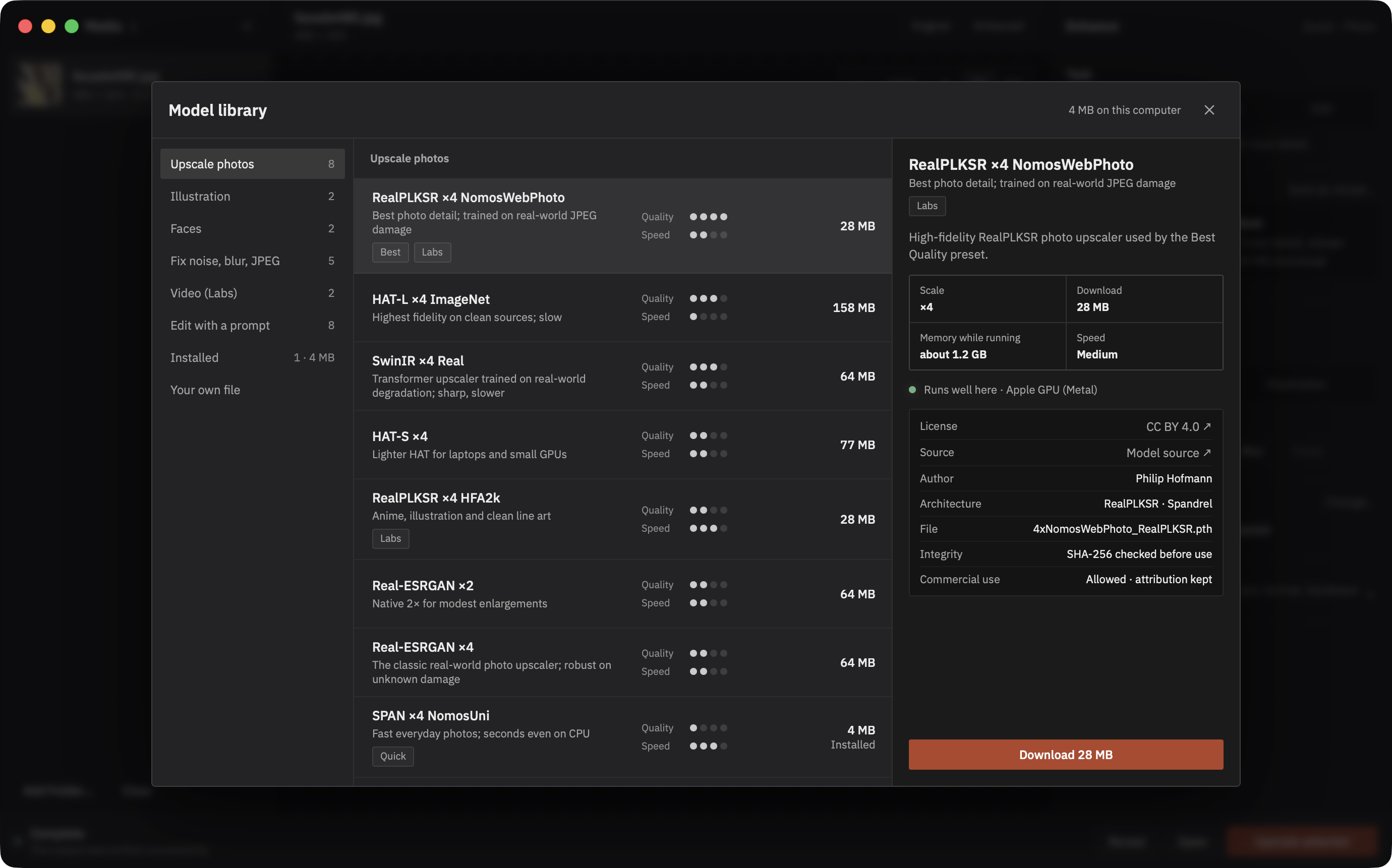
Quick uses SPAN NomosUni and Best uses RealPLKSR NomosWebPhoto, both by Philip Hofmann under CC BY 4.0. The library also includes HAT, Real-ESRGAN, SwinIR, NAFNet, SCUNet and FBCNN. The two HAT face companions require a manual import because their checkpoint rights are unresolved. Model guide · Model licenses.
Limits
- AI upscaling reconstructs detail. Faces, text and fine patterns can look sharp and still differ from the real scene, especially at 4×. Keep your originals. LocalSR never overwrites them.
- The video upscalers work on one frame at a time, so fine detail can flicker. De-flicker and SeedVR2 under Labs still need more testing.
- Large images and video can take hours. Try a small image or a short clip first to get a feel for the speed.
- Edit is experimental and makes a new picture from your prompt. One setup is tested: FLUX.2 klein 4B Q4_0 at 512 px on a 16 GB M1 Pro.
- The Mac build gets the most testing. Windows and Linux have automated package checks and some hardware testing, they don't update themselves, and their CUDA and DirectML editions are untested.
- On Windows and Linux, H.264, HEVC and AAC (most phone videos) need an FFmpeg you install yourself. On the Mac they open through the system.
The full list is in Known limitations.
What leaves your computer
There is no account, and your images and videos are never uploaded. LocalSR connects for these things only:
- Update check (macOS): at launch and when you choose Check for Updates…,
the app reads
herrei.github.io/localsr/updates/beta.jsonfrom GitHub Pages. The launch check can't be turned off in the app. If you block it with a firewall, everything else keeps working. - Anonymous count: after a successful check, one request goes to my Mac mini
at
macmini-ci.tail34a4e0.ts.netwith the app version, platform and channel. It has no install ID and no cookies. It is on by default, so the first launch already sends one. Turn it off with Send an anonymous update-check count in the Software Update dialog. - Updates: when you install one, it downloads from GitHub Releases and its signature is checked before anything is replaced.
- Models: each model downloads from its author's release on Hugging Face or
GitHub when you choose it, into
~/Library/Application Support/LocalSR/models.
Nothing else is sent: no analytics and no crash reports. Copy diagnostics puts versions, hardware and memory figures on your clipboard, without file names or media, and only when you ask. Windows and Linux builds don't check for updates. Once your models are downloaded, LocalSR works offline. Privacy details.
FAQ
Does it run on an Intel Mac? No. The Mac build needs Apple Silicon and macOS 14 or later.
Is it as good as Topaz? Topaz uses its own models. LocalSR uses public ones such as SPAN, RealPLKSR, HAT and Real-ESRGAN, and it is free. Which result is better depends on the photo, so try both on your own pictures.
Why is it free? It's my own project, made alongside uni. There is no paid version, no account and no advertising, and the code is MIT licensed.
Why is the download so big? The app brings its own PyTorch engine, so you don't need Python. The DMG is about 420 MB and the installed app about 1.2 GB.
Can I use my own models? Yes, compatible .safetensors files work as a
custom checkpoint. .pth, .pt and .ckpt files can run code when they load,
so the app only uses one after you tick Allow this pickle-based checkpoint.
Do that only for files whose publisher you trust.
How do I uninstall it? Quit LocalSR and move it to the Trash. Then delete
~/Library/Application Support/LocalSR (models, settings and the queue) and
~/Library/Caches/LocalSR, and ~/Library/Services/Enhance with LocalSR.workflow
if you turned on the Finder action. On Windows, uninstall it under Apps and
delete %LOCALAPPDATA%\LocalSR. On Linux, delete the AppImage and
${XDG_DATA_HOME:-~/.local/share}/LocalSR. Your exported files stay where you saved them.
Build from source
You need Python 3.11, Node.js, a stable Rust toolchain and Tauri's platform prerequisites.
./local-ci.sh setup
cd desktop && npm run tauri -- dev
The interface uses Svelte and Tauri, with a Rust host for the queue, settings, file access and updates. A separate Python worker runs PyTorch and Spandrel. If inference fails, the host can restart the worker. Desktop guide · Worker protocol.
Run ./local-ci.sh for the local checks. Packaging and signing are covered in
Releasing. The command line also works
without the desktop interface.
Feedback
Please report bugs on GitHub Issues with your app version, model, device and the steps that led to the problem. Copy diagnostics supplies the hardware details. For security reports, see SECURITY.md. For anything else: [email protected].
License
LocalSR is MIT licensed. Models keep their authors' licenses, shown in the app before download. Bundled libraries are listed in THIRD_PARTY_NOTICES.md, and each release includes the corresponding source for its LGPL components.
관련 프로젝트 살펴보기
tensorflow/tensorflow
모두를 위한 오픈소스 머신러닝 프레임워크
201,427 스타huggingface/transformers
🤗 Transformers: 텍스트, 비전, 오디오, 멀티모달 분야의 최첨단 머신러닝 모델을 위한 모델 정의 프레임워크로, 추론과 학습을 모두 지원합니다.
168,711 스타AUTOMATIC1111/stable-diffusion-webui
Stable Diffusion 웹 UI
165,289 스타Comfy-Org/ComfyUI
그래프와 노드로 구성된 인터페이스를 갖춘, 가장 강력하고 모듈성이 뛰어난 확산 모델 GUI, API, 백엔드입니다. 세계에서 가장 빠른 로컬 추론 엔진입니다.
146,271 스타