
GrayboxTech/weightslab
GrayboxTech/weightslab has 179 GitHub stars and 2 forks. GitHot measured +2 stars in 24 hours and +3 in 7 days. Last checked 2026-11-12 16:48 UTC. Last push 2026-10-30.
Monitoring platform for ML teams building real‑world AI at scale.
측정된 스타 증가
- in 24h
- +2
- in 7 days
- +3
- in 15 days
- 기록 수집 중
- in 1 month
- 기록 수집 중
서로 겹치는 기간의 순증가량이며 일별 합계가 아닙니다. 측정값이 없으면 비워 둡니다. 스타는 관심도를 나타내며 품질을 보장하지 않습니다.
README.md
Original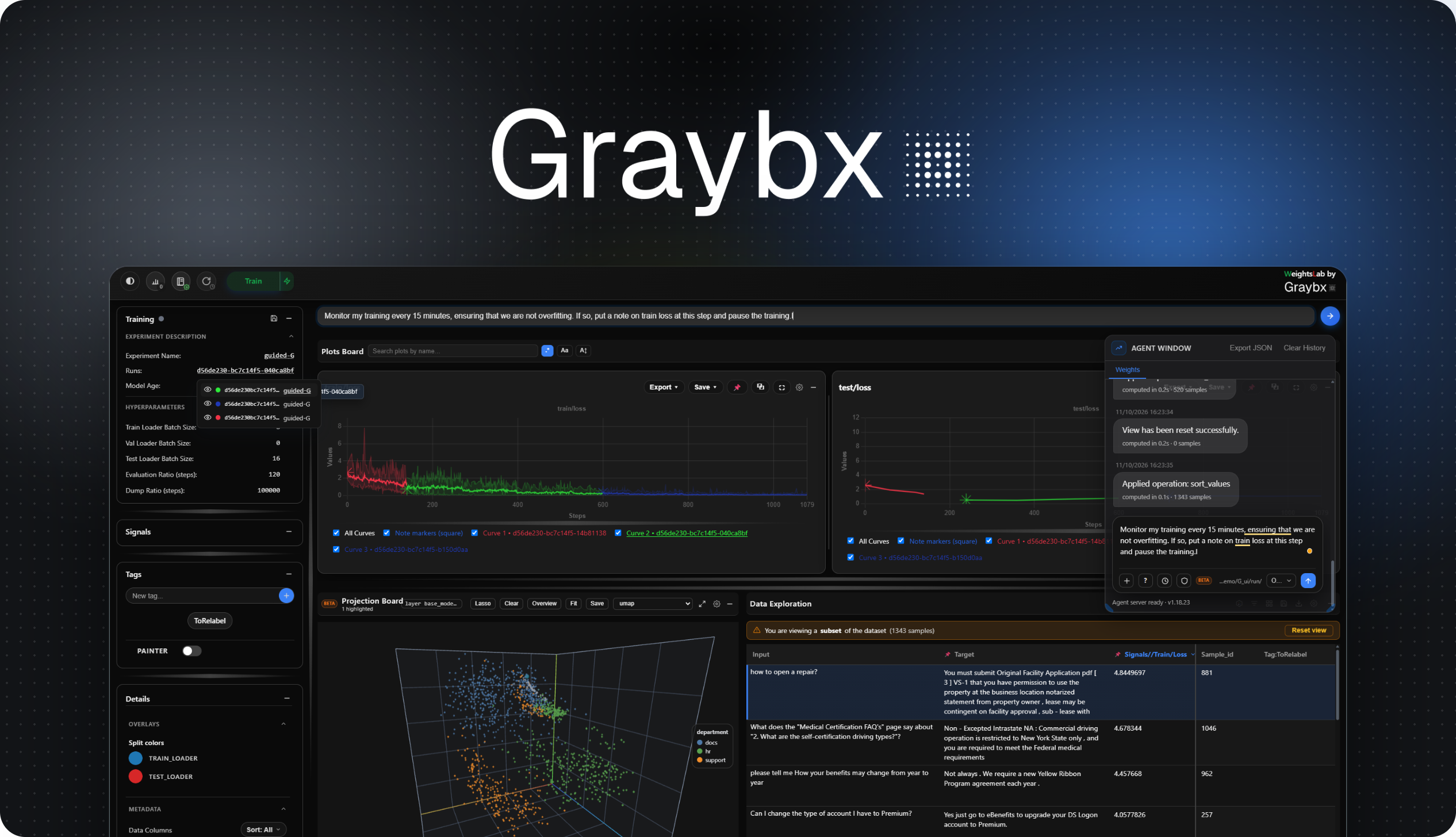
Built for ML Teams working with messy real-world data
Pause training, mine live loss signals to surface mislabels, class imbalance & outliers,
then curate your image, video, text & LiDAR data, without restarting.


Website · Docs · Demo (Images) · Demo (VLA) · Demo (LiDAR) · Demo (LLM/Coming soon)
Overview
WeightsLab hooks into your existing PyTorch training loop and exposes a live UI where you can inspect per-sample signals, edit the dataset, and steer training. Without restarting.
WeightsLab in Motion
Quickstart
For a detailed installation guide and advanced configuration: Documentation.
1. Install & Launch
pip install weightslab
weightslab start ./my_experiment_directory # launch the UI
[!TIP] Studio with HTTP Secure Deployment. Run before starting this command to set certificates.
weightslab se # set certificates for encryption
2. Start
In the cloud directly

Or Wrap your training script locally
# wrap the objects in your training script

import weightslab as wl
...
model  = wl.watch_or_edit(model, flag='model')
optim  = wl.watch_or_edit(optim, flag='opt')
loss   = wl.watch_or_edit(loss, flag='signal', name="loss", per_sample=True, log=True)
loader = wl.watch_or_edit(dataset, flag='data', loader_name="train")
...
wl.serve(serving_grpc=True, serving_cli=False)
...
[!TIP] Quick examples to get started
weightslab start example            # classification (default)
weightslab start example --cls      # classification
weightslab start example --seg      # segmentation
weightslab start example --det      # detection
weightslab start example --clus     # clustering
Explore our sandbox.
How can you use it ?
1. Find bad data fast
Pause training mid-run before bad data are learnt, sort samples by loss, spot mislabels and outliers before they impact your model.2. Fix and resume without re-starting
Relabel or drop samples live, then continue training from the same checkpoint.3. Catch model regressions early on
Analyze per-sample loss trajectories to see exactly where the model is struggling.Resources & Community
Training script with Weightslab - Step-by-Step Integration
- Add the import at the top of your script:
import weightslab as wl
- Wrap your parameters, model, optimizer, signals, and dataset:
   parameters      = wl.watch_or_edit(parameters, flag='hp',     ...) # ← WeightsLab monitors your parameters and lets you update them from the UI
   model           = wl.watch_or_edit(model, flag='model', ...) # ← WeightsLab monitors your model state
   optimizer       = wl.watch_or_edit(optim.Adam(...),                         flag='opt',    ...) # ← Tracks optimizer state and lets you update the learning rate from the UI

   train_criterion = wl.watch_or_edit(nn.CrossEntropyLoss(reduction="none"),  flag='signal', name="train_loss/sample", per_sample=True, log=True)   # ← Wrap and plot your signals on the UI
   test_criterion  = wl.watch_or_edit(nn.CrossEntropyLoss(reduction="none"),  flag='signal', name="test_loss/sample",  per_sample=True, log=False)  # ← Per-sample only, plot disabled

   train_loader    = wl.watch_or_edit(train_dataset, flag='data', loader_name="train_loader", ...)  # ← Track your training dataset
   val_loader      = wl.watch_or_edit(val_dataset,   flag='data', loader_name="val_loader",   ...)  # ← Track your validation dataset
- Run your script, then launch the UI in a separate terminal:
   python train.py
   weightslab start
- Open your browser at the URL printed by
weightslab startand inspect your training in real time.
Training script with Weightslab - Full Example
#!/usr/bin/env python3
"""
Basic PyTorch training script with WeightsLab integration
"""
import torch
import torch.nn as nn
import torch.optim as optim
from torch.utils.data import DataLoader, TensorDataset
import weightslab as wl


class SimpleModel(nn.Module):
    def __init__(self, input_shape=10, output_shape=1):
        super().__init__()
        self.linear = nn.Linear(input_shape, output_shape)

    def forward(self, x):
        return self.linear(x)


def create_data(n_samples=1000):
    X = torch.randn(n_samples, 10)
    y = X.sum(dim=1, keepdim=True) + 0.1 * torch.randn(n_samples, 1)
    return TensorDataset(X, y)


def main():
    parameters = wl.watch_or_edit({}, flag="hyperparameters", poll_interval=1.0) or {}

    model     = wl.watch_or_edit(SimpleModel(), flag='model')
    optimizer = wl.watch_or_edit(optim.Adam(model.parameters(), lr=0.01), flag='optimizer')
    criterion = wl.watch_or_edit(nn.CrossEntropyLoss(reduction="none"), flag="loss", signal_name="train-loss-CE", log=True)
    loader    = wl.watch_or_edit(create_data(), flag="data", loader_name="loader", batch_size=8, is_training=True)

    for epoch in range(parameters.get('n_epochs', 5)):
        total_loss = 0
        for batch_X, batch_y in loader:
            predictions = model(batch_X)
            loss = criterion(predictions, batch_y)
            optimizer.zero_grad()
            loss.backward()
            optimizer.step()
            total_loss += loss.item()

            # Write the history of these samples every x steps
            if model.get_age() % 100 == 0:
                print(f'Dump signals history and dataframe at age {model.get_age()}')
                wl.write_history(
                    # path=None,  # Use root_log_dir by default, filename generated from parameters md5 hash
                    type_of_history="all",
                    graph_name=[
                        'train/clsf_instance',
                        'val/clsf_instance'
                    ],
                    # experiment_hash=None,  Default is 'last', i.e., current experiment hash
                    sample_id=['11', '29', '28', '27', '22'],
                    instance_id=[1, 2, 3]
                )

                # Dump the sample dataframe: all signals plus the loss_shape categorical tag,
                wl.write_dataframe(
                    columns=["signals", "tag:loss_shape"],
                    format='csv'
                    # sample_id=['0', '28']
                    # instance_id=[1, 2],
                )

        avg_loss = total_loss / len(loader)
        print(f"Epoch {epoch+1}/5 - Loss: {avg_loss:.4f}")

    print("✅ Training complete!")


if __name__ == "__main__":
    main()
Migrating ?
See more details at https://grayboxtech.github.io/weightslab/latest/quickstart.html#local-integration-in-your-own-python-script-mnist.
Agent: chat with your training run (OpenCode)
WeightsLab ships two distinct agent surfaces: the backend SDK agent for data-manipulation
queries, and a local OpenCode-backed agent with a full bash/file
toolset that can restart training, edit your code, and run recurring /loop monitoring
jobs. See the Agent docs for
how the two connect, how to point either one at a local model, and the full /loop
reference.
Contributing and OnBoarding
New here (human or AI coding agent)? Start with AGENTS.md; it captures the cross-repo architecture (weightslab backend ↔ weights_studio frontend via the shared proto), the module maps, the integration pattern, where tests live, and the gotchas that aren't obvious from any single file. It's the fastest way to orient before a first change and contribution.
Community
We're building a community of ML engineers around data-centric training tooling. Interested in contributing or just want to say hi? → hello [at] graybx [dot] com
Citation
If WeightsLab is part of your development process / project / publication, please cite us ❤️:
@misc{wl2024,
  title = {WeightsLab - A monitoring platform for ML teams building real‑world AI at scale},
  year = {2024},
  note = {Software available from http://github.com/GrayboTech/weightslab},
  url={https://graybx.com},
  author = {GrayBx}
}
관련 프로젝트 살펴보기
tensorflow/tensorflow
모두를 위한 오픈소스 머신러닝 프레임워크
201,584 스타huggingface/transformers
🤗 Transformers: 텍스트, 비전, 오디오, 멀티모달 분야의 최첨단 머신러닝 모델을 위한 모델 정의 프레임워크로, 추론과 학습을 모두 지원합니다.
168,917 스타AUTOMATIC1111/stable-diffusion-webui
Stable Diffusion 웹 UI
165,300 스타Comfy-Org/ComfyUI
그래프와 노드로 구성된 인터페이스를 갖춘, 가장 강력하고 모듈성이 뛰어난 확산 모델 GUI, API, 백엔드입니다. 세계에서 가장 빠른 로컬 추론 엔진입니다.
146,472 스타