
DistrictDataLabs/yellowbrick
DistrictDataLabs/yellowbrick has 4,408 GitHub stars and 575 forks. GitHot measured 0 stars in 24 hours and 0 in 7 days. Last checked 2026-11-06 16:53 UTC. Last push 2025-02-19.
머신러닝 모델 선택을 지원하는 시각적 분석 및 진단 도구입니다.
측정된 스타 증가
- in 24h
- 0
- in 7 days
- 0
- in 15 days
- 업데이트 지연
- in 1 month
- 업데이트 지연
서로 겹치는 기간의 순증가량이며 일별 합계가 아닙니다. 측정값이 없으면 비워 둡니다. 스타는 관심도를 나타내며 품질을 보장하지 않습니다.
README.md
OriginalYellowbrick





Visual analysis and diagnostic tools to facilitate machine learning model selection.
What is Yellowbrick?
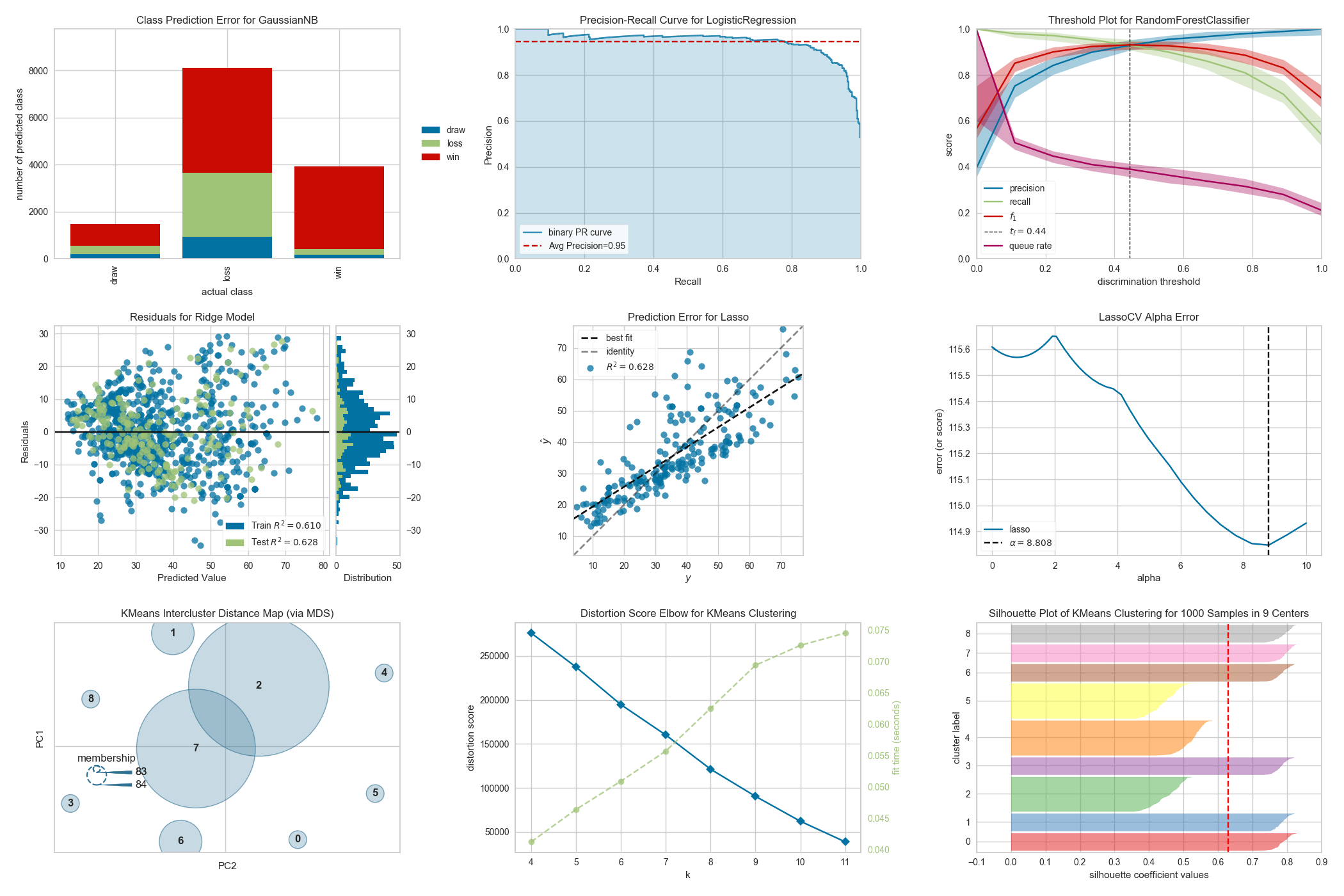
Yellowbrick is a suite of visual diagnostic tools called "Visualizers" that extend the scikit-learn API to allow human steering of the model selection process. In a nutshell, Yellowbrick combines scikit-learn with matplotlib in the best tradition of the scikit-learn documentation, but to produce visualizations for your machine learning workflow!
For complete documentation on the Yellowbrick API, a gallery of available visualizers, the contributor's guide, tutorials and teaching resources, frequently asked questions, and more, please visit our documentation at www.scikit-yb.org.
Installing Yellowbrick
Yellowbrick is compatible with Python 3.4 or later and also depends on scikit-learn and matplotlib. The simplest way to install Yellowbrick and its dependencies is from PyPI with pip, Python's preferred package installer.
$ pip install yellowbrick
Note that Yellowbrick is an active project and routinely publishes new releases with more visualizers and updates. In order to upgrade Yellowbrick to the latest version, use pip as follows.
$ pip install -U yellowbrick
You can also use the -U flag to update scikit-learn, matplotlib, or any other third party utilities that work well with Yellowbrick to their latest versions.
If you're using Anaconda (recommended for Windows users), you can take advantage of the conda utility to install Yellowbrick:
conda install -c districtdatalabs yellowbrick
Using Yellowbrick
The Yellowbrick API is specifically designed to play nicely with scikit-learn. Here is an example of a typical workflow sequence with scikit-learn and Yellowbrick:
Feature Visualization
In this example, we see how Rank2D performs pairwise comparisons of each feature in the data set with a specific metric or algorithm and then returns them ranked as a lower left triangle diagram.
from yellowbrick.features import Rank2D

visualizer = Rank2D(
    features=features, algorithm='covariance'
)
visualizer.fit(X, y)                # Fit the data to the visualizer
visualizer.transform(X)             # Transform the data
visualizer.show()                   # Finalize and render the figure
Model Visualization
In this example, we instantiate a scikit-learn classifier and then use Yellowbrick's ROCAUC class to visualize the tradeoff between the classifier's sensitivity and specificity.
from sklearn.svm import LinearSVC
from yellowbrick.classifier import ROCAUC

model = LinearSVC()
visualizer = ROCAUC(model)
visualizer.fit(X,y)
visualizer.score(X,y)
visualizer.show()
For additional information on getting started with Yellowbrick, view the Quick Start Guide in the documentation and check out our examples notebook.
Contributing to Yellowbrick
Yellowbrick is an open source project that is supported by a community who will gratefully and humbly accept any contributions you might make to the project. Large or small, any contribution makes a big difference; and if you've never contributed to an open source project before, we hope you will start with Yellowbrick!
If you are interested in contributing, check out our contributor's guide. Beyond creating visualizers, there are many ways to contribute:
- Submit a bug report or feature request on GitHub Issues.
- Contribute a Jupyter notebook to our examples gallery.
- Assist us with user testing.
- Add to the documentation or help with our website, scikit-yb.org.
- Write unit or integration tests for our project.
- Answer questions on our issues, mailing list, Stack Overflow, and elsewhere.
- Translate our documentation into another language.
- Write a blog post, tweet, or share our project with others.
- Teach someone how to use Yellowbrick.
As you can see, there are lots of ways to get involved and we would be very happy for you to join us! The only thing we ask is that you abide by the principles of openness, respect, and consideration of others as described in the Python Software Foundation Code of Conduct.
For more information, checkout the CONTRIBUTING.md file in the root of the repository or the detailed documentation at Contributing to Yellowbrick
Yellowbrick Datasets
Yellowbrick gives easy access to several datasets that are used for the examples in the documentation and testing. These datasets are hosted in our CDN and must be downloaded for use. Typically, when a user calls one of the data loader functions, e.g. load_bikeshare() the data is automatically downloaded if it's not already on the user's computer. However, for development and testing, or if you know you will be working without internet access, it might be easier to simply download all the data at once.
The data downloader script can be run as follows:
$ python -m yellowbrick.download
This will download the data to the fixtures directory inside of the Yellowbrick site packages. You can specify the location of the download either as an argument to the downloader script (use --help for more details) or by setting the $YELLOWBRICK_DATA environment variable. This is the preferred mechanism because this will also influence how data is loaded in Yellowbrick.
Note: Developers who have downloaded data from Yellowbrick versions earlier than v1.0 may experience some problems with the older data format. If this occurs, you can clear out your data cache as follows:
$ python -m yellowbrick.download --cleanup
This will remove old datasets and download the new ones. You can also use the --no-download flag to simply clear the cache without re-downloading data. Users who are having difficulty with datasets can also use this or they can uninstall and reinstall Yellowbrick using pip.
Citing Yellowbrick
We would be glad if you used Yellowbrick in your scientific publications! If you do, please cite us using the citation guidelines.
Affiliations


관련 프로젝트 살펴보기
tensorflow/tensorflow
모두를 위한 오픈소스 머신러닝 프레임워크
201,367 스타huggingface/transformers
🤗 Transformers: 텍스트, 비전, 오디오, 멀티모달 분야의 최첨단 머신러닝 모델을 위한 모델 정의 프레임워크로, 추론과 학습을 모두 지원합니다.
168,609 스타AUTOMATIC1111/stable-diffusion-webui
Stable Diffusion 웹 UI
165,245 스타Comfy-Org/ComfyUI
그래프와 노드로 구성된 인터페이스를 갖춘, 가장 강력하고 모듈성이 뛰어난 확산 모델 GUI, API, 백엔드입니다. 세계에서 가장 빠른 로컬 추론 엔진입니다.
145,470 스타