
ArtLabss/open-data-anonymizer
ArtLabss/open-data-anonymizer has 306 GitHub stars and 37 forks. Star changes are not measured yet. Last checked 2026-11-18 08:28 UTC. Last push 2023-07-12.
What you can do
- Efficient - based on pd.DataFrame
- Numerous anonymization methods
- Generalization - Binning
- Generalization - Rounding
측정된 스타 증가
- in 24h
- 업데이트 지연
- in 7 days
- 기록 수집 중
- in 15 days
- 기록 수집 중
- in 1 month
- 기록 수집 중
서로 겹치는 기간의 순증가량이며 일별 합계가 아닙니다. 측정값이 없으면 비워 둡니다. 스타는 관심도를 나타내며 품질을 보장하지 않습니다.
소개
Python Data Anonymization & Masking Library For Data Science Tasks
머신러닝README.md
Original

anonympy 🕶️


With ❤️ by ArtLabs
Overview
General Data Anonymization library for images, PDFs and tabular data. See ArtLabs/projects for more or similar projects.
Main Features
Ease of use - this package was written to be as intuitive as possible.
Tabular
- Efficient - based on pd.DataFrame
- Numerous anonymization methods
- Numeric data
- Generalization - Binning
- Perturbation
- PCA Masking
- Generalization - Rounding
- Categorical data
- Synthetic Data
- Resampling
- Tokenization
- Partial Email Masking
- Datetime data
- Synthetic Date
- Perturbation
Images
- Anonymization techniques
- Personal Images (faces)
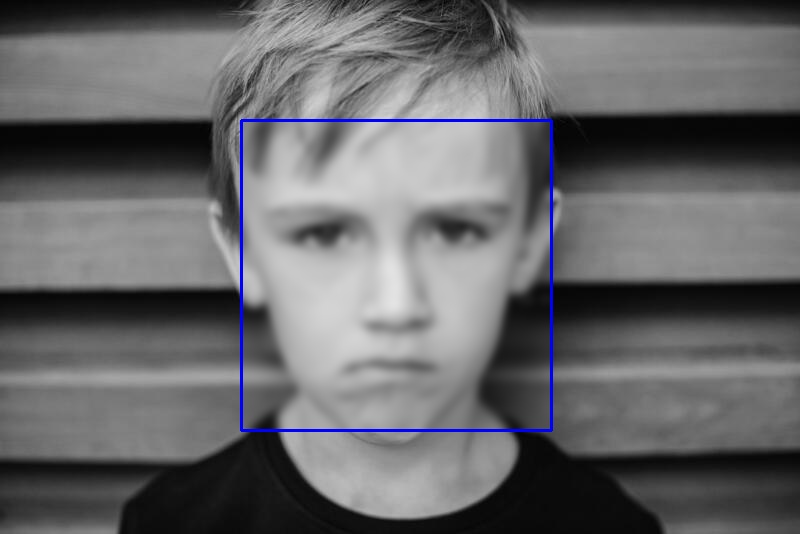
- Blurring
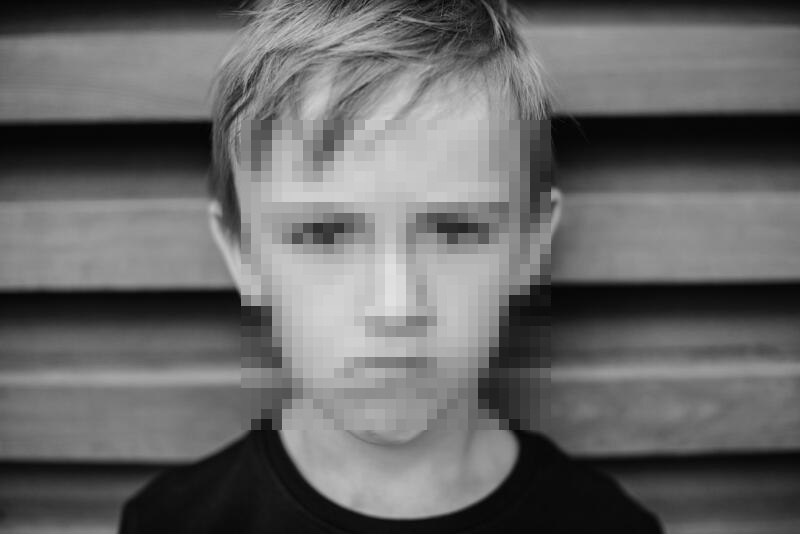
- Pixaled Face Blurring
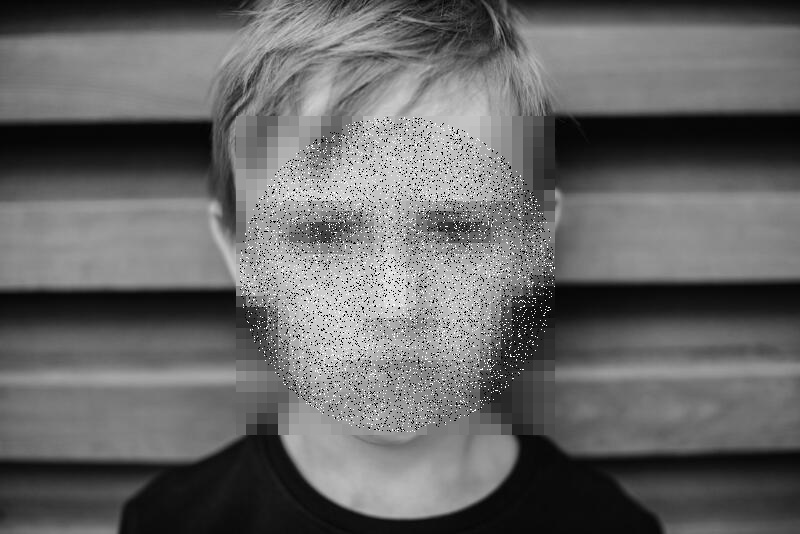
- Salt and Pepper Noise
- General Images
- Blurring
- Find sensitive information and cover it with black boxes
Text, Sound
- In Development
Installation
Dependencies
- Python (>= 3.7)
- cape-dataframes
- faker
- pandas
- OpenCV
- pytesseract
- transformers
- . . . . .
Install with pip
Easiest way to install anonympy is using pip
pip install anonympy
Install from source
Installing the library from source code is also possible
git clone https://github.com/ArtLabss/open-data-anonimizer.git
cd open-data-anonimizer
pip install -r requirements.txt
make bootstrap
Downloading Repository
Or you could download this repository from pypi and run the following:
cd open-data-anonimizer
python setup.py install
Usage Example

More examples here
Tabular
>>> from anonympy.pandas import dfAnonymizer
>>> from anonympy.pandas.utils_pandas import load_dataset

>>> df = load_dataset()
>>> print(df)
| name | age | birthdate | salary | web | ssn | ||
|---|---|---|---|---|---|---|---|
| 0 | Bruce | 33 | 1915-04-17 | 59234.32 | http://www.alandrosenburgcpapc.co.uk | [email protected] | 343554334 |
| 1 | Tony | 48 | 1970-05-29 | 49324.53 | http://www.capgeminiamerica.co.uk | [email protected] | 656564664 |
# Calling the generic function
>>> anonym = dfAnonymizer(df)
>>> anonym.anonymize(inplace = False) # changes will be returned, not applied
| name | age | birthdate | age | web | ssn | ||
|---|---|---|---|---|---|---|---|
| 0 | Stephanie Patel | 30 | 1915-05-10 | 60000.0 | 5968b7880f | [email protected] | 391-77-9210 |
| 1 | Daniel Matthews | 50 | 1971-01-21 | 50000.0 | 2ae31d40d4 | [email protected] | 872-80-9114 |
# Or applying a specific anonymization technique to a column
>>> from anonympy.pandas.utils_pandas import available_methods

>>> anonym.categorical_columns
... ['name', 'web', 'email', 'ssn']
>>> available_methods('categorical')
... categorical_fake	categorical_fake_auto	categorical_resampling	categorical_tokenization	categorical_email_masking

>>> anonym.anonymize({'name': 'categorical_fake',  # {'column_name': 'method_name'}
                  'age': 'numeric_noise',
                  'birthdate': 'datetime_noise',
                  'salary': 'numeric_rounding',
                  'web': 'categorical_tokenization',
                  'email':'categorical_email_masking',
                  'ssn': 'column_suppression'})
>>> print(anonym.to_df())
| name | age | birthdate | salary | web | ||
|---|---|---|---|---|---|---|
| 0 | Paul Lang | 31 | 1915-04-17 | 60000.0 | 8ee92fb1bd | j*****[email protected] |
| 1 | Michael Gillespie | 42 | 1970-05-29 | 50000.0 | 51b615c92e | e*****[email protected] |
Images
# Passing an Image
>>> import cv2
>>> from anonympy.images import imAnonymizer

>>> img = cv2.imread('salty.jpg')
>>> anonym = imAnonymizer(img)

>>> blurred = anonym.face_blur((31, 31), shape='r', box = 'r')  # blurring shape and bounding box ('r' / 'c')
>>> pixel = anonym.face_pixel(blocks=20, box=None)
>>> sap = anonym.face_SaP(shape = 'c', box=None)
| blurred | pixel | sap |
|---|---|---|
 |
 |
 |
# Passing a Folder
>>> path = 'C:/Users/shakhansho.sabzaliev/Downloads/Data' # images are inside `Data` folder
>>> dst = 'D:/' # destination folder
>>> anonym = imAnonymizer(path, dst)

>>> anonym.blur(method = 'median', kernel = 11)
This will create a folder Output in dst directory.
# The Data folder had the following structure

|   1.jpg
|   2.jpg
|   3.jpeg
|
\---test
    |   4.png
    |   5.jpeg
    |
    \---test2
            6.png

# The Output folder will have the same structure and file names but blurred images
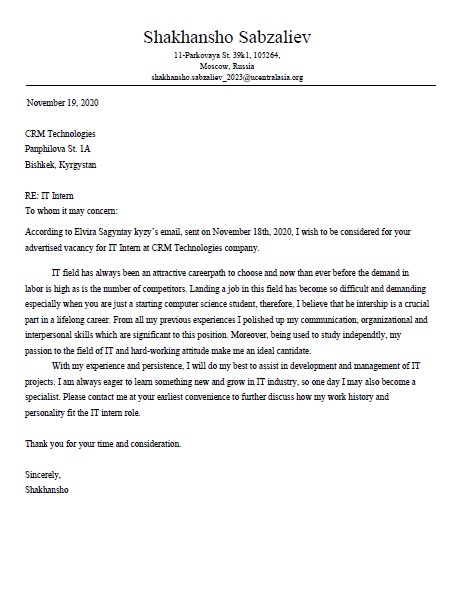
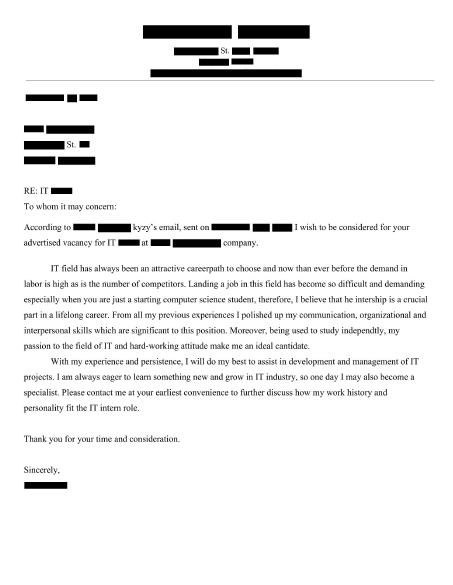
In order to initialize pdfAnonymizer object we have to install pytesseract and poppler, and provide path to the binaries of both as arguments or add paths to system variables
>>> from anonympy.pdf import pdfAnonymizer

# need to specify paths, since I don't have them in system variables
>>> anonym = pdfAnonymizer(path_to_pdf = "Downloads\\test.pdf",
                       pytesseract_path = r"C:\Program Files\Tesseract-OCR\tesseract.exe",
                       poppler_path = r"C:\Users\shakhansho\Downloads\Release-22.01.0-0\poppler-22.01.0\Library\bin")

# Calling the generic function
>>> anonym.anonymize(output_path = 'output.pdf',
                     remove_metadata = True,
                     fill = 'black',
                     outline = 'black')
test.pdf |
output.pdf |
|---|---|
 |
 |
In case you only want to hide specific information, instead of anonymize use other methods
>>> anonym = pdfAnonymizer(path_to_pdf = r"Downloads\test.pdf")
>>> anonym.pdf2images() #  images are stored in anonym.images variable
>>> anonym.images2text(anonym.images) # texts are stored in anonym.texts

#  Entities of interest
>>> locs: dict = anonym.find_LOC(anonym.texts[0])  # index refers to page number
>>> emails: dict = anonym.find_emails(anonym.texts[0])  # {page_number: [coords]}
>>> coords: list = locs['page_1'] + emails['page_1']

>>> anonym.cover_box(anonym.images[0], coords)
>>> display(anonym.images[0])
Development
Contributions
The Contributing Guide has detailed information about contributing code and documentation.
Important Links
- Official source code repo: https://github.com/ArtLabss/open-data-anonimizer
- Download releases: https://pypi.org/project/anonympy/
- Issue tracker: https://github.com/ArtLabss/open-data-anonimizer/issues
License
Code of Conduct
Please see Code of Conduct. All community members are expected to follow it.