
zeborg/kubekosh
zeborg/kubekosh has 245 GitHub stars and 48 forks. GitHot measured 0 stars in 24 hours and +1 in 7 days. Last checked 2026-11-12 11:59 UTC. Last push 2026-08-08.
Interactive Kubernetes Playground
实测星标增长
- 24小时
- 0
- 7天
- +1
- 15天
- 更新延迟
- 1个月
- 更新延迟
各周期内的星标净变化,周期相互重叠,并非每日新增。缺失的测量保持空白。星标代表关注度,不代表软件质量。
README.md
原文
KubeKosh
Self-hosted Kubernetes Lab for Hands-on Learning


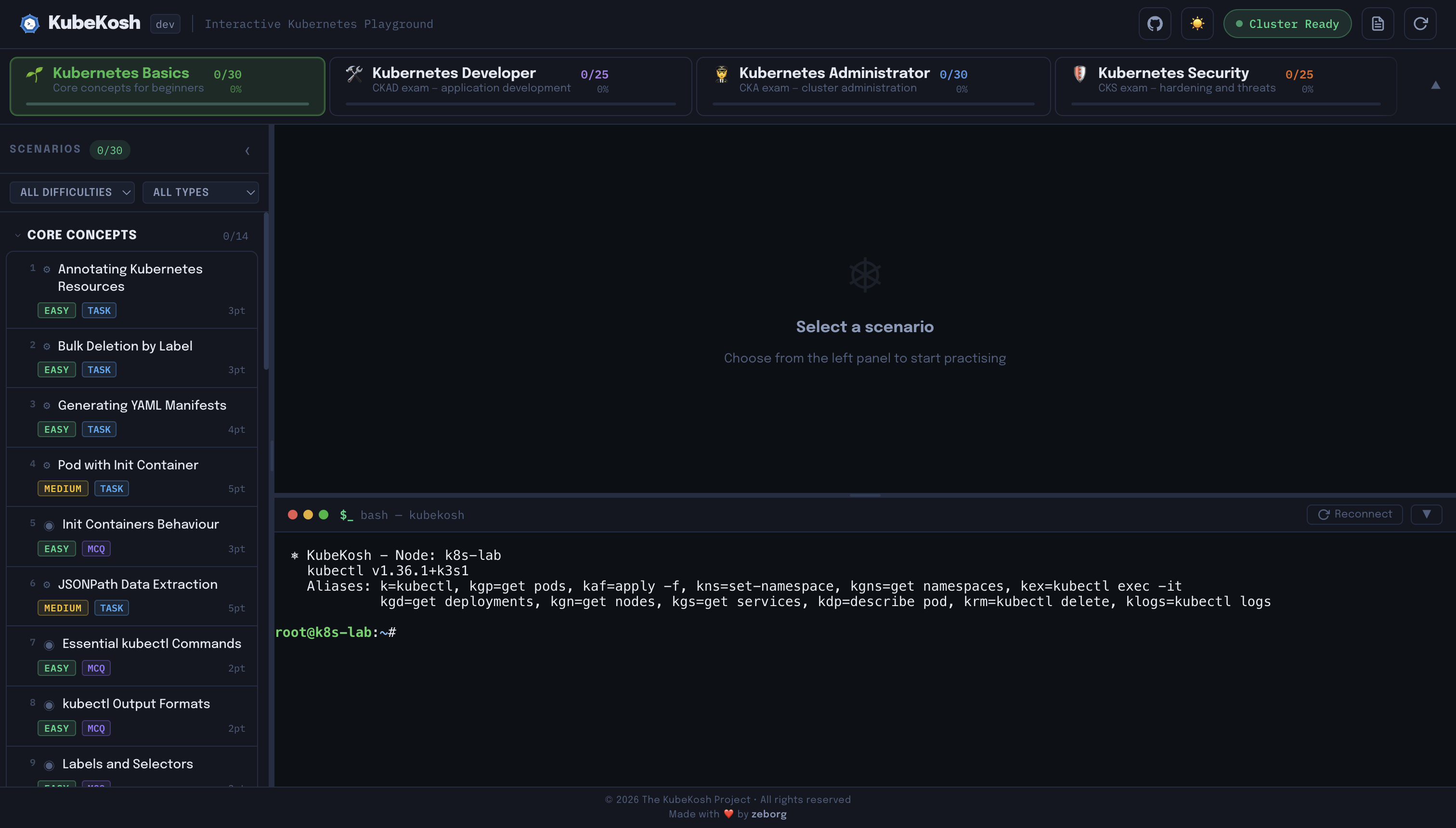
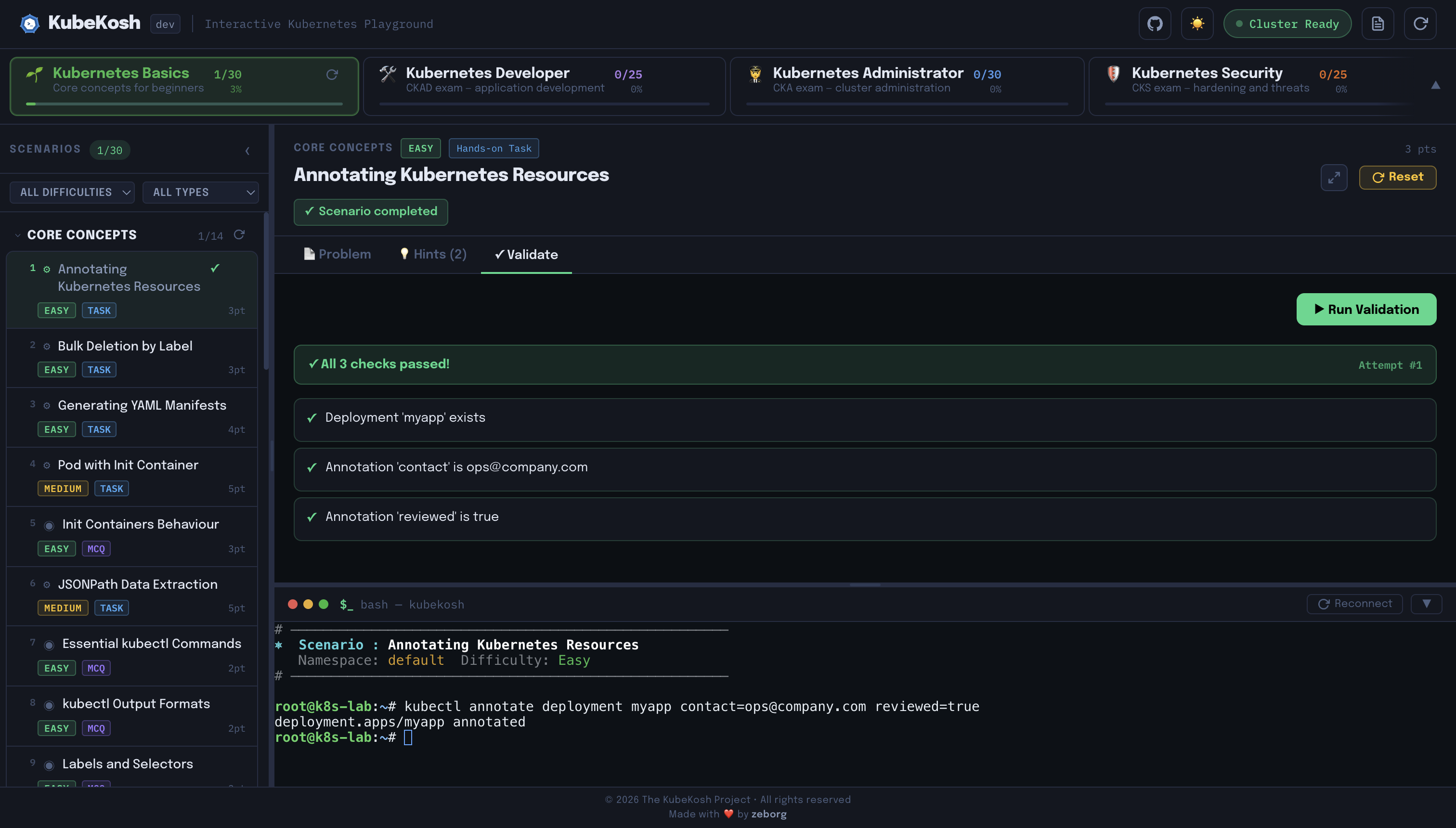
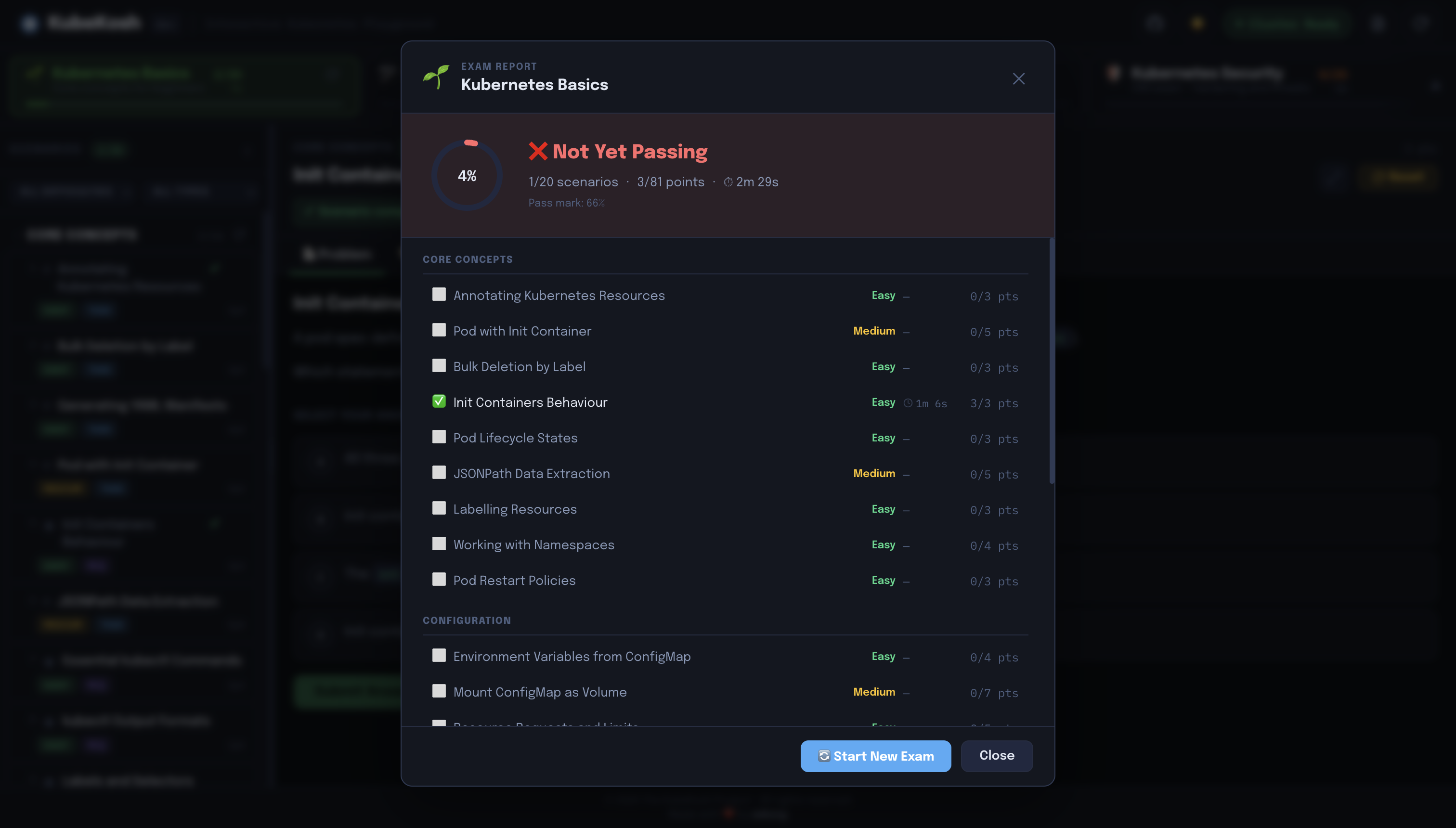
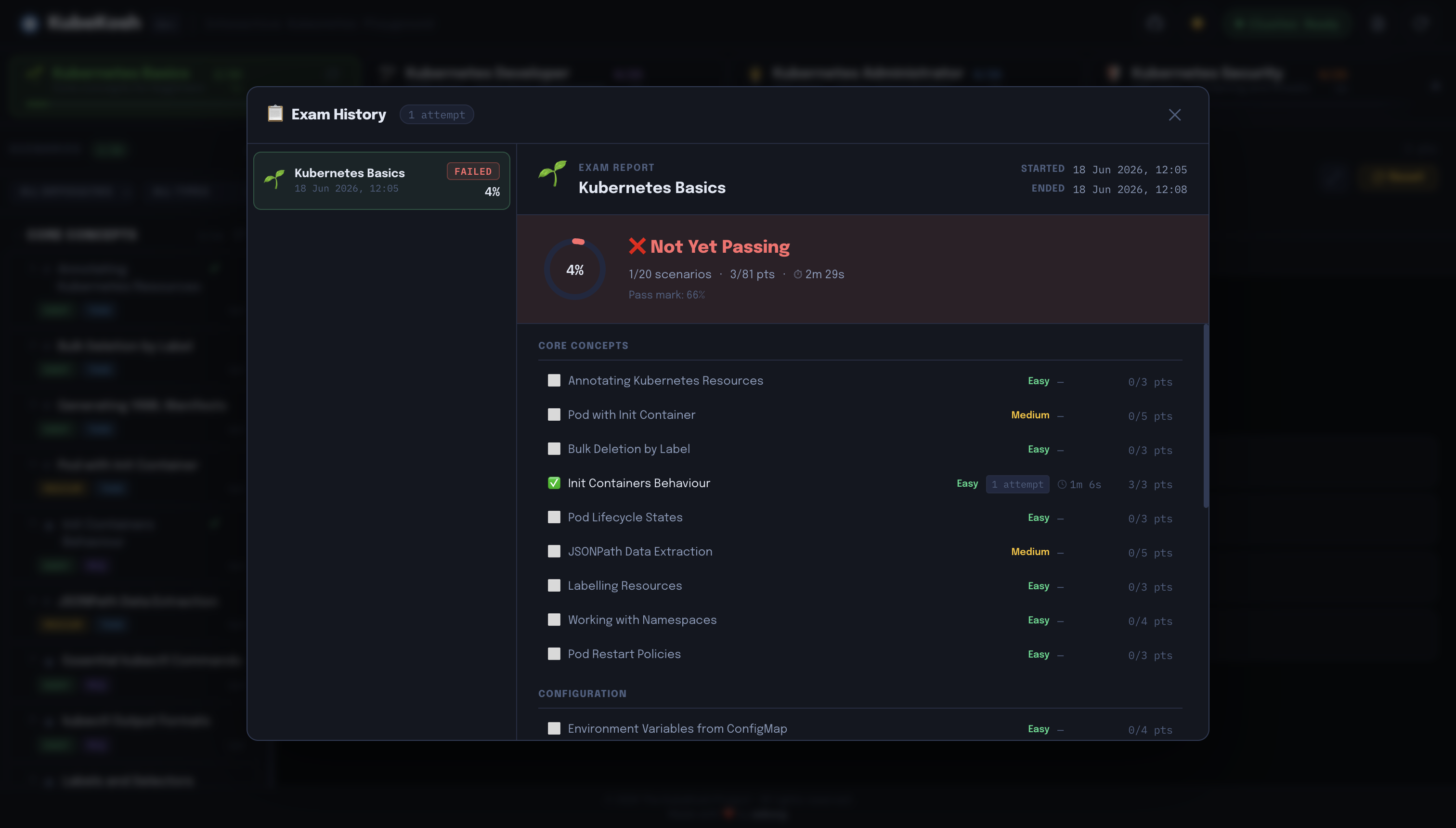
KubeKosh runs a real K3s Kubernetes cluster inside a single Docker container and pairs it with a browser-based terminal and automated scenario validation — no cloud account or local cluster required.
Screenshots
 |
 |
 |
 |
 |
 |
 |
 |
 |
Quick Start
Prerequisite: Docker
docker run -itd --name kubekosh --privileged -p 7554:80 zeborg/kubekosh:latest
Open http://localhost:7554 — wait ~30 seconds for the Cluster Ready indicator to turn green.
--privilegedis required — K3s needs access to kernel namespaces and cgroups.
Security Warning: Do not expose this container publicly. Use it only on your local machine as it is meant for educational purposes only.
Persist Progress
docker run -itd --name kubekosh --privileged -p 7554:80 \
  -v <your_custom_directory>:/data zeborg/kubekosh:latest
Progress is stored in SQLite at /data/progress.db inside the container. Mount a local directory to /data to keep progress across container restarts.
Run Using Docker Compose
# Clone repo
git clone https://github.com/zeborg/kubekosh
cd kubekosh

# Start KubeKosh
docker compose up -d

# Check logs
docker compose logs -f

# Stop and remove containers
docker compose down

# Delete everything including data
docker compose down -v
Build From Source
docker build -t kubekosh .
# multi-platform
docker buildx build --platform linux/amd64,linux/arm64 -t kubekosh .
What's Inside
Scenarios are organized into tracks (themes) containing one or more bundles (focused study sets):
| Track | Bundle | Focus | Scenarios | Exam |
|---|---|---|---|---|
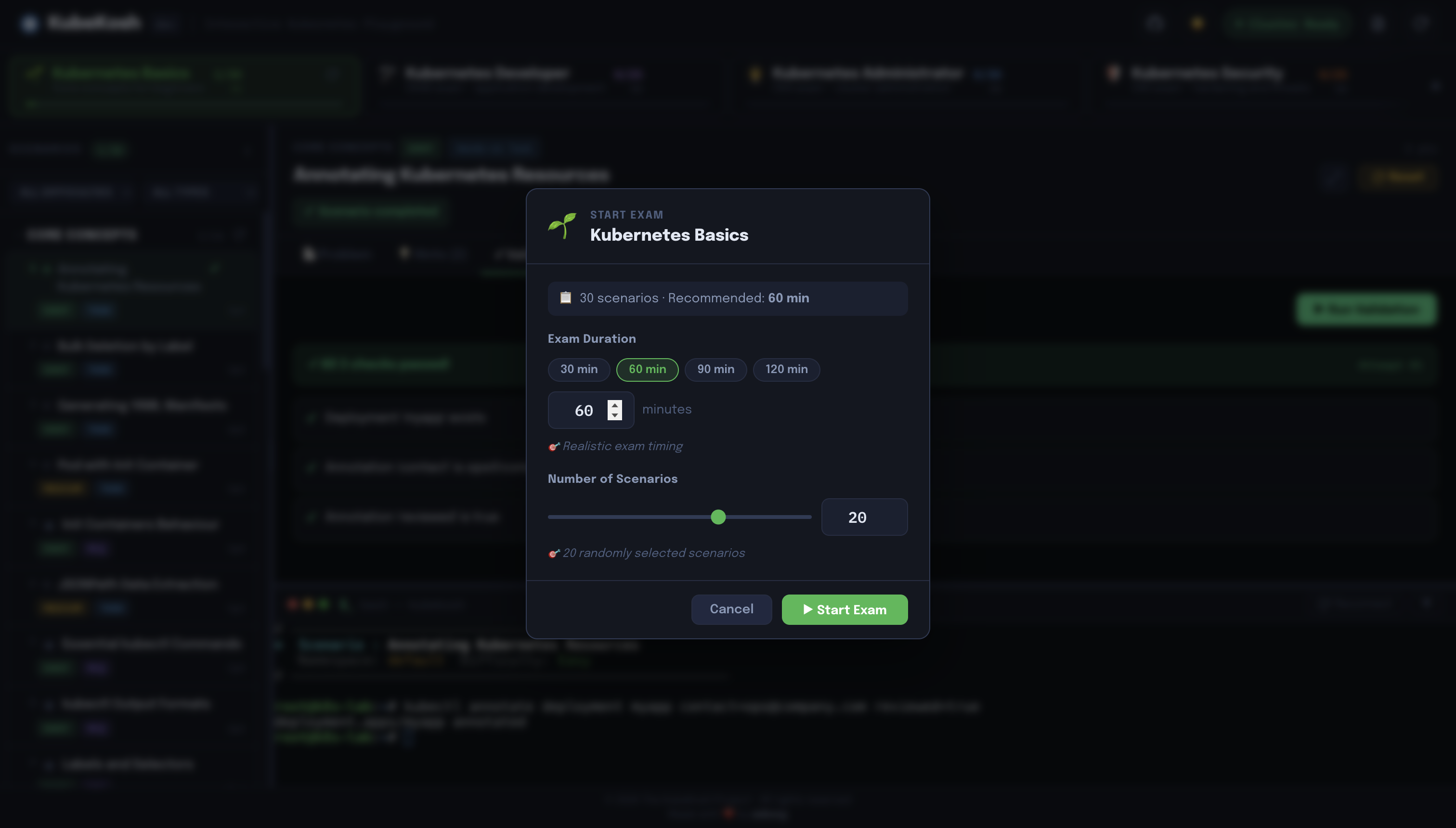
| 💡 Core Concepts | 🌱 Kubernetes Basics | Pods, workloads, services, storage, RBAC, debugging | 40 | 60 min |
| 💡 Core Concepts | 🚪 Gateway API | Gateways, HTTPRoutes, traffic splitting, ReferenceGrants | 10 | 60 min |
| 🎓 Certifications | 🛠️ Kubernetes Developer | CKAD prep — workloads, probes, storage, networking | 25 | 120 min |
| 🎓 Certifications | 🧑✈️ Kubernetes Administrator | CKA prep — nodes, RBAC, storage, networking, debugging | 40 | 120 min |
| 🎓 Certifications | 🛡 Kubernetes Security | CKS prep — PSA, NetworkPolicy, seccomp, AppArmor, RBAC | 25 | 120 min |
| 🌐 Networking | 🕸️ Istio Service Mesh | Traffic management, mTLS, VirtualServices, AuthorizationPolicy | 10 | 60 min |
| 🌐 Networking | 🚦 Traefik Ingress | IngressRoutes, middlewares, TLS options | 10 | 60 min |
| 🌐 Networking | 🔀 HAProxy Ingress | Annotations, backends, load balancing, TLS | 10 | 60 min |
| 🛡️ Security & Policy | 🦅 Falco | Runtime threat detection, custom rules, outputs | 10 | 60 min |
Scenario types:
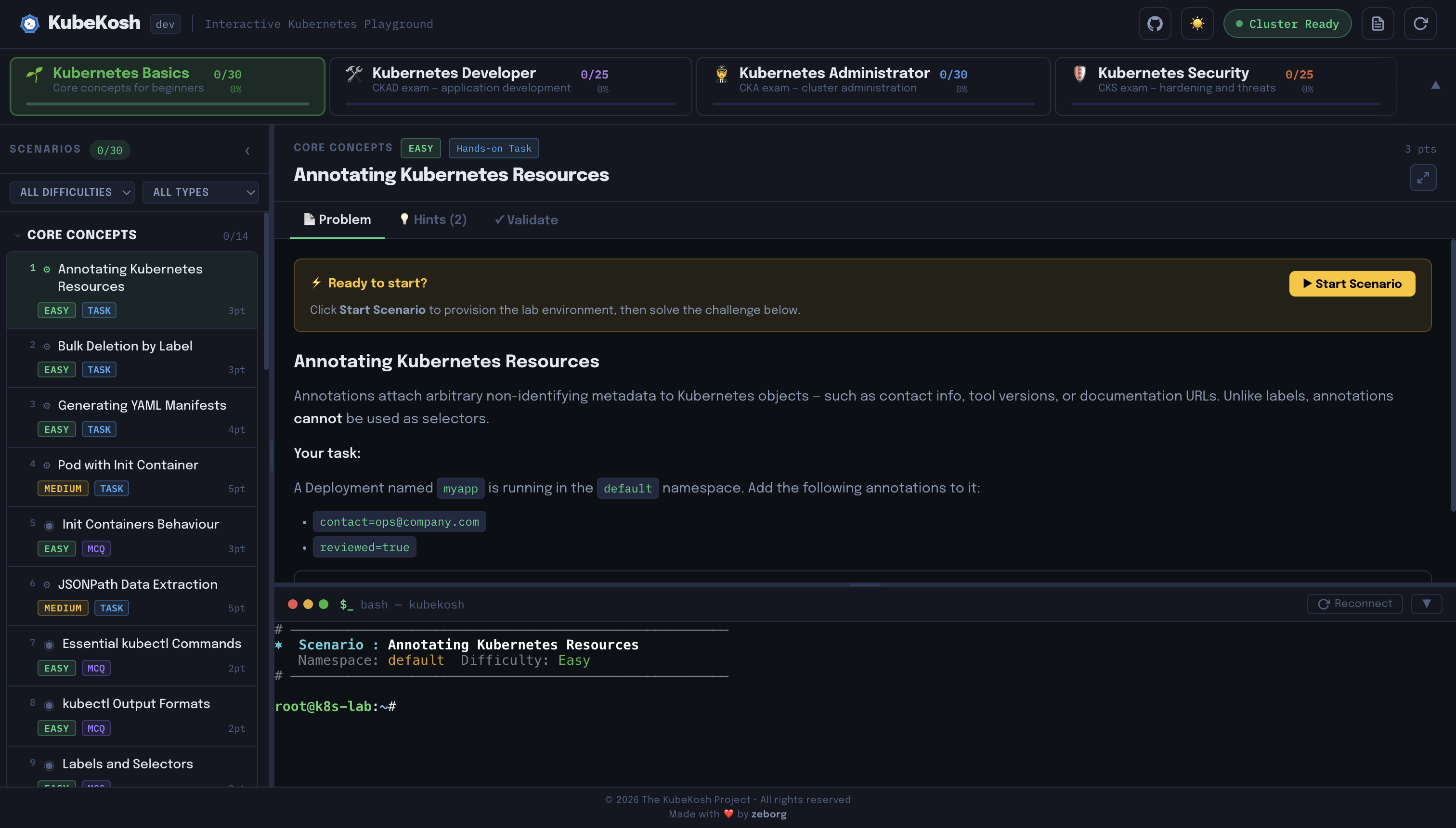
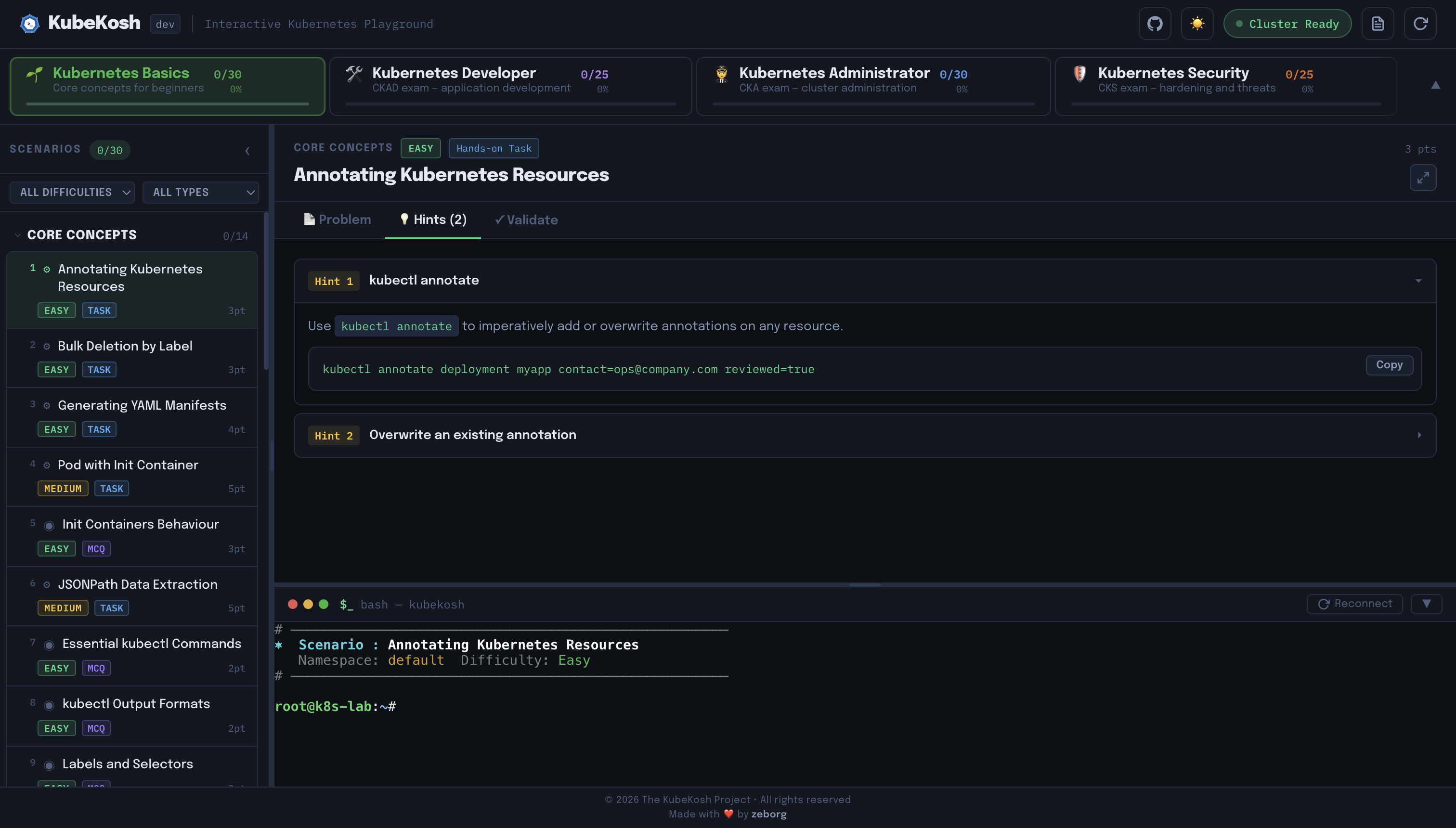
- Task — Hands-on challenge in the live terminal. Click Validate for automated cluster-state checking.
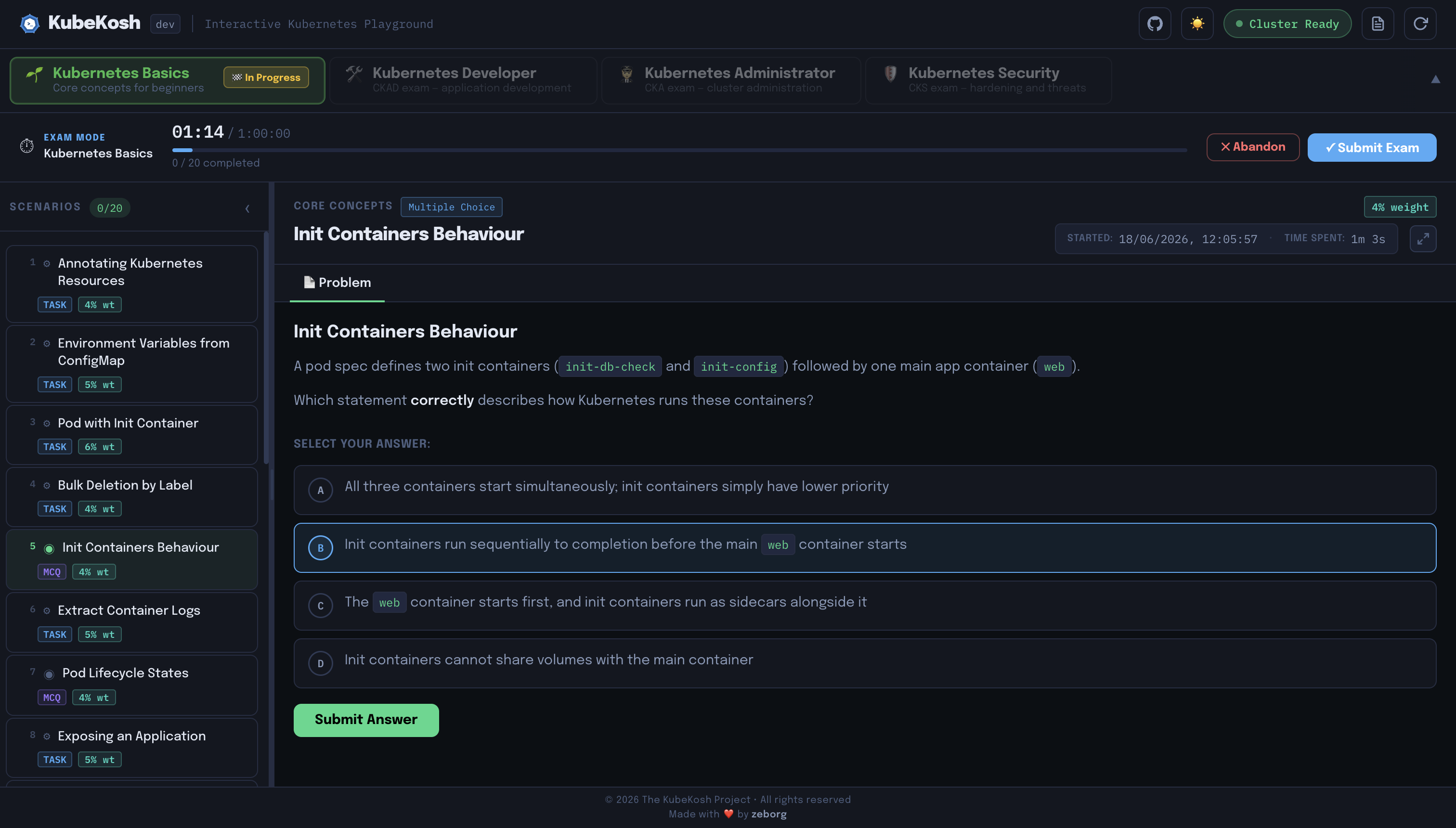
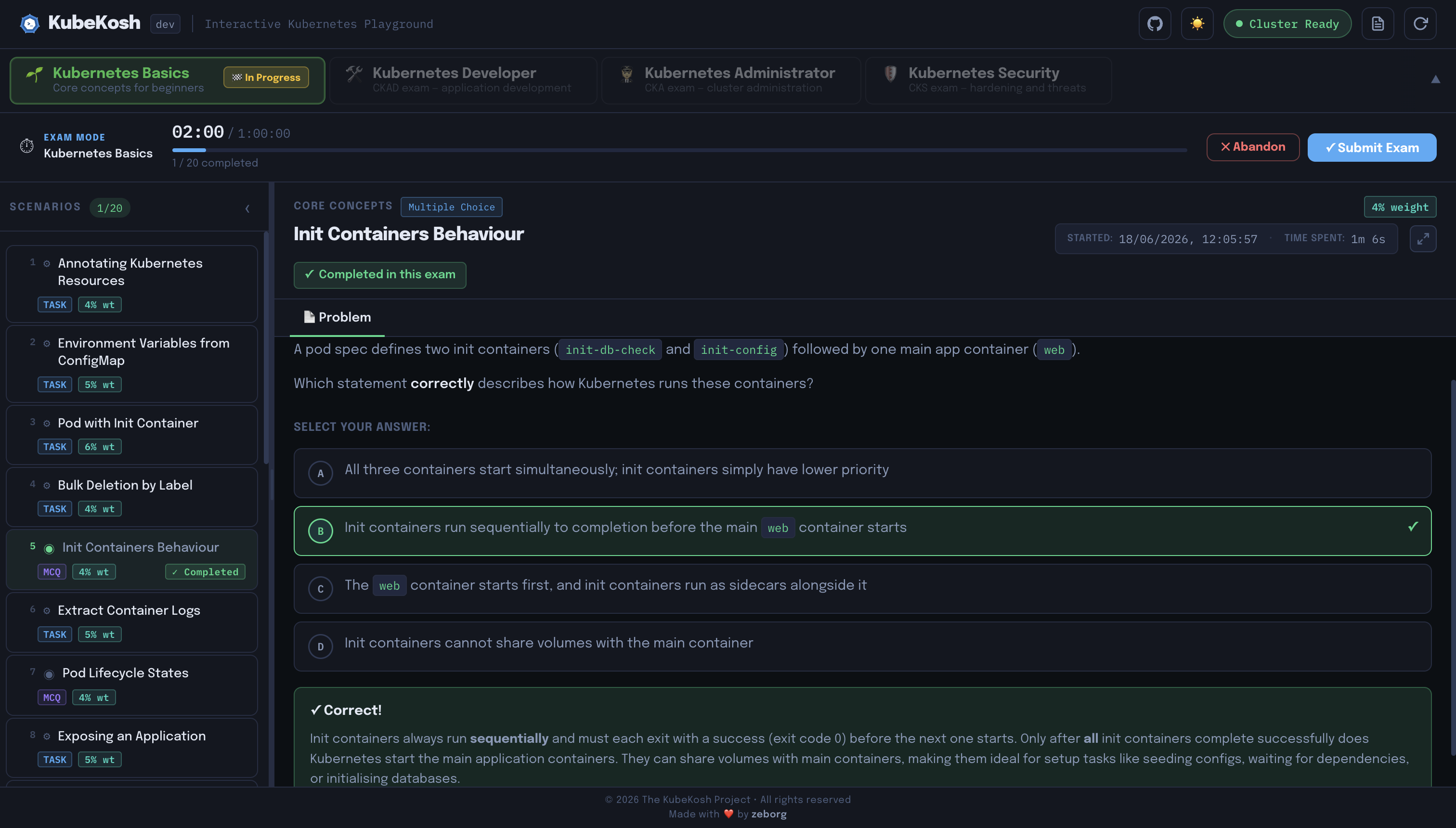
- MCQ — Multiple-choice question with a detailed explanation on submission.
Shell Aliases
The terminal comes pre-configured with:
| Alias | Expands to |
|---|---|
k |
kubectl |
kg |
kubectl get |
kd |
kubectl describe |
krm |
kubectl delete |
kgp |
kubectl get pods |
kga |
kubectl get pods --all-namespaces |
kgd |
kubectl get deployments |
kgs |
kubectl get services |
kgn |
kubectl get nodes |
kgns |
kubectl get namespaces |
kdp |
kubectl describe pod |
kaf |
kubectl apply -f |
kdf |
kubectl delete -f |
kex |
kubectl exec -it |
klogs |
kubectl logs |
kns <ns> |
kubectl config set-context --current --namespace=<ns> |
kctx <ctx> |
kubectl config use-context <ctx> |
Cluster Add-ons
Beyond practice scenarios, KubeKosh ships an Add-ons catalog — one-click install of popular Kubernetes tooling straight into the lab. Open it from the 🧩 button in the header.
Add-ons come in two flavours:
- OS — a CLI binary placed on the terminal
PATH(under/data/addons/bin), e.g.helm,kustomize. - Cluster — workloads deployed into the K3s cluster via Helm /
kubectl, e.g. ingress controllers and observability stacks.
Each install streams live logs, resolves dependencies automatically (installing OpenCost, for example, pulls in Helm and kube-prometheus-stack first), and can be queued, cancelled (partial changes are rolled back), upgraded, or removed from the same panel.
Available Add-ons
| Add-on | Type | What it does |
|---|---|---|
| ⎈ Helm | OS | Kubernetes package manager |
| 🧱 Kustomize | OS | Template-free manifest customization |
| 🔏 Cosign | OS | Container signing, verification, and storage in OCI registries |
| 🦅 Falco | Cluster | Cloud-native runtime security tool |
| 🛡️ Kyverno | Cluster | Policy engine (validate / mutate / generate) |
| 🔐 cert-manager | Cluster | Automated TLS certificate management |
| 🚪 Gateway API | Cluster | Next-generation ingress / routing CRDs |
| 🔀 HAProxy Ingress | Cluster | HAProxy-based ingress controller |
| 🚦 Traefik | Cluster | Ingress controller with a built-in dashboard |
| ⛵ Istio | Cluster | Service mesh |
| 📊 kube-prometheus-stack | Cluster | Prometheus, Grafana, Alertmanager, exporters |
| 🪵 Loki | Cluster | Log aggregation with Promtail |
| 🔭 Thanos | Cluster | Global / HA Prometheus query layer |
| 💰 OpenCost | Cluster | Real-time Kubernetes cost monitoring |
| 📋 VictoriaLogs | Cluster | High-performance log management with built-in vmui |
Built-in Dashboards
Some add-ons expose a web UI through the same 7554 port (no extra ports to publish):
| Dashboard | URL | Notes |
|---|---|---|
| Grafana | http://localhost:7554/grafana | from kube-prometheus-stack; login admin / prom-operator |
| OpenCost | http://localhost:7554/opencost | cost explorer (uses Prometheus from kube-prometheus-stack) |
| Traefik | http://localhost:7554/traefik | routers, services & middlewares dashboard |
| Falco UI | http://localhost:7554/falco | Falcosidekick Web UI dashboard |
| VictoriaLogs VMUI | http://localhost:7554/vmui | built-in log query UI (LogsQL) |
Architecture
| Component | Technology |
|---|---|
| Frontend | React + Vite, xterm.js |
| Backend | Node.js / Express, node-pty WebSocket PTY |
| Cluster | K3s (single-node, in-container) |
| Proxy | nginx on container port 80, mapped to host port 7554 |
| Storage | SQLite (better-sqlite3) at /data/progress.db |
Everything runs inside a single Docker image managed by scripts/entrypoint.sh.
Repository Layout
scenarios/
├── data/             # One JSON file per scenario  -> <scenario-id>.json
├── bundles/          # One JSON file per bundle    -> <bundle-id>.json
├── tracks/           # One JSON file per track     -> <track-id>.json
│   └── SCHEMA.md     # Tracks schema reference
└── SCHEMA.md         # Bundles & scenarios schema reference

addons/
├── <addon-id>/       # One folder per add-on, each with an addon.json manifest
└── SCHEMA.md         # Full manifest schema reference

backend/
├── db/               # SQLite database layer
├── lib/              # Shared utilities and cache
├── routes/           # Express route modules
└── server.js         # App entry point (Express + WebSocket PTY)

frontend/
└── src/              # React + Vite SPA

scripts/
├── entrypoint.sh     # Container startup (k3s -> API -> nginx)
└── nginx.conf        # Reverse-proxy config
Contributing
Contributions are what make open-source projects like this one grow — and every contribution counts, big or small. Whether you're fixing a typo, polishing a scenario description, or building a completely new exercise from scratch, you're helping the next person learn Kubernetes in the best way possible.
Please read our Contributing Guidelines to learn how to:
- Set up a local development environment.
- Create and hot-reload scenario definitions.
- Submit bug reports, enhancements, and pull requests.
We also expect all participants to adhere to our Code of Conduct.
You can find the list of core project maintainers in the Maintainers' List.
Adding Scenarios, Bundles & Tracks
The curriculum is organized in three tiers:
| Tier | Directory | Schema |
|---|---|---|
| Tracks | scenarios/tracks/ |
scenarios/tracks/SCHEMA.md |
| Bundles | scenarios/bundles/ |
scenarios/SCHEMA.md |
| Scenarios | scenarios/data/ |
scenarios/SCHEMA.md |
Task checklist:
validation.commands— idempotentkubectlcommands onlysetup_commands/teardown_commands—kubectlor native Ubuntu commands only
MCQ checklist:
correct_optionmust match one of theoptions[].idvalues- Always include an
explanation
Track/Bundle checklist:
- Bundle
idmust match its filename (without.json) - Track
idmust match its filename (without.json) - Each bundle must be listed in exactly one track's
bundle_ids
Adding Add-ons
Each add-on is a folder under addons/ containing a single addon.json manifest. See addons/SCHEMA.md for the full schema, field reference, runtime variables, and worked examples — its id must match the folder name.
In-Memory Cache & Hot Reloading
To ensure high performance and zero disk-I/O bottlenecking, scenarios, bundles, tracks, and add-on manifests are cached in memory on backend startup. When developing or updating them, you can hot-reload the definitions without rebuilding the image or restarting the container:
- Mount the Directory: Run the container with the local
scenarios/directory mounted to/app/scenarios(and/oraddons/to/app/addonsfor add-on work):docker run --rm -itd --privileged -p 7554:80 --name kubekosh \ -v <path_to_scenarios_directory>:/app/scenarios \ -v <path_to_addons_directory>:/app/addons zeborg/kubekosh:latest - Reload Cache: Click the Reload Cache (↻) button in the top right corner of the header in the web user interface, or send an API request:
curl -X POST http://localhost:7554/api/cache/reload
NOTE: The
<path_to_scenarios_directory>should point to the localscenarios/directory of the cloned repository. It should contain the updatedscenarios/data,scenarios/bundles, andscenarios/trackssub-directories.
Workflow
# 1. Fork the repo on GitHub, then clone your fork
git clone https://github.com/<your-username>/kubekosh.git
cd kubekosh

# 2. Create a branch
git checkout -b feat/my-scenario

# 3. Add a new scenario file (copy an existing scenario as a template or create a new one)
cp scenarios/data/deploy-nginx.json scenarios/data/my-new-scenario.json
vim scenarios/data/my-new-scenario.json # edit the new scenario as per [SCHEMA.md](scenarios/SCHEMA.md)

# 4. Add the scenario ID to the relevant bundle
vim scenarios/bundles/k8s-basics.json # edit the bundle to include the new scenario ID

# 5. Build and test locally
# Run the built container directly:
docker build -t kubekosh . && docker run --rm -itd --privileged -p 7554:80 --name kubekosh kubekosh
# Or mount the scenarios folder for hot-reloading:
docker run --rm -itd --privileged -p 7554:80 -v $PWD/scenarios:/app/scenarios --name kubekosh zeborg/kubekosh:dev

# 6. Commit and push to your fork (example for adding `my-new-scenario` to `k8s-basics` bundle)
git add scenarios/data/my-new-scenario.json scenarios/bundles/k8s-basics.json
git commit -m "feat: add my-new-scenario to k8s-basics bundle"
git push -u origin feat/my-new-scenario
Open a Pull Request from your fork's branch against main.
License
Apache 2.0 License — see LICENSE.