
vcaesar/codg
vcaesar/codg has 46 GitHub stars and 7 forks. GitHot measured 0 stars in 24 hours. Last checked 2026-11-17 04:18 UTC. Last push 2026-11-15.
可以做什么
- Auto and asynchronous, concurrency and high performance agents system, low memory and cpu, lessest tokens use (saved 70% to 90%+)
- Multi models providers (100+ API and Pro providers, Custom URL API) and local models via by openai-compat or claude-compat,
- Support Openrouter, OpenCode, Ollama, Nvidia and others free models, use it by "/connect" "/models" or "codg auth"
- Asynchronous and model rules for the multi agents
实测星标增长
- 24小时
- 0
- 7天
- 正在收集历史
- 15天
- 正在收集历史
- 1个月
- 正在收集历史
各周期内的星标净变化,周期相互重叠,并非每日新增。缺失的测量保持空白。星标代表关注度,不代表软件质量。
关于
The next easy code and work AI agents harness system: auto, asynchronous, concurrency, efficiently and High accuracy
人工智能langs/README.zh.md
原文Codg



下一代简易的代码与工作 AI 智能体 Harness 系统,自动化、异步化、高并发、高性能,高效且高精度。
English | 繁體中文 | 简体中文 | 日本語 | 한국어 | Français | Deutsch | Español | Português | Русский | العربية
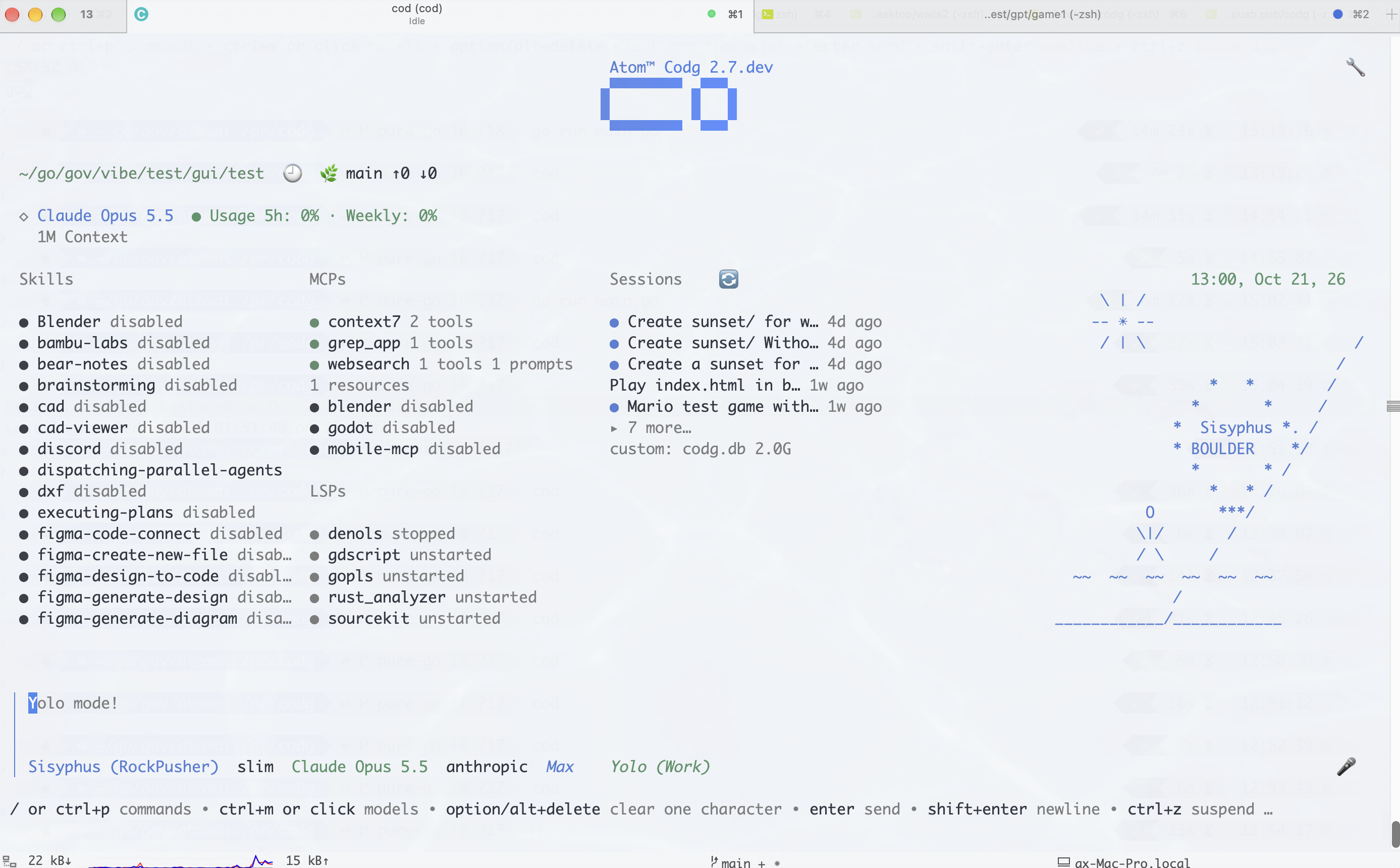
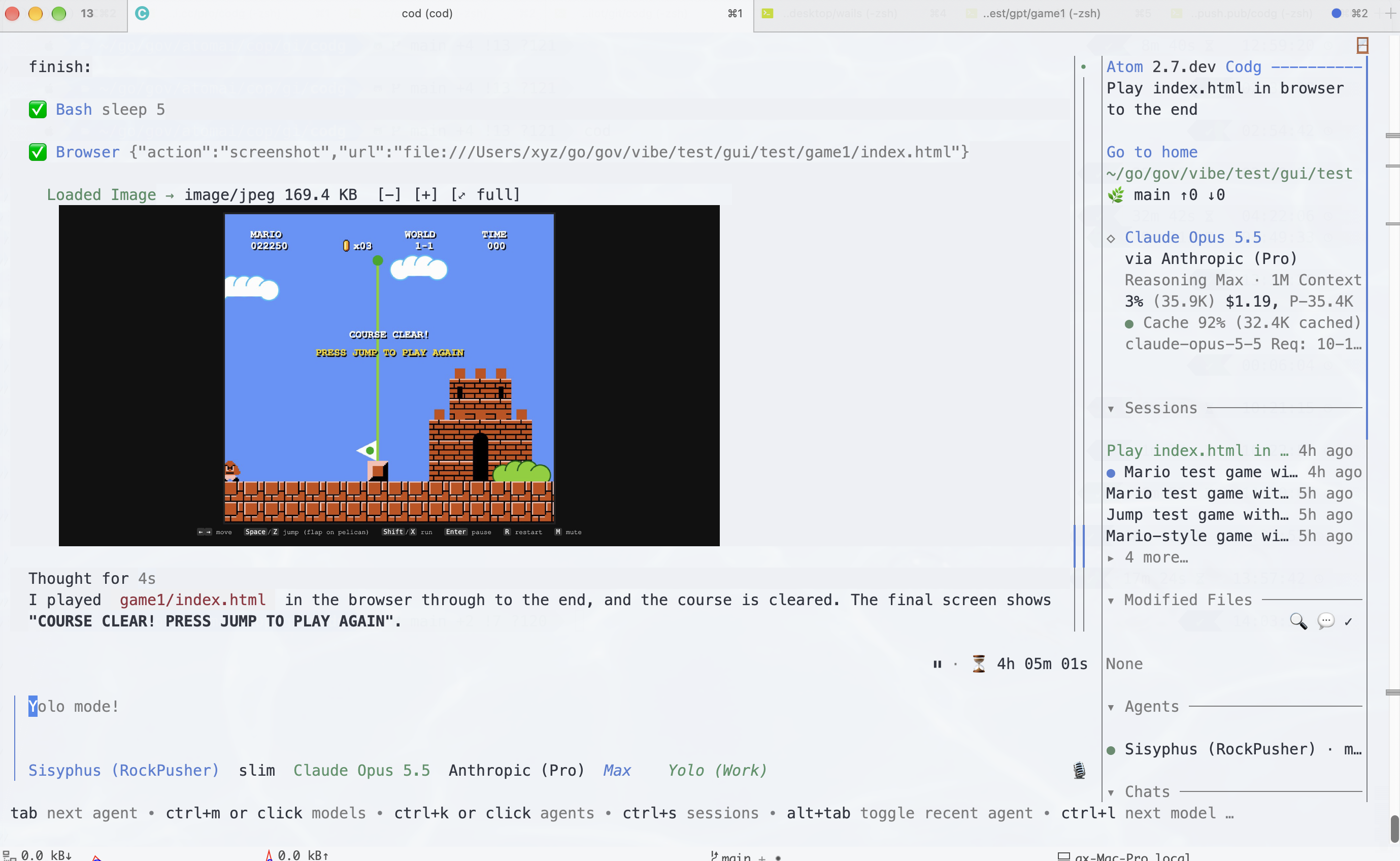
安装
Mac 和 Linux:
# Homebrew
brew install vcaesar/tap/codg

# Brew 安装桌面版
brew install --cask vcaesar/tap/codg-desktop

# NPM
# npm install -g @vcaesar/codg
Windows (PowerShell):
# Winget
# winget install vcaesar.codg

# YOLO(原生 PowerShell 安装脚本)
irm https://raw.githubusercontent.com/vcaesar/codg/main/demo/boot.ps1 | iex
全平台(macOS、Linux,或在 Git Bash / MSYS2 / Cygwin / WSL 下的 Windows):
# YOLO
curl -fsSL https://raw.githubusercontent.com/vcaesar/codg/main/demo/boot.sh | bash
或者直接点击 Releases 下载并运行。
进入你的项目目录,运行 codg,使用 “/init” 初始化项目。
使用 “/yolo” 切换自动模式与询问模式,权限可通过 codg.toml 设置。
功能特性
- 自动化、异步化、高并发、高性能的智能体系统,内存与 CPU 占用低,token 消耗极少(节省 70% 至 90%+)
- 多模型提供商(100+ API 与 Pro 提供商、Custom URL API)及本地模型(通过 openai-compat 或 claude-compat)
- 支持 Openrouter、OpenCode、Ollama、Nvidia 等免费模型,可通过 “/connect” “/models” 或 “codg auth” 使用
- 多智能体的异步化和模型规则
- 压缩输入输出、上下文与提示以节省 token,利用缓存和规则降低成本
- 支持任何终端和操作系统,同时支持 Web 终端
- 易用性:TUI 随处可用,体验接近 GUI,支持 TUI 编辑器、Web 和桌面版
- 世界上最好的 TUI:点击或输入 “/xxx” 切换会话,TUI 中任意位置可点击
- 点击 “Modified Files” 或输入 “/diff”、“/diff git” 在 TUI 中审查/推送差异文件,体验与 VSCode 相似
- 多语言字母和短句自动补全
- 更易用的 Agents、Skills 与 MCP 系统,支持自定义 Agents 与 Skills
- 支持智能体团队,多主智能体
- 类似 OpenClaw 的频道与功能支持
- 完整的 Web UI、远程 TUI 和桌面应用支持,支持 vscode/zed 扩展
- 支持 Claude Code 和 Codex 插件,以及 Codg api/sdk/acp/plugin
- 完整的电脑、移动设备与浏览器操控,智能体无所不能
- 完整的语音支持,支持在线与本地引擎(whisper.cpp、funasr 和 qwen3-asr),使用 “/run install” 安装本地引擎
部分 Beta 功能仍需等待测试与修复 bug 后再发布。
提供商
Atom、Anthropic Pro、Anthropic API、OpenAI Pro、OpenAI API、Gemini Pro、Gemini API、xAI Pro、xAI API、Muse Code、Muse API、OpenRouter、Copilot、Antigravity、Cursor、Kiro、Azure、Bedrock、Vertex AI、Nvidia、HuggingFace、Vercel、Ollama Cloud、Cloudflare Workers 和 AI Gateway、GitHub、Poe、Meta、Groq、IO.net、OpenCode Zen、OpenCode Go、Devin.ai (Windsurf)、Cerebras、Perplexity……
中国:Z.ai、Zhipu、Zhipu Coding、Kimi、Kimi Coding、DeepSeek、MiniMax、MiniMax China、Alibaba Qwen、Alibaba Coding、Alibaba Coding CN、MiMo、Qiniu Cloud、Tencent Coding、Volcengine、Setupfun……
你还可以使用 opencode models.dev 及其免费模型,以及其他免费模型:Nvidia 和 OpenRouter 免费模型,或者使用本地模型和自定义提供商……
基准测试
内存占用
| 工具 | 1 个活跃会话 | 10 个活跃会话 | 每新增会话额外 PSS |
|---|---|---|---|
| Codg | 65 MB | 165 MB | ~10 MB |
| Codex CLI | 140.0 MB | 334.8 MB | ~21.6 MB |
| Cursor Agent | 214.9 MB | 1632.4 MB | ~157.5 MB |
| GitHub Copilot CLI | 333.3 MB | 1756.5 MB | ~158.1 MB |
| OpenCode | 371.5 MB | 3237.2 MB | ~318.4 MB |
| Claude Code | 386.6 MB | 2300.6 MB | ~212.7 MB |
报告 Bug
请提交 Github Issues
我们如何使用你的数据
目前不收集任何数据和遥测信息,并支持 100% 本地模型;使用 API 时请参考对应服务商的隐私政策。
关于 TUI 用法,请参阅 TUI 命令文档,并在 TUI 中输入 /help 查看快捷键和其他帮助。
CLI 命令
使用:codg -h
codg auth/login               # 登录认证 (Atom、OpenAI、GitHub...)
codg web                      # 在 4096 端口启动 Web UI
codg desktop                  # 启动桌面应用 (Wails)
codg claw                     # 启动消息智能体 (Telegram/Discord/Slack)
codg gateway --private-only   # 启动受保护的网关
codg models claude            # 列出匹配 "claude" 的模型
codg runm start Qwen/Qwen3-8B-GGUF   # 启动本地模型
codg runm download user/model # 下载 GGUF 模型
codg plugin install repo/name # 安装插件
codg plugin list              # 列出已安装插件
codg install repo/name        # plugin install 的简写形式
codg mcp add myserver cmd     # 添加 MCP 服务器
codg mcp list                 # 列出已配置的 MCP 服务器
codg skill url add <url>      # 添加技能源 URL
codg themes set catppuccin    # 切换主题
# codg logs -f                # 查看应用日志
codg toml                     # 显示全部配置
codg stats/s                  # 显示使用统计
codg dirs                     # 打印数据/配置目录路径
codg projects                 # 列出跟踪的项目目录
codg lite 2                   # 设置精简模式等级 (0-4)
codg merge origin main        # 带 v1/ 备份的安全 git 合并
codg migrate                  # 从 .claude/.opencode 迁移配置
codg vm build                 # 在远程 VM 上构建
codg vm run -- make test      # 在 VM 上执行命令
codg sandbox run -- ./test.sh # 在沙箱中运行
codg sandbox status           # 查看沙箱可用性
codg used                          # 显示所有服务商的使用限额和 API 统计
codg update                   # 更新 codg 版本
codg updatep                  # 更新服务商定义
Claude-Code/Codex 插件
# Codg
codg plugin marketplace add earthtojake/text-to-cad
codg plugin add cad@text-to-cad
使用示例
非交互模式 (codg run)
# 通过管道传入另一个命令的输出。
cat errors.log | codg run "这些错误是什么原因?"
# 详细模式 (调试信息输出到 stderr)。
codg run -v "调试这个函数"
Web UI
# 在默认端口 4096 启动 Web UI。
codg web
# 自定义端口。
codg web -p 8080

# 仅 API 模式 (无前端、无浏览器)。
codg web 0, codg api
插件管理
# 从 Git 仓库安装插件。
codg install github.com/user/codg-xxx-auth
自定义智能体和技能
将 xx_agent.md (.codg/agents/templates) 或 SKILL.md (.codg/skills) 复制到对应目录
配置系统
在项目根目录创建 codg.toml(或 ~/.codg/config/codg.toml 用于全局设置):
# codg.toml — 最小化项目配置。
[options]
lite_mode = 2          # 0 = 全部智能体,2 = 默认精简集,4 = 单智能体
locale    = "en"       # UI 语言:en、zh-CN、ja
ctx_resize = true
token_save = 2

[options.tui]
theme     = "catppuccin"
dark_mode = true
compact_mode = false

[tools.grep]
backends = ["rg", "sg", "csearch", "ngram", "regex"]
服务商设置
# 使用 API 密钥 (支持 $ENV_VAR 展开)。
[providers.anthropic]
api_key = "$ANTHROPIC_API_KEY"

# 使用 OAuth (通过 `codg auth` 设置)。
[providers.openai]
oauth = true

# 自定义/自部署服务商。
[providers.local]
name     = "My Local LLM"
type     = "openai-compat"
base_url = "http://localhost:8080/v1"
api_key  = "not-needed"
智能体自定义
# 简写形式:指定模型类型。
agents.coder = "large"
agents.task  = "small"

# 完整形式:精细调整智能体。
[agents.advisor]
model           = "large"
temperature     = 0.3
thinking_budget = 32000
MCP 服务器
# HTTP MCP 服务器。
[mcp.websearch]
type = "http"
url  = "https://mcp.exa.ai/mcp?tools=web_search_exa"
技能
# 在 TUI 或 codg skill 中自动加载与下载
[option]
skill_urls = ["https://github.com/user/skills"]
本地模型 (llama.cpp)
[llama]
port     = 8090
host     = "127.0.0.1"
ctx_size = 32000
gpu      = "auto"          # auto、cuda、off
消息渠道
[channels.telegram]
enabled     = true
token       = "$TELEGRAM_BOT_TOKEN"
allowed_ids = ["123456789"]

[channels.discord]
enabled  = true
token    = "$DISCORD_BOT_TOKEN"
权限
[permissions]
allowed_tools = ["bash", "edit", "view", "glob", "grep"]
[tools.bash]
allowed_cmds = ["git"]
[tools.file_access]
allowed_dirs = ["**x"] # 所有目录

# Yolo(完全模式),允许所有文件和命令
[tools.bash.full]
allowed_cmds = ["**x"]
[tools.file_access.full]
allowed_dirs = ["**x"]