
sqlfluff/vscode-sqlfluff
sqlfluff/vscode-sqlfluff has 203 GitHub stars and 41 forks. GitHot measured 0 stars in 24 hours, 0 in 7 days, and 0 in 15 days. Last checked 2026-11-11 19:40 UTC. Last push 2026-08-13.
An extension to use the sqlfluff linter in vscode.
实测星标增长
- 24小时
- 0
- 7天
- 0
- 15天
- 0
- 1个月
- 更新延迟
各周期内的星标净变化,周期相互重叠,并非每日新增。缺失的测量保持空白。星标代表关注度,不代表软件质量。
README.md
原文SQLFluff for Visual Studio Code



Lint and auto-format SQL and dbt code using SQLFluff, a popular SQL linter.
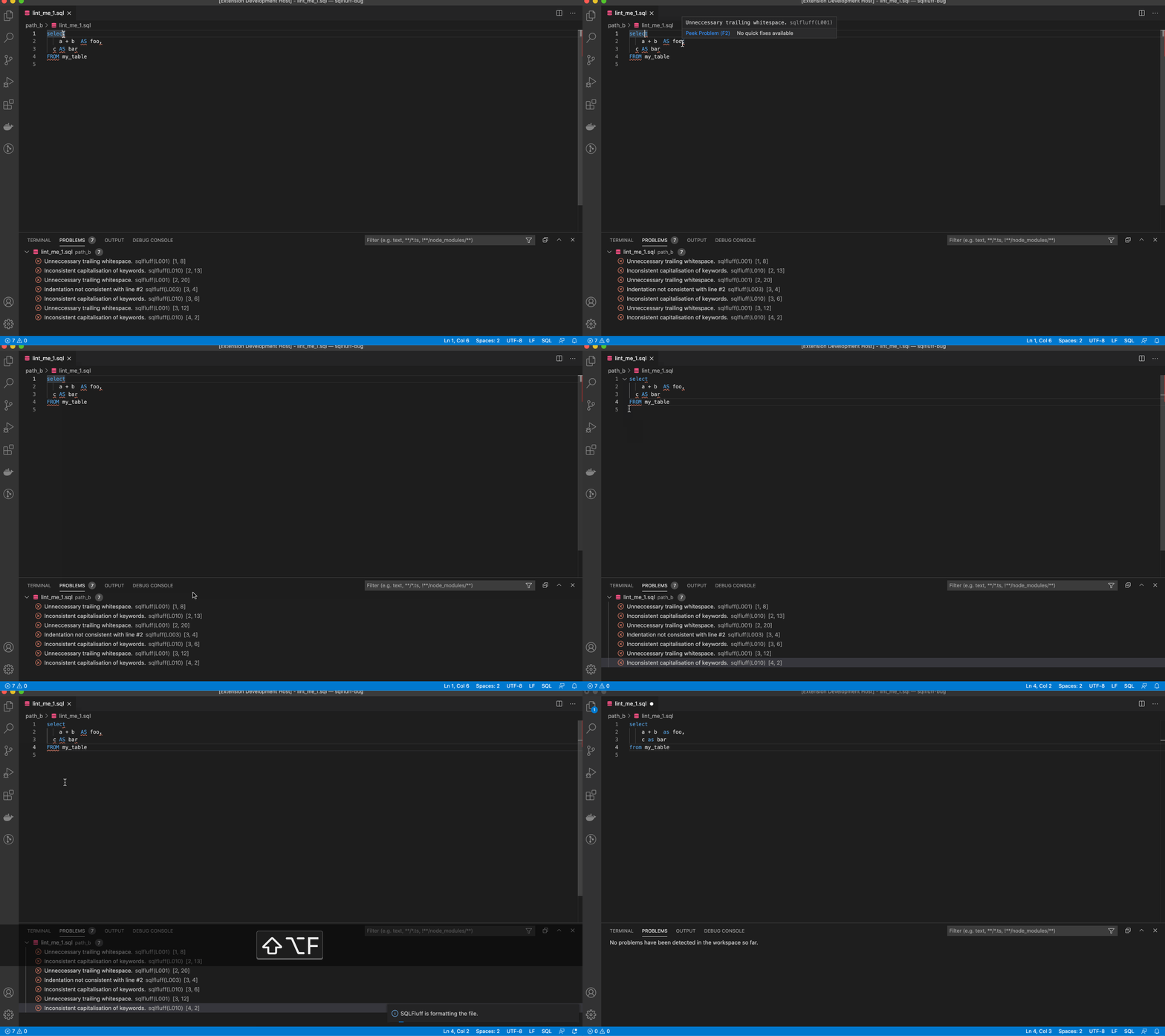
You can run Format Document to fix the linting violations. You cannot run Format Selection. Please note that not all linting violations are automatically fixable.
Sponsor

Hosted VS Code, dbt-core, SQLFluff, and Airflow, find out more at Datacoves.com.
Configuration
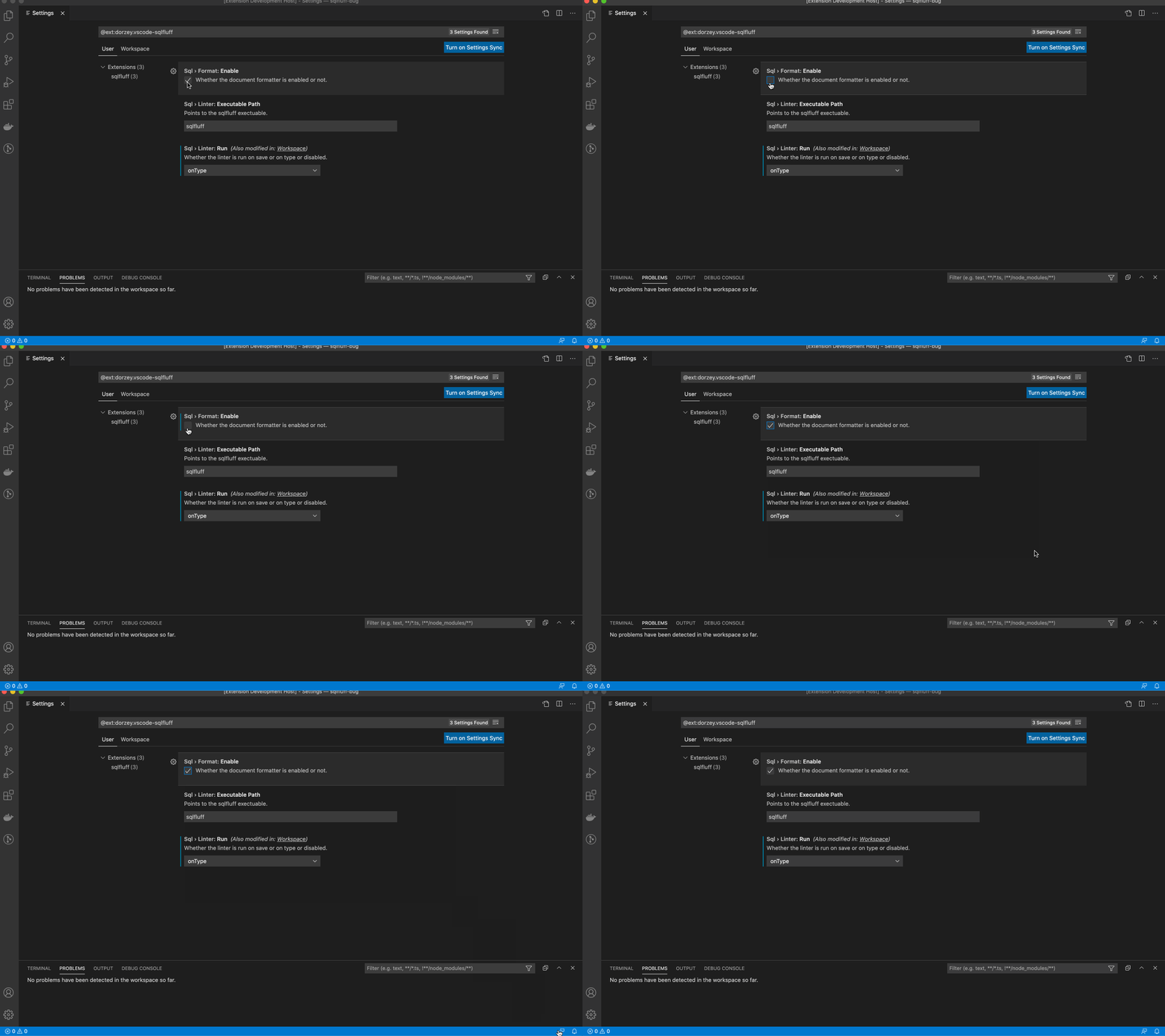
The extension expects sqlfluff to be installed and already added to the path. If it is installed but cannot be found, add the path to your preferences as seen below. Find the path by typing which sqlfluff into your terminal.
Edit your VS Code settings.json file manually or through the user interface.
If you want to manually update the settings.json file, open the VS Code command palette and type in settings.json. Select Preferences: Open Settings. Then, you can add any of the following configuration options to settings.json.
  "sqlfluff.config": "${workspaceFolder}/.sqlfluff",
  "sqlfluff.dialect": "mysql",
  "sqlfluff.env.environmentVariables": [
    {
      "key": "example_key",
      "value": "example_value"
    }
  ],
  "sqlfluff.env.customDotEnvFiles": [
    "${workspaceFolder}/example.env"
  ],
  "sqlfluff.env.useDotEnvFile": true,
  "sqlfluff.excludeRules": ["L009"],
  "sqlfluff.executablePath": "sqlfluff",
  "sqlfluff.ignoreLocalConfig": false,
  "sqlfluff.ignoreParsing": false,
  "sqlfluff.rules": [],
  "sqlfluff.suppressNotifications": false,
  "sqlfluff.workingDirectory": "",
  /* Linter */
  "sqlfluff.linter.arguments": [],
  "sqlfluff.linter.run": "onType",
  "sqlfluff.linter.diagnosticSeverity": "error",
  "sqlfluff.linter.diagnosticSeverityByRule": [
    {
      "rule": "L010",
      "severity": "warning"
    }
  ],
  "sqlfluff.linter.lintEntireProject": true,
  /* Formatter */
  "sqlfluff.format.arguments": ["--FIX-EVEN-UNPARSABLE"],
  "sqlfluff.format.enabled": true,
DBT Configuration
DBT setup requires these settings to lint and format the document.
  "sqlfluff.linter.run": "onSave",
  "sqlfluff.experimental.format.executeInTerminal": true,
  "editor.formatOnSave": false,
Format file
By default you will be able use SQLFluff fix your file by formatting. Same as calling sqlfluff fix <path>
Show Documentation
Hovering over a problem with reveal a popup explaining the problem and giving a link to the documentation.
For SQLFluff versions after v2.0.0 this link will take you to the rule documentation.
For SQLFLuff versions before v2.0.0 this link will take you to the top of the documentation page.
VS Code Variables
The executablePath and config settings can use some VS Code variables.
This is achieved by using the format ${variableName} in the settings.
Here are a few useful ones.
- fileWorkspaceFolder: the path of the workspace folder containing the file opened in VS Code
- workspaceFolder: the path of the first workspace folder opened in VS Code
- workspaceFolderBasename: the last portion of the path of the folder opened in VS Code
- fileDirname: the current opened file's dirname
And here are a few that are probably useless.
- file: the current opened file
- relativeFile: the current opened file relative to workspaceFolder
- fileBasename: the last portion of the path to the file
- fileBasenameNoExtension: the last portion of the path to the file with no extension
- fileExtname: the current opened file's extension
- lineNumber: the current selected line number in the active file
- selectedText: the current selected text in the active file
- execPath: the path to the running VS Code executable
Running into Problems?
Open the command palette and run the SQLFluff Debug Extension command
Check the output channel to see the SQLFluff commands this extension is running

If that doesn't help narrow down your problem, you can open an issue at https://github.com/sqlfluff/vscode-sqlfluff/issues
Open-VSX
open-vsx.org/extension/sqlfluff/vscode-sqlfluff
Credits / Links
License
The MIT License (MIT). Please see the license file for more information.
探索相关项目
Asabeneh/30-Days-Of-Python
30 Days of Python 编程挑战是一份循序渐进的指南,用于在 30 天内学习 Python 编程语言。这项挑战可能需要超过 100 天。请按自己的节奏进行。这些视频或许也有帮助:https://www.youtube.com/channel/UC7PNRuno1rzYPb1xLa4yktw
78,618 星标grafana/grafana
开放且可组合的可观测性与数据可视化平台。可对来自 Prometheus、Loki、Elasticsearch、InfluxDB、Postgres 等众多数据源的指标、日志和追踪进行可视化。
77,859 星标redis/redis
对于正在构建实时数据驱动应用的开发者而言,Redis 是首选、速度最快且功能最丰富的缓存、数据结构服务器和文档与向量查询引擎。
77,472 星标apache/superset
Apache Superset 是一个数据可视化与数据探索平台
75,495 星标