
sparklabx/sparklabx
sparklabx/sparklabx has 32 GitHub stars and 9 forks. GitHot measured 0 stars in 24 hours. Last checked 2026-11-15 11:48 UTC. Last push 2026-10-14.
可以做什么
- Spark notebooks in the browser — PySpark, Scala (Almond), with Monaco editor, Markdown cells, kernel restart, and a Libraries dialog that wraps spark.jars.packages / import $ivy so users add Maven coordinates without editing code.
- Embedded Spark UI + DataFlint — open the kernel's Spark Web UI (DAGs, stages, SQL plans, metrics) in-app, no port-forward. DataFlint (a Spark performance plugin) is on by default for PySpark and Scala, adding a performance tab that flags slow stages, skew, and oversized scans.
- Single MinIO bucket; each user owns a private prefix users/<username>/.
- On first login, the backend provisions a dedicated MinIO IAM account with a scoped policy. The kernel pod runs with that user's credentials — so spark.read.csv("s3a://workspace/users/<someone-else>/...") returns AccessDenied at the storage layer, not from app code.
实测星标增长
- 24小时
- 0
- 7天
- 正在收集历史
- 15天
- 正在收集历史
- 1个月
- 正在收集历史
各周期内的星标净变化,周期相互重叠,并非每日新增。缺失的测量保持空白。星标代表关注度,不代表软件质量。
关于
Self-hosted multi-user Apache Spark notebooks — PySpark + Scala, per-user kernel pods, MinIO IAM storage, OAuth. One Helm install. Apache-2.0.
数据README.md
原文SparkLabX Notebook





A self-hosted Jupyter-style notebook for Apache Spark with built-in S3 storage, per-user isolation, and OAuth login. Designed to be small, opinionated, and production-grade enough to drop into a small team or classroom.
Each authenticated user gets their own private Spark kernel (Python / PySpark / Scala) and their own S3 storage prefix, enforced by real MinIO IAM (not just app-layer checks).
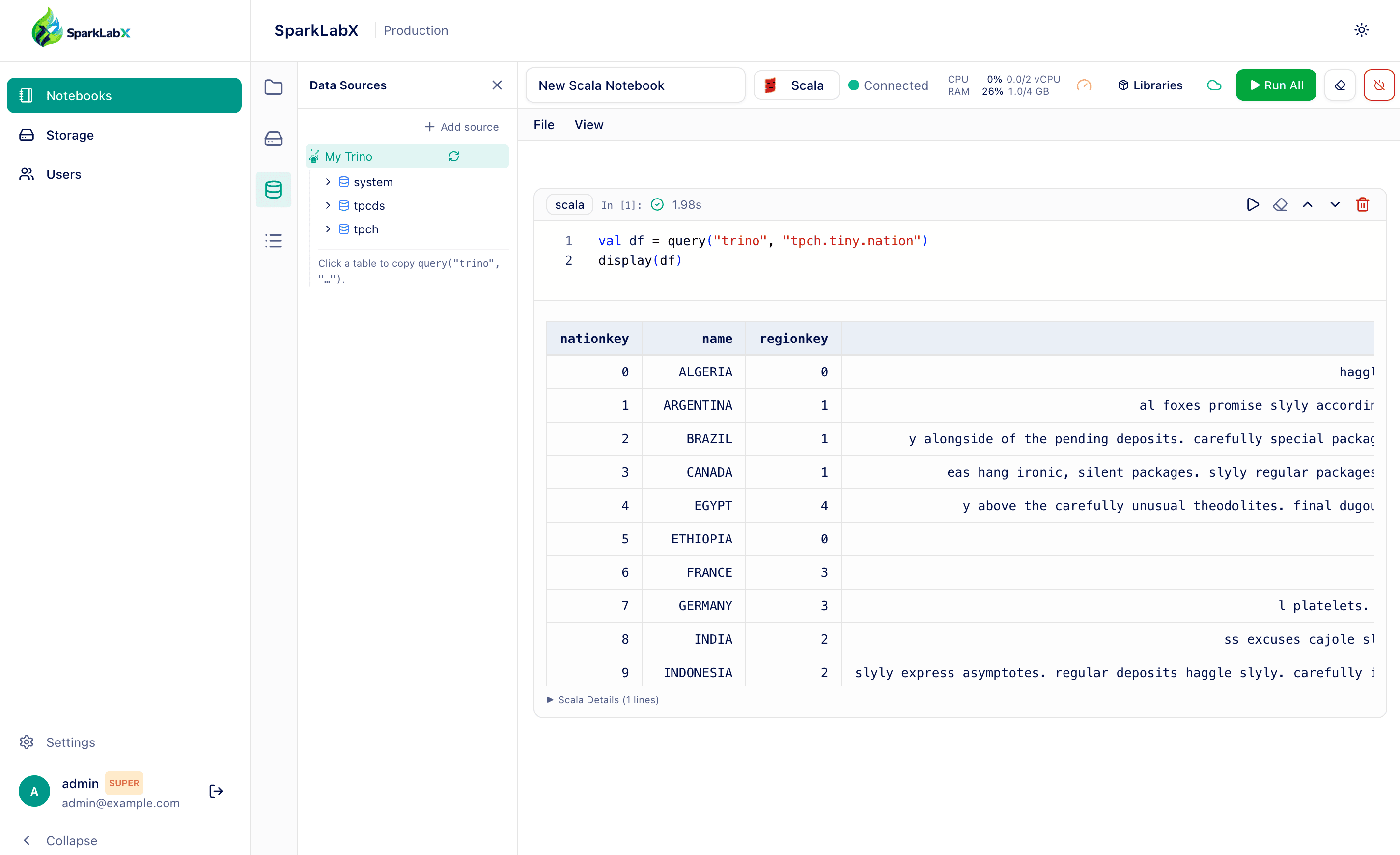
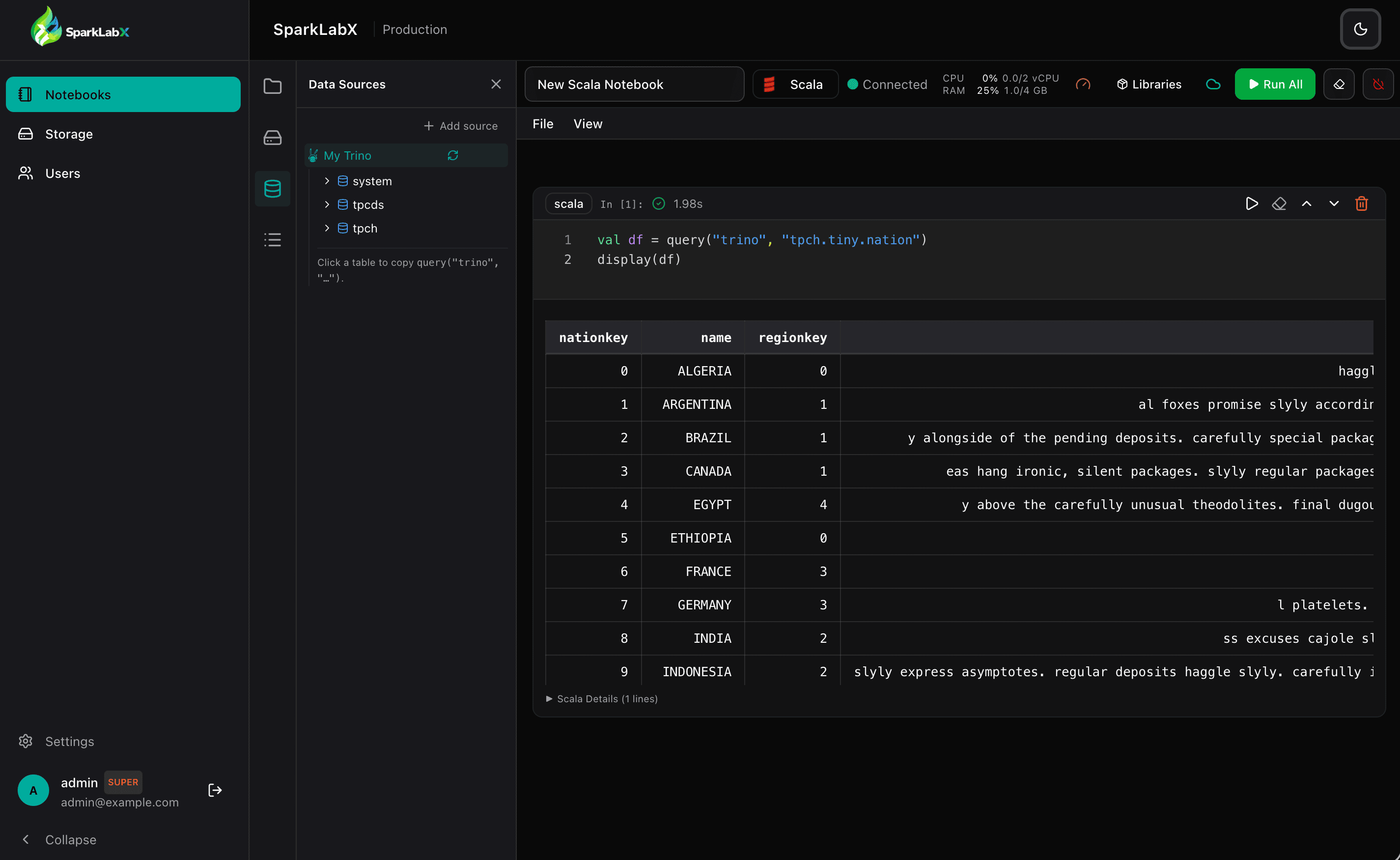
SparkLabX notebook (PySpark / Scala) — light & dark themes.
30-second quickstart
git clone https://github.com/sparklabx/sparklabx.git
cd sparklabx
./quickstart.sh
The script generates random secrets, pulls public Docker images from
ghcr.io/sparklabx/, and starts the stack. It prints the admin password
when done.
Open http://localhost:3000, log in as admin with the printed password,
and you're in. OAuth is optional — leave the client IDs blank in .env
to login via username/password only.
Highlights
Spark notebooks in the browser — PySpark, Scala (Almond), with Monaco editor, Markdown cells, kernel restart, and a Libraries dialog that wraps
spark.jars.packages/import $ivyso users add Maven coordinates without editing code.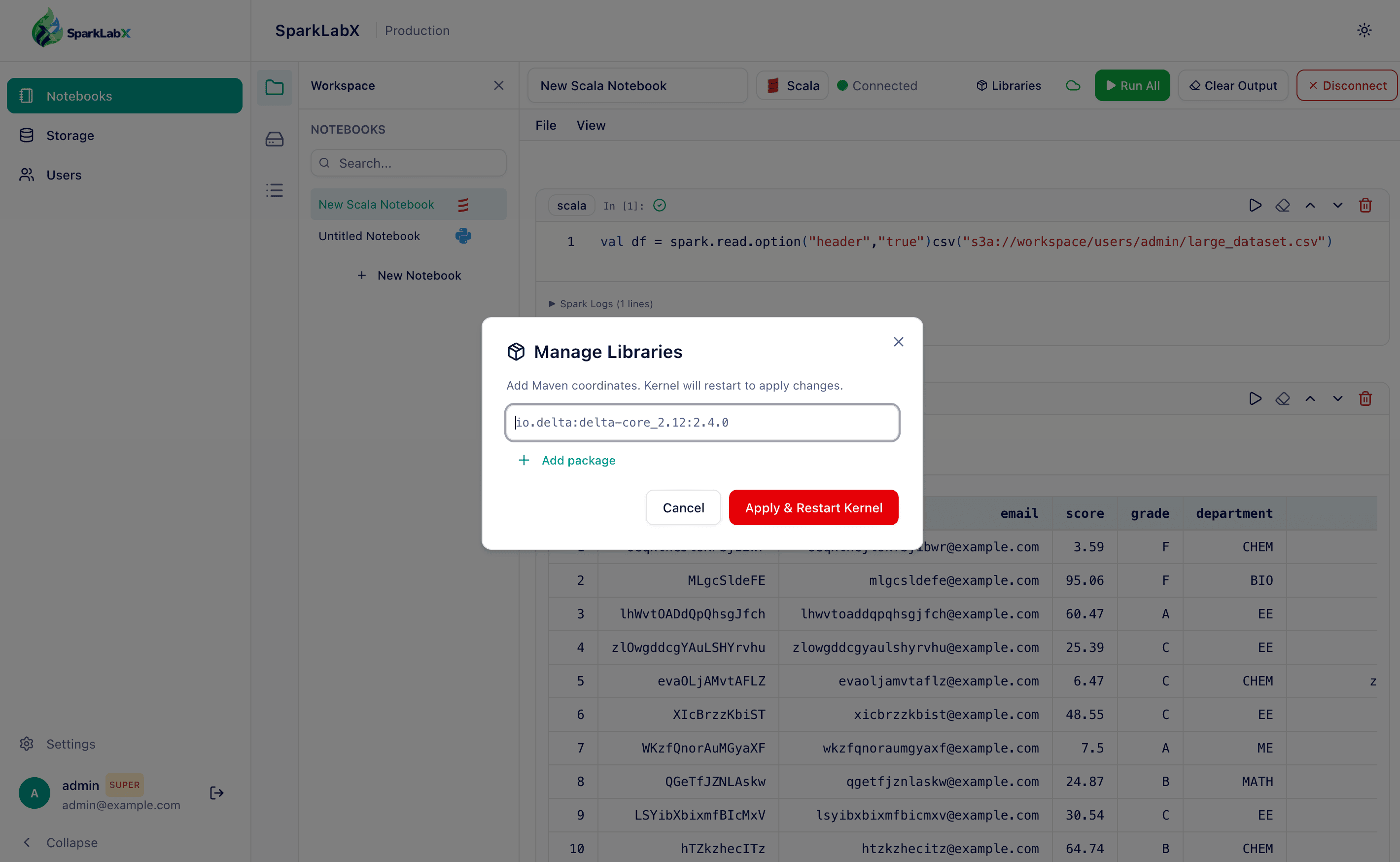
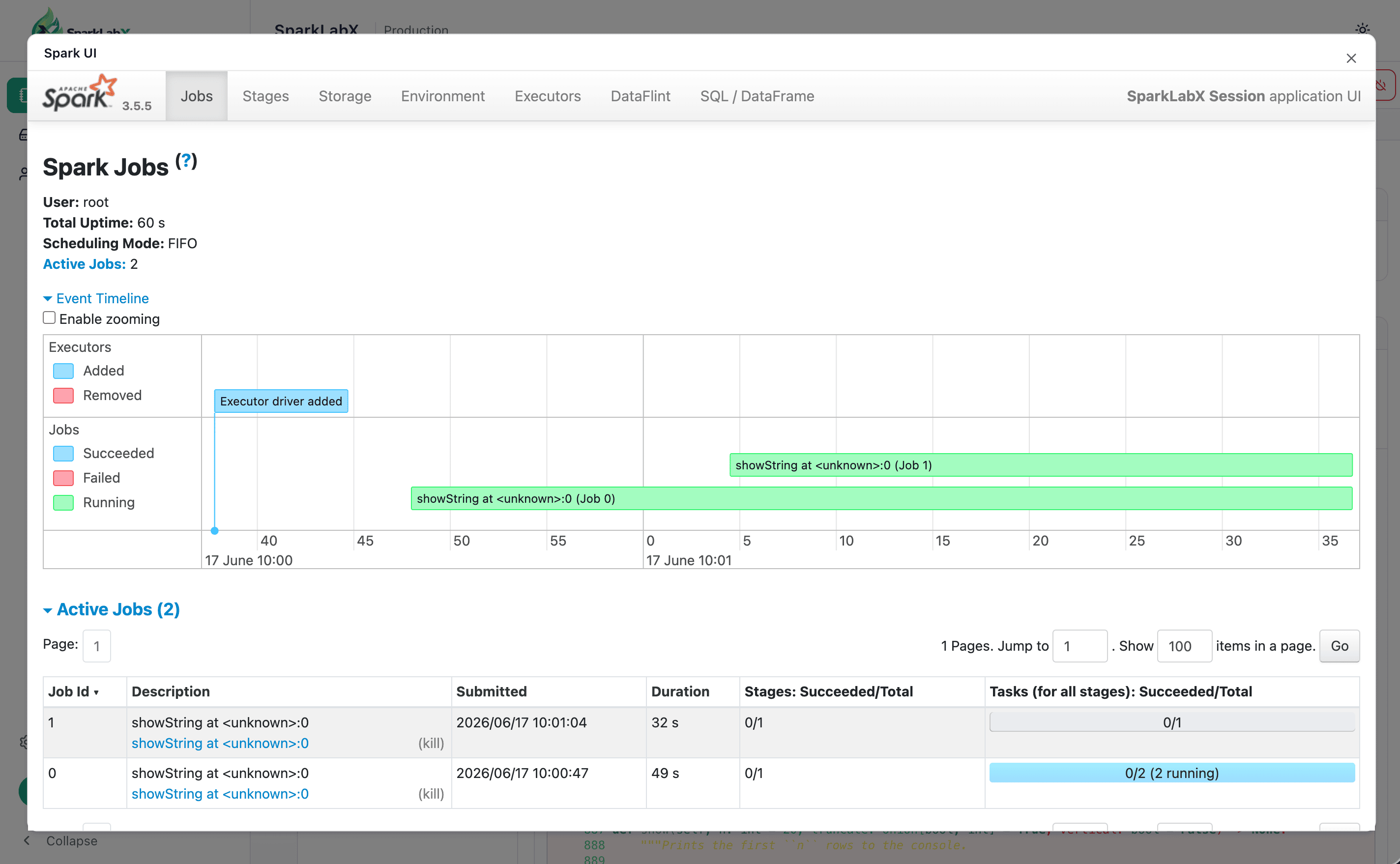
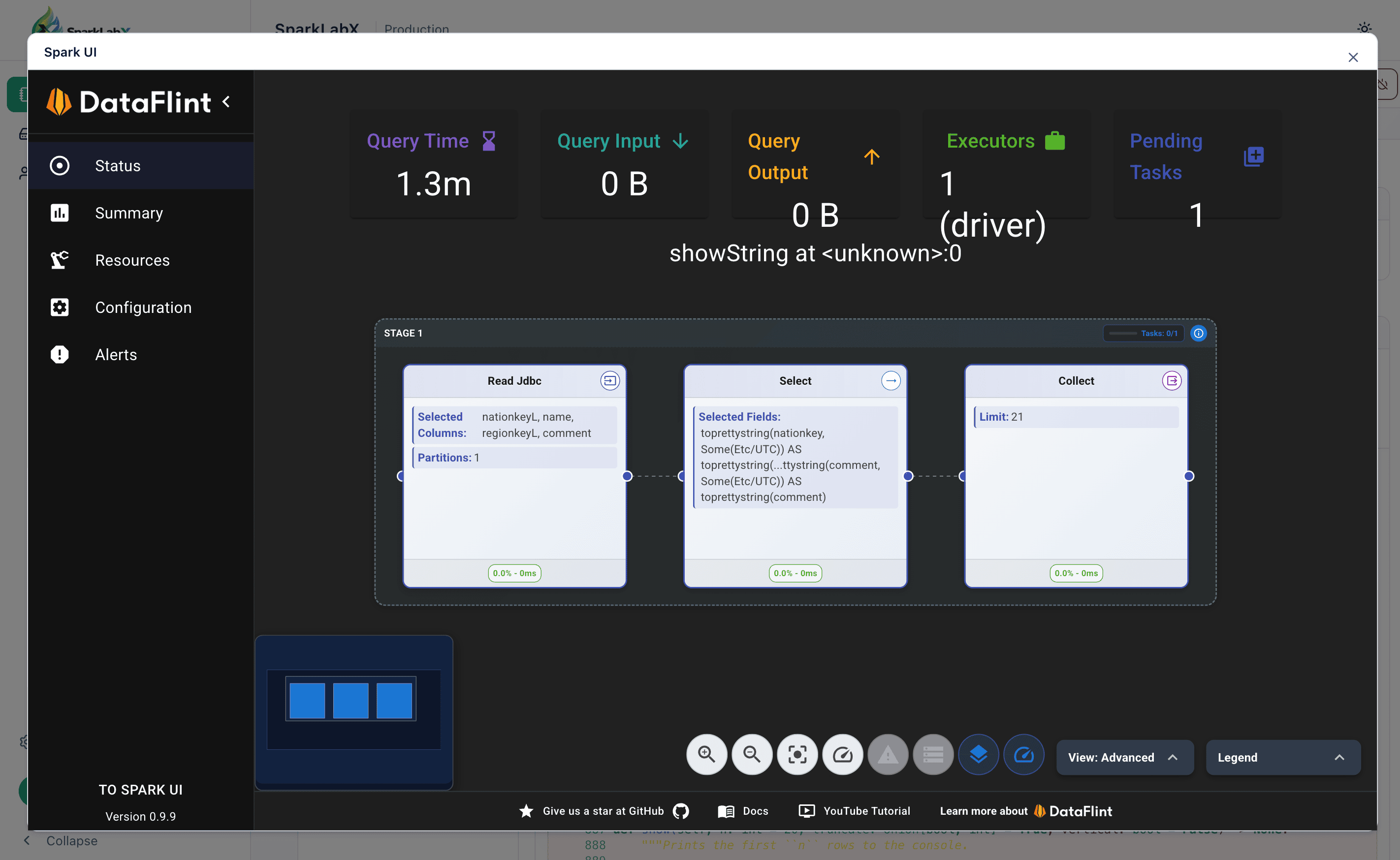
Embedded Spark UI + DataFlint — open the kernel's Spark Web UI (DAGs, stages, SQL plans, metrics) in-app, no port-forward. DataFlint (a Spark performance plugin) is on by default for PySpark and Scala, adding a performance tab that flags slow stages, skew, and oversized scans.
Per-user isolation, end-to-end
- Single MinIO bucket; each user owns a private prefix
users/<username>/. - On first login, the backend provisions a dedicated MinIO IAM account
with a scoped policy. The kernel pod runs with that user's credentials —
so
spark.read.csv("s3a://workspace/users/<someone-else>/...")returns AccessDenied at the storage layer, not from app code. - User secrets are AES-GCM encrypted at rest.
- Single MinIO bucket; each user owns a private prefix
Three kernel deployment modes — pick the right cost / isolation point for your stage. See KERNEL_MODE below.
OAuth (Google / Microsoft / generic OIDC) + email allowlist — only invited domains or exact emails can sign in.
Data connectors (Trino / Postgres / MySQL) — add a source from the UI (host / port / SSL — no JDBC string to memorize), browse its catalog → schema → table → columns, and query it from any notebook with one helper:
query("<id>", "SELECT ..."). Each connector is personal and authenticates as your SSO identity — the app mints a short-lived RS256 JWT that the source validates via the app's JWKS (app-as-issuer), so Trino's own access control keys off the real user. Optional broker-mapped username/password (AES-GCM encrypted) for sources without SSO.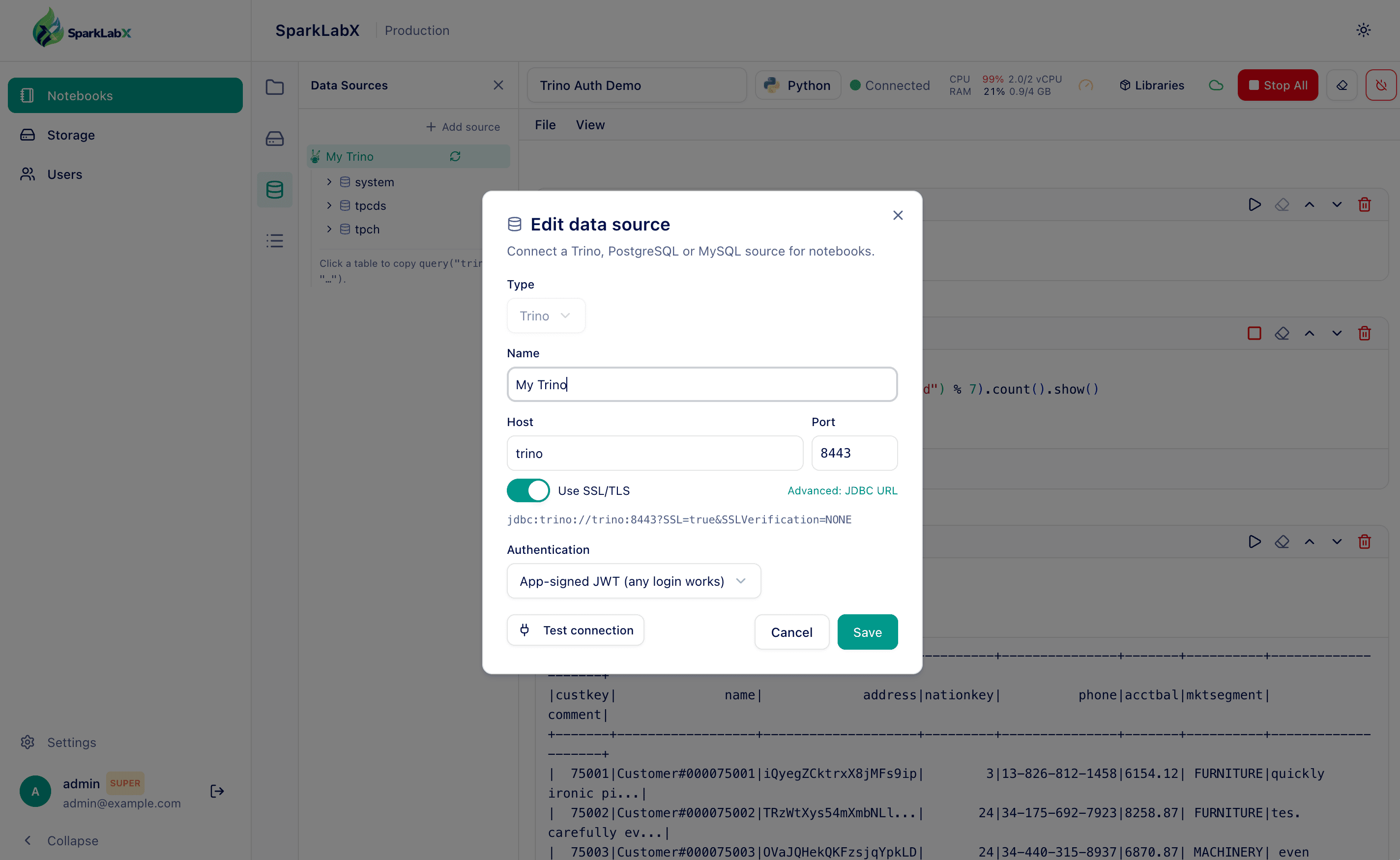
Shared "Public" workspace — drop datasets everyone can read.
Postgres-backed state — kernel ↔ notebook mappings, idle reaper, spawn-phase progress. Restartable backend, no in-memory loss.
Manual setup (if you'd rather skip the script)
git clone https://github.com/sparklabx/sparklabx.git
cd sparklabx
cp .env.example .env
# Edit .env: replace JWT_SECRET_KEY with `openssl rand -base64 48` output,
# pick a strong SEED_ADMIN_PASSWORD, and optionally fill in OAuth creds.
docker compose up -d
The first user ever created is automatically promoted to superadmin and
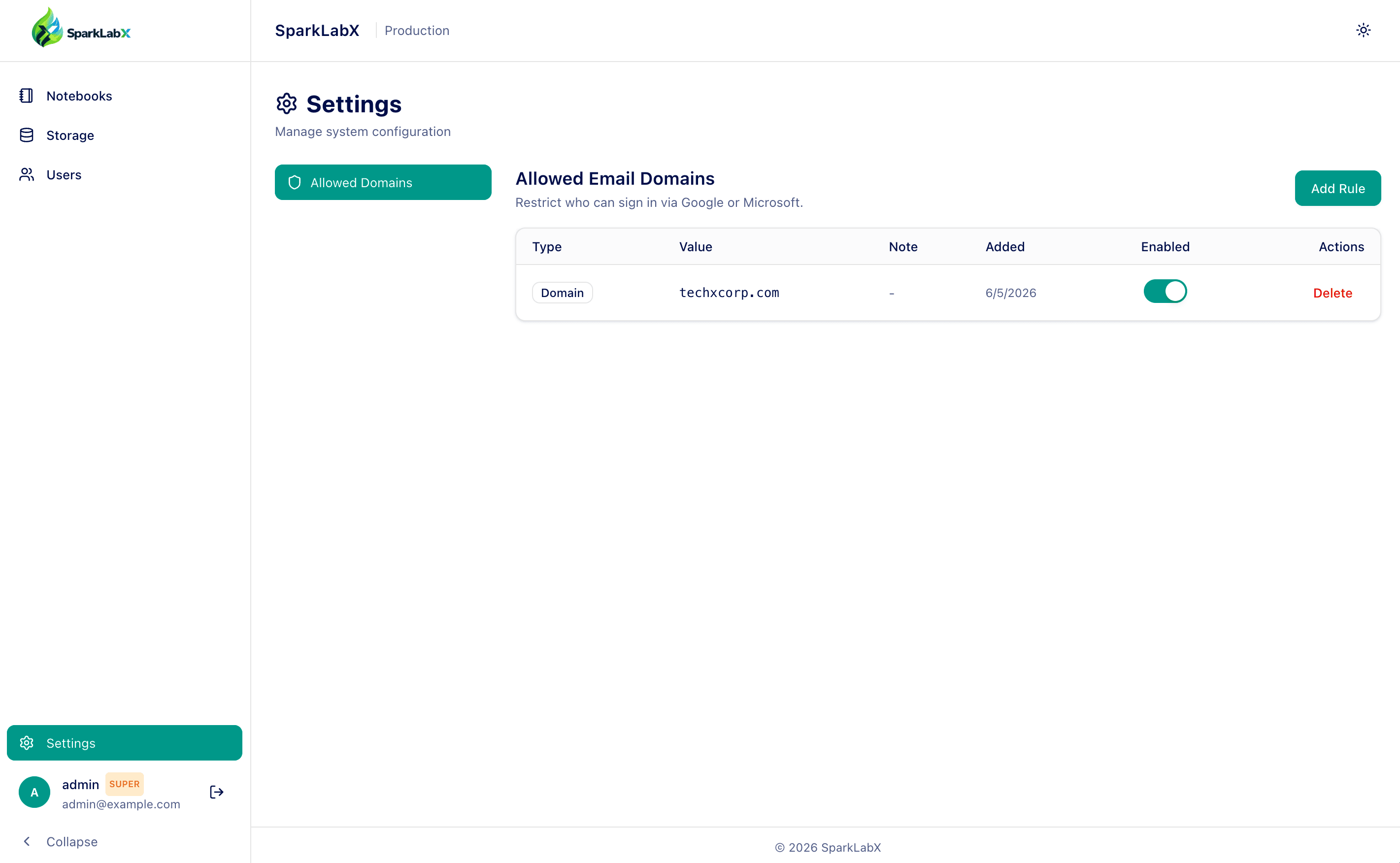
can manage the email allowlist via Settings → Allowed Domains.
Architecture
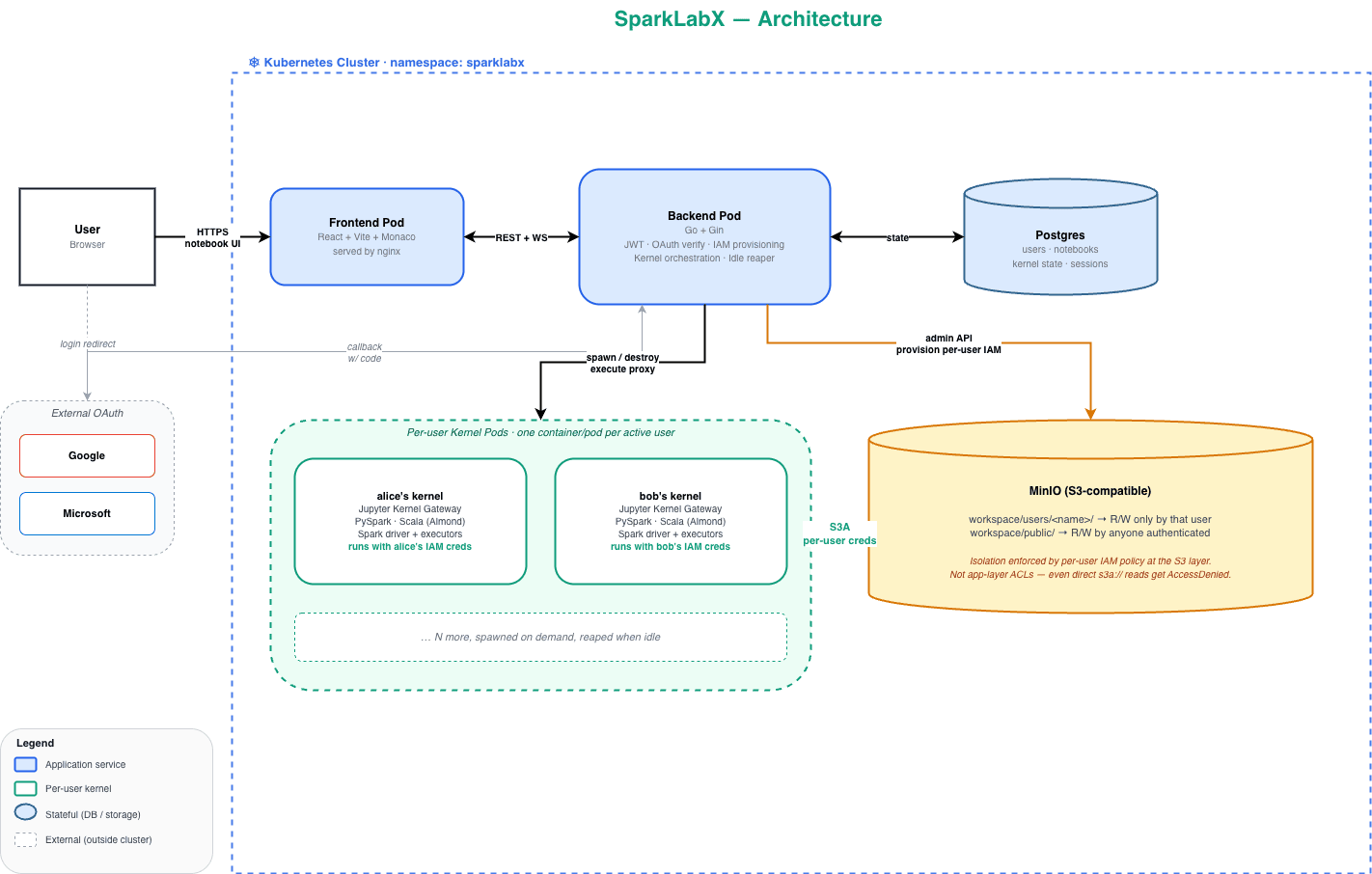
Backend (Go + Gin) responsibilities:
- OAuth verification, JWT issuance, email allowlist enforcement.
- Storage proxy (file browser) — scoped to caller's prefix at the API layer as a second line of defense.
- Per-user MinIO IAM provisioning via
madmin-go. - Kernel pod / container lifecycle: spawn on demand, reap on idle, buffered "last used" touches.
- Notebook persistence, cell execution proxy to Jupyter Kernel Gateway.
- Connector registry + app-as-issuer JWT: mints short-lived RS256 tokens
per user and serves the JWKS at
/api/v1/.well-known/jwks.jsonso sources (Trino, …) authenticate the real user. Per-query credentials are handed to the kernel via a scoped callback token; seedocs/connectors-design.md.
Frontend (React + Vite + Monaco):
- Notebook UI with code cells, Markdown, output rendering (DataFrames as
HTML tables via the kernel-side
display()/ patcheddf.show()). - File browser sidebar with two scopes: My Space (private) and Public (shared).
- Data Sources panel: add/edit/delete connectors, browse the catalog tree,
copy a ready-made
query("<id>", …)call. - Spark cluster connection dialog (driver/executor memory, package list).
KERNEL_MODE
The single most important configuration. Sets the trust / isolation model.
| Mode | Container layout | Isolation | When to use |
|---|---|---|---|
shared (default) |
One Jupyter container for everyone | None — cross-user Spark reads are possible | Quick demos, single-user dev |
docker_per_user |
One container per user on the host's Docker daemon | True MinIO IAM isolation per kernel | Local dev with prod-parity, trusted single-host deployments |
k8s_per_user |
One pod per user, backend runs in-cluster | True MinIO IAM + K8s NetworkPolicy / ResourceQuota | Production |
Set in .env:
KERNEL_MODE=docker_per_user
KERNEL_POD_IMAGE=ghcr.io/sparklabx/kernel:latest
KERNEL_POD_IDLE_MINUTES=30      # auto-reap after idle
KERNEL_POD_MAX_TOTAL=50
KERNEL_DOCKER_NETWORK=sparklabx_default
The shared jupyter service in both compose files is gated behind the
shared Docker Compose profile, so it stays off unless you ask for it.
Only bring it up when KERNEL_MODE=shared:
docker compose --profile shared up -d
For docker_per_user and k8s_per_user, leave the profile off and the
backend will spawn per-user kernels on demand — the shared container
would just sit idle eating RAM.
docker_per_user requires the backend container to have access to the
host Docker socket. docker-compose.yml already wires this with
/var/run/docker.sock:/var/run/docker.sock.
Security note: mounting
docker.sockgrants the backend process full root-equivalent access to the host. Usedocker_per_useronly on hosts you trust. For production, usek8s_per_userinstead.
For k8s_per_user, see the Helm chart — it provisions the
ServiceAccount and a Role granting pods, pods/log, and pods/exec
in the release namespace automatically when kernelMode: k8s_per_user.
Storage model
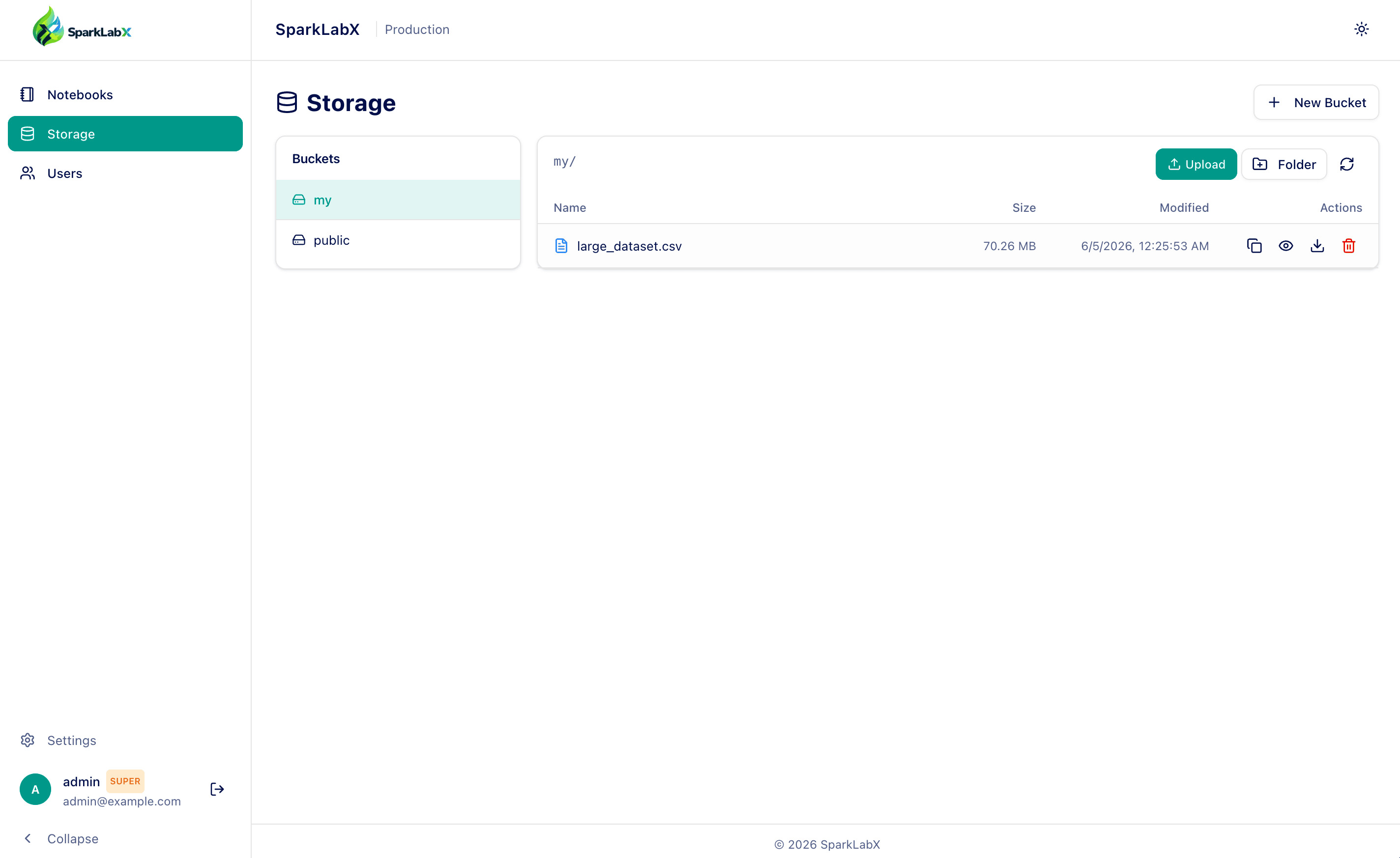
A single MinIO bucket (default: workspace) holds two top-level prefixes:
s3a://workspace/
├── users/
│   ├── alice/      ← alice's private space (R/W for alice only)
│   ├── bob/        ← bob's private space  (R/W for bob only)
│   └── …
└── public/         ← read/write for everyone authenticated
Each user's MinIO IAM policy grants:
s3:GetObject/PutObject/DeleteObject/...onworkspace/users/<self>/*- Same on
workspace/public/* s3:ListBucketonworkspacewiths3:prefixscoped to those two trees
Everything else is implicitly denied. There is no way to s3:CreateBucket
or read another user's prefix via the Spark kernel — it's enforced at the
S3 protocol layer.
The username slug is derived from the email's local-part ([email protected] → alice), with a 4-char random suffix on collision.
The Storage tab exposes each user's own prefix as a bucket, with the
shared public/ alongside:
Configuration
All knobs live in .env. See .env.example for the full annotated list.
The essentials:
| Variable | Purpose |
|---|---|
JWT_SECRET_KEY |
Sign JWTs and derive the AES-GCM key for stored MinIO secrets. ≥32 chars recommended. |
DATABASE_URL |
Postgres connection string. |
SEED_ADMIN_* |
Bootstrap admin (skip if you rely entirely on OAuth). |
GOOGLE_CLIENT_ID/SECRET, MICROSOFT_CLIENT_ID/SECRET |
OAuth credentials (omit either to disable that provider). |
MINIO_ENDPOINT, MINIO_ACCESS_KEY, MINIO_SECRET_KEY |
Root creds the backend uses to provision per-user IAM accounts. |
MINIO_WORKSPACE_BUCKET |
Single shared bucket; default workspace. |
KERNEL_MODE |
See above. |
CORS_ORIGINS |
Comma-separated list of allowed frontend origins. Set to * to allow all origins during development (automatically reflects the request origin to support credentials and WebSockets). Note: using * in production triggers a security warning. |
Frontend OAuth client IDs are baked at build time via VITE_GOOGLE_CLIENT_ID
and VITE_MICROSOFT_CLIENT_ID/TENANT_ID.
Deploying to Kubernetes
Helm chart in chart/ — single source of truth.
helm install sparklabx ./chart \
  --namespace sparklabx --create-namespace \
  --set secrets.jwtSecretKey="$(openssl rand -base64 48)" \
  --set secrets.seedAdmin.password="$(openssl rand -base64 16)" \
  --set secrets.minio.rootPassword="$(openssl rand -base64 24)" \
  --set ingress.host=notebook.example.com
For more than two overrides, use a values file. See
chart/README.md for the full reference and
chart/values.yaml for all available knobs.
Cluster requirements:
- Default StorageClass with dynamic provisioning (EKS/GKE/AKS/k3s/Longhorn — most clusters have one).
- An ingress controller (nginx-ingress, traefik) if
ingress.enabled=true. - cert-manager + a ClusterIssuer for automatic TLS — optional; can be disabled.
Don't use Helm? Render the chart to raw YAML and kubectl apply:
helm template sparklabx ./chart -f my-values.yaml > rendered.yaml
kubectl apply -f rendered.yaml
Then set KERNEL_MODE=k8s_per_user in the backend ConfigMap and roll the
backend. Per-user pods will be spawned on demand in the same namespace.
Development
# Backend (Go 1.26+)
cd backend
go run ./cmd/server

# Frontend (Node 22+, pnpm or npm)
cd frontend
npm install
npm run dev
docker-compose.test.yml builds both images locally from the working tree;
use it when iterating on backend changes:
docker compose -f docker-compose.test.yml up -d --build backend
Project layout
backend/
  cmd/server/            # main.go, HTTP server entry
  internal/
    config/              # env-driven config
    database/            # migrations + connection pool
    handlers/            # HTTP route handlers (auth, storage, notebooks, kernel proxy)
    middleware/          # JWT auth, request logger
    services/            # MinIO IAM, kernel gateways (shared / docker / k8s)

frontend/
  src/
    components/Admin/    # User management, settings, allowed domains
    components/Notebooks/  # Notebook page, cell editor, sidebar, etc.
    hooks/               # useJupyterKernel, useNotebook, …
    services/            # Backend API clients

chart/                   # Helm chart for production Kubernetes deploys
kernel/                  # Notebook kernel image (Dockerfile, entrypoint, Spark config)
                         # Used by all three KERNEL_MODE options
docker-compose.yml       # Reference deployment (uses prebuilt images)
docker-compose.test.yml  # Same but with build: directives for local dev
OAuth (optional)
OAuth is off by default — leave the client IDs blank in .env to use
username/password login only. To enable Google or Microsoft SSO:
- Create an OAuth 2.0 Client ID in
Google Cloud Console → Credentials.
Application type: Web application. Add
http://localhost:3000(or your public URL) to both Authorized JavaScript origins and Authorized redirect URIs. - Set in
.env:GOOGLE_CLIENT_ID=<client-id>.apps.googleusercontent.com GOOGLE_CLIENT_SECRET=<client-secret> VITE_GOOGLE_CLIENT_ID=<client-id>.apps.googleusercontent.com
Microsoft
- Register an app in
Microsoft Entra ID → App registrations.
Platform: Single-page application (SPA). Redirect URI:
http://localhost:3000. Copy Application (client) ID and Directory (tenant) ID. - Set in
.env:MICROSOFT_CLIENT_ID=<application-client-id> VITE_MICROSOFT_CLIENT_ID=<application-client-id> VITE_MICROSOFT_TENANT_ID=<tenant-id> # use "common" for multi-tenant
Generic OIDC (Keycloak, Okta, Auth0, …)
Any standards-compliant OIDC provider works via a server-side code flow — no
VITE_* rebuild needed (the button just redirects to the backend). Set in .env:
OIDC_ISSUER_URL=https://your-idp/realms/yourrealm   # discovery base
OIDC_CLIENT_ID=<client-id>
OIDC_CLIENT_SECRET=<client-secret>
OIDC_PROVIDER_NAME=SSO                               # button label
OIDC_REDIRECT_URL=http://localhost:3000/api/v1/auth/oidc/callback
# OIDC_INTERNAL_ISSUER_URL=  # set if the IdP's in-cluster URL differs from the public issuer
Register OIDC_REDIRECT_URL as an allowed redirect URI at the IdP. Leaving
OIDC_ISSUER_URL / OIDC_CLIENT_ID blank hides the button.
Apply the changes
Gotcha: Vite bakes the
VITE_*variables into the frontend bundle at build time. Changing them requires a frontend image rebuild — a plaindocker compose up -dwon't pick them up.
docker compose -f docker-compose.test.yml build frontend
docker compose -f docker-compose.test.yml up -d
Email allowlist
The backend rejects OAuth logins from addresses outside the allowlist
(email_not_allowed). After your first admin login (username/password),
go to Settings → Allowed Domains and add either a domain
(example.com — whole org allowed) or an individual email.
Security
- All admin endpoints require a valid JWT bearer token. Tokens are signed
with
JWT_SECRET_KEY; rotate it to invalidate all existing sessions. - The first admin ever created is auto-promoted to
superadmin. Only superadmins can edit settings (email allowlist, etc.). - Stored MinIO secrets are AES-GCM encrypted with a key derived from
JWT_SECRET_KEY(SHA-256 → 32 bytes). RotatingJWT_SECRET_KEYmakes existing per-user secrets unreadable — users will be re-provisioned on next login. - The
docker_per_userkernel mode mounts/var/run/docker.sock. This is root-equivalent on the host — do not use it in shared / untrusted environments. Usek8s_per_userfor production. - Path traversal is rejected at the storage handler boundary (
..and leading/are stripped before joining with the user's prefix). - Email allowlist is enforced before any DB write — unallowed addresses cannot even create an admin row.
Community & support
- Website: https://sparklabx.com
- Issues / discussions: https://github.com/sparklabx/sparklabx
- Security reports: see SECURITY.md
License
Apache License 2.0 — see LICENSE.
Third-party dependencies retain their respective licenses; some (notably
MinIO server and
madmin-go) are licensed under
AGPL-3.0. If you distribute a compiled binary that statically links
those packages, that binary's combined license is AGPL-3.0 — comply with
its source-availability terms when redistributing.