
sindu12jun/table-dragger
sindu12jun/table-dragger has 742 GitHub stars and 130 forks. GitHot measured -1 stars in 24 hours and -2 in 7 days. Last checked 2026-11-24 21:14 UTC. Last push 2024-03-05.
可以做什么
- Super easy to set up
- cellspacing, cellpadding, col and colgroup in account
- Able to sort columns or rows at the same time
- Smooth animation when sort
实测星标增长
- 24小时
- -1
- 7天
- -2
- 15天
- 正在收集历史
- 1个月
- 正在收集历史
各周期内的星标净变化,周期相互重叠,并非每日新增。缺失的测量保持空白。星标代表关注度,不代表软件质量。
关于
将现有表格变成支持拖放的表格,并可对列和行进行排序,简直像魔法一样!
创作与媒体README.md
原文table-dragger
Finally, you are able to drag and sort your table as you want.
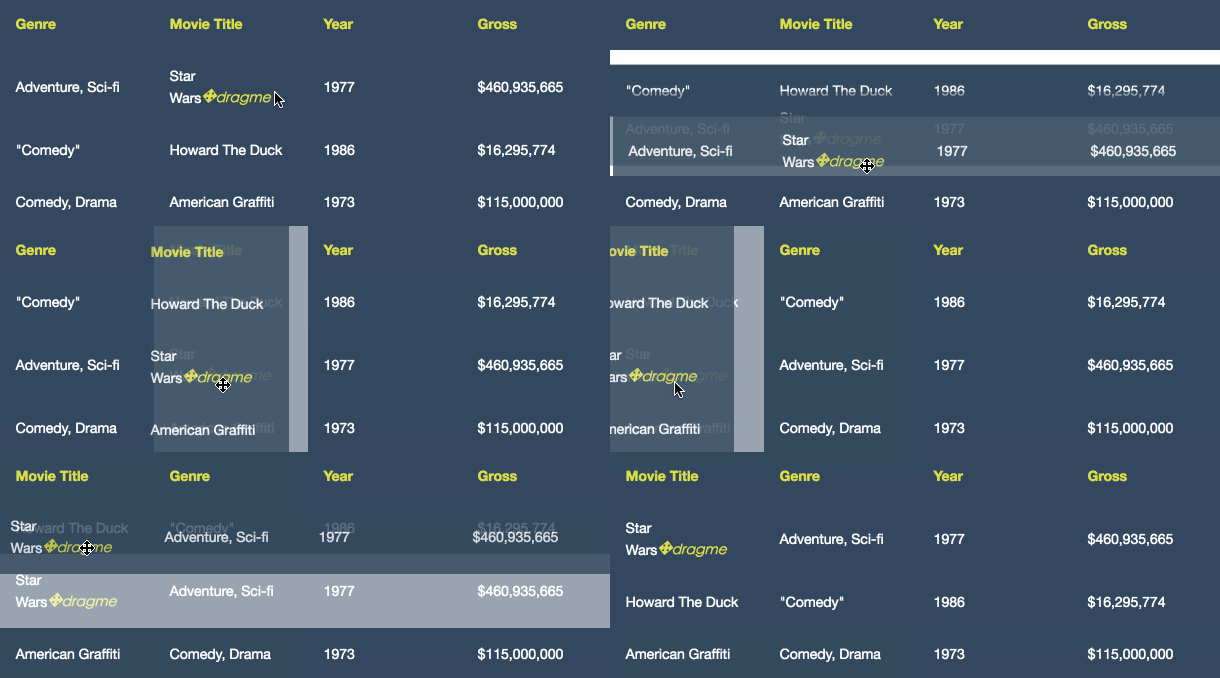
Demo
Try out the demo!
Inspiration
Table-dragger is a minimalist plain Javascript library for building reorderable drag-and-drop table.
Features
- Super easy to set up
- cellspacing, cellpadding, col and colgroup in account
- Able to sort columns or rows at the same time
- Smooth animation when sort
- No bloated dependencies
- Touch events
Install
You can get it on npm.
npm install table-dragger --save
or
<script src="../node_modules/table-dragger/dist/table-dragger.min.js"></script>
Usage
import tableDragger from 'table-dragger'

tableDragger(el, options?)
<table id="table">
  <thead>
  <tr>
    <th class='handle'>header1</th>
    <th class='handle'>header2</th>
  </tr>
  </thead>
  <tbody>
  <tr>
    <td>conten1</td>
    <td>conten2</td>
  </tr>
  </tbody>
</table>
var el = document.getElementById('table');
var dragger = tableDragger(el, {
  mode: 'row',
  dragHandler: '.handle',
  onlyBody: true,
  animation: 300
});
dragger.on('drop',function(from, to){
  console(from);
  console(to);
});
And you could also not set any options, which defaults to drag with the default options.
The options are detailed below.
options.mode
- Setting
modetocolumn, user drag and sort columns of table - Setting
modetorow, user drag and sort rows of table - Setting
modetofree, user drag rows or columns, depending on the direction of the mouse movement after tapping. Notice you have to specifydragHandlerinfreemode.
options.dragHandler
dragHandleris drag handle selector within table- By default, when in
columnmode,dragHandleris the first row of table; inrowmode, the first column.
options.onlyBody
- Setting
onlyBodytotrueinrowmode, user can only lift rows intbody.
options.animation
- ms, animation speed moving items when sorting,
300— without animation
API
The tableDragger method returns a tiny object with a concise API. We'll refer to the API returned by tableDragger as dragger
dragger.on (Events)
The dragger is an event emitter. The following events can be tracked using dragger.on(type, listener):
| Event Name | Listener Arguments | Event Description |
|---|---|---|
drag |
el, mode |
el is the origin table, mode is column or row, shows the mode user sort |
drop |
oldIndex, newIndex, el, mode |
oldIndex is the index before sorting. newIndex is the index after sorting |
shadowMove |
oldIndex, newIndex, el, mode |
trigger when column(row) is being lifted and moving into other column(row) place. |
out |
el, mode |
column(row) was dragged out of el, or dropped |
dragger.dragging
This property will be true whenever an element is being dragged.
dragger.destroy
Removes all drag and drop events used by table-dragger to manage drag and drop.
License
MIT
探索相关项目
加载中…