
satwikkansal/python_blockchain_app
satwikkansal/python_blockchain_app has 853 GitHub stars and 463 forks. GitHot measured 0 stars in 24 hours and 0 in 7 days. Last checked 2026-11-22 11:25 UTC. Last push 2023-11-11.
实测星标增长
- 24小时
- 0
- 7天
- 0
- 15天
- 正在收集历史
- 1个月
- 正在收集历史
各周期内的星标净变化,周期相互重叠,并非每日新增。缺失的测量保持空白。星标代表关注度,不代表软件质量。
关于
A fully functional blockchain application implemented in Python from scratch (with tutorial).
学习资源README.md
原文python_blockchain_app
A simple tutorial for developing a blockchain application from scratch in Python.
What is blockchain? How it is implemented? And how it works?
Please read the step-by-step implementation tutorial to get your answers :)
Instructions to run
Clone the project,
$ git clone https://github.com/satwikkansal/python_blockchain_app.git
Install the dependencies,
$ cd python_blockchain_app
$ pip install -r requirements.txt
Start a blockchain node server,
$ export FLASK_APP=node_server.py
$ flask run --port 8000
For windows users
set LANG=C.UTF-8
set FLASK_APP=node_server.py
flask run --port 8000
One instance of our blockchain node is now up and running at port 8000.
Run the application on a different terminal session,
$ python run_app.py
For windows users
set LANG=C.UTF-8
set FLASK_APP=run_app.py
flask run --port 8000
The application should be up and running at http://localhost:5000.
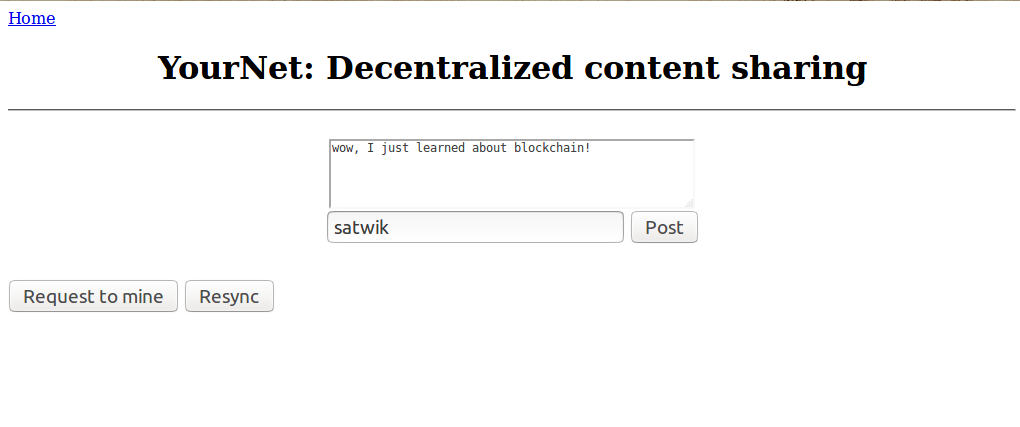
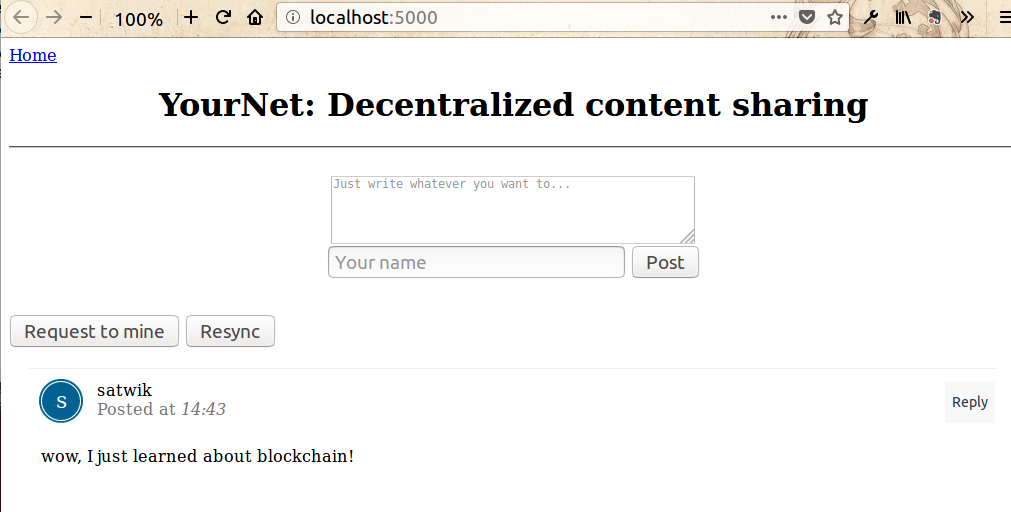
Here are a few screenshots
- Posting some content
- Requesting the node to mine

- Resyncing with the chain for updated data
To play around by spinning off multiple custom nodes, use the register_with/ endpoint to register a new node.
Here's a sample scenario that you might wanna try,
# Make sure you set the FLASK_APP environment variable to node_server.py before running these nodes
# already running
$ flask run --port 8000 &
# spinning up new nodes
$ flask run --port 8001 &
$ flask run --port 8002 &
You can use the following cURL requests to register the nodes at port 8001 and 8002 with the already running 8000.
curl -X POST \
  http://127.0.0.1:8001/register_with \
  -H 'Content-Type: application/json' \
  -d '{"node_address": "http://127.0.0.1:8000"}'
curl -X POST \
  http://127.0.0.1:8002/register_with \
  -H 'Content-Type: application/json' \
  -d '{"node_address": "http://127.0.0.1:8000"}'
This will make the node at port 8000 aware of the nodes at port 8001 and 8002, and make the newer nodes sync the chain with the node 8000, so that they are able to actively participate in the mining process post registration.
To update the node with which the frontend application syncs (default is localhost port 8000), change CONNECTED_NODE_ADDRESS field in the views.py file.
Once you do all this, you can run the application, create transactions (post messages via the web inteface), and once you mine the transactions, all the nodes in the network will update the chain. The chain of the nodes can also be inspected by inovking /chain endpoint using cURL.
$ curl -X GET http://localhost:8001/chain
$ curl -X GET http://localhost:8002/chain
探索相关项目
加载中…