

Redis SQL Trino is a SQL interface for Redis 8, Redis Cloud, and Redis Enterprise.

Redis SQL Trino lets you easily integrate with visualization frameworks — like Tableau and SuperSet — and platforms that support JDBC-compatible databases (e.g., Mulesoft). Query support includes SELECT statements across secondary indexes on both Redis hashes & JSON, aggregations (e.g., count, min, max, avg), ordering, and more. Writes include CREATE TABLE, INSERT, UPDATE, DELETE and MERGE on hash-backed indexes, plus scalar mapped JSON writes.
Trino is a distributed SQL engine designed to query large data sets across one or more heterogeneous data sources. Though Trino does support a Redis OSS connector, this connector is limited to SCAN and subsequent HGET operations, which do not scale well in high-throughput scenarios. This connector pushes eligible filters, grouping, aggregates and ordering into the Query Engine to reduce rows transferred to Trino. Trino computes the remaining SQL operations.
Redis is an in-memory data store designed to serve data with the fastest possible response times. For this reason, Redis is frequently used for caching OLTP-style application queries and as a serving layer in data pipeline architectures (e.g., lambda architectures, online feature stores, etc.). The Redis Query Engine (formerly RediSearch), built into Redis 8, lets you index your data on secondary attributes and then efficiently query it using a custom query language.
We built the Redis SQL Trino connector so that you can query Redis using SQL. This is useful for any application compatible with JDBC. For example, Redis SQL Trino lets you query and visualize your Redis data from Tableau.
Redis SQL Trino requires a Redis deployment that includes the Redis Query Engine (formerly RediSearch), which adds querying and secondary indexing to Redis.
Redis deployments that include the Query Engine:
-
Redis Cloud: Fully-managed, enterprise-grade Redis deployed on AWS, Azure, or GCP.
-
Redis Software: Redis for on-premises and private cloud deployment.
-
Redis 8 and later: the Query Engine and JSON are built in; available as an explicit compatibility option.
-
Redis Stack: The Redis 7.x distribution that bundled RediSearch and RedisJSON as modules.
Redis Software or Redis Cloud is the default environment for development, query benchmarks and the quick start.
The test suite uses Redis Software. The optional Compose oss profile starts Redis Open Source for compatibility checks.
| Component | Version |
|---|---|
Trino |
484 |
Redis |
8.x with the Query Engine (tested with 8.4) |
Java (build and runtime) |
25 |
Lettuce (Redis client) |
7.9.0 |
The optional Python benchmark harnesses under benchmarks/ use Python 3.15.
Functional compatibility was tested on 2026-10-06 with connector 0.4.1-SNAPSHOT at commit de16df3, Trino 483, and Temurin Java 25.0.4.1.
The same targeted Trino probe exercised 11 checks: catalog connection, TAG table creation, INSERT, row scans, TAG predicate pushdown, COUNT, ADD COLUMN, UPDATE/readback, DELETE/readback, NUMERIC table creation, and SUM.
These results cover that probe; they do not establish full-suite coverage or performance characteristics.
| Deployment | Redis / Search version | Settings used | Result |
|---|---|---|---|
Redis Cloud Essentials, RAM (non-Flex) |
Redis 8.6; Search 8.6.10 |
AWS us-east-1; 5 GB RAM; Single-Zone persistence plan; RESP3; clustering and OSS Cluster API disabled |
PASS: all 11 checks |
Redis Cloud Essentials, Flex |
Redis 8.6; Search absent |
AWS us-east-1; 5 GB RAM + flash; Single-Zone persistence plan; RESP3; clustering and OSS Cluster API disabled |
BLOCKED: |
Local Redis Enterprise Software, RAM (non-Flex) |
Software 8.2.0-78 (arm64); engine 8.6.2; Search 8.6.11 |
256 MiB RAM; |
PASS: all 11 checks |
Local Redis Enterprise Software, Flex |
Software 8.2.0-78 (arm64); engine 8.6.2 ( |
1 GiB total / 128 MiB RAM; |
FAIL: TAG table creation succeeds; INSERT is blocked during schema discovery. Direct command probes confirmed the limitations below |
Both local databases ran on the same single-node redislabs/redis:latest container; the version above records the actual tested build.
Connector settings were redisearch.default-schema-name=tpch, redisearch.scan-connections=1, and redisearch.cluster=false.
Tests used redis:// connections, a temporary ACL user scoped to the Cloud databases, and no authentication on the local test endpoints.
Temporary users, roles, databases, indexes, and test hashes were removed after testing.
Redis Cloud Essentials Flex does not include Search and Query: the tested database had no Search module and none of FT._LIST, FT.INFO, FT.SEARCH, FT.AGGREGATE, FT.CREATE, FT.ALTER, or FT.DROPINDEX were registered.
Redis documents Search and Query on Flex as a Cloud Pro Preview feature, unavailable on Essentials.
Cloud Pro Flex Preview was not tested. Its documented limitations also include FT.AGGREGATE and NUMERIC fields, both required by this connector.
The tested local Flex build loaded Search and advertised its commands, but execution rejected these operations:
| Operation | Observed error | Connector impact |
|---|---|---|
|
|
Schema discovery fails before INSERT; reduced searches returning keys work |
|
|
All table scans and aggregation paths require this command |
|
|
Numeric SQL column creation fails, including bigint and double |
|
|
ADD COLUMN fails |
|
|
The connector’s index-and-data deletion operation is unsupported |
Local Flex accepted TAG indexes with SKIPINITIALSCAN, core hash writes, TAG predicates with NOCONTENT, FT.SEARCH … RETURN 0, and FT.DROPINDEX without DD.
The connector already supplies SKIPINITIALSCAN when creating tables.
These October targets do not support the new cursor-free reader. Current Software Flex read support is described below; COMMAND INFO alone cannot establish support.
Follow-up issues:
For an existing Search-on-Flex database on Redis Software 8.2.6+ with Redis 8.8+, enable the cursor-free reader in the Trino catalog:
connector.name=redisearch
redisearch.uri=redis://your-flex-endpoint:port
redisearch.flex.enabled=true
redisearch.flex.batch-size=1000
Flex mode reads existing HASH and scalar JSON indexes with FT.AGGREGATE, without WITHCURSOR or FT.CURSOR commands. Each request sorts by the unique document key and selects keys strictly after the previous batch; even a short batch is followed by another request until an empty batch establishes exhaustion. The existing stored-value recovery retains numeric precision.
Flex mode supports CREATE TABLE, CTAS, INSERT, UPDATE, DELETE, MERGE, ADD COLUMN and DROP TABLE for HASH tables. JSON indexes support reads, DELETE and DROP; inserts and updates still require HASH indexes. Trino evaluates SQL filters (including LIKE), joins, grouping, aggregates, ORDER BY and LIMIT. Aggregation/filter/Top-N/limit pushdowns, dynamic filters and scan partitioning are disabled in this mode. The RAM cursor reader remains the default when redisearch.flex.enabled=false.
redisearch.flex.batch-size accepts 1–10000 rows and bounds each response, not the total result. One batch is prefetched. Each keyset request searches and sorts the remaining index, so large full scans can cost more than RAM cursor scans; benchmark your workload. Scans are not snapshots of concurrent writes. Document keys must be valid UTF-8 without ASCII control characters; unsafe keys fail explicitly. Type discovery continues to sample unindexed fields.
Flex inserts are staged in expiring Redis LISTs and published by the coordinator after all input has been consumed. This prevents INSERT … SELECT and MERGE from reading their own new rows during keyset scans. Staging uses Redis RAM until publication; abandoned staging lists expire after 24 hours. Publication and UPDATE/DELETE are not multi-row transactions: an error can leave partial changes, and automatic retries remain unsupported. The service account needs EVAL, RPUSH, EXPIRE, LRANGE, LLEN, HSET, HDEL and DEL, in addition to the ordinary discovery and type-metadata commands. ACL key patterns must allow __trino:staging:* as well as the table and metadata keys.
Flex does not support FT.ALTER or FT.DROPINDEX … DD. ADD COLUMN therefore saves a typed logical column in the connector’s metadata without adding a Search index field; it remains readable, writable and filterable in Trino. DROP TABLE enumerates and deletes only the index’s matching documents before dropping the index without DD, preserving unindexed keys that share its prefix. The hidden hash field __trino_row_marker is reserved so rows whose SQL columns are all NULL remain representable.
This mode requires the current Software Search-on-Flex preview, including cursor-free aggregation and field loading. It does not enable Search on a database where Search is absent or support the older 8.6 Flex build in the historical matrix. See the pinned retest and Redis’s current Software Flex requirements.
To understand how Redis SQL Trino works, it’s best to try it for yourself. View the screen recording or follow the steps below:
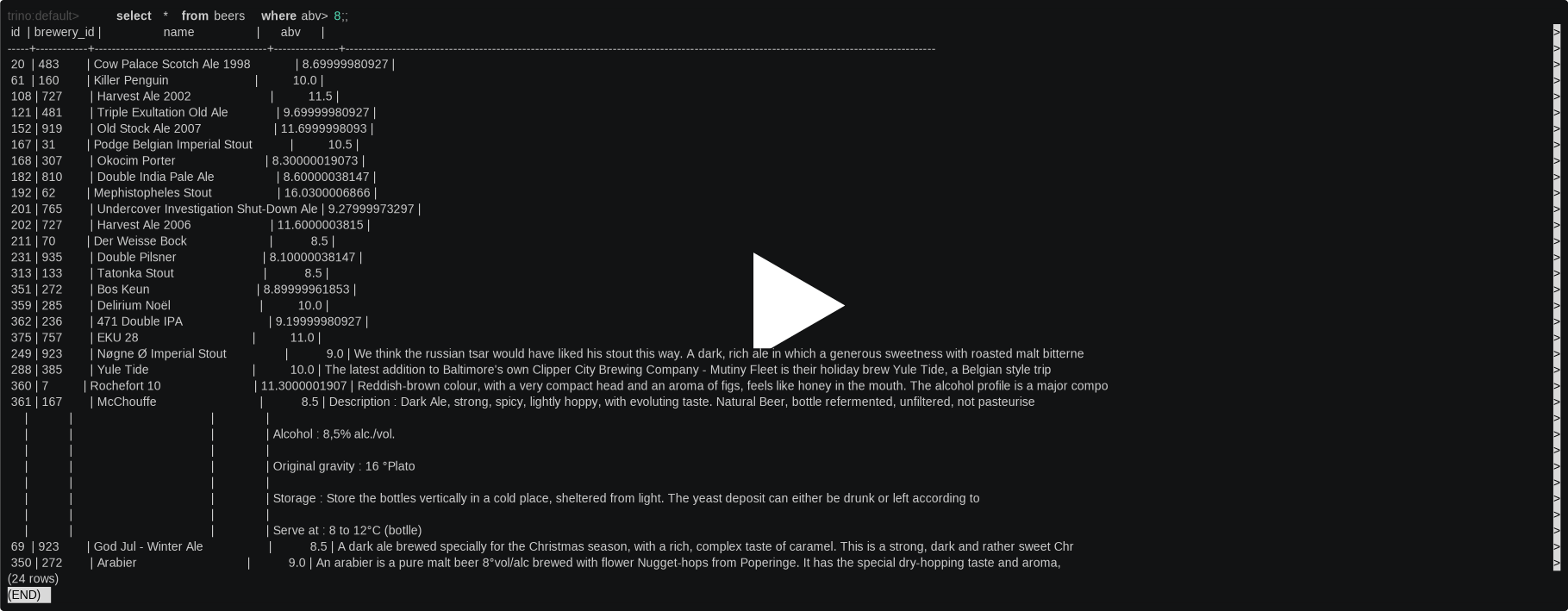
First, clone this git repository:
git clone https://github.com/redis-field-engineering/redis-sql-trino.git
cd redis-sql-trino
Next, build the connector (requires JDK 25):
./mvnw clean package -DskipTestsConfigure a Redis Software or Redis Cloud database with the Query Engine, then launch Trino against its endpoint:
For a local database, follow the Redis Software Docker quickstart; a database published on host port 12000 is reachable from Trino as redis://host.docker.internal:12000.
export REDISEARCH_URI='rediss://your-redis-endpoint:port'
export REDISEARCH_USERNAME='default'
read -rs REDISEARCH_PASSWORD
export REDISEARCH_PASSWORD
# Set true only if the database exposes the OSS Cluster API.
export REDISEARCH_CLUSTER=false
docker compose up
Use redis:// for a non-TLS local Redis Software endpoint, or rediss:// when TLS is enabled.
Compose runs the stock trinodb/trino:484 image with the plugin you just built mounted into /usr/lib/trino/plugin/redisearch; docker/setup.sh writes the catalog from these environment variables.
If you changed the project version, set REDIS_SQL_TRINO_VERSION to match the directory name under target/.
Open the Trino CLI and list the indexes exposed as tables:
docker exec -it trino trino --catalog redisearch --schema default
trino:default> SHOW TABLES;
For the older self-contained beers demo, explicitly select the OSS profile:
REDISEARCH_URI=redis://redis:6379 REDISEARCH_USERNAME= REDISEARCH_PASSWORD= REDISEARCH_CLUSTER=false docker compose --profile oss upThis optional example loads a data set describing a collection of beers.
Each beer is represented as a Redis hash. Start the Redis CLI to examine this data. For example, here’s how you can view the "Beer Town Brown" record:
docker exec -it redis redis-cli
127.0.0.1:6379> hgetall beer:190
Now let’s query the same data using SQL statements through Trino. Start the Trino CLI:
docker exec -it trino trino --catalog redisearch --schema defaultView "Beer Town Brown" using SQL:
trino:default> select * from beers where id = '190';
Show all beers with an ABV greater than 3.2%:
trino:default> select * from beers where abv > 3.2 order by abv desc;
To run Redis SQL Trino in production, you’ll need:
-
Trino
-
A copy of the Redis SQL Trino connector
-
A Redis deployment with the Query Engine: Redis 8, Redis Cloud, or Redis Enterprise
First, you’ll need a working Trino installation.
See the Trino installation and deployment guide for details. Trino recommends a container-based deployment using your orchestration platform of choice. If you run Kubernetes, see the Trino Helm chart.
Next, you’ll need to install the Redis SQL Trino plugin and configure it. See our documentation for plugin installation and plugin configuration.
The fieldengineering/redis-sql-trino image is trinodb/trino:484 with the connector installed, for linux/amd64 and linux/arm64.
The early-access tag is built from every push to master; latest and version tags are published with each release.
docker run -d --name trino -p 8080:8080 -e REDISEARCH_URI=redis://host.docker.internal:6379 fieldengineering/redis-sql-trino:early-access
docker exec -it trino trino --catalog redisearch --schema default
On Linux, add --add-host=host.docker.internal:host-gateway to reach a Redis running on the host.
When any of these environment variables is set, the container writes the redisearch catalog from them; unset ones get the default shown.
| Variable | Catalog property | Default |
|---|---|---|
|
|
|
|
|
|
|
|
|
|
|
|
|
|
|
|
|
|
|
|
|
|
|
The container runs a single-node Trino cluster by default.
For a multi-node cluster, set TRINO_NODE_TYPE to coordinator or worker on each container, and TRINO_DISCOVERY_URI to the coordinator’s URL (default http://localhost:8080).
Use Redis Software for local, private-cloud or on-premises development and testing. Use Redis Cloud for a managed deployment on AWS, GCP or Azure. Redis Open Source remains supported for explicitly selected compatibility tests; it is not the default benchmark environment.
Building requires JDK 25. Docker is needed to run the tests.
They start a single-node Redis Enterprise Software cluster (redislabs/redis:8.2.0-78.18) in a container with Testcontainers, using its trial license, and run against two kinds of database on it: one shard, and two shards behind the OSS Cluster API, which the connector reaches with redisearch.cluster=true.
Give Docker at least 4 GB of memory.
./mvnw clean package -DskipTestsThe plugin is written to target/redis-sql-trino-<version>/; copy that directory’s contents into <trino-install>/plugin/redisearch/.
Run the test suite:
./mvnw testThe Open Source compatibility suite starts a separate disposable Redis container for each test class. Run the single-shard SQL and cursor tests against a selected image:
./mvnw test -Dredisearch.test.oss-image=redis:8.10.3 -Dtest=TestWrites,TestAtomicHashWrites,TestAtomicHashAcl,TestNativeSearch,TestAggregationPushdown,TestTagAndLikePushdown,TestSqlRelationMetadata,TestCursorReadsCI runs this suite on Redis 8.4 and 8.10.3, alongside the default Redis Software build.
The oss-image option requires an image with Search and JSON; it does not configure an OSS Cluster, so sharded test classes reject it explicitly.
The optional Compose example also uses Redis 8.10.3. Benchmark evidence below retains the versions actually measured.
Parallel validation processes can each use an independent Redis Software cluster and build directory:
./mvnw test -Dredisearch.build-directory=/tmp/redis-sql-query-build -Dredisearch.test.cluster-label=query -Dtest=TestAggregationPushdown,TestShardedAggregationPushdownEach Maven test JVM owns its cluster, database ports and credentials; the label makes its Docker Desktop container recognizable as redis-sql-query-<id>.
Use a different build directory and label for each concurrent process. Testcontainers removes its disposable environment when that process ends.
Time a set of representative queries against TPC-H data in Redis (not part of the test suite):
./mvnw test -Dtest=RediSearchQueryBenchmark -Dair.check.skip-all=true -Dbenchmark.label=mineResults are written to target/benchmark/mine.csv. Compare two runs with .github/scripts/compare-benchmarks.py --base <csv>… --head <csv>….
Pull requests that change the connector run the same comparison against their base branch; see the Benchmark job summary.
To compare tuning combinations, add -Dbenchmark.focus=true for full scans, arithmetic sums, and lookups alone and under both types of load.
Use -Dbenchmark.scan-connections=4, -Dbenchmark.cursor-count=1000, -Dbenchmark.query-performance-factor=2 (Enterprise), and -Dbenchmark.aggregation-pushdown=false to select a configuration.
The default query performance factor is 0 (no explicit server tuning), and pushdown defaults to true.
Each CSV has a matching .properties file recording its configuration, read-ahead depth, background-client count, warmups and sample count.
Use distinct labels and repeat baseline and candidate runs on the same machine.
The scan operator exposes connector metrics in Trino query statistics: redis.aggregate.requests, redis.cursor.requests, redis.rows.received, redis.exact-hash-reads, and redis.exact-hash-read-batches.
redis.rows.received counts rows returned by Redis before connector filtering; a pushed global aggregation normally returns one row, while a fallback scan returns the matching documents.
Trino’s physical input positions and bytes report the rows and pages delivered to Trino.
Exact BIGINT hash reads are buffered per cursor batch on a scan’s private connection, opened only when needed and closed with the scan.
The next cursor request overlaps the current batch’s exact-value reads; redis.exact-hash-read-batches counts batches requiring those reads.
For the Q5 investigation and repeatable measurements, see the exact BIGINT scan report.
redis.request-wall-time measures FT.INFO, FT.AGGREGATE, and cursor request latency, including network, queuing, and client protocol decoding; redis.exact-hash-read-wait-time measures time waiting for pipelined exact-value reads; redis.row-conversion-time measures connector row reconstruction and projection, excluding that wait and Trino page encoding.
These timings are cumulative and can overlap with Trino processing; they do not isolate Redis server CPU time. Use FT.PROFILE separately for server execution detail.
Cursor request counts include prefetched requests that race cursor exhaustion, and metrics are collected per query rather than across a shared connection.
DEBUG logging from com.redis.trino.RediSearchMetadata reports unsupported aggregates, integer SUM row-bound rejection, and RESP2 floating-point fallback.
For Redis Cloud Pro default-versus-OSS API comparisons, see the configuration checks, provisioning evidence, and comparison procedure.
Redis SQL Trino documentation is available at https://redis-field-engineering.github.io/redis-sql-trino
The example above uses the Trino CLI to access your data.
Most real world applications will use the Trino JDBC driver to issue queries. See the Redis SQL Trino documentation for details.
Redis SQL Trino reaches Redis only through the Query Engine.
Each index is a table in the default schema, and the connector reads and writes the keys that index covers.
Trino can query the hashes and JSON documents your applications already write, as long as a Query Engine index covers them.
It doesn’t scan keys: SHOW TABLES lists the indexes from FT._LIST, and keys that no index covers are invisible to Trino.
To query existing data, create an index over its key prefix with FT.CREATE.
The Quick start does this for the beer hashes:
127.0.0.1:6379> FT.CREATE beers ON HASH PREFIX 1 beer: SCHEMA id TAG SORTABLE name TEXT SORTABLE abv NUMERIC SORTABLE
The index is now the table beers, with no change to Trino:
-
Each indexed field is a column: NUMERIC fields are DOUBLE, and all other field types are VARCHAR. For JSON paths, the column is named by the
ASalias. Filters on these columns can run in Redis (see Pushdown below). -
Fields that aren’t indexed but appear in the first 10 documents of
FT.SEARCH beers *are VARCHAR columns too. You can select them, but Trino evaluates filters on them itself. -
For JSON indexes, a
$column holds the whole document as JSON text. -
A hidden
__keycolumn holds each document’s Redis key.SELECT *leaves it out, so name it:SELECT __key, * FROM beers.
FT.CREATE indexes the existing keys in the background, and queries on the index fail with REDISEARCH_INDEX_NOT_READY until it finishes.
From then on, Redis indexes each key as it’s written, so rows your applications add appear in the next query.
Fields added to an index outside Trino can take up to redisearch.table-cache-refresh seconds (default 60) to appear as columns.
Use FT.CREATE rather than CREATE TABLE for data that already exists.
CREATE TABLE creates its index with SKIPINITIALSCAN, so it only indexes keys written after it.
Don’t run DROP TABLE on an index over application data unless you mean to delete that data: it drops the index and every document it covers.
SELECT name, abv FROM beers WHERE abv > 5 LIMIT 10
 │
 ▼
1. Resolve the table             FT.INFO beers          indexed fields and their types
   (cached)                      GET __trino:columns:beers
                                                        column types CREATE TABLE saved, if any
                                 FT.SEARCH beers *      other fields, from the first 10 documents
 │
 ▼
2. Push down what Redis can do   WHERE abv > 5    →     @abv:[(5.0 inf]
   (coordinator)                 LIMIT 10         →     LIMIT 0 10
 │
 ▼
3. Scan the index                FT.INFO beers          fails if the index is still being built
   (one source per split)       FT.AGGREGATE beers "@abv:[(5.0 inf]" LOAD * LOAD 2 __key name
                                     LIMIT 0 10 WITHCURSOR COUNT 1000 DIALECT 2
                                 FT.CURSOR READ beers <cursor> COUNT 1000, until the cursor is exhausted
 │
 ▼
4. Finish in Trino               filters Redis can't evaluate exactly, ORDER BY, joins, window functions
 │
 ▼
Rows to the client
Redis returns the matching documents in batches of redisearch.cursor-count rows (default 1000).
An optional redisearch.narrow-scan-cursor-count (0 by default, maximum 10000) overrides the initial and subsequent cursor counts for unbounded document scans of at most two input columns. This can reduce round trips for exact distinct scans, while increasing buffered rows; wide scans and grouped operations retain cursor-count. The connector reads each batch while Trino processes the one before it.
Set redisearch.query-timeout-ms to override Redis’s aggregation query timeout in milliseconds.
The default value, 0, leaves the server timeout unchanged. Redis Cloud may reject CONFIG SET search-timeout, while accepting a per-query TIMEOUT.
For long analytical queries, set an appropriate timeout and configure search-on-timeout=fail on the database so a timeout cannot return partial results as a successful query. Trino’s query timeout still applies independently.
Document scans select their split count automatically (redisearch.scan-splits=0), using matching row counts, an eligible partition field and available capacity.
Small or selective scans and scans without safe partitions use one split; pushed-down limits, ordering and aggregations also use one split.
Set redisearch.scan-splits=1 to force a single source. See Parallel document scans for partition discovery and explicit overrides.
Redis rounds NUMERIC fields loaded by name to 12 significant digits, so a scan that reads DOUBLE or DECIMAL columns loads hashes with LOAD and JSON documents with DIALECT 3, which return the values as stored.
LOAD * returns every field of each hash, so BIGINT columns are loaded by name: Redis returns an integer in full, and only a value of 2^53 or more may be rounded, which the connector reads again with HGET.
The results of GROUPBY and REDUCE are rounded that way.
With GROUP BY and count(), min, max, sum or avg, Redis computes the groups too (GROUPBY and REDUCE) when it evaluates the whole WHERE clause, and only the aggregated rows come back.
A query with nothing to push down reads every document in the index.
INSERT INTO beers (id, name, abv) VALUES ('9999', 'Test Ale', 5.5)
 │
 ▼
1. Resolve the table             FT.INFO beers          key type HASH, key prefix beer:, columns
 │
 ▼
2. Write one hash per row        HSET beer:01K6H3Z5Q8XG7V2M4N9P0R1S2T id 9999 name "Test Ale" abv 5.5
   (workers)
 │
 ▼
3. Redis indexes the hash as it's written, so the next SELECT returns the row-
Each row becomes a new hash. Its key is the index’s first key prefix followed by a generated ULID, with a
:added if the prefix doesn’t end in one. Tables made withCREATE TABLEuse the prefix<table>:. -
The key doesn’t come from any column, and
INSERTnever overwrites. Inserting a row whoseidis'190'adds a second hash next tobeer:190rather than replacing it. UseUPDATEorMERGEto change existing documents. -
Each non-null value becomes a hash field named after its column. NULLs, and columns the
INSERTleaves out, aren’t written. -
Values are stored as strings: VARCHAR as is, BIGINT and other integers as digits, and DOUBLE as Java formats it, so
6is stored as6in a BIGINT column and as6.0in a DOUBLE column. -
Rows are sent as pipelined
HSETcommands, one batch per page of rows, outside any transaction. If anINSERTfails partway, the rows it already wrote stay in Redis. -
On JSON indexes, INSERT uses
JSON.SET; UPDATE and MERGE useJSON.MERGEpatches for indexed scalar object paths. Paths with arrays, wildcards or overlaps are rejected. The whole-document$column is read-only. See the write mapping and storage formats.
Applications read these rows like any other hash, for example with HGETALL.
UPDATE, DELETE and MERGE first find the matching rows and their keys with FT.AGGREGATE, then change those keys.
| SQL | Redis commands |
|---|---|
|
|
|
|
|
|
|
|
|
|
|
|
|
|
|
|
|
The |
|
|
|
|
|
|
| Category | Statements |
|---|---|
Queries |
|
Metadata |
|
Data changes |
|
Table changes |
|
Views and comments |
|
These aren’t supported:
-
Schemas:
CREATE SCHEMA,DROP SCHEMA,ALTER SCHEMA -
CREATE MATERIALIZED VIEW -
CREATE OR REPLACE TABLE -
Other table changes:
ALTER TABLE ... RENAME TO,DROP COLUMN,RENAME COLUMNandSET DATA TYPE -
Writes with fault-tolerant execution (
retry-policyother thanNONE)
Redis evaluates these parts of a query. Trino evaluates everything else on the rows Redis returns.
-
WHEREon indexed fields, combined withAND:=andIN; and<,<=,>,>=andBETWEENon NUMERIC fields. Columns created through Trino as DATE, UUID or CHAR are queried as TAG fields, and as REAL, DECIMAL (of up to 15 digits), TIMESTAMP(3) or TIMESTAMP(3) WITH TIME ZONE as NUMERIC fields, comparing values as the connector writes them. HASH BOOLEAN domains use a loaded-value filter matching the reader’s case-insensitive true-value interpretation; boolean dynamic filters avoid a narrower TAG prefilter. On TAG and TEXT fields, the query also matches rows that aren’t equal. A TEXT query finds the documents containing the value’s words. A TAG query matches any of the tags Redis splits a value into on the field’sSEPARATOR, ignoring surrounding whitespace and, unless the field isCASESENSITIVE, case. AFILTERstep then keeps the rows equal to the value; scans of JSON documents keep them in the connector. For values with control characters, Trino filters them instead. On HASH tables, loaded-value filters evaluate NULL predicates, eligible VARCHAR ranges and anchored LIKE patterns exactly. Literal, prefix, suffix andprefix%suffixshapes support constant ESCAPE characters and Unicode. Patterns needing an unanchored middle match retain a Trino residual, with safe prefix/suffix/length prefilters where possible: Redis contains() truncates at embedded NUL bytes. Unescaped_, malformed escapes and unsupported controls retain Trino evaluation; JSON predicates retain their more restricted paths. A pipeline filter reduces transfer without promising an indexed lookup. Large BIGINT equality/IN values use inclusive widened numeric envelopes with the original exact residual comparison in Trino. Adjacent IN values merged into a short inclusive range are supported; unbounded/large unsafe ranges retain the scan fallback. No companion index or schema/storage change is required. -
count(*),min,max,sumandavgon numeric columns, with or withoutGROUP BY, when Redis evaluates the wholeWHEREclause -
HASH
count(column)andcount_if(boolean_column), using exact existence/true-value indicator sums with row-count guards. Eligible HASH DISTINCT rewrites use two grouping stages in Redis and return final counts; the existing group budget and exact-key restrictions apply. Aggregate FILTER masks remain in Trino. HASH BOOLEAN, bounded CHAR (length at most eight) and DOUBLE signed-zero keys normalize to SQL equality before grouping. -
sumandavgof arithmetic on DOUBLE columns of hash indexes, such assum(quantity * extendedprice), which anAPPLYstep computes -
Value-preserving widening casts between TINYINT, SMALLINT, INTEGER and BIGINT on indexed NUMERIC fields of hash indexes. The cast retains the original integer field, without converting scan values to doubles, so
sum(smallint_column)andavg(smallint_column)can aggregate in Redis despite Trino’s implicit BIGINT casts. For these integer sums, the index document count times the largest magnitude of the source type must remain below 2^53; unknown or excessive counts keep aggregation in Trino. A separate runtime count guards against index growth after planning; an unsafe count fails explicitly and requires refreshing table metadata before retrying. This bound includes intermediate sums before positive and negative values cancel. Narrowing casts and integer arithmetic remain in Trino. -
LIMIT, when Redis evaluates the wholeWHEREclause -
ORDER BY … LIMITon hash indexes, when Redis evaluates the wholeWHEREclause and every sort key is an indexed NUMERIC column of type DOUBLE, INTEGER, SMALLINT or TINYINT, orderedNULLS LAST(the default). Redis sorts documents without a value last and returns only the first rows, which Trino then sorts. Native DOUBLE ordering requires RESP3; RESP2 uses the exact local path or retains Trino ordering. A separate exact HASH/JSON path supports multiple typed order keys, either direction and both NULL orders. It scans matching keys and sort fields, selects candidates with Trino typed comparators, then loads projected fields only for winners. This includes exact BIGINT/DECIMAL, REAL/DOUBLE, text and temporal ordering. The candidate limit is controlled byredisearch.local-topn.max-candidates(default 1,000; zero disables; maximum 100,000). It reduces wide-row retrieval but still scans matching keys. JSON uses single-key pipelined JSON.GET only for winners and requires simple dotted object paths or$throughout the visible schema; unsupported mappings and Flex retain Trino ordering. -
Join keys: in a join, the keys that the other side collects (its dynamic filter) are added to the query of a scan that Redis evaluates them in, under the same rules as
WHERE. More than 256 keys become the range they span. A scan waits for them for up toredisearch.dynamic-filtering.wait-timeout(default 20s).
Each table’s row count is its index’s document count (num_docs in FT.INFO, cached with the table), so Trino’s cost-based optimizer can order joins and broadcast the smaller side of a join.
Filters that Redis evaluates aren’t estimated, so a filtered table’s row count is its whole index’s.
Queries known to return wrong results or fail are tracked as open issues labeled bug.
See the SQL support documentation for column types in CREATE TABLE and more detail on each statement.
The SQL support tracker links feature requests and remaining execution restrictions; a Trino fallback means the SQL still runs, with the remaining work evaluated by Trino.
The modernization implementation map records completed paths, remaining work and the designs for every tracked area.
These are the query benchmark’s timings for commit 68202c8 (October 5, 2026), from the Benchmark job of its pull request (#100); master merged that code as a43401c.
That job runs on a GitHub Actions ubuntu-latest runner, with Trino in the test JVM and Redis in a one-shard database on a single-node Redis Enterprise Software 8.2 container.
The data is TPC-H tiny: 60,175 lineitem rows, 15,000 orders and 1,500 customer.
Queries run with Trino’s default join_distribution_type=AUTOMATIC.
Each query ran 5 times to warm up and was then timed 20 times, from submitting it to receiving its last row, in each of two runs.
The table pools the 40 samples.
| Query | Redis does | Result rows | Median (ms) | p90 (ms) |
|---|---|---|---|---|
|
Filter |
1 |
23 |
26 |
|
Filter and count |
1 |
38 |
45 |
|
Limit |
1,000 |
41 |
49 |
|
Filter and aggregate |
1 |
50 |
56 |
|
Sort, and return the first 10 |
10 |
53 |
66 |
|
Filter the customers, then return only the orders of the 60 that match |
1 |
56 |
64 |
|
Group and aggregate |
4 |
103 |
114 |
|
Returns all 15,000 orders and 1,500 customers for Trino to join |
5 |
153 |
172 |
|
Returns all 60,175 rows for Trino to sum |
1 |
599 |
628 |
|
Metadata only (columns are cached) |
16 |
36 |
41 |
|
Metadata only (columns are cached) |
1 |
26 |
30 |
|
Writes 15,000 hashes, pipelined a page at a time |
1 |
191 |
219 |
The first query, while two others sum |
Filter |
1 |
33 |
46 |
In those measurements, queries that Redis filtered, aggregated, sorted or limited finished in about 100 ms or less, because only the matching rows came back to Trino.
So does a selective join: the keys of the 60 matching customers are added to the orders query, so Redis returns only their orders.
At that measured commit, summing quantity * extendedprice over lineitem returned every row and took about 0.6 s.
Since #111, supported arithmetic sum and avg expressions run in Redis, as measured below; the historical table above does not describe their current execution plan.
Timings vary by up to 2x from one runner to another, so compare builds of the connector within one Benchmark job rather than across runs. Don’t use them to size a deployment either: Trino and Redis share the runner’s CPUs, and a production cluster runs them on separate machines. To time the queries yourself, see Building from source.
A local benchmark on October 6, 2026 compared fb799bd, an early Trino 483 snapshot before v0.4.0, with 0869b8e.
Both builds used Trino 483 and Temurin Java 25.0.4.1 on the same ARM64 Mac with 10 logical CPUs, with Trino in the test JVM and Redis in a redis:8.4 container.
They used the same data loader, index schemas and TPC-H tiny data described above, with join_distribution_type=AUTOMATIC.
The older build’s scan cap was set to 100,000, above every table’s row count.
Connector production code was unchanged; the test harness was adapted to use the same Redis container and queries on both builds.
The builds ran sequentially in the order earlier/current/earlier/current. Each query had 5 warmup executions and 20 timed executions per run; the medians below pool 40 samples per build. Before timing, representative SELECT results were checked against TPC-H for row counts and sorted values, with numbers rounded to six significant digits. The limit and metadata queries were checked for stable result row counts only.
| Query | Earlier median (ms) | Current median (ms) | Comparison |
|---|---|---|---|
|
1,080.3 |
64.8 |
16.7x faster |
|
313.9 |
46.7 |
6.7x faster |
|
281.4 |
45.6 |
6.2x faster |
|
1,131.2 |
688.1 |
1.6x faster |
|
318.9 |
251.7 |
1.3x faster |
|
20.6 |
102.0 |
4.9x slower |
The arithmetic aggregate, selective join and top-N query benefit from doing more work in Redis and returning fewer rows to Trino.
The sin(quantity) query still reads all 60,175 rows into Trino, so its improvement measures the scan path.
Simple filters, limits, point lookups, grouping and metadata queries showed no clear improvement: their median changes ranged from about 13% slower to 9% faster, with overlapping interquartile ranges.
The concurrent point lookup is a tradeoff: the background arithmetic aggregates stream rows to Trino in the earlier build, but execute inside Redis in the current build. The slowdown is consistent with increased contention in Redis. These measurements cover reads and metadata on a single Redis container; writes were excluded because the older snapshot has known write correctness issues, and sharded databases were not tested. They do not establish an overall workload speedup or production capacity, and their absolute timings should not be compared with the separate CI run above. This comparison predates the subsequent read-ahead and contention changes described below.
Scans prefetch one cursor batch while Trino processes the previous batch.
Reading two batches ahead improved scan throughput but delayed lookups sharing a connection; #117 restored one-batch read-ahead.
The benchmark now distinguishes a real scan (max(quantity * extendedprice), computed by Trino) from a pushed-down aggregation (sum(quantity * extendedprice), computed by Redis).
A global aggregation must consume all matching documents before returning its result.
WITHCURSOR COUNT batches the output; it does not split that global computation into separate commands.
Without query workers, long-running aggregations can delay other Redis commands even when the queries use different connections.
Increasing redisearch.scan-connections does not eliminate that server-side contention.
For analytical query performance, start with the connector defaults:
redisearch.aggregation-pushdown.enabled=true
redisearch.scan-splits=0
redisearch.scan-connections=8
redisearch.cursor-count=1000
Pushdown usually has the largest effect because supported filters and aggregations return fewer rows to Trino.
Automatic split selection can divide eligible document scans among multiple Trino sources; the connection pool bounds their client I/O concurrency.
Keep the cursor count at 1,000 initially, then compare alternatives with the benchmark on the target workload.
redisearch.aggregation-group-limit=1000000 is a conservative planner budget that must not exceed the server’s MAX_AGGREGATE_GROUPS. GROUP BY is eligible when the cached document count fits this budget or a proven finite key domain fits it. Canonical BOOLEAN has at most three groups including NULL; CHAR(0) has at most two. Products of these key domains use overflow-safe bounds. Other unknown or over-budget groups remain in Trino. Global aggregates remain eligible. Lower the budget for a lower server limit; table growth after metadata caching can still cause a server error, which fails the query without replay.
Bounded typed TopN on HASH tables scans keys and exact order values, retains a memory-accounted heap, then hydrates only final candidates with pipelined HMGET. redisearch.local-topn.max-candidates defaults to 1000, accepts up to 100000, and can be set to zero to disable the path. Multiple sort keys, both directions and both NULL orders are supported. Selection must complete before any candidate output is delivered. This reduces wide-row work, but still scans matching keys and uses the connector’s existing read consistency, without snapshot isolation.
See the bounded local follow-up measurements and full-data validation plan.
Additional cores can reduce retrieval and conversion time when a scan is partitioned, while global pushed-down operations remain one Redis operation.
The benefit to an individual query depends on its bottleneck; see the parallel document scan section below for eligibility, discovery costs and measured results.
The Cloud acceptance and QPF samples in the issue report pin the earlier single-split build with four connections and do not validate the later automatic planner.
A controlled Redis Software run on 5 million rows and all 105 ClickBench columns measured Standard/2x QPF, one/automatic splits and 1/4/8 SQL clients. All 432 measured queries were correct. With automatic splits, 2x QPF improved median throughput by 53% to 62%; the best measured balance was 2x QPF with four concurrent clients, which matched the highest throughput while avoiding the latency increase at eight clients. For one client, automatic splits plus 2x QPF completed the query mix about 2.0x as fast as one source plus 2x QPF; the pushed-down Q3 remained one source and did not gain from connector splits. See the controlled QPF, split and concurrency benchmark for the full matrix, CPU measurements, limitations and retained evidence.
For mixed analytical and latency-sensitive workloads, evaluate Redis Software query performance factor.
A local issue #115 experiment with Software 8.2.0-78.18 (Redis/Search 8.6) found that the 2x factor configured three query workers and reduced lookup latency during two concurrent aggregations.
The 4x factor configured six workers but did not improve that experiment further.
For an initial 2x evaluation, set Redis Cloud’s database queryPerformanceFactor field to 2x.
On Redis Software 8.x, set the database’s REST API query_performance_factor field to:
{"active": true, "scaling_factor": 2}Worker counts consume CPU capacity and can add overhead to individual queries, so measure your own workloads before choosing a factor.
The 2x factor allocates additional Redis query capacity; it does not promise half the latency or change the connector’s split count.
Redis Open Source exposes search-workers; the Enterprise measurements do not establish an optimal value for an Open Source deployment.
When query workers are unavailable, or their overhead is unsuitable, disable aggregation pushdown in the catalog:
redisearch.aggregation-pushdown.enabled=falseTrino then computes aggregates from cursor batches, while Redis still applies supported filters.
Disabling pushdown transfers more rows and can make aggregations substantially slower, but lets Redis process cursor batches between other commands.
Aggregation pushdown remains enabled by default.
The issue #115 measurements predate automatic split selection. The current defaults use automatic splits, eight pooled scan connections and redisearch.cursor-count=1000; compare configurations with the controlled benchmark when tuning a shared deployment.
See the experiment report for the configurations, timing variability, reproduction command and raw samples.
The connector uses Lettuce for Redis communication. Lettuce supports multiple CPU cores through Netty I/O event loops and computation thread pools. Its default pool sizes follow the available CPU count, with a minimum of two threads, unless configured otherwise. See Lettuce client resources for the threading settings. A physical connection processes its network events on one event loop; additional client threads do not automatically partition a query or create more Trino sources.
| Layer | Work it parallelizes |
|---|---|
Lettuce |
Redis network I/O and protocol decoding across connections. |
Trino connector |
Independent scan splits, each with a cursor, processed by separate Trino drivers/workers. |
Redis Query Engine |
Server-side query computation through query workers. |
The connector’s existing connection pool supports concurrency between scans. Multiple splits let a single document scan use several connections and Trino source pipelines. Tune Redis query workers independently and measure the combined configuration; client-side parallelism alone does not determine server-side query concurrency.
Automatic split selection is the default (redisearch.scan-splits=0).
The planner targets at least 250,000 matching rows per split and selects the largest count allowed by the estimated CPU capacity (active Trino workers times coordinator CPU count), the connection pool (eight by default), and a hard ceiling of 64.
Small tables and selective filters use one split. A filter’s match count is checked before choosing parallelism.
For HASH indexes, the planner examines up to three indexed NUMERIC fields, obtains their MIN/MAX in one bounded statistics query, and checks the counts of the proposed ranges.
A field is rejected if one partition would contain at least 80% of the matching documents; the planner then tries another candidate.
Discovery results, including unsupported cases, are cached for five minutes (up to 256 entries).
Statistics queries have a ten-second server timeout and count probes have a one-second timeout; unavailable or partial statistics fall back to one split.
The first scan can therefore pay a discovery cost; subsequent scans reuse its plan.
MIN/MAX discovery is a server-side aggregate and can delay concurrent point traffic when Redis query workers are disabled; configured boundaries avoid this discovery work.
This is a cost heuristic, not a guarantee of the optimal count under every load. Use the benchmark and explicit overrides when tuning a shared deployment.
JSON arrays support explicit partition fields and cut points; automatic MIN/MAX discovery currently applies to HASH indexes.
Set redisearch.scan-splits=1 to force one source. To override automatic selection and supply known boundaries:
redisearch.scan-splits=4
redisearch.scan-connections=4
redisearch.scan-partition-field=ordinal
redisearch.scan-partition-boundaries=1250000,2500000,3750000
The connector verifies the schema and partitions the matching documents into disjoint sets, including missing fields and multi-valued JSON. Static and dynamic filters remain active in every partition; cursors retain exact reads, timeout handling and cleanup. Pushed-down limits, ordering, grouping and reducers remain one Redis operation. Unsupported schemas or unusable statistics use one split. The split count is capped by the connection pool and available cut points; it bounds each query rather than all concurrent queries. Keep the partition field stable during a scan because Redis cursors do not provide snapshot isolation. See the parallel scan benchmark for measured tradeoffs and reproducible settings.
Redis SQL Trino is supported by Redis, Inc. on a good faith effort basis. To report bugs, request features, or receive assistance, please file an issue.