项目 在 GitHub 查看
rdev/liquid-glass-react
关于
适用于 React 的 Apple Liquid Glass 效果
网站与应用可以做什么
- Proper edgy bending and refraction
- Multiple refraction modes
- Configurable frosty level
- Supports arbitrary child elements
实测星标增长
- 24小时
- +13
- 7天
- +59
- 15天
- +150
- 1个月
- 正在收集历史
各周期内的星标净变化,周期相互重叠,并非每日新增。缺失的测量保持空白。星标代表关注度,不代表软件质量。
README.md
原文Liquid Glass React
Apple's Liquid Glass effect for React.
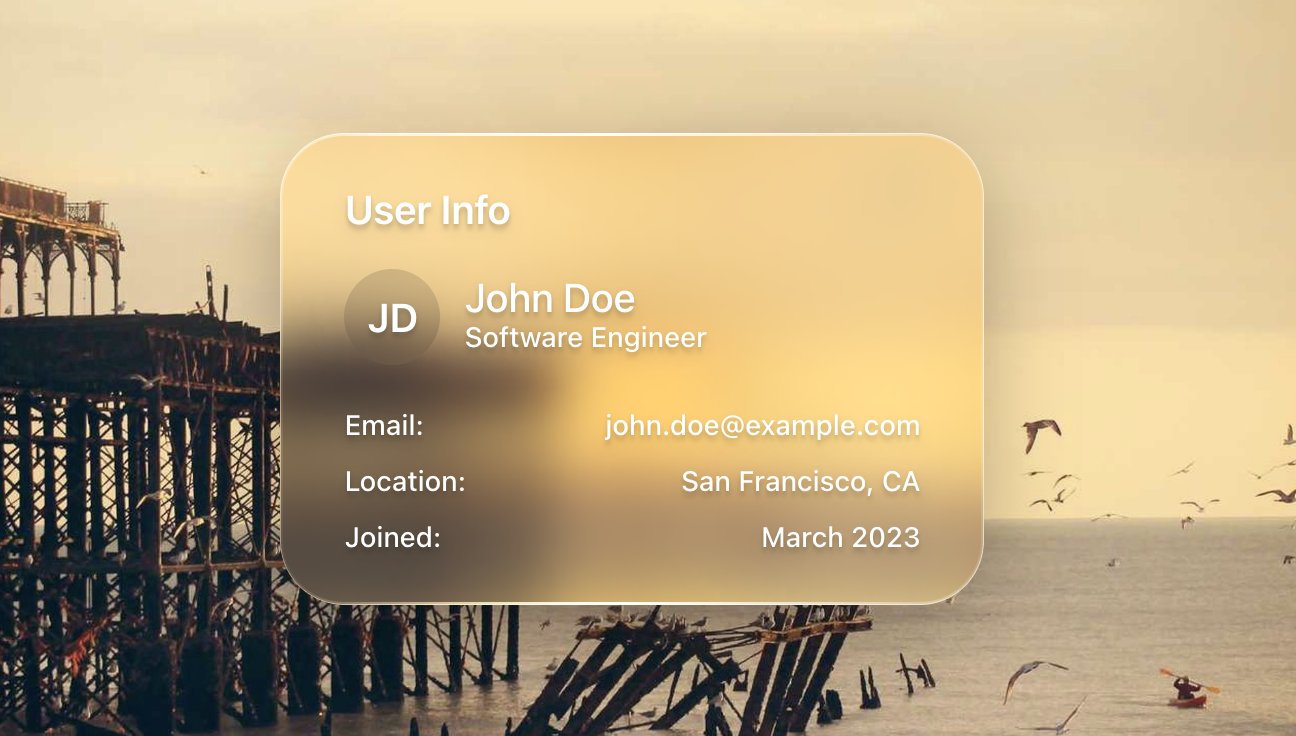
| Card Example | Button Example |
|---|---|
 |
 |
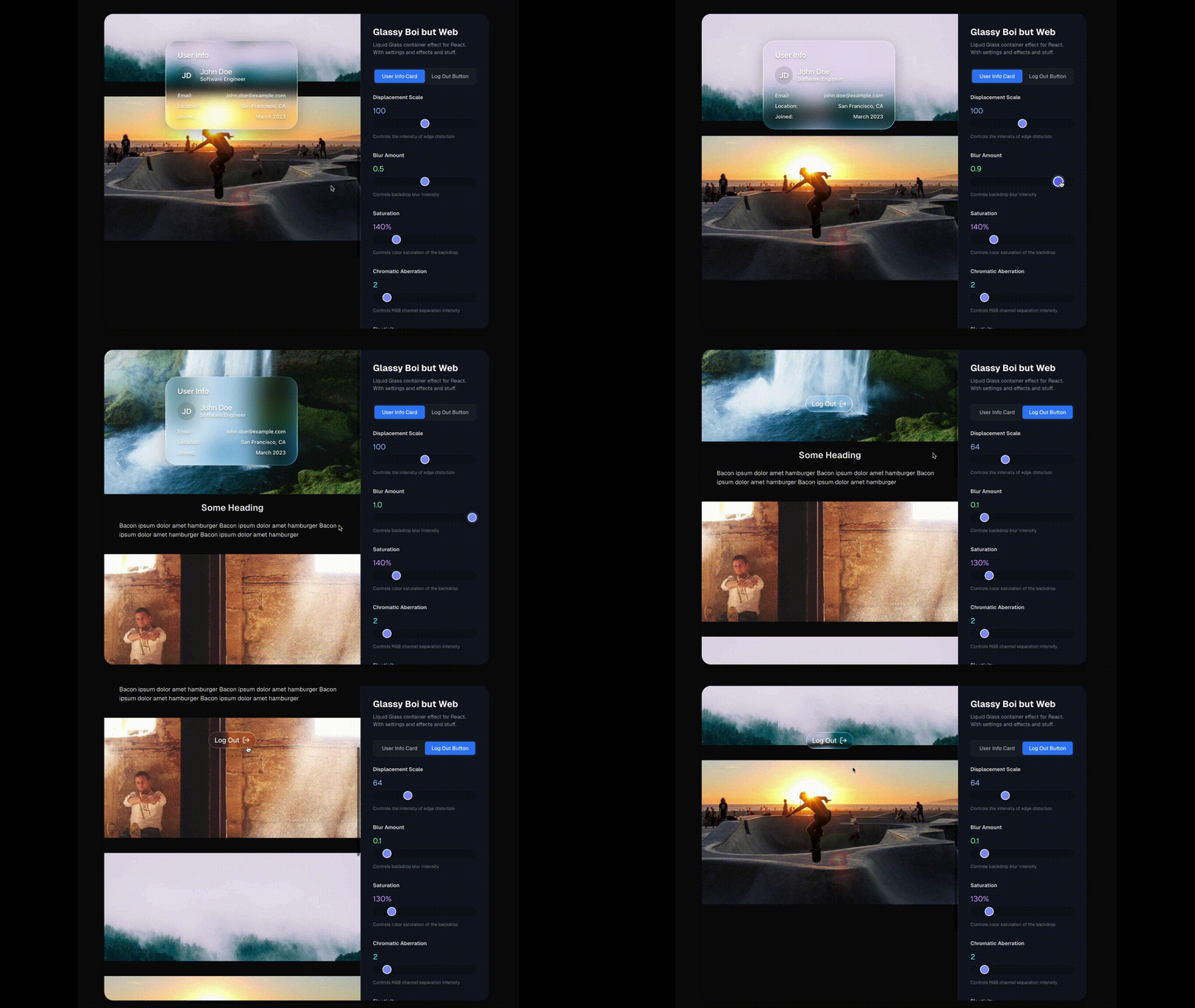
🎬 Demo
Click here to see it in action!
✨ Features
- Proper edgy bending and refraction
- Multiple refraction modes
- Configurable frosty level
- Supports arbitrary child elements
- Configurable paddings
- Correct hover and click effects
- Edges and highlights take on the underlying light like Apple's does
- Configurable chromatic aberration
- Configurable elasticity, to mimic Apple's "liquid" feel
⚠️ NOTE: Safari and Firefox only partially support the effect (displacement will not be visible)
🚀 Usage
Installation
npm install liquid-glass-react
Basic Usage
import LiquidGlass from 'liquid-glass-react'

function App() {
  return (
    <LiquidGlass>
      <div className="p-6">
        <h2>Your content here</h2>
        <p>This will have the liquid glass effect</p>
      </div>
    </LiquidGlass>
  )
}
Button Example
<LiquidGlass
  displacementScale={64}
  blurAmount={0.1}
  saturation={130}
  aberrationIntensity={2}
  elasticity={0.35}
  cornerRadius={100}
  padding="8px 16px"
  onClick={() => console.log('Button clicked!')}
>
  <span className="text-white font-medium">Click Me</span>
</LiquidGlass>
Mouse Container Example
When you want the glass effect to respond to mouse movement over a larger area (like a parent container), use the mouseContainer prop:
function App() {
  const containerRef = useRef<HTMLDivElement>(null)

  return (
    <div ref={containerRef} className="w-full h-screen bg-image">
      <LiquidGlass
        mouseContainer={containerRef}
        elasticity={0.3}
        style={{ position: 'fixed', top: '50%', left: '50%' }}
      >
        <div className="p-6">
          <h2>Glass responds to mouse anywhere in the container</h2>
        </div>
      </LiquidGlass>
    </div>
  )
}
Props
| Prop | Type | Default | Description |
|---|---|---|---|
children |
React.ReactNode |
- | The content to render inside the glass container |
displacementScale |
number |
70 |
Controls the intensity of the displacement effect |
blurAmount |
number |
0.0625 |
Controls the blur/frosting level |
saturation |
number |
140 |
Controls color saturation of the glass effect |
aberrationIntensity |
number |
2 |
Controls chromatic aberration intensity |
elasticity |
number |
0.15 |
Controls the "liquid" elastic feel (0 = rigid, higher = more elastic) |
cornerRadius |
number |
999 |
Border radius in pixels |
className |
string |
"" |
Additional CSS classes |
padding |
string |
- | CSS padding value |
style |
React.CSSProperties |
- | Additional inline styles |
overLight |
boolean |
false |
Whether the glass is over a light background |
onClick |
() => void |
- | Click handler |
mouseContainer |
React.RefObject<HTMLElement | null> | null |
null |
Container element to track mouse movement on (defaults to the glass component itself) |
mode |
"standard" | "polar" | "prominent" | "shader" |
"standard" |
Refraction mode for different visual effects. shader is the most accurate but not the most stable. |
globalMousePos |
{ x: number; y: number } |
- | Global mouse position coordinates for manual control |
mouseOffset |
{ x: number; y: number } |
- | Mouse position offset for fine-tuning positioning |
探索相关项目
加载中…