
parnoldx/nascTUI
parnoldx/nascTUI has 34 GitHub stars and 3 forks. GitHot measured 0 stars in 24 hours and +1 in 7 days. Last checked 2026-11-12 18:24 UTC. Last push 2026-09-10.
Do maths like a normal person
实测星标增长
- 24小时
- 0
- 7天
- +1
- 15天
- 正在收集历史
- 1个月
- 正在收集历史
各周期内的星标净变化,周期相互重叠,并非每日新增。缺失的测量保持空白。星标代表关注度,不代表软件质量。
README.md
原文 _ _ _____ _____
| \ | | / ____|/ ____|
| \| | __ _| (___ | |
| . ` |/ _` |\___ \| |
| |\ | (_| |____) | |____
|_| \_|\__,_|_____/ \_____|
Do maths like a normal person
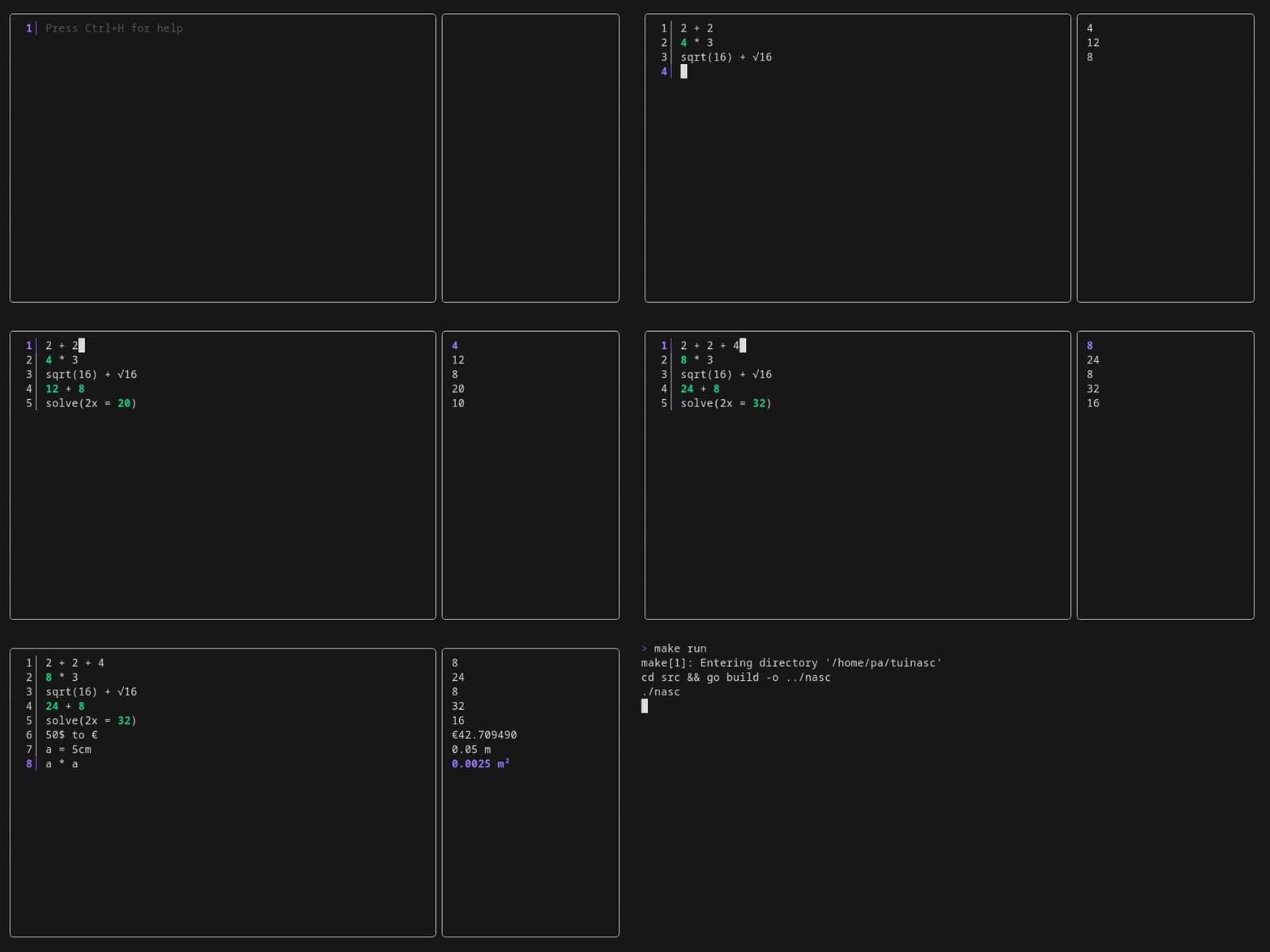


NaSC is an app where you do maths like a normal person. It lets you type whatever you want and smartly figures out what is math and spits out an answer on the right pane. Then you can plug those answers in to future equations and if that answer changes, so does the equations it's used in.
Features:
- 🧮 Advanced mathematical expressions and functions
- 🔄 Real-time unit conversions
- 📊 Multiple input lines with live results
- 🗂️ Named sessions with autosave, fuzzy switching, rename and duplicate
- ⚡ Instant calculation results
- 🎨 Beautiful terminal UI
- 🔍 Auto-completion for functions and variables
- ↩️ Undo/redo functionality
- 🚀 Fast and lightweight
Installation
Works on Arch Linux, Omarchy, and other Arch derivatives, plus Debian/Ubuntu, Fedora, and openSUSE.
bash -c "$(curl -sLo- https://raw.githubusercontent.com/parnoldx/nascTUI/refs/heads/master/install.sh)"
Or from a checkout:
git clone https://github.com/parnoldx/nascTUI.git
cd nascTUI
./install.sh
Arch / Omarchy / AUR:
# official extra packages used at runtime / build time
omarchy pkg add libqalculate go   # or: sudo pacman -S --needed libqalculate go

# AUR package
yay -S nasc-tui
Usage
Simply run the calculator:
nasc
Your sheet is saved automatically as you type and when you quit, so nasc always
comes back with the session you last worked on. Sessions are plain text files in
~/.local/share/nasc-tui/sessions/.
nasc                  # resume the last session
nasc -s               # start with the fuzzy session picker
nasc -n               # start a new session
nasc "taxes 2026"     # open (or create) a session by name
nasc --help           # print the help text
Press Ctrl+O inside the app to switch sessions — type to filter, Enter to open, Ctrl+N new, Ctrl+R rename, Ctrl+U duplicate, Ctrl+D delete.
Contributing
Please feel free to submit a Pull Request. For major changes, open an issue first to discuss it.
License
This project is licensed under the GPL v2 License - see the LICENSE file for details.