
panaverse/learn-typescript
panaverse/learn-typescript has 1,390 GitHub stars and 567 forks. GitHot measured 0 stars in 24 hours and +1 in 7 days. Last checked 2026-11-13 00:38 UTC. Last push 2024-08-04.
Learning TypeScript in Baby Steps
实测星标增长
- 24小时
- 0
- 7天
- +1
- 15天
- 正在收集历史
- 1个月
- 正在收集历史
各周期内的星标净变化,周期相互重叠,并非每日新增。缺失的测量保持空白。星标代表关注度,不代表软件质量。
README.md
原文Learn TypeScript 5.0+ in Baby Steps
Start from this presentation
Watch Learn TypeScript – Full Video Tutorial by freeCodeCamp.org
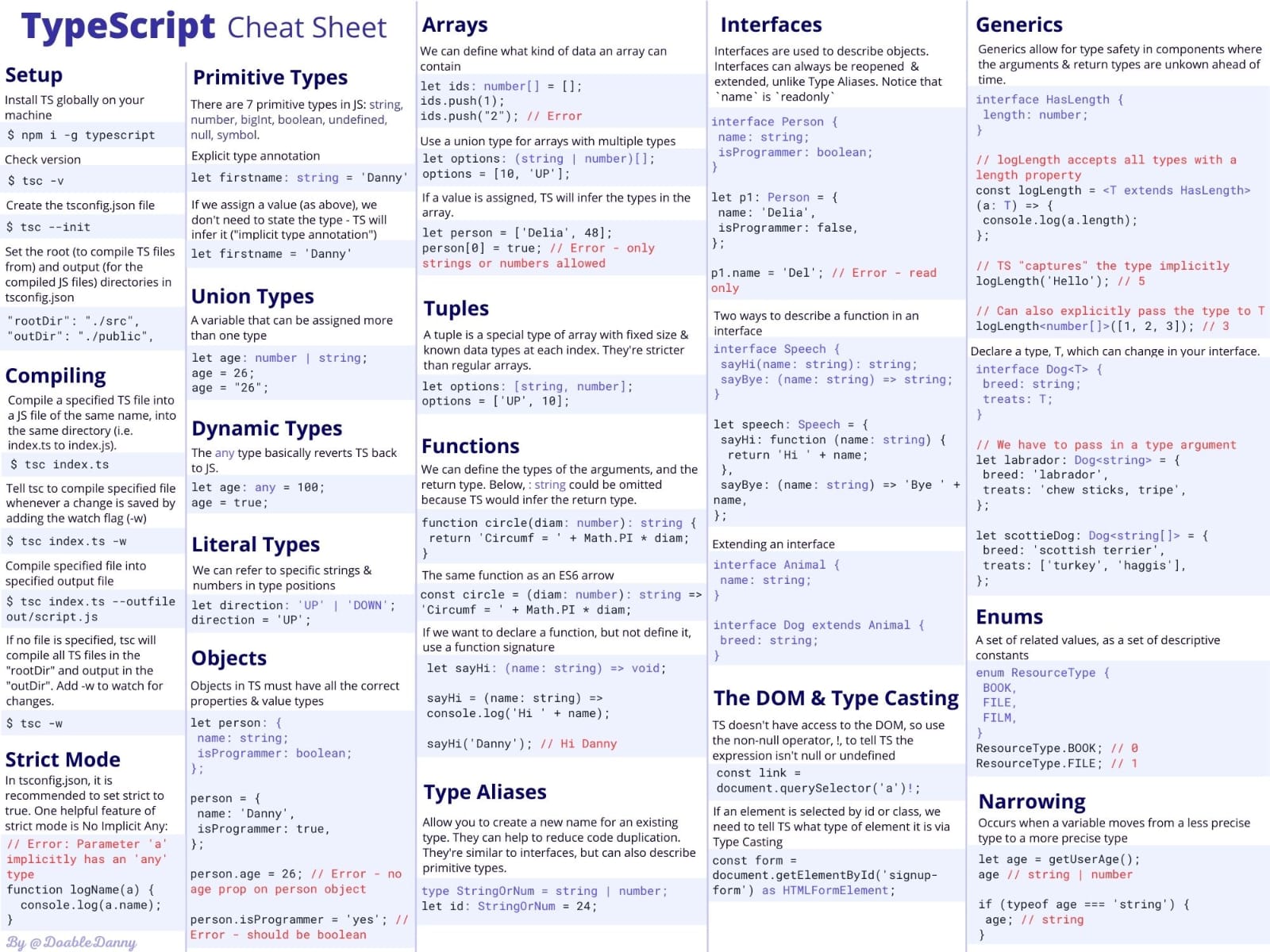
We will learn TypeScript by taking small incremental steps.
Chapters 1-11 of Learning TypeScript: Enhance Your Web Development Skills Using Type-Safe JavaScript
In Class Companion projects and articles for Learning TypeScript
Learning TypeScript Project Code in Class
TypeScript Cookbook: Future Advanced TypeScript Book
Note:
TypeScript and C# both were created by the same person named Anders Hejlsberg
TypeScript Homework Coding Projects:
Learn From Matt Pocock The TypeScript Wizard
Latest News: Matt Joins Vercel
TypeScript Crash Course for Beginners with Matt Pocock: Video
Learning TypeScript from Scratch with Matt Pocock: A TypeScript tutorial
Advanced TypeScript with Matt: Video
TypeScript tips and Tricks with Matt: Video
TypeScript Proficiency Quiz Details and Instructions
All Web 3 and Metaverse Students who are already software developers will appear in the following Quiz remotely from home:
Name: TypeScript Proficiency Quiz
Date and Time: Sunday, Oct 23, 9:00 pm
URL: https://portal.piaic.org/
Total MCQs: 63
Total Time: 120 minutes
Please complete your installation, etc. ASAP i.e. before the exam.
It is important to note the following:
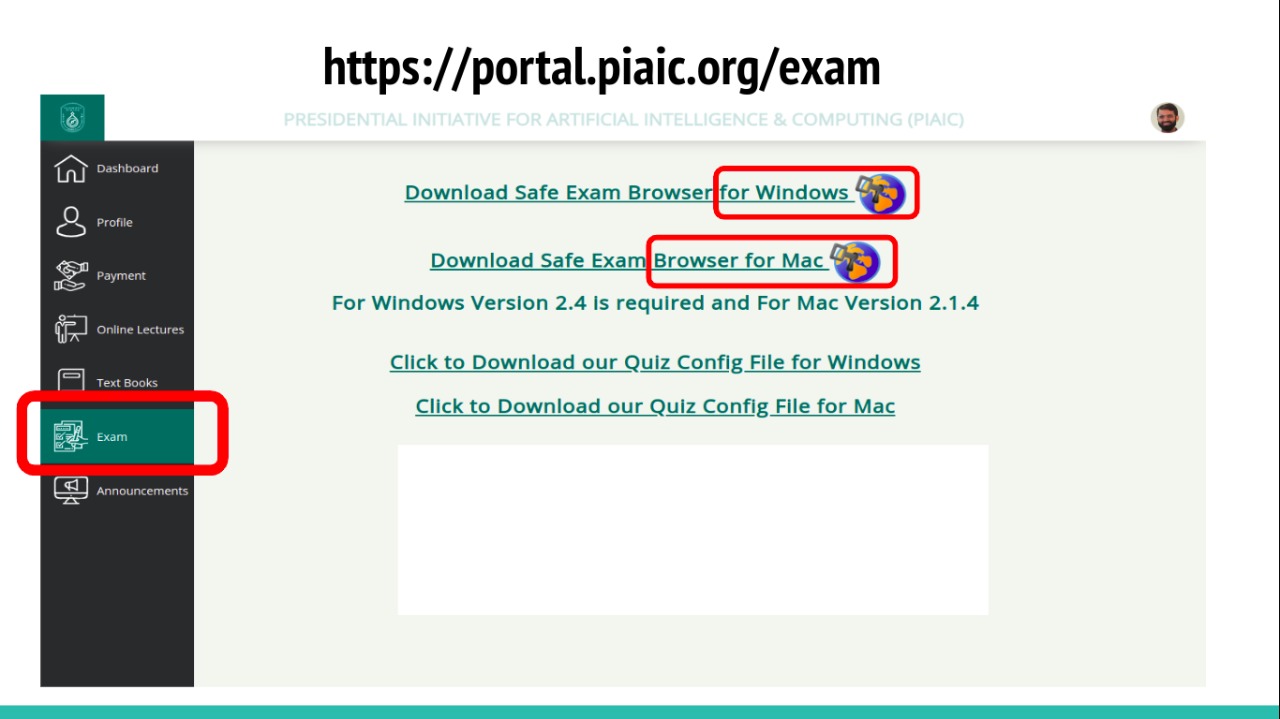
- You will attempt your exam at your home using the Safe Exam Browser.
- Download & Install Safe Exam Browser from Portal.
- After Installing the safe browser, download the Config file from the PIAIC Portal.
- Right click on the config file and select “open with” then select SEB.
- After running the Config file, log in with PIAIC Portal Credentials
- Select your Quiz and enter the security key (which will be available on the portal in the exam section) & start the test.
- Make sure you have a stable internet connection before attempting the quiz.
- Once you have completed the quiz simply logout and close the browser, your quiz will be submitted.
- The Quiz can only be attempted on a Laptop or a Desktop computer running Windows or Mac only.
- If you miss the quiz date there will be strictly no re-scheduling
- Security key for the quiz will be available on Portal in exam section
- It is essential to note that QUIZZES WILL NOT BE RESCHEDULED FOR ANY REASON REGARDLESS OF THE CIRCUMSTANCES.
Safe Exam Browser installation and configuration Guide is available here.:
Note: Those who are beginners in programming should not appear in this quiz now, but will appear in the quiz at the end of the quarter.
Learn Next.js and Node.js/Express
You can also learn Next.js using TypeScript from here
You can also learn Node.js/Express using TypeScript from here