
open-mercato/cezar
open-mercato/cezar has 972 GitHub stars and 180 forks. GitHot measured +10 stars in 24 hours, +48 in 7 days, and +139 in 15 days. Last checked 2026-11-09 14:43 UTC. Last push 2026-11-05.
Open-source orchestrator and ADE for running Claude Code, Codex, OpenCode, Pi and other AI coding agents in parallel — locally or 24/7 on your own server.
可以做什么
- 💯 Free and open source.
- 🖥️ Uses your own claude, codex, copilot, cursor, agy (Antigravity), gemini, junie, kimi (Kimi Code), omp, opencode or pi login. No API key needed.
- ☁️ Easy to set up on a VPS, so your agents keep working when your laptop is closed.
- 📱 Fully responsive. Start and review tasks from your phone.
实测星标增长
- 24小时
- +10
- 7天
- +48
- 15天
- +139
- 1个月
- 更新延迟
各周期内的星标净变化,周期相互重叠,并非每日新增。缺失的测量保持空白。星标代表关注度,不代表软件质量。
README.zh-CN.md
原文

Cezar:编排数百个 AI 编程智能体,7×24 小时不间断。
一个面向 Claude Code、Codex、OpenCode 及其他编程智能体的控制台。
在本地或 VPS 上运行智能体,自动化多步骤工作流,
并让它们在你离开时继续工作。
本文译自 README.md @ 33aee0ee;如有出入,以英文版为准。





▶ 观看视频:认识 cezar,你的全新并行编程工具。
功能特性
- 💯 免费且开源。
- 🖥️ 使用你自己的
claude、codex、opencode或pi登录账号,无需 API key。 - ☁️ 在 VPS 上轻松部署,合上笔记本后智能体也能继续工作。
- 📱 完整响应式设计,在手机上就能启动和审查任务。
- 🔀 每个任务都有自己的 git worktree,多个智能体可以同时开工;多出来的任务会排队等待。
- 🤖 打开 Autonomous(自主运行)后,任务不会再停下来提问,而是一口气跑完。
- 📡 实时观看运行过程:智能体输出、工具调用、token 与费用。
- 🏁 同一个任务跑 2 份或 3 份,对比 diff,留下最好的那个。
- 🧩 Skills 是 Markdown 文件,工作流是简短的 YAML 文件。每一步都可以换成不同的智能体。
- 🐙 直接针对 GitHub issue 运行智能体。不会自动合并任何内容。
- 📂 一个驾驶舱管理所有项目。
- 💾 无需数据库。所有内容都以普通文件的形式保存在
.ai/cezar/中。
截图
并行任务 —— 运行并排队大量任务,每个任务都有自己的 git worktree。

实时运行 —— 每一步、每次工具调用和每个 token,都实时呈现。

多版本对比 —— 同一个任务跑 2 份或 3 份,保留最好的 diff。

工作流 —— 把 Skills 和检查拖成一条链路,保存为 YAML。

GitHub —— 一键把打开的 issue 交给智能体。

Skills + Autonomous —— 选一套现成的流程,打开 Autonomous 就可以走开了。

手机端 —— 同样的驾驶舱,从任务列表一直到 diff。
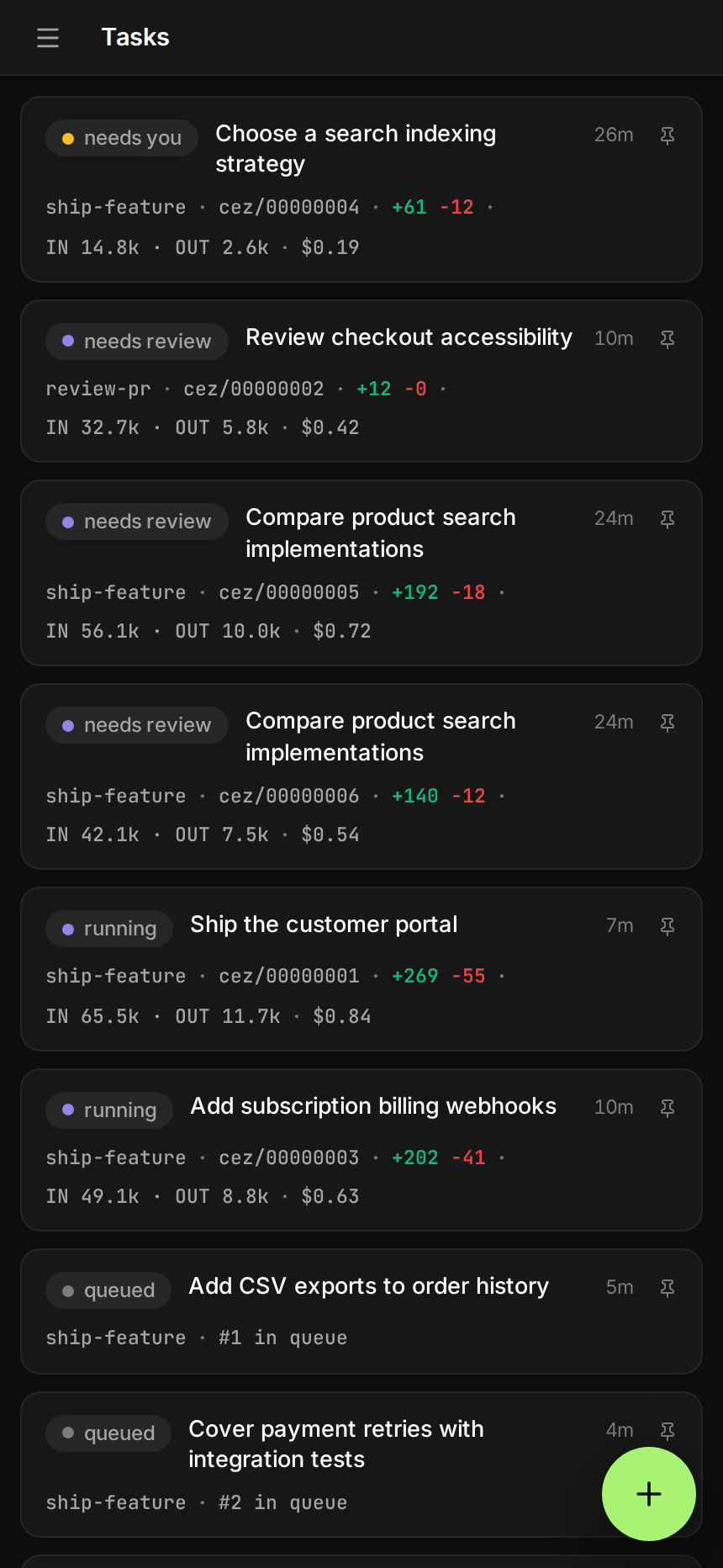 |
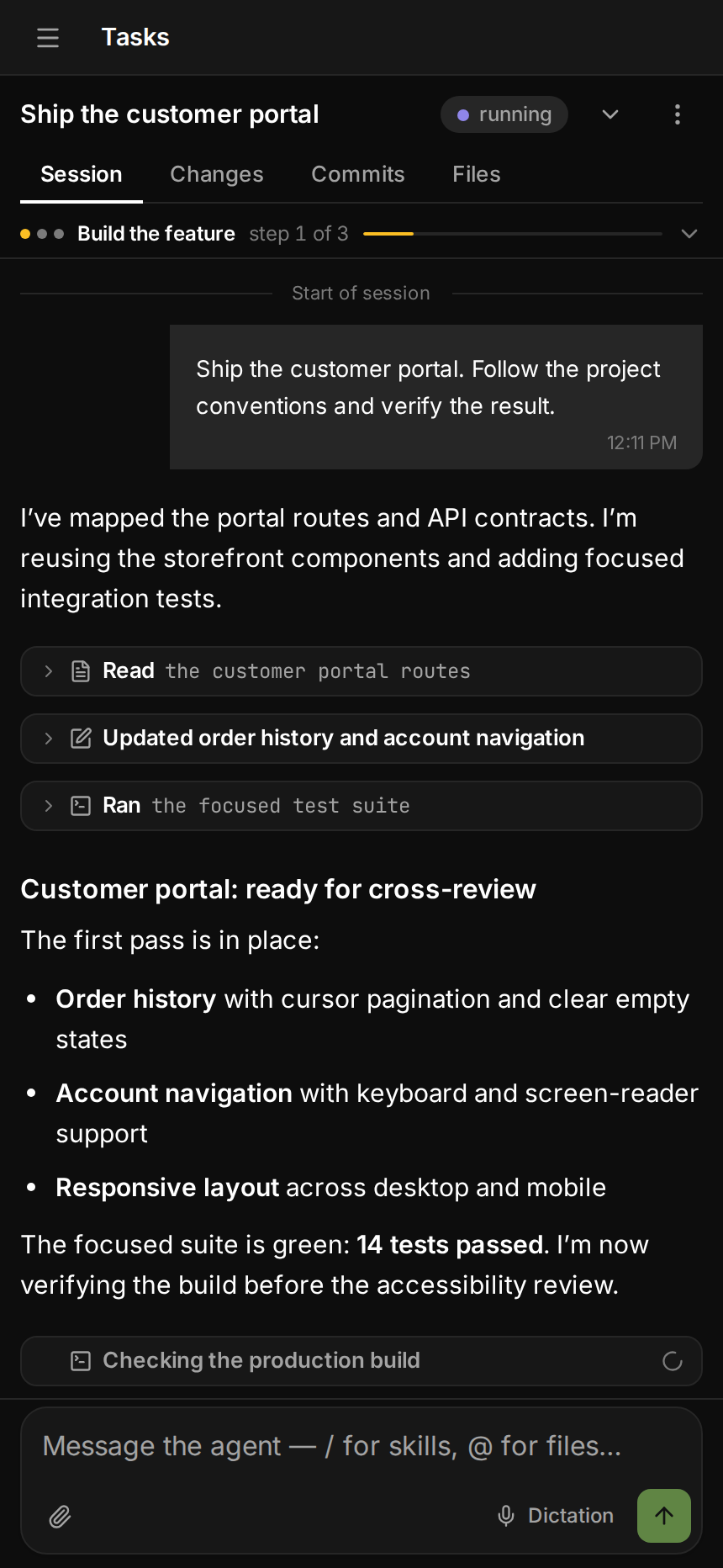 |
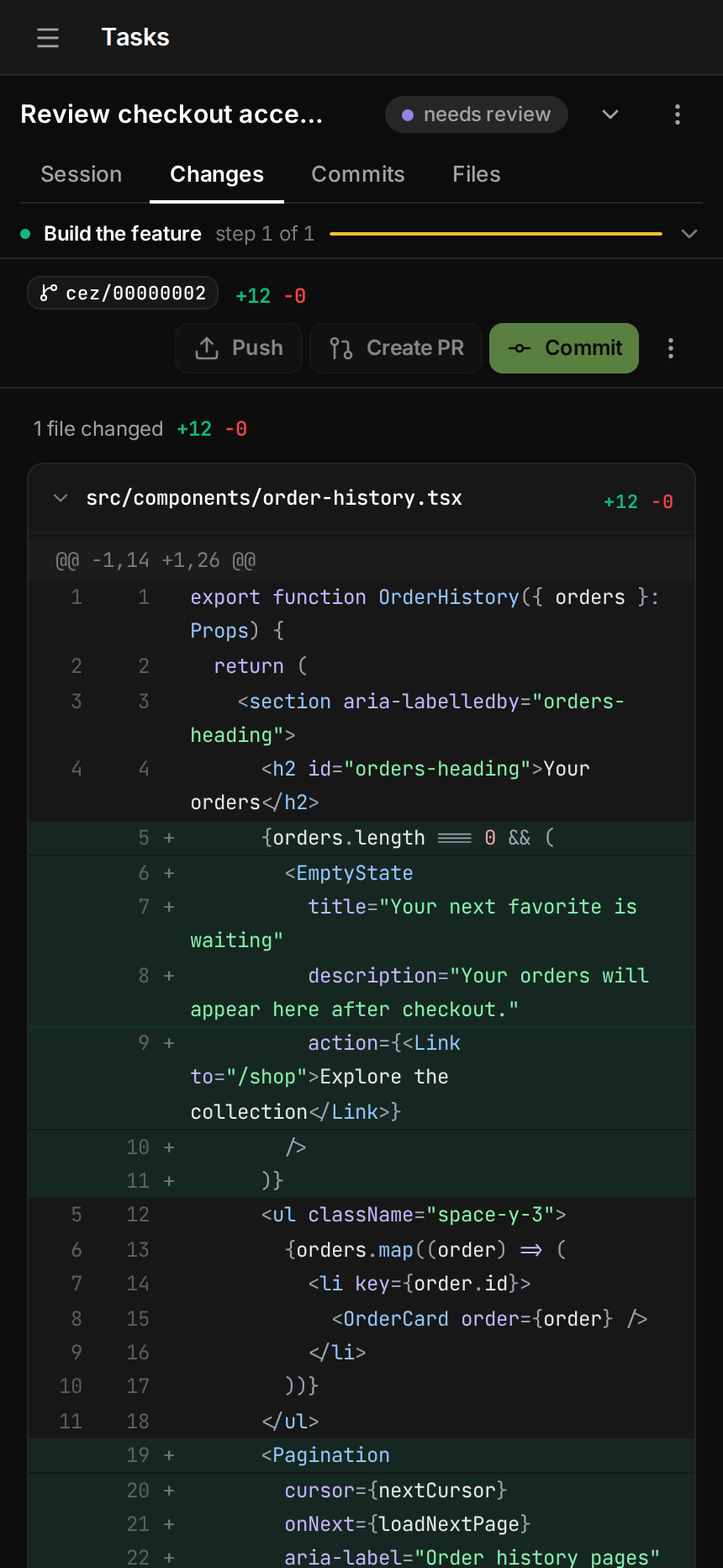 |
快速开始
你需要 Node 20+,以及至少一个已登录的 agent CLI:
Claude Code、Codex、
OpenCode 或 pi。
git 和 gh 是可选的。
cd your-repo
npx cezar-run
这会在 http://localhost:4321 打开驾驶舱。输入任务、选择工作流,然后点击 Start。
npx cezar-run run "add a --json flag to the export command"   # headless, no browser
npx cezar-run init                                            # scaffold .ai/cezar/
npx cezar-run@nightly                                         # try tonight's build
只是想先随便看看?运行
CEZ_DRY_RUN=1 npx cezar-run。它使用内置的 mock agent,无需登录。
部署到服务器
npx cezar-run server-install --platform ubuntu-vps
它会配置好 HTTPS、登录认证和系统服务,让你可以从任何地方打开驾驶舱,包括手机。 我们提供了 Ubuntu VPS 和 macOS + ngrok 两份指南。
工作原理
- 你描述一个任务。 直接输入、附加文件,或从 GitHub issue 开始。
- cezar 运行工作流(agent 步骤加 shell 检查),在全新的 git worktree 中使用你自己的 agent CLI 执行。
- 驾驶舱会实时推送每一步。 如果检查失败,智能体会看到错误并重试。
- 你检查结果。 阅读 diff、回传修改意见,或者开一个 draft PR。
工作流是 .ai/cezar/workflows/ 下的一个小型 YAML 文件:
name: fix-and-verify
steps:
  - id: implement
    prompt: "{{task}}"
    skill: project-conventions   # optional: a Markdown skill from .ai/skills
    runner: codex                # optional: which agent runs this step
  - id: verify
    command: "npm test"          # exit 0 = pass
    onFail: { retry: implement, max: 2 }
内置的 quick-task 工作流无需任何配置即可运行。
文档
更详细的内容都在参考文档里: 配置、 环境变量、 agent 后端、 多项目、 远程访问和 本地开发。
参与贡献
git clone https://github.com/open-mercato/cezar.git && cd cezar
npm install
npm run dev
许可证
MIT © Patryk Lewczuk。完整内容见 LICENSE。
Jira 与 Linear
在设置中接入项目的 issue 追踪服务,即可浏览 issue、启动工作流并配置事件自动化。参见设置、权限与恢复。