
ocrickard/OCCalendar
关于
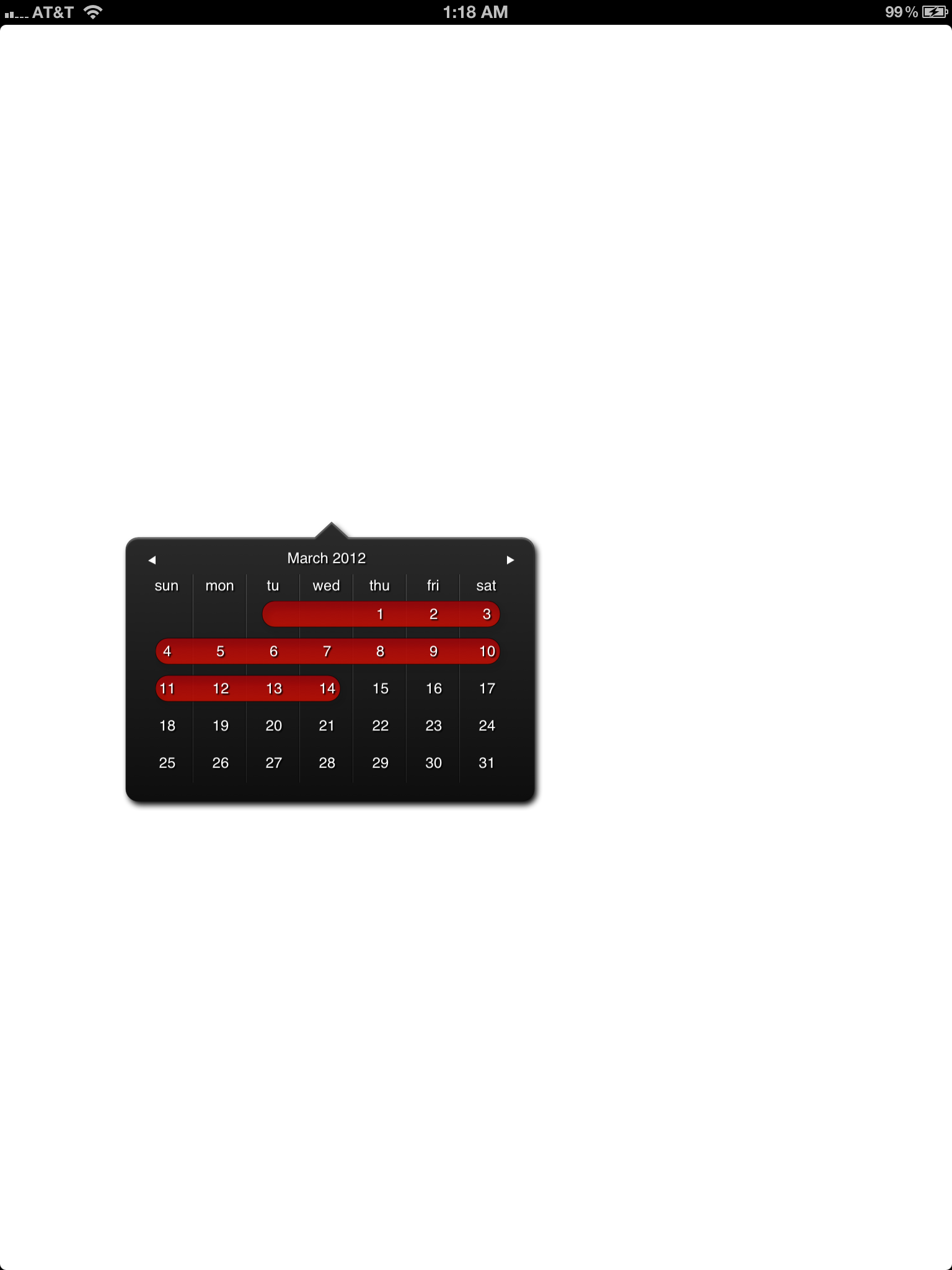
基于 CoreGraphics 的日期范围选择日历。
创作与媒体实测星标增长
- 24小时
- 0
- 7天
- 0
- 15天
- 正在收集历史
- 1个月
- 正在收集历史
各周期内的星标净变化,周期相互重叠,并非每日新增。缺失的测量保持空白。星标代表关注度,不代表软件质量。
README.md
原文#OCCalendarController#
##DEPRECATED: This code is old and unsupported. You're probably better off looking elsewhere
##Introduction##
OCCalendar is a very simple component for iPhone/iPad that provides a "Popover" date picker controller. It is very easy to add to your project, and is 100% CoreGraphics code, so it uses no images, and is resolution independent. I realize that I need to cut down the size for iPhone a bit more. I originally wrote it just for iPad, and my paths and sizing are all just slightly too wide for the iPhone. I'll fix it when I get a chance.
##License##
OCCalendar is granted under the BSD license, for use with or without attribution. Have fun!
##Usage##
Drag the following files into your project:
- OCCalendarViewController.h
- OCCalendarViewController.m
- OCCalendarView.h
- OCCalendarView.m
- OCSelectionView.h
- OCSelectionView.m
- OCDaysView.h
- OCDaysView.m
Then implement the OCCalendarDelegate protocol in the class you wish to call from. The only method in this protocol specifies a way for the calendar to report back the beginning and ending ranges of dates. These are returnes as NSDate objects for convenience. In the demo app, we do the following:
 - (void)completedWithStartDate:(NSDate *)startDate endDate:(NSDate *)endDate {
    NSDateFormatter *df = [[NSDateFormatter alloc] init];
    [df setDateStyle:NSDateFormatterShortStyle];

    [self showToolTip:[NSString stringWithFormat:@"%@ - %@", [df stringFromDate:startDate], [df stringFromDate:endDate]]];

    calVC.delegate = nil;
    [calVC release];
    calVC = nil;
}
Now, you should be able to show the calendar by alloc'ing and init'ing it, then adding to your view.
//Here's where the magic happens
    calVC = [[OCCalendarViewController alloc] initAtPoint:CGPointMake(150, 50) inView:self.view];
    calVC.delegate = self;
    [self.view addSubview:calVC.view];
##Customization## You can customize the look and feel of the controller by tweaking the CoreGraphics rendering code. I realize that this is not very pretty at the moment, but I'll eventually refactor it to make sure it's all neat and tidy. You can change the placement of the little arrow to either the right or left side of the popover by changing the "arrowPosition" enum in the initializer.
[[OCCalendarViewController alloc] initAtPoint:insertPoint inView:self.view arrowPosition:OCArrowPositionRight] //Right position
[[OCCalendarViewController alloc] initAtPoint:insertPoint inView:self.view arrowPosition:OCArrowPositionCenter] //Center position
[[OCCalendarViewController alloc] initAtPoint:insertPoint inView:self.view arrowPosition:OCArrowPositionLeft] //Left position
探索相关项目
加载中…