
newsnowlabs/runcvm
newsnowlabs/runcvm has 279 GitHub stars and 15 forks. GitHot measured +1 stars in 24 hours and +5 in 7 days. Last checked 2026-11-21 10:16 UTC. Last push 2026-11-20.
可以做什么
- The RunCVM software package at /opt/runcvm is mounted read-only within RunCVM containers. Container applications cannot compromise RunCVM, but they can execute binaries from within the RunCVM package. The set of binaries available to the VM may be reduced to a minimum in a later version.
实测星标增长
- 24小时
- +1
- 7天
- +5
- 15天
- 正在收集历史
- 1个月
- 正在收集历史
各周期内的星标净变化,周期相互重叠,并非每日新增。缺失的测量保持空白。星标代表关注度,不代表软件质量。
关于
RunCVM (Run Container VM) is an open-source Docker container runtime, for launching standard container workloads - as well as Systemd, Docker, even OpenWrt - in VMs using 'docker run`
开发工具README.md
原文RunCVM Container Runtime
Introduction
RunCVM (Run Container Virtual Machine) is an open-source Docker container runtime for Linux, created by Struan Bartlett at NewsNow Labs, that makes launching standard containerised workloads and system workloads (e.g. Systemd, Docker, even OpenWrt) in VMs as easy as launching a container.
RunCVM:
- works with plain
docker run(and, experimentally,podman run): add--runtime=runcvm, with no changes to images or the rest of the command line; - boots the VM from the container's own filesystem, served over virtiofs, so that images stay images, and ports, volumes and
docker execwork as for a container; - boots stock distribution kernels, chosen to match the image, or a kernel of your own;
- is a small 'wrapper' runtime around
runc, written almost entirely in shell script, so it is easy to read and adapt.
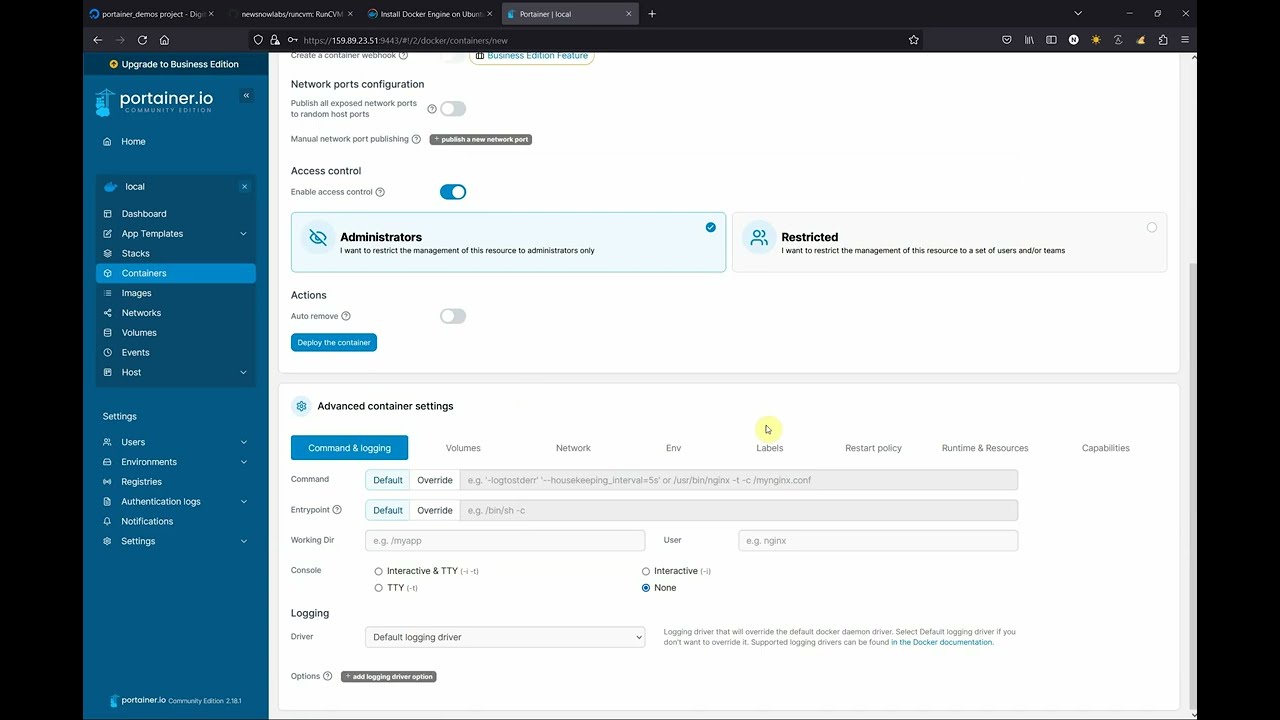
Watch the RunCVM-in-Portainer walk-through on YouTube
Quick start
Install RunCVM, on an x86-64 Linux host with Docker and KVM (see System requirements and Installation, including on Google Cloud, AWS and Azure):
curl -s -o - https://raw.githubusercontent.com/newsnowlabs/runcvm/main/runcvm-scripts/runcvm-install-runtime.sh | sudo sh
Launch a Container/VM, and see that it boots a kernel of its own, whatever the host's, with the CPUs and memory given by --cpus and --memory:
docker run --runtime=runcvm --rm --cpus=2 --memory=1g alpine sh -c 'uname -r; nproc; free -m'
Launch nginx in a VM, listening on port 8080, as you would in a container:
docker run --runtime=runcvm --name=nginx1 --rm -p 8080:80 nginx
Launch an Ubuntu VM with an interactive terminal:
docker run --runtime=runcvm --name=ubuntu1 --rm -it ubuntu
Gain another interactive console on ubuntu1, from a second terminal:
docker exec -it ubuntu1 bash
Launch Ubuntu running systemd as PID 1, and wait for it to finish booting:
cat <<EOF | docker build --tag=ubuntu-systemd -
FROM ubuntu:noble
RUN apt-get update && apt-get -y install --no-install-recommends systemd dbus kmod
ENTRYPOINT ["/lib/systemd/systemd"]
EOF

docker run -d --runtime=runcvm --name=systemd1 ubuntu-systemd
docker exec systemd1 systemctl is-system-running --wait
Launch Docker in a VM, with a 1G disk for Docker's storage, and run a container in it, without --privileged (see Running Docker in a RunCVM Container/VM):
docker run -d --runtime=runcvm --init --name=dind1 --memory=1G --env=RUNCVM_DISKS=/disks/docker,/var/lib/docker:/var/lib/containerd,ext4,1G docker:dind
docker exec dind1 sh -c 'until docker info >/dev/null 2>&1; do sleep 1; done; docker run --rm hello-world'
Remove these two Container/VMs when you have finished with them:
docker rm -f systemd1 dind1
Launch a 3-node Kubernetes cluster, using k3s with Docker Compose, each node a VM booted from the stock rancher/k3s image (see tests/52-k3s-cluster, which also shows deploying a workload to it):
git clone https://github.com/newsnowlabs/runcvm.git && \
cd runcvm/tests/52-k3s-cluster && \
docker compose up -d
Within a minute or so, its nodes are Ready:
docker compose exec server kubectl --kubeconfig /etc/rancher/k3s/k3s.yaml get nodes
Remove the cluster, with its disks:
docker compose down --volumes
Then, from the same clone, launch a 3-node Docker Swarm on a network with 9000 MTU and, on the swarm, an http global service:
cd ../50-http-docker-swarm && \
NODES=3 MTU=9000 ./test
More examples, each building an image or needing more setup:
- Running Docker in a RunCVM Container/VM, with a disk for Docker's storage
- Container runtimes inside RunCVM: RunCVM, gVisor and Sysbox, each run by Docker inside a Container/VM
- Graphical workloads with VNC, including an Ubuntu desktop
- OpenWrt, with its web UI
- Booting your own kernel, for kernel development and bug-hunting
- RunCVM in CI, on GitHub Actions' hosted runners
Use cases
RunCVM suits workloads that need what a container cannot give them, a whole machine, while keeping a container's image, command line and lifecycle:
- System services that need
systemdas PID 1, and the units, timers and socket activation it manages, such as a package's services, or configuration-management code (e.g. Ansible roles) that manages them. Quick start and Container runtimes inside RunCVM have examples of images that runsystemd. - Docker, Docker Swarm or Kubernetes inside a VM, without
--privileged: Docker tooling tested against its own dockerd, which its tests may reconfigure, restart or break, or a multi-node cluster on one host, each node a VM with its own kernel, firewall and cgroups. See Running Docker in a RunCVM Container/VM, and the k3s and Docker Swarm examples in Quick start. - Software that needs a kernel of its own: kernel modules, eBPF tools, sysctls, netfilter and routing (e.g. firewalls, VPNs and routing daemons), memory pressure and out-of-memory handling in the VM's own kernel (sized by the container's memory and CPU limits), or a kernel version other than the host's. An image of a supported distribution boots RunCVM's kernel for that distribution, unless the image has a kernel of its own; other images need
RUNCVM_KERNEL. See Kernel selection and auto-detection andRUNCVM_KERNEL. - Kernel development and bug-hunting in realistic machine environments: boot a patched kernel under a real distribution's userland, with systemd, Docker, real networking or a multi-node cluster around it, run the reproducer or the tests, and iterate on the patch, with each attempt as quick as launching a container. See Booting your own kernel.
- Developing, testing or experimenting with container runtimes, such as gVisor, Sysbox or RunCVM itself, run by Docker inside a disposable VM, where a broken runtime, kernel module or daemon configuration cannot affect the host. See Container runtimes inside RunCVM.
- Storage tools that need block devices, to make filesystems, mount them, or use btrfs or xfs features. See
RUNCVM_DISKS. - Appliances and system images that expect a machine of their own, such as OpenWrt, and container workloads intended for VM platforms such as fly.io.
- Graphical desktops, served over VNC. See Graphical workloads with VNC.
- Existing container workloads with stronger isolation than a standard container's, behind hardware virtualisation. For how RunCVM's isolation compares with Kata Containers', see RunCVM vs Kata comparison.
- Development environments for any of the above, in Dockside. See RunCVM and Dockside.
- Testing any of the above in continuous integration, on any CI host with KVM. See RunCVM in CI.
When RunCVM is not the right fit
- Very short-lived containers in large numbers. Each Container/VM boots a kernel, taking a few seconds, and runs a VM of its own, sized by its memory and CPU limits.
- Workloads that rely on container features RunCVM does not provide, such as adding networks to, or removing them from, a running Container/VM (
docker network connectanddisconnect): networks may be attached before a Container/VM starts, or while it is stopped. See Features and limitations. - Hosts without KVM. Without KVM, a Container/VM runs only under QEMU's software emulation, which is much slower, and only when allowed to (see
RUNCVM_QEMU_ACCEL). - Podman, and arm64 hosts. Podman support is experimental, and arm64 support is in development.
Contents
- Getting started
- About RunCVM
- Installing
- Using RunCVM
- Maintaining and developing
- The project
How RunCVM works
RunCVM's 'wrapper' runtime, runcvm-runtime, receives container create commands triggered by docker run/create commands, modifies the configuration of the requested container in such a way that the created container will launch a VM that boots from the container's filesystem, and then passes the request on to the standard container runtime (runc) to actually create and start the container.
This 'wrapper-runtime' approach keeps RunCVM's code footprint and external dependencies extremely small. RunCVM is written, using off-the-shelf open-source components, almost entirely in shell script, for simplicity, portability and ease of development, so its internals are easy to understand and to tailor for specific purposes. It makes some trade-offs in return for this simplicity: see Features and limitations.
For a deep dive into RunCVM's internals, see the section on Developing RunCVM.
Motivation
RunCVM was born out of difficulties experienced using the Docker and Podman CLIs to launch Kata Containers v2, and a belief that launching containerised workloads in VMs using Docker needn't be so complicated.
Motivations included: efforts to re-add OCI CLI commands for docker/podman to Kata v2 to support Docker & Podman; other Kata issues #3358, #1123, #1133, #3038; #5321; #6861; Podman issues #8579 and #17070; and Kubernetes issue #40114; though please note, since authoring RunCVM some of these issues may have been resolved.
Like Kata, RunCVM aims to be a secure container runtime with lightweight virtual machines that feel and perform like containers, but provide stronger workload isolation using hardware virtualisation technology.
However, while Kata aims to launch standard container images inside a restricted-privileges namespace inside a VM running a single fixed and heavily customised kernel and Linux distribution optimised for this purpose, RunCVM intentionally aims to launch container or VM images as the VM's root filesystem using stock or bespoke Linux kernels, the upshot being RunCVM's can run VM workloads that Kata's security and kernel model would explicitly prevent.
For example, RunCVM can launch OpenWrt, and is 're-entrant', in the sense it can run inside itself (see Container runtimes inside RunCVM).
Project aims
- Run any standard container workload in a VM using
docker runwith no need to customise images or the command line (except adding--runtime=runcvm) - Run unusual container workloads, like
dockerdandsystemdthat will not run in standard container runtimes - Maintain a similar experience within a RunCVM VM as within a container: process table, network interfaces, stdio, exit code handling should be broadly similar to maximise compatibility
- Container start/stop/kill semantics respected, where possible providing clean VM shutdown on stop
- VM console accessible as one would expect using
docker run -it,docker start -aianddocker attach(and so on), generally good support for otherdocker containersubcommands - Efficient container startup, by using virtiofs to serve a container's filesystem directly to a VM (instead of unpacking an image into a backing file)
- Improved security compared to the standard container runtime, and as much security as possible without compromising the simplicity of the implementation
- Command-line and image-embedded options for customising the a container's VM specifications, devices, kernel
- Intelligent kernel selection, according to the distribution used in the image being launched
- No external dependencies, except for Docker/Podman and relevant Linux kernel modules (
kvmandtun) - Support multiple Docker network interfaces attached to a container that is not running (created but not yet started, or stopped) using
docker run --network=<network>anddocker network connect - Dual-stack (IPv4 and IPv6) networking, where the host and Docker are already configured to support it
Project ambitions
Under way:
- Native arm64 hosts, and with them Docker and Podman on macOS
- Rootful and rootless Podman
- Kubernetes pods as Container/VMs, through a containerd RuntimeClass
- A stdio bridge for Container/VMs run without a terminal
- Exit status handling for any entrypoint, through a unified bespoke init in the VM
System requirements
RunCVM should run on any amd64 (x86_64) hardware (or VM) running Linux Kernel >= 5.10, and that supports KVM and Docker. So if your host can already run KVM VMs and Docker then it should run RunCVM. It is highly portable among Linux distributions and development platforms providing KVM, and can even be installed on GitHub Codespaces.
RunCVM has no other host dependencies, apart from Docker (or experimentally, Podman) and these features of the host's kernel, which the kernels of common distributions provide, built in or as modules that load on demand:
- KVM:
kvm, withkvm_intelorkvm_amd; tun(CONFIG_TUN), for the tap device that connects the VM to the container;- the Linux bridge,
bridge(CONFIG_BRIDGE), which RunCVM creates in each container between the tap device and the container's network interface; nf_tables, with which RunCVM installs firewall rules in each container, as Docker's own networking does: its IPv4, ARP and bridge families (CONFIG_NF_TABLES_IPV4,CONFIG_NF_TABLES_ARP,CONFIG_NF_TABLES_BRIDGE), bridgemetaexpressions (nft_meta_bridge,CONFIG_NFT_BRIDGE_META), NAT (nft_natandnft_chain_nat,CONFIG_NFT_NAT) and redirection (nft_redir,CONFIG_NFT_REDIR), with connection tracking;- optionally,
vhost_net(CONFIG_VHOST_NET), forRUNCVM_QEMU_NET_VHOST=1.
RunCVM does not need the br_netfilter module; docs/adr/0001-container-firewall-without-br-netfilter.md records why, and how RunCVM would support a host whose kernel lacks bridge-family nf_tables.
RunCVM comes packaged with all binaries and libraries it needs to run (including its own QEMU binary).
RunCVM is tested on x86-64 hosts with KVM running Debian 12 (Bookworm) and Ubuntu 24.04 LTS (Noble Numbat), with Docker Engine, both Docker's own packages and Ubuntu's docker.io. The integration tests can also run where KVM is unavailable, under software emulation (see Testing).
Installation
Run:
curl -s -o - https://raw.githubusercontent.com/newsnowlabs/runcvm/main/runcvm-scripts/runcvm-install-runtime.sh | sudo sh
This installs the latest release of RunCVM, the image newsnowlabs/runcvm:latest. To install another release, name its image in REPO, e.g. for v1.7.0:
curl -s -o - https://raw.githubusercontent.com/newsnowlabs/runcvm/main/runcvm-scripts/runcvm-install-runtime.sh | sudo REPO=newsnowlabs/runcvm:v1.7.0 sh
The releases are tagged v<version>, on Docker Hub (newsnowlabs/runcvm:<tag>) and on GitHub's container registry (ghcr.io/newsnowlabs/runcvm:<tag>).
To build RunCVM from source and install that instead, see Building.
The installation script:
- Installs the RunCVM software package from the image to
/opt/runcvm(installation elsewhere is currently unsupported) - Runs the installer in that package,
/opt/runcvm/scripts/runcvm-install-runtime.sh --no-dockerd, so the remaining steps are those of the release installed, whichever version of the script was downloaded. In the version of RunCVM this README describes, the package's installer:- For Docker support:
- Enables the RunCVM runtime, by setting
runtimes.runcvm.pathin/etc/docker/daemon.jsonto/opt/runcvm/scripts/runcvm-runtime, leaving any other runtimes there unchanged (see Registering the runtime by hand) - Restarts
dockerd, if it can be detected how for your system (e.g.systemctl restart docker) - Verifies that RunCVM is recognised via
docker info
- Enables the RunCVM runtime, by setting
- For Podman support (experimental):
- Displays instructions on patching
/etc/containers/containers.conf
- Displays instructions on patching
- For Docker support:
Following installation, launch a basic test RunCVM Container/VM:
docker run --runtime=runcvm --rm -it hello-world
Registering the runtime by hand
The installation script registers RunCVM with Docker by adding a runcvm entry to the runtimes property of /etc/docker/daemon.json, creating the file if there is none. To do the same yourself, for example where daemon.json is managed by configuration management, add the entry alongside any runtimes already there. For instance, a daemon.json that makes crun the default runtime, with RunCVM registered, reads:
{
  "default-runtime": "crun",
  "runtimes": {
    "crun": {
      "path": "/opt/crun/bin/crun"
    },
    "runcvm": {
      "path": "/opt/runcvm/scripts/runcvm-runtime"
    }
  }
}
Then restart dockerd (e.g. sudo systemctl restart docker), and check that Docker lists the runtime, which prints its path:
docker info --format '{{.Runtimes.runcvm.Path}}'
For Podman (experimental), add the following to the [engine.runtimes] section of /etc/containers/containers.conf:
runcvm = [ "/opt/runcvm/scripts/runcvm-runtime" ]
Install on Google Cloud
Create an image that will allow instances to have VMX capability:
gcloud compute images create debian-13-vmx --source-image-project=debian-cloud --source-image-family=debian-13 --licenses="https://compute.googleapis.com/compute/v1/projects/vm-options/global/licenses/enable-vmx"
Now launch a VM, install Docker and RunCVM:
cat >/tmp/startup-script.sh <<'EOF'
#!/bin/bash

apt update && apt -y install apt-utils kmod wget iproute2 systemd \
    ca-certificates curl gnupg udev dbus jq && \
    curl -fsSL https://get.docker.com | bash && \
    curl -s -o - https://raw.githubusercontent.com/newsnowlabs/runcvm/main/runcvm-scripts/runcvm-install-runtime.sh | sudo REPO=newsnowlabs/runcvm:latest sh
EOF

gcloud compute instances create runcvm-vmx-test --zone=us-central1-a --machine-type=n2-highmem-2 --network-interface=network-tier=PREMIUM,stack-type=IPV4_ONLY,subnet=default --metadata-from-file=startup-script=/tmp/startup-script.sh --no-restart-on-failure --maintenance-policy=TERMINATE --provisioning-model=SPOT --instance-termination-action=STOP  --no-service-account --no-scopes --create-disk=auto-delete=yes,boot=yes,image=debian-13-vmx,mode=rw,size=50,type=pd-ssd --no-shielded-secure-boot --shielded-vtpm --shielded-integrity-monitoring --labels=goog-ec-src=vm_add-gcloud --reservation-affinity=any
RunCVM works with Docker's default configuration. It also works with "userland-proxy": false in /etc/docker/daemon.json, with which Docker (as of Docker 29) loads the br_netfilter module on the host, and does not start if it cannot; RunCVM itself does not need br_netfilter.
Install on AWS
The commands below can all be run in AWS CloudShell, the browser-based shell in the AWS console, which has the AWS CLI installed and signed in to your account, and uses the console's current region. Run there, the security group allows SSH from CloudShell, and the key pair file is kept in CloudShell's home directory, so the ssh command below works from CloudShell too.
RunCVM needs an EC2 instance with nested virtualisation, so that it has /dev/kvm: a bare-metal instance (*.metal), or a virtual instance of a type that supports nested virtualisation, launched with it enabled. The types that support it are Intel-based families such as m7i, c7i, r7i, m8i, c8i and r8i (AWS's nested virtualisation guide has the current list). To list them for a region:
aws ec2 describe-instance-types --filters "Name=processor-info.supported-features,Values=nested-virtualization" --query "InstanceTypes[].InstanceType" --output text | tr '\t' '\n' | sort
Create a key pair to log in with, and a security group that allows SSH from your current IP address (or use ones you already have):
aws ec2 create-key-pair --key-name runcvm-test --query KeyMaterial --output text >runcvm-test.pem && chmod 600 runcvm-test.pem
SG=$(aws ec2 create-security-group --group-name runcvm-test --description runcvm-test --query GroupId --output text)
aws ec2 authorize-security-group-ingress --group-id $SG --protocol tcp --port 22 --cidr $(curl -s https://checkip.amazonaws.com)/32
Launch an Ubuntu 24.04 LTS instance with nested virtualisation enabled, and a user-data script that installs Docker and RunCVM:
cat >/tmp/user-data.sh <<'EOF'
#!/bin/bash

curl -fsSL https://get.docker.com | sh && \
    curl -s -o - https://raw.githubusercontent.com/newsnowlabs/runcvm/main/runcvm-scripts/runcvm-install-runtime.sh | sh
EOF

ID=$(aws ec2 run-instances --image-id resolve:ssm:/aws/service/canonical/ubuntu/server/24.04/stable/current/amd64/hvm/ebs-gp3/ami-id --instance-type m8i.large --cpu-options "NestedVirtualization=enabled" --block-device-mappings 'DeviceName=/dev/sda1,Ebs={VolumeSize=50,VolumeType=gp3}' --user-data file:///tmp/user-data.sh --key-name runcvm-test --security-group-ids $SG --tag-specifications 'ResourceType=instance,Tags=[{Key=Name,Value=runcvm-test}]' --query 'Instances[0].InstanceId' --output text)
This launches the instance into the region's default VPC, whose subnets give instances a public IP address. In an account without a default VPC, or to use another subnet, add --subnet-id <subnet> and --associate-public-ip-address (and create the security group in that subnet's VPC with --vpc-id).
To enable nested virtualisation on an existing instance of a supported type, stop it, then choose Actions > Instance settings > Change CPU options in the EC2 console.
Log in as ubuntu, at the instance's public IP address:
aws ec2 wait instance-running --instance-ids $ID
ssh -i runcvm-test.pem ubuntu@$(aws ec2 describe-instances --instance-ids $ID --query 'Reservations[].Instances[].PublicIpAddress' --output text)
When you have finished with it, terminate the instance, which also deletes its root disk:
aws ec2 terminate-instances --instance-ids $ID
Install on Azure (Untested)
RunCVM needs an Azure VM with nested virtualisation, so that it has /dev/kvm. Azure documents nested virtualisation as supported on, among others, its Dv5 and Dsv5 series (Intel): the "Feature support" table on each size series' page in the Azure VM sizes documentation says whether that series supports it.
Create a resource group, then an Ubuntu 24.04 LTS VM with a cloud-init script that installs Docker and RunCVM:
cat >/tmp/cloud-init.sh <<'EOF'
#!/bin/bash

curl -fsSL https://get.docker.com | sh && \
    curl -s -o - https://raw.githubusercontent.com/newsnowlabs/runcvm/main/runcvm-scripts/runcvm-install-runtime.sh | sh
EOF

az group create --name runcvm-test --location <your-region>
az vm create --resource-group runcvm-test --name runcvm-test --image Canonical:ubuntu-24_04-lts:server:latest --size Standard_D2s_v5 --os-disk-size-gb 50 --admin-username azureuser --generate-ssh-keys --custom-data /tmp/cloud-init.sh
Log in as azureuser, at the public IP address that az vm create's output shows (publicIpAddress). When you have finished with the VM, az group delete --name runcvm-test deletes it, with everything else in the resource group.
On either platform, once the first-boot script has finished (cloud-init status --wait waits for it), ls -l /dev/kvm shows the KVM device, and sudo docker run --runtime=runcvm --rm hello-world runs a Container/VM.
Supported distributions
RunCVM aims to support each distribution's latest release and one or two before it (for Ubuntu, its LTS releases), while they remain supported upstream, as the image a Container/VM runs. It bundles a kernel for each of these distributions, built from the release shown, which a Container/VM boots unless its image has a kernel of its own (see Kernel selection and auto-detection). The table lists the image releases that the integration tests (tests/25-images-kernels) boot, and the image tag each is booted from. A tag is re-pointed upstream as its release is updated, so a host tests the copy of each tag it first pulled, unless the tests are run with tests/run --pull (see Testing):
| Distribution | Image releases tested | RunCVM's kernel (RUNCVM_KERNEL) |
Kernel built from | Kernel series | Module compression | Image releases whose own modprobe can load the kernel's modules |
|---|---|---|---|---|---|---|
| Debian | 12 (Bookworm) and 13 (Trixie): debian:bookworm-slim, debian:trixie-slim |
debian |
Debian 13 (Trixie) | 6.12 | xz | 10 (Buster) and later |
| Ubuntu | 22.04 LTS (Jammy Jellyfish), 24.04 LTS (Noble Numbat) and 26.04 LTS (Resolute Raccoon): ubuntu:22.04, ubuntu:24.04, ubuntu:26.04 |
ubuntu |
Ubuntu 26.04 LTS (Resolute Raccoon) | 7.0 | xz (recompressed from Ubuntu's zstd) | 20.04 LTS (Focal Fossa) and later |
| AlmaLinux, and the RHEL family (see Other distributions) | AlmaLinux 8, 9 and 10 (almalinux:<n>), Rocky Linux 8, 9 and 10 (rockylinux/rockylinux:<n>), Oracle Linux 8, 9 and 10 (oraclelinux:<n>), and Amazon Linux 2023 (amazonlinux:2023) |
almalinux |
AlmaLinux 10 | 6.12 | xz | all, once kmod is installed |
| Fedora | 44 and 45: fedora:44, fedora:45 |
fedora |
Fedora 45 | 7.3 | xz | all, once kmod is installed |
| openSUSE Leap, openSUSE Tumbleweed | Leap 16.0 and 16.1: opensuse/leap:16.0, opensuse/leap:16.1; Tumbleweed, a rolling release: opensuse/tumbleweed |
opensuse |
openSUSE Leap 16.1 | 6.12 | xz (recompressed from openSUSE's zstd) | all, once kmod is installed |
| Alpine Linux | 3.22, 3.23 and 3.24: alpine:3.22, alpine:3.23, alpine:3.24 |
alpine |
Alpine Linux 3.24 (linux-virt) |
6.18 | gzip | all |
| OpenWrt | 25.12.6, imported from OpenWrt's x86 rootfs, as OpenWrt publishes no container image | openwrt |
Alpine Linux 3.24 (linux-virt) |
6.18 | none | all |
Each kernel comes from the release in the "Kernel built from" column, which stays fixed for a given RunCVM version: its series (as shown) does not change, and each build of RunCVM takes that release's newest kernel update (e.g. Debian 13's newest 6.12 kernel).
The Debian, Ubuntu, AlmaLinux, Fedora and openSUSE kernels' modules are xz-compressed by default, which the releases RunCVM aims to support all read. For an image whose own modprobe reads only uncompressed modules, such as Debian 9 (Stretch), Ubuntu 16.04 LTS (Xenial Xerus) or Ubuntu 18.04 LTS (Bionic Beaver), build RunCVM with the build argument KERNEL_MODULE_COMPRESSION=none, which leaves those kernels' modules uncompressed, at the cost of a larger RunCVM image (the Debian and Ubuntu kernels' modules together take of the order of 1 GB uncompressed, and roughly a quarter of that compressed), e.g. DOCKER_BUILDKIT=1 docker build --build-arg KERNEL_MODULE_COMPRESSION=none -t newsnowlabs/runcvm ..
The last column concerns the workload's own module loading, e.g. modprobe, dockerd loading overlay, or k3s loading br_netfilter, in the VM. It reflects which compressed formats each release's kmod (or, for Alpine Linux, BusyBox) can read: for example, Debian 9 (Stretch), Ubuntu 16.04 LTS (Xenial Xerus) and Ubuntu 18.04 LTS (Bionic Beaver) read only uncompressed modules, Debian 10 (Buster), Debian 11 (Bullseye) and Ubuntu 20.04 LTS (Focal Fossa) also read xz, and later releases also read zstd. The AlmaLinux, Rocky Linux, Oracle Linux, Fedora and openSUSE images include no kmod until it is installed; their own releases' kmod reads xz (AlmaLinux 8's, for example, reads xz and gzip, and later releases' also zstd). RunCVM itself loads the modules it needs, while the VM boots, with its own bundled BusyBox modprobe, which reads uncompressed, gzip and xz modules, whatever the image.
Other releases of these distributions, including the older releases RunCVM aims to support, may work, but are not yet tested.
Other distributions
RunCVM bundles no kernel for other distributions. It looks at the distributions an image's /etc/os-release names, first as ID, then in ID_LIKE, and boots the kernel of the first that RunCVM has a kernel for, counting the RHEL family (rhel, centos, rocky, amzn, ol) as AlmaLinux's and the SUSE family (sles, sled, sles_sap, sle-micro, sl-micro, suse, and opensuse and opensuse-*) as openSUSE's. An image whose ID names a distribution of any other kind boots the Debian kernel, with a warning in the Container/VM's output. How RunCVM treats some popular distributions:
| Distribution | ID |
ID_LIKE |
Kernel |
|---|---|---|---|
Oracle Linux (including the mysql image) |
ol |
fedora |
AlmaLinux's (RHEL family) |
| Rocky Linux | rocky |
rhel centos fedora |
AlmaLinux's (RHEL family) |
| CentOS Stream | centos |
rhel fedora |
AlmaLinux's (RHEL family) |
| Red Hat Universal Base Image (UBI) | rhel |
fedora |
AlmaLinux's (RHEL family) |
| Amazon Linux | amzn |
fedora |
AlmaLinux's (RHEL family) |
| SUSE Linux Enterprise (SLE BCI) | sles |
suse |
openSUSE's (SUSE family) |
| Kali Linux | kali |
debian |
Debian's |
Distroless (Debian-based, e.g. gcr.io/distroless/base-debian12) |
debian |
Debian's | |
BusyBox, and images built FROM scratch |
(no /etc/os-release) |
Debian's | |
| Arch Linux | arch |
Debian's, with a warning | |
| Wolfi (Chainguard) | wolfi |
Debian's, with a warning |
A Container/VM launched with RUNCVM_KERNEL boots the named kernel, whatever the image. A distribution of either family may be named in place of its family's kernel, e.g. RUNCVM_KERNEL=ol boots AlmaLinux's.
Kernel selection and auto-detection
When creating a container, RunCVM will examine the image being launched to try to determine a suitable kernel to boot the VM with. Its process is as follows:
- If
--env=RUNCVM_KERNEL=<dist>[/<version>]specified, use the indicated kernel - Otherwise, identify distro from
/etc/os-release- If RunCVM bundles a kernel for the image's own distribution (its
ID), and one is found in the appropriate distro-specific location in the image, select an in-image kernel. The locations are:- Debian:
/vmlinuzand/initrd.img - Ubuntu:
/boot/vmlinuzand/boot/initrd.img - Alpine:
/boot/vmlinuz-virt/boot/initramfs-virt - AlmaLinux, Fedora:
/boot/vmlinuzand/boot/initramfs - openSUSE images, whose
IDis e.g.opensuse-leap, neveropensuse, always boot RunCVM's kernel
- Debian:
- Otherwise, select the latest RunCVM kernel for the first distro named by
ID, then by each word ofID_LIKE, for which RunCVM has a kernel (debian,ubuntu,almalinux,fedora,opensuse,alpineoropenwrt), counting the RHEL family as AlmaLinux's and the SUSE family as openSUSE's (see Other distributions) - If the image has no
/etc/os-release, or it gives noID, use the Debian kernel from the RunCVM package; if it gives anID, but names no distro RunCVM has a kernel for, use the Debian kernel, with a warning in the Container/VM's output
- If RunCVM bundles a kernel for the image's own distribution (its
RunCVM reads /etc/os-release, or else /usr/lib/os-release, resolving any symbolic links within the image's own filesystem, never the host's.
An in-image kernel's initramfs must include the virtiofs module (or the kernel must have it built in), as the VM's root filesystem is served over virtiofs: without it, the VM cannot mount its root filesystem, and halts. See Booting your own kernel.
Features and limitations
In the below summary of RunCVM's current main features and limitations, [+] is used to indicate an area of compatibility with standard container runtimes and [-] is used indicate a feature of standard container runtimes that is unsupported.
N.B.
docker runanddocker execoptions not listed below are unsupported and their effect, if used, is unspecified.
docker run- Mounts
- [+]
--mount(or-v) is supported for volume mounts, tmpfs mounts, and host file and directory bind-mounts (thedstmount path/disksis reserved) - [-] Bind-mounting host sockets or devices, and
--deviceis unsupported
- [+]
- Networking
- [+] The default bridge network is supported
- [+] Custom/user-defined networks specified using
--networkare supported, including Docker DNS resolution of container names and respect for custom network MTU - [+] Multiple network interfaces - when attached via
docker run --network, or viadocker network connectto a container that is not running (created but not yet started, or stopped) - are supported (includingscope=overlaynetworks and those with multiple subnets); likewise,docker network disconnecton a container that is not running takes effect when it next starts - [+]
--publish(or-p) is supported - [+]
--dns,--dns-option,--dns-searchare supported - [+]
--ipis supported - [+]
--hostname(or-h) is supported - [-]
docker network connectanddocker network disconnecton a running container are not supported - [-]
--network=hostand--network=container:name|idare not supported (--network=hostis rejected when the Container/VM is created) - [-]
--network=none, and attaching only to--internalnetworks, are not supported: a Container/VM needs a network that provides a default route, over whichdocker execreaches the VM - [+] Dual-stack (IPv4 and IPv6) networking is supported, automatically, where the host and Docker are already configured for IPv6 (see
--env=RUNCVM_IPV6=<0|1>) - [-] IPv6-only networks (i.e. with no IPv4 connectivity at all) are not supported: a working IPv4 leg is required
- [-]
--dns=<IPv6 address>is not supported: the VM's DNS requests are proxied viadnsmasqrunning in the container, whose own traffic reaches the network only over IPv4 (as with IPv4, the VM holds the container's Docker-assigned address, and the container has no IPv6 address or route of its own)
- Execution environment
- [+]
--user(or-u) is supported - [?]
--workdir(or-w) is supported - [+]
--env(or-e),--env-fileis supported - [+]
--entrypointis supported - [+]
--init- is supported (but runs RunCVM's own VM init process rather than Docker's default,tini)
- [+]
- stdio/Terminals
- [+]
--detach(or-d) is supported - [+]
--interactive(or-i) is supported - [-] Without
--tty(or-t), the end of standard input is not passed on to the workload, so a workload reading piped input until its end (e.g.printf abc | docker run -i --runtime=runcvm alpine cat) does not finish; a stdio bridge to address this is in development (see Project ambitions) - [-] With
--interactive(or-i) but without--tty(or-t), input that reaches the VM while it boots, before the workload starts, is echoed into the output - [+]
--tty(or-t) is supported (but to enter CTRL-T one must press CTRL-T twice) - [+]
--attach(or-a) is supported - [+] Stdout and Stderr output should be broadly similar to running the same workload in a standard
runccontainer - [-] Stdout and Stderr are not independently multiplexed so
docker run --runtime=runcvm debian bash -c 'echo stdout; echo stderr >&2' >/tmp/stdout 2>/tmp/stderrdoes not produce the expected result - [-] Stdout and Stderr sent very soon after VM launch might be corrupted due to serial console issues
- [-] Stdout and Stderr sent immediately before VM shutdown might not always be fully flushed
- [+]
- Resource allocation and limits
- [+]
--cpusis supported: it sets the container's CPU quota, as usual, and also the number of VM CPUs, rounded up to a whole number (e.g.--cpus=0.5gives one CPU, limited to half a CPU's time) - [+]
--memory(or-m) is supported to specify VM memory (and limit container memory to this value plus a 256Mb contingency) - [-] Other container resource limit options such as (
--cpu-*), block IO (--blkio-*), kernel memory (--kernel-memory) are unsupported or untested
- [+]
- Exit code
- [+] Returning an exit code is supported, but it currently requires application support, which must either write the exit code to
/.runcvm/exitcode(supported exit codes 0-255) or call/.runcvm/guest/sbin/qemu-exit <code>(supported exit codes 0-127). Both require the application to run as root, as/.runcvmis accessible only to root. Automatic handling of exit codes from the entrypoint may be provided in a later release.
- [+] Returning an exit code is supported, but it currently requires application support, which must either write the exit code to
- Disk performance
- [+] No mountpoints are required for basic operation for most applications. Volume or disk mountpoints may be needed for running
dockerdor to improve disk performance - [-]
dockerdneeds a disk holding/var/lib/dockerand/var/lib/containerd: see Running Docker in a RunCVM Container/VM
- [+] No mountpoints are required for basic operation for most applications. Volume or disk mountpoints may be needed for running
- Mounts
docker exec- [+]
--user(or-u),--workdir(or-w),--env(or-e),--env-file,--detach(or-d),--interactive(or-i) and--tty(or-t) are all supported - [+] Stdout and Stderr are independently multiplexed so
docker exec <container> bash -c 'echo stdout; echo stderr >&2' >/tmp/stdout 2>/tmp/stderrdoes produce the expected result
- [+]
- Security
- [-] The container's seccomp filter is removed, so the processes RunCVM runs in the container on the host (QEMU,
virtiofsdanddnsmasq) are not seccomp-filtered, as a standard container's processes are by Docker's default profile; a profile given with--security-opt seccomp=…is also ignored. The workload itself runs in the VM, behind the VM's kernel. - The RunCVM software package at
/opt/runcvmis mounted read-only within RunCVM containers. Container applications cannot compromise RunCVM, but they can execute binaries from within the RunCVM package. The set of binaries available to the VM may be reduced to a minimum in a later version.
- [-] The container's seccomp filter is removed, so the processes RunCVM runs in the container on the host (QEMU,
- Kernels
- [+] Use any kernel, either one pre-packaged with RunCVM or roll your own
- [+] RunCVM will try to select an appropriate kernel to use based on examination of
/etc/os-releasewithin the image being launched.
- Firmware
RunCVM vs Kata comparison
This table provides a high-level comparison of RunCVM and Kata across various features like kernels, networking/DNS, memory allocation, namespace handling, method of operation, and performance characteristics:
| Feature | RunCVM | Kata |
|---|---|---|
| Methodology | Boots VM from distribution kernels with container's filesystem directly mounted as root filesystem, using virtiofs. VM setup code and kernel modules are bind-mounted into the container. VM's PID1 runs setup code to reproduce the container's networking environment within the VM before executing the container's original entrypoint. | Boots VM from custom kernel with custom root disk image, mounts the virtiofsd-shared host container filesystem to a target folder and executes the container's entrypoint within a restricted namespace having chrooted to that folder. |
| Privileges/restrictions | Container code has full root access to VM and its devices. It may run anything that runs in a VM, mounting filesystems, installing kernel modules, accessing devices. RunCVM helper processes are visible to ps etc. |
Runs container code inside a VM namespace with restricted privileges. Use of mounts, kernel modules is restricted. Kata helper processes (like kata-agent and chronyd) are invisible to ps. |
| Kernels | Launches stock Alpine, Debian, Ubuntu kernels. Kernel /lib/modules automatically mounted within VM. Install any needed modules without host reconfiguration. |
Launches custom kernels. Kernel modules aren't mounted and need host reconfiguration to be installed. |
| Networking/DNS | Docker container networking + internal/external DNS out-of-the-box. No support for docker network connect/disconnect |
DNS issues presented: with custom network, external ping works, but DNS lookups fail both for internal docker hosts and external hosts.[^1] |
| Memory | VM assigned and reports total memory as per --memory <mem> |
VM total memory reported by free appears unrelated to --memory <mem> specified [^2] |
| CPUs | VM assigned and reports CPUs as per --cpus <cpus> |
CPUs must be hardcoded in Kata host config |
| Performance | Custom kernel optimisations may deliver improved startup (~3.2s) or operational performance (~15%) | |
| virtiofsd | Runs virtiofsd in container namespace |
Unknown |
[^1]: docker network create --scope=local testnet >/dev/null && docker run --name=test --rm --runtime=kata --network=testnet --entrypoint=/bin/ash alpine -c 'for n in test google.com 8.8.8.8; do echo "ping $n ..."; ping -q -c 8 -i 0.5 $n; done'; docker network rm testnet >/dev/null succeeds on runc and runcvm but at time of writing (2023-12-31) the DNS lookups needed fail on kata.
```
$ docker network create --scope=local testnet >/dev/null && docker run --name=test --rm -it --runtime=kata --network=testnet --entrypoint=/bin/ash alpine -c 'for n in test google.com 8.8.8.8; do echo "ping $n ..."; ping -q -c 8 -i 0.5 $n; done'; docker network rm testnet >/dev/null
ping test ...
ping: bad address 'test'
ping google.com ...
ping: bad address 'google.com'
ping 8.8.8.8 ...
PING 8.8.8.8 (8.8.8.8): 56 data bytes
--- 8.8.8.8 ping statistics ---
8 packets transmitted, 8 packets received, 0% packet loss
round-trip min/avg/max = 0.911/1.716/3.123 ms

$ docker network create --scope=local testnet >/dev/null && docker run --name=test --rm -it --runtime=runcvm --network=testnet --entrypoint=/bin/ash alpine -c 'for n in test google.com 8.8.8.8; do echo "ping $n ..."; ping -q -c 8 -i 0.5 $n; done'; docker network rm testnet >/dev/null
ping test ...
PING test (172.25.8.2): 56 data bytes

--- test ping statistics ---
8 packets transmitted, 8 packets received, 0% packet loss
round-trip min/avg/max = 0.033/0.085/0.137 ms
ping google.com ...
PING google.com (172.217.16.238): 56 data bytes

--- google.com ping statistics ---
8 packets transmitted, 8 packets received, 0% packet loss
round-trip min/avg/max = 8.221/8.398/9.017 ms
ping 8.8.8.8 ...
PING 8.8.8.8 (8.8.8.8): 56 data bytes

--- 8.8.8.8 ping statistics ---
8 packets transmitted, 8 packets received, 0% packet loss
round-trip min/avg/max = 1.074/1.491/1.801 ms
```
[^2]: docker run --rm -it --runtime=kata --entrypoint=/bin/ash -m 500m alpine -c 'free -h; df -h /dev/shm'
$ docker run --rm --runtime=kata --name=test -m 2g --env=RUNCVM_KERNEL_DEBUG=1 -it alpine ash -c 'free -h' total used free shared buff/cache available Mem: 3.9G 94.4M 3.8G 0 3.7M 3.8G Swap: 0 0 0 $ docker run --rm --runtime=kata --name=test -m 3g --env=RUNCVM_KERNEL_DEBUG=1 -it alpine ash -c 'free -h' total used free shared buff/cache available Mem: 4.9G 107.0M 4.8G 0 3.9M 4.8G Swap: 0 0 0 $ docker run --rm --runtime=kata --name=test -m 0g --env=RUNCVM_KERNEL_DEBUG=1 -it alpine ash -c 'free -h' total used free shared buff/cache available Mem: 1.9G 58.8M 1.9G 0 3.4M 1.9G Swap: 0 0 0
More examples
Examples that build an image or need more setup than those in Quick start.
Running Docker in a RunCVM Container/VM
RunCVM runs dockerd in a Container/VM without --privileged or any special Docker options. All it needs is a disk for Docker's storage.
The VM's root filesystem is the container's own filesystem, served over virtiofs. Neither Docker's overlay2 storage driver nor containerd's overlayfs snapshotter can use virtiofs as its upper layer. Without a disk, with Docker's containerd image store, dockerd starts but cannot run containers: its overlay mounts fail with invalid argument. With the classic image store, it falls back to the vfs storage driver, which copies every image layer in full, and is extremely slow and uses a lot of space. So give dockerd a RUNCVM_DISKS disk that holds both of its storage directories:
/var/lib/docker: containers, volumes, networks and, with Docker's classic image store, images./var/lib/containerd: the storage of the containerd service that Docker's packages (e.g. as installed byget.docker.com) rundockerdwith. With Docker's containerd image store, the default for new installations of Docker Engine 29 and later, this holds images and their unpacked layers.
One disk can hold both directories, in its subdirectories var-lib-docker and var-lib-containerd (see Disk layouts), so the two share the disk's space and you size only one disk. Give the disk both destinations whichever image store dockerd uses, and however it was installed: a dockerd that starts its own containerd, as in the docker:dind image, keeps containerd's storage under /var/lib/docker, and leaves /var/lib/containerd empty.
For example, to launch dockerd from the docker:dind image with a 10G disk, whose backing file is in a Docker volume on the host, and run a container in it:
docker run -d --runtime=runcvm --init --name=dind --memory=2g \
  --mount=type=volume,src=dind-disks,dst=/disks \
  --env=RUNCVM_DISKS=/disks/docker,/var/lib/docker:/var/lib/containerd,ext4,10G \
  docker:dind

docker exec dind sh -c 'until docker info >/dev/null 2>&1; do sleep 1; done; docker run --rm hello-world'
In the keyed form, the same disk is RUNCVM_DISKS=src=/disks/docker,dst=/var/lib/docker,dst=/var/lib/containerd,fs=ext4,size=10G.
Images built to run Docker under systemd, such as the one in Container runtimes inside RunCVM, can set the disk in their own ENV RUNCVM_DISKS, and use VOLUME /disks to keep the backing file in a volume.
Some points to bear in mind:
- Where to keep the backing file. A backing file under
/disksin a named Docker volume, as above, is kept outside the container's overlay filesystem, survives removal of the container, and can be reused by a later Container/VM. Without the--mount, the backing file is created in the container's own filesystem, and goes when the container is removed. - Disk size. A backing file is sparse by default, so it takes host space only as
dockerdwrites to it. Size the disk for every image, container and volumedockerdwill hold. With the containerd image store, each image takes space twice: once compressed, and once unpacked. If the host's filesystem fills up,dockerd's writes to a sparse disk fail with I/O errors, which can leave Docker's storage inconsistent. For a long-liveddockerd, consider addingprealloc=on(e.g.RUNCVM_DISKS=/disks/docker,/var/lib/docker:/var/lib/containerd,ext4,10G,prealloc=on), which takes the disk's full size on the host from the start, and keeps it taken, even after images are removed (see Preallocated disks). - Keeping the data. Launch with
--init, or from an image whose entrypoint is its own init, such as systemd, so that the VM flushes the disk when it stops (see Shutdown and disk data integrity underRUNCVM_DISKS). A disk thrown away after each run needs no flushing. - Existing disks. A destination cannot be added to an existing disk. A disk created for
/var/lib/dockeralone (e.g. withRUNCVM_DISKS=/disks/docker,/var/lib/docker,ext4,5G), by this or an earlier release, has layoutrootand holds only that one destination. To add/var/lib/containerd, give the new spec a new backing file, or remove the old one, losing its contents. - Nested RunCVM. When the inner
dockerditself runs RunCVM Container/VMs, as in Container runtimes inside RunCVM, consider adding/opt/runcvmto the disk's destinations too, so the inner Container/VMs are not served RunCVM over nested virtiofs. RunCVM's own test environment, intests/env/Dockerfile, usesRUNCVM_DISKS=/disks/l1,/var/lib/docker:/var/lib/containerd:/opt/runcvm:/home,ext4,40G.
Docker volumes mounted at /var/lib/docker and /var/lib/containerd (NOT RECOMMENDED)
Instead of a disk, you can mount Docker volumes at /var/lib/docker and /var/lib/containerd and launch with --env=RUNCVM_SYS_ADMIN=1. This lets dockerd use overlay filesystems on the volumes, at the cost of security. It is not recommended, and is not covered by RunCVM's automated tests. e.g.
docker run --runtime=runcvm --mount=type=volume,src=mydocker1,dst=/var/lib/docker --mount=type=volume,src=mycontainerd1,dst=/var/lib/containerd --env=RUNCVM_SYS_ADMIN=1 docker:dind
N.B. This option adds
CAP_SYS_ADMINcapabilities to the container and then launchesvirtiofsdwith-o modcaps=+sys_admin.
Container runtimes inside RunCVM
A Container/VM gives Docker a VM of its own, which makes it a disposable sandbox for testing, experimenting with or developing container runtimes: a broken runtime, kernel module or daemon configuration affects only that VM, not the host.
This example builds an Ubuntu image running systemd and Docker, with three more runtimes installed: RunCVM itself, gVisor and Sysbox. It launches the image as a Container/VM and, inside it, runs a container with each runtime: under gVisor, the hello-world image; and under Sysbox and under RunCVM, an Alpine container that itself runs Docker, which runs hello-world. RunCVM inside RunCVM needs a host with nested virtualisation (on AMD hosts, replace kvm_intel with kvm_amd).
cat <<EOF | docker build --tag=ubuntu-docker-runtimes -
FROM ubuntu:noble
RUN apt update && apt -y install apt-utils kmod wget iproute2 systemd \
    ca-certificates curl gnupg udev dbus jq fuse3 && \
    curl -fsSL https://get.docker.com | bash
COPY --from=newsnowlabs/runcvm:latest /opt /opt/
RUN rm -f /etc/init.d/docker && \
    bash /opt/runcvm/scripts/runcvm-install-runtime.sh --no-dockerd && \
    echo kvm_intel >>/etc/modules
RUN curl -fsSL https://gvisor.dev/archive.key | gpg --dearmor -o /usr/share/keyrings/gvisor-archive-keyring.gpg && \
    echo "deb [arch=amd64 signed-by=/usr/share/keyrings/gvisor-archive-keyring.gpg] https://storage.googleapis.com/gvisor/releases release main" >/etc/apt/sources.list.d/gvisor.list && \
    apt update && apt -y install runsc && \
    jq '.runtimes.runsc.path="/usr/bin/runsc"' /etc/docker/daemon.json >/tmp/daemon.json && \
    mv /tmp/daemon.json /etc/docker/daemon.json
RUN wget -O /tmp/sysbox.deb \
    https://github.com/nestybox/sysbox/releases/download/v0.7.1/sysbox-ce_0.7.1.linux_amd64.deb && \
    apt -y install /tmp/sysbox.deb
ENTRYPOINT ["/lib/systemd/systemd"]
ENV RUNCVM_DISKS='/disks/docker,/var/lib/docker:/var/lib/containerd:/var/lib/sysbox,ext4,2G'
VOLUME /disks
EOF

docker run -d --runtime=runcvm -m 2g --name=runtimes ubuntu-docker-runtimes

docker exec runtimes bash -c "until docker info &>/dev/null; do sleep 1; done; docker run --rm --runtime=runsc hello-world"

docker exec runtimes docker run --rm --runtime=sysbox-runc alpine ash -c 'apk add docker; dockerd &>/dev/null & until docker info >/dev/null 2>&1; do sleep 1; done; docker run --rm hello-world'

docker exec runtimes docker run --rm --runtime=runcvm --env=RUNCVM_DISKS=/disks/docker,/var/lib/docker:/var/lib/containerd,ext4,1G alpine ash -c 'apk add docker; dockerd &>/dev/null & until docker info >/dev/null 2>&1; do sleep 1; done; docker run --rm hello-world'

docker rm -fv runtimes
Graphical workloads with VNC
Serve any Container/VM's console over VNC, on port 5900:
docker run --runtime=runcvm --name ubuntu2 --env=RUNCVM_DISPLAY_MODE=vnc -p 5900:5900 ubuntu
Launch an Ubuntu desktop, with a graphical login:
cat <<EOF | docker build --tag=ubuntu-x -
FROM ubuntu:noble
ENV DEBIAN_FRONTEND=noninteractive
RUN apt update && apt -y install --install-recommends apt-utils kmod wget iproute2 systemd ca-certificates curl gnupg udev dbus lightdm
ENTRYPOINT ["/lib/systemd/systemd"]
ENV RUNCVM_DISPLAY_MODE=vnc
EOF

docker run -d --runtime=runcvm -m 2g --name=vnc -p 5900:5900 ubuntu-x
OpenWrt
Launch OpenWrt, with a port forward to its LuCI web UI on port 10080:
docker import --change='ENTRYPOINT ["/sbin/init"]' https://downloads.openwrt.org/releases/25.12.6/targets/x86/generic/openwrt-25.12.6-x86-generic-rootfs.tar.gz openwrt-25.12.6 && \
docker network create --subnet 172.128.0.0/24 runcvm-openwrt && \
echo -e "config interface 'loopback'\n\toption device 'lo'\n\toption proto 'static'\n\toption ipaddr '127.0.0.1'\n\toption netmask '255.0.0.0'\n\nconfig device\n\toption name 'br-lan'\n\toption type 'bridge'\n\tlist ports 'eth0'\n\nconfig interface 'lan'\n\toption device 'br-lan'\n\toption proto 'static'\n\toption ipaddr '172.128.0.5'\n\toption netmask '255.255.255.0'\n\toption gateway '172.128.0.1'\n" >/tmp/runcvm-openwrt-network && \
docker run -it --rm --runtime=runcvm --name=openwrt --network=runcvm-openwrt --ip=172.128.0.5 -v /tmp/runcvm-openwrt-network:/etc/config/network -p 10080:80 openwrt-25.12.6
Booting your own kernel
RunCVM boots a kernel found in the image, at its distribution's usual location, in preference to its own (see Kernel selection and auto-detection). That makes it a quick way to run a patched kernel in a realistic machine environment: install the kernel in an image, with whatever userland, services and tools reproduce the problem, and launch it with docker run.
For example, this image installs Ubuntu 24.04's own kernel package, standing in for a kernel of your own. The kernel's initramfs must include the virtiofs module, to mount the VM's root filesystem:
cat <<EOF | docker build --tag=ubuntu-own-kernel -
FROM ubuntu:noble
RUN mkdir -p /etc/initramfs-tools && echo virtiofs >>/etc/initramfs-tools/modules && \
    apt-get update && apt-get -y install --no-install-recommends linux-image-virtual initramfs-tools kmod
EOF

docker run --rm --runtime=runcvm ubuntu-own-kernel uname -r
This prints the version of the image's kernel (e.g. 6.8.0-149-generic), not that of RunCVM's Ubuntu kernel, and the VM loads modules from the image's own /lib/modules.
To boot your own build, install its package instead (e.g. one made with make bindeb-pkg), checking that the kernel and its initramfs end up at the locations that Kernel selection and auto-detection gives for the image's distribution (for Ubuntu, /boot/vmlinuz and /boot/initrd.img). Each iteration on a patch is then a rebuild of the image and a fresh docker run; a change confined to modules can instead be rebuilt and reloaded in the running VM, with rmmod and insmod. With --env=RUNCVM_KERNEL_DEBUG=1, the Container/VM's output includes the kernel's console messages, such as its boot log and any oops.
RunCVM in CI
GitHub Actions' hosted Linux runners (e.g. ubuntu-24.04) provide KVM, so a workflow can install RunCVM and run Container/VMs in its jobs, for example to test packages across distributions, configuration-management code against a real systemd, or a multi-node cluster described in one Compose file. The runner user needs access to /dev/kvm, which a udev rule gives it:
    steps:
      - name: Install RunCVM
        run: |
          echo 'KERNEL=="kvm", GROUP="kvm", MODE="0666", OPTIONS+="static_node=kvm"' | sudo tee /etc/udev/rules.d/99-kvm4all.rules
          sudo udevadm control --reload-rules
          sudo udevadm trigger --name-match=kvm
          curl -s -o - https://raw.githubusercontent.com/newsnowlabs/runcvm/main/runcvm-scripts/runcvm-install-runtime.sh | sudo sh
      - run: docker run --rm --runtime=runcvm alpine uname -a
A hosted runner (4 vCPUs and 16 GB for public repositories) has room for a few Container/VMs at once, depending on their memory limits. On a self-hosted runner with RunCVM installed, a job's container: (and its services:) can run under RunCVM, with options: --runtime=runcvm, giving each a VM of its own: this suits projects that run untrusted pull requests' code on their own hardware.
Option reference
RunCVM options are specified either via standard docker run options (see Features and limitations) or via environment variables named RUNCVM_*, below. RunCVM reads these from the container's environment when it creates the Container/VM, so they may be set in any way that sets a container's environment:
- on the
docker runordocker createcommand line:--env=RUNCVM_<KEY>=<VALUE>(or-e), or--env-file=<file>; - in the image:
ENV RUNCVM_<KEY>=<VALUE>in its Dockerfile; - in Docker Compose: a service's
environmentorenv_file.
A value set on the command line overrides the image's. Variables set with docker exec --env have no effect, except RUNCVM_RUNTIME_DEBUG=1, which logs the runtime's handling of that docker exec. On a shell command line, quote a value that holds shell metacharacters, such as ; in --env='RUNCVM_DISKS=<disk1>;<disk2>'.
RUNCVM_KERNEL
RUNCVM_KERNEL=<dist>[/<version>]
Specify with which RunCVM kernel (from /opt/runcvm/kernels) to boot the VM. Values must be of the form <dist>/<version>, where <dist> is a directory under /opt/runcvm/kernels and <version> is a subdirectory (or symlink to a subdirectory) under that. If <version> is omitted, latest will be assumed. Here is an example command that will list available values of <dist>/<version> on your installation.
$ find /opt/runcvm/kernels/ -maxdepth 2 | sed 's!^/opt/runcvm/kernels/!!; /^$/d'
debian
debian/latest
debian/6.12.115+deb13.1-amd64
alpine
alpine/latest
alpine/6.18.60-0-virt
openwrt
openwrt/latest
openwrt/6.18.60-0-virt
ubuntu
ubuntu/latest
ubuntu/7.0.0-14-generic
almalinux
almalinux/6.12.0-211.73.1.el10_2.x86_64
almalinux/latest
fedora
fedora/7.2.15-300.fc45.x86_64
fedora/latest
opensuse
opensuse/6.12.0-160100.8-default
opensuse/latest
RunCVM bundles the kernels of Debian 13 (trixie), Ubuntu 26.04 (resolute), AlmaLinux 10, Fedora 45, openSUSE Leap 16.1 and Alpine (linux-virt, also used for OpenWrt images), each at the version its distribution provides when the RunCVM image is built. The Alpine kernel's release is set by the build argument ALPINE_KERNEL_VERSION (by default 3.24), separately from ALPINE_VERSION (by default 3.19), the release RunCVM's own binaries and libraries are built from, e.g. DOCKER_BUILDKIT=1 docker build --build-arg ALPINE_KERNEL_VERSION=3.23 -t newsnowlabs/runcvm ..
Example:
docker run --rm --runtime=runcvm --env=RUNCVM_KERNEL=almalinux hello-world
RUNCVM_KERNEL_APPEND
RUNCVM_KERNEL_APPEND=<option>[ <option>...]
Options to append to the VM kernel's command line, separated by spaces, e.g. --env='RUNCVM_KERNEL_APPEND=apparmor=0 systemd.unified_cgroup_hierarchy=0'.
RUNCVM_KERNEL_MODULES
RUNCVM_KERNEL_MODULES=<module>[,<module>...]
Kernel modules to load into the VM's kernel when it boots, before the workload starts, e.g. --env=RUNCVM_KERNEL_MODULES=kvm_intel for VMs nested in the Container/VM. The kernel loads most modules on demand, when they are first needed (e.g. a filesystem's, on its first mount), so this is for modules that nothing requests. A value that is not a comma-separated list of module names is rejected when the Container/VM is created; a module that the VM's kernel lacks stops the Container/VM before its workload starts, with exit status 1 and an error naming the module.
RUNCVM_DISKS
RUNCVM_DISKS=<disk1>[;<disk2>;...]
Automatically create, format, prepopulate and mount backing files as virtual disks on the VM.
Each <diskN> is a comma-separated list of fields, in either of two forms:
- positional:
<src>,<dst>[:<dst2>:...],<filesystem>[,<size>][,layout=subdirs|root][,prealloc=on|off] - keyed:
src=<src>,dst=<dst>[,dst=<dst2>...],fs=<filesystem>[,size=<size>][,layout=subdirs|root][,prealloc=on|off], with the fields in any order, recognised by its first field beginning with one of these keys and=; as in Docker's--mount,sourcemay be given forsrc, andtargetordestinationfordst
where:
<src>is the path within the container where the virtual disk backing file should be located. This may be in the container's overlayfs or within a volume (mounted using--mount=type=volume).<dst>is both (a) the path within the VM where the disk's files should appear; and (b) the location of the directory with which contents the disk should be prepopulated. Several destinations may share one disk: separated by:in the positional form, or each given by its owndst=in the keyed form, where a destination may also contain:.<filesystem>is the filesystem with which the backing disk should be formatted when first created: by default,ext4,xfsorbtrfs(see Disk filesystems below).<size>is the size of the backing file (intruncateformat), and must be specified if<src>does not exist.layout=subdirsorlayout=rootchooses the disk's layout (see Disk layouts below). It applies when the disk is created, and defaults tosubdirs.prealloc=onallocates every block of the backing file, so that it takes its full size on the host from the start, and keeps it allocated (see Preallocated disks below).prealloc=off, the default, leaves the backing file sparse.
In the keyed form, each field is split at its first =, so values may contain =; only dst may be given more than once. In either form, no value may contain , or ;, and an unknown or repeated option is rejected.
When first created, the backing file will be created as a sparse file to the specified <size>, formatted with the specified <filesystem>, and prepopulated with any files preexisting at each <dst>, with their ownership, modes, timestamps, extended attributes and hard links. An ext4 disk is formatted and prepopulated in the container, by mke2fs. A disk with another filesystem is formatted empty in the container, then prepopulated when the VM first boots with it, before anything is mounted over the destinations, by copying each <dst> with RunCVM's own cp -a. (trusted.* extended attributes are copied only if the container has CAP_SYS_ADMIN, e.g. with --cap-add=SYS_ADMIN, because mke2fs runs in the container. For a disk with another filesystem, they are copied only with --env=RUNCVM_SYS_ADMIN=1 as well, as the VM reads the container's files through virtiofsd, which otherwise drops the capability.)
RunCVM formats disks with its own bundled mkfs commands, and ext4 disks with its own mke2fs.conf, ignoring any /etc/mke2fs.conf in the container's image, so a disk is formatted the same way whatever the image. For ext4, the configuration leaves out the orphan_file and metadata_csum_seed features, as Debian's and Ubuntu's do, so that the disk can also be checked, resized and tuned with older versions of e2fsprogs: orphan_file needs e2fsprogs 1.47 or later, and metadata_csum_seed 1.43 or later.
When RunCVM creates a Container/VM, fstab entries will be drafted, identifying each disk by its filesystem's UUID. After the VM boots, the fstab entries will be mounted, in order. Typically, the first disk will be mounted as /dev/vda, the second as /dev/vdb, and so on. RunCVM finds each disk with its own bundled blkid.conf, which scans the VM's block devices and keeps no cache, ignoring any /etc/blkid.conf in the image.
Data written to a disk stays in the VM's memory until the VM's kernel writes it out, so whether a disk's contents survive the VM ending depends on how the VM shuts down: see Shutdown and disk data integrity below.
Preallocated disks
A backing file is sparse by default: it takes space on the host only as the VM writes to the disk, and QEMU passes the VM's discards (e.g. from fstrim) and its writes of zeroes on to the backing file, freeing that space again. So the host's filesystem can fill up while the VM runs, after which the VM's writes to the disk fail with I/O errors.
With prealloc=on, every time the Container/VM starts, RunCVM allocates every block of the backing file with fallocate, keeping its contents: a new disk once it is formatted and, for ext4, prepopulated (as mke2fs frees the blocks of a backing file it formats), and an existing disk, sparse or not, before the VM boots. QEMU then attaches the disk ignoring the VM's discards, and writing its zeroes as data, so the backing file stays fully allocated. Allocating fails, and the Container/VM does not start, if the host's filesystem lacks the space or does not support fallocate. A preallocated disk's blocks are allocated on the host, but they are not necessarily contiguous.
prealloc=on applies to a disk of any filesystem, including a whole-root disk. Removing it again leaves the backing file allocated until the VM discards its free blocks.
Disk layouts
A disk with layout subdirs, the default, holds a top-level directory for each destination, prepopulated from it. On every boot, the disk is mounted at a hidden mountpoint, /.runcvm/disks/<n> (where <n> counts disks from 0 in RUNCVM_DISKS order), and each directory is bind-mounted over its destination. Such a disk is created with the filesystem label runcvm-subdirs (rcvm-subdirs for xfs, whose labels are at most 12 characters), by which RunCVM recognises its layout thereafter; relabelling the disk would change how it is mounted.
Each directory is named after its destination: the path without its leading /, with each %, - and = encoded as %25, %2D and %3D, and then each / replaced by -. For example, /var/lib/docker is held in var-lib-docker, /a/b in a-b, and /a-b in a%2Db. The name depends only on the destination, so it is the same on every boot, and distinct destinations always have distinct names.
The destinations of a disk with layout subdirs:
- must be absolute paths other than
/, without.or..components, whitespace or\; - must not overlap: no destination may be the same as, or an ancestor of, another, once any symbolic links in the image are resolved (e.g.
/var/liband/var/lib/dockerare rejected, as are/var/runand/runin an image where/var/runlinks to/run); - must not be
/lost+found, whose directory name would clash with thelost+foundthatmke2fscreates in every filesystem's root (uselayout=rootfor it).
Destinations may be left out of an existing disk's spec, leaving their directories on the disk unmounted, so long as at least one remains; but destinations cannot be added: when a destination has no directory on an existing disk, the VM reports the error and powers off with exit status 1.
A disk with layout root has exactly one destination, holds its files at its root, and is mounted directly at the destination. Any existing disk without its filesystem's subdirs label, including any disk created by an earlier RunCVM release, has layout root.
An existing disk keeps its layout and filesystem: a spec giving a different layout, several destinations for a disk with layout root, or a different <filesystem>, is rejected.
Disk filesystems
The filesystems a disk may have are listed in runcvm-etc/disk-filesystems, which is installed with RunCVM as /opt/runcvm/etc/disk-filesystems. Each line gives a filesystem's name, its kernel modules, the Alpine packages that provide its mkfs command, the mkfs option that sets a label, the label that marks layout subdirs, and the mkfs command with its options. The build installs the packages and bundles each mkfs command; RunCVM accepts only the filesystems listed, and loads each disk's modules in the VM before mounting it. To support another filesystem, add its line to the file before building RunCVM.
By default, the list holds:
| Filesystem | mkfs command |
Notes |
|---|---|---|
ext4 |
mke2fs (RunCVM's own build) |
The only filesystem a whole-root disk may have. |
xfs |
mkfs.xfs, from xfsprogs |
mkfs.xfs rejects a disk smaller than 300M. |
btrfs |
mkfs.btrfs, from btrfs-progs |
mkfs.btrfs rejects a disk smaller than 114294784 bytes (109M). Formatted without subvolumes. |
The VM's kernel must provide each filesystem used. RunCVM's Alpine, Debian, Ubuntu and OpenWrt kernels provide all three; its Oracle Linux kernel provides ext4 and xfs, but not btrfs. A disk whose filesystem the kernel lacks stops the VM at boot, reporting the missing module.
Whole-root disks
A disk with destination / is a whole-root disk: it holds the VM's whole root filesystem. For example:
docker run -it --runtime=runcvm --init --mount=type=volume,src=runcvm-disks,dst=/disks --env=RUNCVM_DISKS=/disks/root,/,ext4,40G <docker-image>
A whole-root disk must have / as its only destination, filesystem ext4 and layout root (layout=root may be given, but need not be). Only one disk may have destination /; other disks in RUNCVM_DISKS are mounted onto it as usual.
When first created, a whole-root disk is prepopulated with a copy of the container's filesystem: the image and any changes made to it in the container. The copy leaves out everything that must stay live, as it is mounted from the container: /.runcvm, volumes, bind mounts, the files Docker mounts such as /etc/hosts, /etc/hostname and /etc/resolv.conf, and the kernel modules. Each mountpoint that is a directory is left as an empty directory. The copy also leaves out every disk's backing file, so that a backing file in the container's own filesystem is not copied into the disk, and the image's files at other disks' destinations, which those disks hold instead, leaving an empty directory at each.
The VM still boots from the container's filesystem over virtiofs. Early in boot, before setting up the network, mounting the other disks or starting the entrypoint, runcvm-vm-init mounts the whole-root disk, binds everything that must stay live onto it, and switches to it as the root filesystem with pivot_root. Everything after that, including the entrypoint and docker exec, sees the disk as /.
The disk is populated only when it is created. While it exists, later changes to the image, or to the container's own filesystem, are not seen in the VM; and changes the VM makes outside volumes are made to the disk, not the container's filesystem, so docker diff, docker cp, docker commit and docker export do not see them. To start afresh from the image, remove the disk's backing file.
Every write outside volumes goes to the disk, so Shutdown and disk data integrity below applies to all of them. With --init, RunCVM's init syncs every disk, the whole-root disk included, and remounts the whole-root disk read-only before the VM powers off; an image whose entrypoint is its own init (such as systemd) unmounts its file systems, and remounts its root file system read-only, as it powers off. Without either, a workload whose data must survive should run sync -f / before it exits. This flushes the whole-root disk only.
Compared with disks whose destinations are other paths, such as /var/lib/docker or /home (here called multi-path disks):
| Multi-path disk | Whole-root disk | |
|---|---|---|
| What must be specified | Each path that needs the disk | Only the disk and its size |
| I/O on the block device | The listed paths | Everything except volumes, bind mounts and other live mounts |
| Creation cost | Copying the listed paths' contents | Copying the whole image plus the container's changes |
| Host space | The listed paths' contents | The whole image's contents, duplicated |
docker diff, docker cp, docker commit, docker export |
Unaffected, except for the listed paths | Do not see changes made in the VM outside volumes |
| If the disk outlives the image | The listed paths are stale | The whole root is stale: image updates are not seen |
Shutdown and disk data integrity
Data written to a disk stays in the VM's memory until the VM's kernel writes it out, so whether it reaches the backing file depends on how the VM ends:
- With
--init, RunCVM's init ends every other process, then syncs and unmounts the disks (remounting read-only any it cannot unmount) before powering off, so each disk's file system is left clean. Ondocker stop, or another stop signal (seeRUNCVM_SHUTDOWN), it sends every process SIGTERM and waits for them however long they take, syncing the disks every second (each withsync -f, so as not to sync the host's file systems shared with the VM), so that Docker's stop timeout (-t) alone limits the wait, as for any container; writes made before Docker ends the VM are kept. When the entrypoint exits by itself, it kills any process left at once, as Docker's own init does. - With an image whose entrypoint is its own init, such as systemd, launched without
--init(which would displace it as the VM's PID 1): ondocker stop, RunCVM asks that init to power off (seeRUNCVM_SHUTDOWN), and it stops its services and unmounts its file systems first. - Without
--init, with an entrypoint that is not an init,docker stopsends the entrypoint, the VM's PID 1, SIGTERM and SIGUSR2, and presses the VM's ACPI power button. When the entrypoint exits, on those signals or by itself, the VM ends at once: nothing runs after the VM's PID 1. Data not yet written out is lost, and the file system needs journal recovery when next mounted. docker kill(SIGKILL),docker stop -t 0anddocker rm -fend the VM at once in every mode.
So for a disk's contents to survive the VM ending, launch with --init, or with an image whose entrypoint is its own init. Otherwise, the workload must flush the disk before its entrypoint exits, with sync -f <dst> for one <dst> of each disk, which flushes only that disk's file system and needs no special privileges. A workload running as root may instead unmount the disk once nothing still uses it, which also leaves the disk's file system clean, needing no journal recovery. That means unmounting the disk's own mount: umount <dst> does so only where the disk is mounted directly at <dst>. Where <dst> is a bind mount from the disk, umount <dst> removes only the bind mount and leaves the disk mounted, unflushed. A plain sync also works, but flushes every file system in the VM, including its root file system, whether that is shared with the container or is a whole-root disk.
A disk whose contents are thrown away after each run, such as a /var/lib/docker for a disposable test, needs no flushing.
Examples
Example #1
docker run -it --runtime=runcvm --init --env=RUNCVM_DISKS=/disk1,/home,ext4,5G <docker-image>
In this example, RunCVM will check for existence of a file at /disk1 within <docker-image>, and if not found create a 5G backing file (in the container's filesystem, typically overlay2) with an ext4 filesystem holding a directory home prepopulated with any preexisting contents of /home, then add the disk to /etc/fstab, mount it within the VM, and bind-mount its home directory at /home. With --env=RUNCVM_DISKS=/disk1,/home,ext4,5G,layout=root, the disk would instead hold the contents of /home at its root, and be mounted directly at /home.
Example #2
docker run -it --runtime=runcvm --init --mount=type=volume,src=runcvm-disks,dst=/disks --env='RUNCVM_DISKS=/disks/disk1,/home,ext4,5G;/disks/disk2,/opt,ext4,2G' <docker-image>
This example behaves similarly, except that the runcvm-disks persistent Docker volume is first mounted at /disks within the container's filesystem, and therefore the backing files at /disks/disk1 and /disks/disk2 (mounted in the VM at /home and /opt respectively) are stored in the persistent volume (typically stored in /var/lib/docker on the host, bypassing overlay2).
Example #3
docker run -it --runtime=runcvm --init --mount=type=volume,src=runcvm-disks,dst=/disks --env='RUNCVM_DISKS=/disks/data,/var/lib/docker:/var/lib/containerd:/home,ext4,40G' <docker-image>
In this example, a single 40G backing file at /disks/data, in the runcvm-disks volume, holds /var/lib/docker, /var/lib/containerd and /home, in its directories var-lib-docker, var-lib-containerd and home. <docker-image> would typically run dockerd: e.g. docker:dind, or an image that runs Docker under systemd, like the one in Container runtimes inside RunCVM.
The same disk, in the keyed form:
docker run -it --runtime=runcvm --init --mount=type=volume,src=runcvm-disks,dst=/disks --env='RUNCVM_DISKS=src=/disks/data,dst=/var/lib/docker,dst=/var/lib/containerd,dst=/home,fs=ext4,size=40G' <docker-image>
N.B.
/disksand any paths below it are reserved mountpoints. Unlike other mountpoints, these are NOT mounted into the VM but only into the container, and are therefore suitable for use for mounting VM disks from backing files that cannot be accessed within the VM's filesystem.
RUNCVM_DISPLAY_MODE
RUNCVM_DISPLAY_MODE=<value>
Shortcut to select a display mode:
headlessis traditional headless runc-like behaviour over hvc0;serialis similar overttyS0;vnc, enables launches a VNC server over a VGA device (virtio, the default; orstd) on VNC displayRUNCVM_QEMU_VNC_DISPLAY(default display is0aka:0) with virtual tablet and audio device.
N.B. Use
--env=RUNCVM_DISPLAY_MODE=vncalways with-p <hostport>:<guestport>where<guestport> = <display> + 5900and<display>is 0 (unless, optionally,--env=RUNCVM_QEMU_VNC_DISPLAY=<display>is used to specify a different<display>>= 0) to initiate a VNC server to which a VNC client can connect on host port<hostport>.e.g.
docker run --runtime=runcvm --env=RUNCVM_DISPLAY_MODE=vnc -p 5900:5900 ubuntu
RUNCVM_QEMU_VGA
RUNCVM_QEMU_VGA=<value>
Selects a QEMU guest VGA adaptor: none, virtio, std, cirrus. Can be used with --env=RUNCVM_DISPLAY_MODE=vnc to override default virtio VGA device.
RUNCVM_QEMU_VNC_DISPLAY
RUNCVM_QEMU_VNC_DISPLAY=<display>
With --env=RUNCVM_DISPLAY_MODE=vnc, overrides the VNC display number (and hence <guestport>).
With --env=RUNCVM_DISPLAY_MODE=headless, specifies also that a VNC server should also be launched with the given display number.
RUNCVM_QEMU_DISPLAY
RUNCVM_QEMU_DISPLAY=<value> (experimental)
Specify a QEMU frontend display. Normally RunCVM runs headless, without any frontend display, so the default is none. Currently only curses is supported.
RUNCVM_QEMU_USB
RUNCVM_QEMU_USB=<value>
Enable USB interface.
RUNCVM_BIOS
RUNCVM_BIOS=EFI
By default SeaBIOS is used to boot the VM. Enable OVMF EFI boot with this option.
RUNCVM_QEMU_NET_VHOST
RUNCVM_QEMU_NET_VHOST=1
Enable use of virtio vhost-net (reliant on host vhost_net module and /dev/vhost-net device) to accelerate networking.
RUNCVM_IPV6
RUNCVM_IPV6=<0|1>
By default, IPv6 is enabled in the VM automatically if a global IPv6 address was assigned to the container (i.e. the Docker network is dual-stack), and disabled otherwise. Set to 1 to force IPv6 on regardless, or 0 to force it off (e.g. to keep a container IPv4-only despite being attached to a dual-stack network).
RUNCVM_DNS_IP
RUNCVM_DNS_IP=<IPv4 address>
Sets the address, 169.254.53.53 by default, at which the VM reaches RunCVM's own services in the container:
- on a user-defined network, the VM's DNS server: the VM's
/etc/resolv.confnames this address in place of Docker's embedded DNS server (127.0.0.11), anddnsmasqin the container answers it, forwarding to Docker's DNS; - the source address of
docker exec's connections to the VM's SSH server, so the VM sees eachdocker execsession as coming from this address, and replies to it.
The default is link-local, so that the VM's traffic to it is never routed beyond the host, and lies outside the link-local addresses that cloud platforms and Kubernetes are known to use: notably 169.254.169.254, the instance metadata address of AWS, Azure, Google Cloud, OpenStack and others (which on Google Cloud is also the VM's DNS server); AWS's other services in 169.254.169.0/24 and 169.254.170.0/24; Scaleway's 169.254.42.42; and Kubernetes NodeLocal DNSCache's 169.254.20.10. Firewall rules in the VM that block one of those, as hardening against server-side request forgery commonly does, therefore leave RunCVM's DNS and docker exec working.
Set another address only if the default clashes with something in your environment, such as software in the VM that intercepts or blocks it. The address must be a unicast IPv4 address, outside 0.0.0.0/8 and 127.0.0.0/8, and none of the container's own addresses, its gateway's, or RunCVM's bridge address in the container (169.254.1.1); a Container/VM with an invalid one fails to start, with an error saying so. An address in 169.254.0.0/16 keeps the VM's traffic to it on the host.
RUNCVM_QEMU_ACCEL
RUNCVM_QEMU_ACCEL=<kvm|auto|tcg>
Selects how QEMU runs the VM:
kvm(the default) uses KVM, and fails with an error if/dev/kvmis unavailable on the host;autouses KVM if/dev/kvmis available, and otherwise falls back to software emulation (TCG), with a warning;tcgalways uses software emulation, which is much slower but works without KVM (for example, for testing in environments without nested virtualisation).
RUNCVM_QEMU_TCG_TB_MEM_SIZE
RUNCVM_QEMU_TCG_TB_MEM_SIZE=<Mb>
Under software emulation (see RUNCVM_QEMU_ACCEL), sets the size of QEMU's cache of translated code, in Mb (default 128; from 32 to 4096). This is added to the container's memory limit, in addition to the VM's memory (--memory) and the usual allowance for RunCVM's helper processes. Increase it for workloads that run a large amount of code. It has no effect when KVM is used.
RUNCVM_SYS_ADMIN
RUNCVM_SYS_ADMIN=1
By default, virtiofsd is not launched with -o modcaps=+sys_admin (and containers are not granted CAP_SYS_ADMIN). Use this option if you need to change this.
RUNCVM_KERNEL_MOUNT_LIB_MODULES
RUNCVM_KERNEL_MOUNT_LIB_MODULES=1
If a RunCVM kernel (as opposed to an in-image kernel) is chosen to launch a VM, by default that kernel's modules will be mounted at /lib/modules/<version> in the VM. If this variables is set, that kernel's modules will instead be mounted over /lib/modules.
RUNCVM_KERNEL_DEBUG
RUNCVM_KERNEL_DEBUG=1
Enable kernel logging (sets kernel console=ttyS0).
RUNCVM_BIOS_DEBUG
RUNCVM_BIOS_DEBUG=1
By default BIOS console output is hidden. Enable it with this option. With --env=RUNCVM_BIOS=EFI, this option has no effect.
RUNCVM_RUNTIME_DEBUG
RUNCVM_RUNTIME_DEBUG=1
Enable debug logging for the runtime (the portion of RunCVM directly invoked by docker run, docker exec etc).
Debug logs are written to files in /tmp.
RUNCVM_QEMU_DEBUG
RUNCVM_QEMU_DEBUG=1
Enable logging the exit code from QEMU and OOM statistics.
RUNCVM_BREAK
RUNCVM_BREAK=<values>
Enable breakpoints (falling to bash shell) during the RunCVM Container/VM boot process.
<values> must be a comma-separated list of: prenet, postnet, preqemu.
RUNCVM_HUGETLB
RUNCVM_HUGETLB=1
[EXPERIMENTAL] Enable use of preallocated hugetlb memory backend, which can improve performance in some scenarios.
RUNCVM_QEMU_MEM_PREALLOC
RUNCVM_QEMU_MEM_PREALLOC=<on|off>
Specify whether QEMU VM memory should be preallocated, or allocated on the host only as required by the guest.
Default is off, but on may deliver improved performance in some scenarios at expense of ability to overcommit.
RUNCVM_VIRTIOFSD_CACHE
RUNCVM_VIRTIOFSD_CACHE=<auto|none|always>
Specifies the cache policy passed to virtiofsd via -o cache=<value>. The default policy is auto. Use none to avoid caching issues when multiple RunCVM instances need to share access to a volume or bind-mount on the host.
RUNCVM_CGROUPFS
RUNCVM_CGROUPFS=<value>
Configures cgroupfs mountpoints in the VM, which may be needed to run applications like Docker if systemd is not running. Acceptable values are:
none/systemd- do nothing; leave to the application or to systemd (if running)2/cgroup2- mount only cgroup v2 filesystem to/sys/fs/cgroup1/cgroup1- mount only cgroup v1 filesystems supported by the running kernel to subdirectories of/sys/fs/cgrouphybrid/mixed- mount cgroup v1 filesystems and mount cgroup v2 filesystem to/sys/fs/cgroup/unified
If RUNCVM_CGROUPFS is left undefined or set to an empty string, RunCVM chooses:
none, if the specified entrypoint (or, if a symlink, its target) matches the regex/systemd$;- else
2.
These defaults suit running Docker in (a) stock Alpine/Debian/Ubuntu distributions in which Docker has been installed but systemd is not running; and (b) distributions in which systemd is running. Set RUNCVM_CGROUPFS to override them.
Use 1 or hybrid only for software that requires cgroup v1. A kernel built without CONFIG_MEMCG_V1 and CONFIG_CPUSETS_V1, as are recent distributions' kernels, has no v1 memory or cpuset controller, so under 1 or hybrid software that uses cgroup v1, such as Docker, cannot apply memory or CPU-set limits: Docker discards them, with a warning. Docker supports cgroup v2 from version 20.10.
If cgroup2 is already mounted on /sys/fs/cgroup when the VM starts, as the systemd-based initramfs of some distributions (such as Oracle Linux) leaves it, RunCVM mounts nothing more, whatever the value.
Please also note that in the case your distribution is running Systemd you may instead set --env=RUNCVM_KERNEL_APPEND='systemd.unified_cgroup_hierarchy=<boolean>' (where <boolean> is 0 or 1) to request Systemd to create either hybrid or cgroup2-only cgroup filesystem(s) itself.
RUNCVM_SHUTDOWN
RUNCVM_SHUTDOWN=<auto|systemd|busybox|acpi|all|signal:<signal>>
Specifies how RunCVM asks the VM to power off when the container is stopped: by docker stop, or by any of SIGTERM, SIGINT, SIGPWR, SIGRTMIN+3 and SIGRTMIN+4 (e.g. from docker kill -s). RunCVM does not pass these signals to QEMU: the container stops once the VM has powered off, or when docker stop's timeout (-t, by default 10 seconds) runs out and Docker kills it. Acceptable values are:
systemd- send the VM's PID 1 SIGRTMIN+4, systemd's request to power off; systemd stops its services and unmounts its file systems firstbusybox- run RunCVM's busyboxpoweroff, which asks busybox init, such as RunCVM's own with--init, to power off; RunCVM's own init first ends every other process, then syncs and unmounts the disksacpi- press the VM's ACPI power button, which a VM runningacpidorsystemd-logindacts onsignal:<signal>- send the VM's PID 1<signal>, by name (e.g.PWRorSIGINT) or by number, for an init that RunCVM does not recognise; numbers follow Docker's, in which SIGRTMIN is 34all- press the ACPI power button, run busyboxpoweroff, and send the VM's PID 1 SIGTERM, all at once
If RUNCVM_SHUTDOWN is left undefined, set to an empty string or set to auto, RunCVM chooses:
busybox, with--init, or if the specified entrypoint ends in/initand is (or, if a symlink, its target is) busybox;systemd, if the specified entrypoint (or, if a symlink, its target) matches the regex/systemd$, as forRUNCVM_CGROUPFS;- else
all.
systemd, busybox and signal:<signal> act through the channel docker exec uses; where that fails, e.g. while the VM is still booting, RunCVM does all instead.
What happens to the VM's disks as it powers off, whether they are synced and unmounted, depends on the VM's init, provided RUNCVM_SHUTDOWN asks it in a way it acts on: see Shutdown and disk data integrity under RUNCVM_DISKS.
To stop a Container/VM without a clean shutdown, e.g. one whose disks are thrown away, use docker stop -t 0, docker kill or docker rm -f.
Upgrading
To upgrade, follow this procedure:
- Stop all RunCVM containers.
- Rerun the installation command, which installs the latest release, or the release named in
REPO(see Installation), and runs that release's own installer. - Start any RunCVM containers.
Building
Building RunCVM requires Docker. To build RunCVM, first clone the repo, then run the build script, as follows:
cd runcvm
./build/build.sh
The build script creates a Docker image named newsnowlabs/runcvm:latest. To tag it otherwise, give --tag <tag>, once or more, e.g. --tag dev for a development build, or --tag v1.2.3 --tag latest for a release. Arguments after -- are passed to docker build.
To publish the build, add --push, which after a successful build pushes each tag to Docker Hub (newsnowlabs/runcvm:<tag>), then copies it to GitHub's container registry (ghcr.io/newsnowlabs/runcvm:<tag>) with docker buildx imagetools create, giving the copy's index the image's org.opencontainers.image.* labels (its source repository, description and licence) as annotations, which GitHub uses to link the package on ghcr.io to this repository; --push=dockerhub pushes to Docker Hub only. Both need docker login to the registries concerned, and --push (with all) needs Docker's containerd image store (the default for new installations of Docker Engine 29 and later): with Docker's classic store, the copy on ghcr.io would be a Docker manifest list, which cannot carry annotations, so the script stops before building. ./build/build.sh --help lists the options.
The Alpine build stages fetch Alpine's package build recipes (aports) from gitlab.alpinelinux.org. Where that is unreachable, as from GitHub-hosted runners, give its GitHub mirror and Alpine's distfiles mirror as build arguments: ./build/build.sh -- --build-arg APORTS_URL=https://github.com/alpinelinux/aports.git --build-arg ALPINE_DISTFILES_MIRROR=https://distfiles.alpinelinux.org/distfiles. RunCVM's CI (.github/workflows/ci.yml) builds this way.
To install a build tagged other than latest, name it in REPO when running the installation script, e.g. sudo REPO=newsnowlabs/runcvm:dev ./runcvm-scripts/runcvm-install-runtime.sh.
Now follow the main installation instructions to install your built RunCVM from the Docker image.
Developing
The following deep dive should help explain the inner workings of RunCVM, and which files to modify to implement fixes, improvements and extensions.
RunCVM's scripts run in the container and in the VM, and in both the root filesystem is the image's. So the scripts use RunCVM's own bundled tools, and invoke them so that they read no configuration files, helpers, plugins or caches from the image, and behave the same in any image. For example, dnsmasq runs with -C /dev/null, mount with -i (no /sbin/mount.<type> helpers), ip with IP_LIB_DIR naming a directory that does not exist, and qemu-ga with QGA_CONF likewise. Any new use of a bundled tool should follow the same rule.
runcvm-runtime
RunCVM's 'wrapper' runtime, runcvm-runtime, intercepts container create and exec commands and their specifications in JSON format (config.json and process.json respectively) that are normally provided (by docker run/create and docker exec respectively) to a standard container runtime like runc.
The JSON file is parsed to retrieve properties of the command, and is modified to allow RunCVM to piggyback by overriding the originally intended behaviour with new behaviour.
The modifications to create are designed to make the created container launch a VM that boots off the container's filesystem, served using virtiofsd.
The modifications to exec are designed to run commands within the VM instead of the container.
runcvm-runtime passes every command, modified or not, to runc: the first runc in its caller's PATH (as Docker itself finds runc), or else in /usr/bin, /usr/sbin, /usr/local/bin, /usr/local/sbin, /bin or /sbin. Whatever the PATH, the directories include both Docker's own packages' /usr/bin/runc and Debian's and Ubuntu's /usr/sbin/runc (from their runc package, on which docker.io depends). If it finds none, the command fails with an error naming the places searched.
runcvm-runtime - create command
In more detail, the RunCVM runtime create process:
- Modifies the
config.jsonfile to:- Modify the container's entrypoint, to prepend
runcvm-ctr-entrypointto the container's original entrypoint and if an--initargument was detected, remove any init process and set the container env varRUNCVM_INITto1 - Set the container env var
RUNCVM_UIDGIDto<uid>:<gid>:<additionalGids>as intended for the container, then resets both the<uid>and<gid>to0. - Set the container env var
RUNCVM_CPUSto the intended--cpuscount so it can be passed to the VM - Extract and delete all requested tmpfs mounts (these will be independently mounted by the VM).
- Add a bind mount from
/to/vmthat will recursively mount the following preceding mounts:- A bind mount from
/opt/runcvmon the host to/opt/runcvmin the container. - A tmpfs mounted at
/.runcvm
- A bind mount from
- Add a tmpfs at
/runin the container only. - Map all requested bind mounts from their original mountpoint
<mnt>to/vm/<mnt>(except where<mnt>is at or below/disks). - Determine a suitable VM launch kernel by looking for one inside the container's image, choosing a stock RunCVM kernel matching the image, or according to an env var argument.
- Add a bind mount to
/vm/lib/modules/<version>for the kernel's modules - Set container env vars
RUNCVM_KERNEL_PATH,RUNCVM_KERNEL_INITRAMFS_PATHandRUNCVM_KERNEL_ROOT
- Add a bind mount to
- Add device mounts for
/dev/kvmand/dev/net/tun. - Set the seccomp profile to 'unconfined'.
- Set
/dev/shmto the size desired for the VM's memory, setRUNCVM_MEM_SIZEenv var accordingly, and set the container memory limit to the size plus 256Mb (a contingency for QEMU itself, along with virtiofsd, dnsmasq and other container contents) - Add necessary capabilities, if not already present (
NET_ADMIN,NET_RAW,MKNOD,AUDIT_WRITE). - Only if requested by
--env=SYS_ADMIN=1, add theSYS_ADMINcapability. - Pass the container's environment variables (as given by Docker or Podman) to
runcvm-ctr-entrypointas arguments: a count, then oneNAME=VALUEargument per variable, ahead of the original entrypoint and command line. Then reduce the container's environment to RunCVM's own: itsRUNCVM_*variables,TERM(if set), aPATHof RunCVM's own tool directories, andHOME=/.runcvm. So RunCVM's scripts and tools are unaffected by the workload's environment (e.g.LD_LIBRARY_PATH,BASH_ENV,UID), which only the workload receives.
- Modify the container's entrypoint, to prepend
- Executes the standard container runtime
runcwith the modifiedconfig.json.
The runcvm-ctr-entrypoint:
- Is always launched as PID1 within the standard Docker container.
- Saves the container's originally-intended entrypoint and command line, the workload's environment variables (the container's, without RunCVM's own
RUNCVM_*settings), RunCVM's own environment and network configuration (IPv4, and IPv6 if a global IPv6 address is present) to files inside/.runcvm. - Creates a bridge (acting as a hub) for each container network interface, to join that interface to a VM tap network interface.
- Launches
virtiofsdto serve the container's root filesystem. - Configures
/etc/resolv.confin the container. - Launches
dnsmasq. Where the container's DNS server is Docker's embedded one (127.0.0.11, on user-defined networks), which only the container can reach, it rewrites that server in/vm/etc/resolv.confto RunCVM's DNS address (RUNCVM_DNS_IP, by default169.254.53.53), whichdnsmasqanswers, forwarding the VM's DNS requests to Docker's DNS. Elsewhere (e.g. on the default bridge network), the VM uses the container's DNS servers directly. - Adds container firewall rules (with
nft) for the traffic between the VM and RunCVM's own services in the container: replies todocker exec's connections to the VM; the VM's UDP DNS requests todnsmasq, wherednsmasqis its DNS server; and, in VNC display mode, connections to QEMU's VNC server. Such traffic crosses the container's bridge addressed to the VM, or to the Docker network's gateway, so rules in the bridge's prerouting hook readdress it to the container, by its arrival interface, addresses and ports, andnatrules hand it to the service. The rules match the VM's traffic to RunCVM's DNS address only from TCP port 22222 (dropbear's) and to UDP port 53; the VM's other traffic passes through the bridge unchanged. Anarprule sends the container's own ARP requests, which would name the bridge's private address as sender, as ARP probes, with sender address0.0.0.0: Linux answers those without validating the sender, so strict reverse-path filtering (rp_filter=1) on the host's bridge does not affect the reply, and RunCVM needs no particularrp_filtersetting on the host. - Execs RunCVM's own
runcvm-initinit process to superviseruncvm-ctr-qemuto launch the VM.
The runcvm-init process:
- Is RunCVM's custom init process, that takes over as PID1 within the container, supervising
runcvm-ctr-qemuto launch the VM. - Waits for a stop signal: SIGTERM, SIGINT, SIGPWR, or SIGRTMIN+3 or SIGRTMIN+4, which images for systemd declare as their stop signal. On receiving one, it spawns
runcvm-ctr-shutdown, which asks the VM to power off asRUNCVM_SHUTDOWNspecifies. It never passes these signals to QEMU, which would end it at once. - Waits for its child (QEMU) to exit. When it does, execs
runcvm-ctr-exitto retrieve any saved exit code (written by the application to/.runcvm/exitcode) and exit with this code.
The runcvm-ctr-qemu script:
- Prepares disk backing files as specified by
--env=RUNCVM_DISKS=<disks>, populating a new whole-root disk last, so that it can leave out every other disk - Prepares network configuration as saved from the container (modifying the MAC address of each container interface), and leaves IPv6 enabled in the VM's kernel only if a global IPv6 address was saved for any interface (or if forced with
--env=RUNCVM_IPV6=1); otherwise it addsipv6.disable=1to the kernel command line - Launches QEMU with the required kernel, network interfaces, disks, display, and with a root filesystem mounted via virtiofs from the container and with
runcvm-vm-initas the VM's init process.
The runcvm-vm-init process:
- Runs as PID1 within the VM.
- Switches the root filesystem to a whole-root disk, if
RUNCVM_DISKSdefines one, withpivot_root, binding onto it the mounts that must stay live, before anything else uses the root - Retrieves the container configuration - network (IPv4, and IPv6 if present), environment, disk and tmpfs mounts - saved by
runcvm-ctr-entrypointto/.runcvm, and reproduces it within the VM - Launches the container's pre-existing entrypoint, in one of two ways.
- If
RUNCVM_INITis1(i.e. the container was originally intended to be launched with Docker's own init process) then it configures and execs busyboxinit, which becomes the VM's PID1, to supervisedropbear, runruncvm-vm-startandpoweroffthe VM if signalled to do so, first ending every other process and unmounting the disks (runcvm-vm-shutdown). - Else, it backgrounds
dropbear, then execs (viaruncvm-init, purely to create a controlling tty)runcvm-vm-start, which runs as the VM's PID1.
- If
- In both cases,
dropbearaccepts only RunCVM's own key (used bydocker exec), with password logins and port forwarding disabled. It ignores the image's/etc/passwd,/etc/shadow,/etc/shellsandauthorized_keys, and runsruncvm-vm-execwith RunCVM's ownbash, sodocker execworks whatever shell, if any, the image gives root.dropbearlistens on port 22222 on every address of the VM, but RunCVM's nft rules in the container's network namespace drop TCP to that port in every frame bridged to the VM, on any of its networks, so other containers and hosts cannot reach it;docker execconnects from the container's own network namespace, which those rules do not filter. The VM's own firewall is left to the workload.
The runcvm-vm-start script:
- Execs the container's originally-intended entrypoint with the workload's environment variables alone, and with its
<uid>,<gid>,<additionalGids>and<cwd>.
runcvm-runtime - exec command
The RunCVM runtime exec process:
- Modifies the
process.jsonfile to:- Retrieve the intended
<uid>,<gid>,<additionalGids>,<terminal>and<cwd>for the command, as well as indicating the existence of a HOME environment variable. - Resets both the
<uid>and<gid>to0and the<cwd>to/. - Prepend
runcvm-ctr-exec '<uid>:<gid>:<additionalGids>' '<cwd>' '<hasHome>' '<terminal>' '<N>', followed by the command's<N>environment variables asNAME=VALUEarguments, to the originally intended command. - Reduce the environment to RunCVM's own, as for
create.
- Retrieve the intended
- Executes the standard container runtime
runcwith the modifiedprocess.json.
The runcvm-ctr-exec script:
- Uses the Dropbear
dbclientSSH client to execute the intended command, with the intended arguments and environment variables (without RunCVM's ownRUNCVM_*settings) within the VM, via theruncvm-vm-execprocess, propagate the returned stdout and stderr and return the command's exit code.
Testing
Test RunCVM using nested RunCVM: in a Container/VM, launched with RunCVM, that runs systemd and Docker and has a RunCVM of its own installed. tests/env/ builds the image for such a Container/VM, with RunCVM preinstalled from a RunCVM image chosen at build time. Its README describes the image, the build arguments, and what the Container/VM configures and why.
Build and launch it, then obtain a command prompt in it, as follows:
docker build -t runcvm-l1 tests/env
docker run -d --runtime=runcvm -m 4g --cpus=4 --stop-timeout=120 --name=runcvm-l1 runcvm-l1
docker exec -it -u runcvm runcvm-l1 bash
Optionally modify this
docker runcommand by:
- adding
--rm- to automatically remove the container after systemd shutdown- removing
-dand adding--env=RUNCVM_KERNEL_DEBUG=1- to see kernel and systemd boot logs- removing
-dand adding-it- to provide a console
Launch it without --init, so that systemd is the VM's PID 1. docker exec runcvm-l1 runcvm-l1-check checks that it is working.
The image preinstalls the RunCVM release named by its RUNCVM_IMAGE build argument. To run the integration tests below inside it, preinstall the RunCVM they were written for, e.g. one built by ./build/build.sh: docker build -t runcvm-l1 --build-arg RUNCVM_IMAGE=newsnowlabs/runcvm:latest tests/env.
To test RunCVM's installer, run runcvm-scripts/runcvm-install-runtime.sh from a clone of this repository inside it.
Run docker rm -fv runcvm-l1 to clean up after testing.
Running the integration tests
From a host or VM with RunCVM installed (for example, the container/VM above), run:
tests/run                      # all tests
tests/run --tier core          # core tests only (extended: slower or less deterministic tests)
tests/run 10-user-workdir      # named tests (shell patterns allowed, e.g. '1*')
tests/run --list               # list tests with their tier, timeout and requirements
Tests are numbered by tier: 1x core, 5x extended.
tests/run (Python 3, standard library only) exits 0 if every selected test passed or was skipped, 1 if any failed or timed out, and 2 on a harness error (for example, no tests selected, an unknown requirement, or the Docker daemon or runtime not available). It writes per-test logs, results.tap, junit.xml, results.json, summary.txt and status to a results directory (--results DIR, default ${TMPDIR:-/tmp}/runcvm-tests/<run-id>), and removes any containers, networks and volumes a test leaves behind that carry the test's labels. Use --runtime NAME (or RUNTIME) to test a runtime other than runcvm.
Each test is a directory under tests/ containing an executable test file, in any language, which exits 0 to pass, 77 to skip (logging SKIP: <reason>), and any other code to fail. Optional files in the directory set its tier (core, the default, or extended), timeout (seconds; default 1800) and requires (any of vm, kvm, ipv6 and docker>=<major>.<minor>; a test whose requirements are not met is skipped without running; kvm means VMs actually use KVM acceleration, and docker>=29.0, for example, that dockerd's version is at least 29.0).
Helpers for tests are in tests/framework.sh (bash) and tests/framework.py (Python), with the same names: unique per-run names (unique), labels that let the runner remove leftovers (labels), options for RunCVM Container/VMs (vm_opts), recorded checks (check, check_cmd, expect_exit), parameters (param), polling with deadlines (wait_for, wait_for_exec), results volumes (volume_create, volume_read), skip and finish.
--accel kvm|auto|tcg (or RUNCVM_TEST_ACCEL) selects QEMU acceleration for the tests' RunCVM Container/VMs, which tests pass on as RUNCVM_QEMU_ACCEL using the vm_opts helper (where the RunCVM version under test supports it). With --accel tcg, real RunCVM Container/VMs run under software emulation where KVM is unavailable: slow, but it exercises RunCVM itself; tests that require kvm are skipped.
Checks that launch a Container/VM explicitly under software emulation, whatever --accel says (such as 13-qemu-accel's tcg cases), are slow on a host with KVM, so there they run only with --tcg-cases (or RUNCVM_TEST_TCG_CASES=1) and are otherwise recorded as skipped. With --accel tcg, or without /dev/kvm, they always run. Tests guard them with the tcg_cases helper (TCG_CASES in Python).
Tests boot images by tag, and Docker pulls an image only when the host has no copy of it, so a host goes on testing the copy of each tag it first pulled, even after the tag is re-pointed upstream (e.g. to a rebuilt alpine:3.24 or a point release of almalinux:9). With --pull (or RUNCVM_TEST_PULL=1), tests pull the images they boot before using them, with the pull_images helper (Python), recording a check for each pull, so that each tag is tested as published now. This needs network access, and a run's result can then change because an image did. tests/25-images-kernels also imports its OpenWrt image from OpenWrt's rootfs once per host, or again with --pull.
Developing the tests without KVM (stand-in mode)
tests/run --mock (or RUNCVM_TEST_MOCK=1) runs the tests with a standard runtime (runc, unless --runtime is given) in place of RunCVM, skipping tests that require vm; tests see RUNCVM_TEST_MOCK=1. This exercises the runner, the helpers and most test logic on any host with Docker, but proves nothing about RunCVM itself.
tests/selftest/run-selftest tests the runner and both sets of helpers using fake tests, without Docker; add --docker to also run the repository's tests and further real-Docker scenarios in stand-in mode.
Uninstallation
- Stop and remove all RunCVM containers.
- Remove the
runcvmentry from theruntimesproperty of/etc/docker/daemon.json(see Registering the runtime by hand), then restartdockerd(e.g.sudo systemctl restart docker). Withjqinstalled, this removes the entry:
For Podman, remove thesudo sh -c 'jq "del(.runtimes.runcvm)" /etc/docker/daemon.json >/etc/docker/daemon.json.new && mv /etc/docker/daemon.json.new /etc/docker/daemon.json'runcvmline from/etc/containers/containers.conf. - Remove the RunCVM software package:
sudo rm -rf /opt/runcvm
Installation scripts from RunCVM v1.7.0 and earlier may have changed rp_filter settings in /etc/sysctl.conf or /etc/sysctl.d/, marking each change with # DISABLED BY RUNCVM (the original line, commented out) and # ADDED BY RUNCVM (its replacement); to undo them, uncomment the original lines and delete the replacements.
Contributing
RunCVM is maintained by Struan Bartlett at NewsNow Labs.
If you would like to contribute a feature suggestion or code, please raise an issue or submit a pull request.
Support
Support launching images: If you encounter any Docker image that launches in a standard container runtime that does not launch in RunCVM, or launches but with unexpected behaviour, please raise an issue titled Launch failure for image <image> or Unexpected behaviour for image <image> and include log excerpts and an explanation of the failure, or expected and unexpected behaviour.
For all other issues: please still raise an issue
You can also reach out to us on the NewsNow Labs Slack Workspace.
We are typically available to respond to queries Monday-Friday, 9am-5pm UK time, and will be happy to help.
RunCVM and Dockside
RunCVM and Dockside are designed to work together in two alternative ways.
- Dockside can be used to launch devtainers (development environments) in RunCVM VMs, allowing you to provision containerised online IDEs for developing applications like
dockerd, Docker swarm,systemd, applications that require a running kernel, or kernel modules not available on the host, or specific hardware e.g. a graphics display. Follow the instructions for adding a runtime to your Dockside profiles. - Dockside can itself be launched inside a RunCVM VM with its own
dockerdto provide increased security and compartmentalisation from a host. e.g.
docker run --rm -it --runtime=runcvm --memory=2g --name=docksidevm -p 443:443 -p 80:80 --mount=type=volume,src=dockside-data,dst=/data --mount=type=volume,src=dockside-disks,dst=/disks --env=RUNCVM_DISKS=/disks/disk1,/var/lib/docker:/var/lib/containerd,ext4,5G newsnowlabs/dockside --run-dockerd --ssl-builtin
Licence
RunCVM is free and open-source, licensed under the Apache Licence, Version 2.0. See the LICENSE file for details.
Legals
This project (known as "RunCVM"), comprising the files in this Git repository (but excluding files containing a conflicting copyright notice and licence), is copyright 2022-2026 NewsNow Publishing Limited, Struan Bartlett, and contributors.
RunCVM is an open-source project licensed under the Apache License, Version 2.0 (the "License"); you may not use RunCVM or its constituent files except in compliance with the License.
You may obtain a copy of the License at http://www.apache.org/licenses/LICENSE-2.0.
Unless required by applicable law or agreed to in writing, software distributed under the License is distributed on an "AS IS" BASIS, WITHOUT WARRANTIES OR CONDITIONS OF ANY KIND, either express or implied. See the License for the specific language governing permissions and limitations under the License.
N.B. In order to run, RunCVM relies upon other third-party open-source software dependencies that are separate to and independent from RunCVM and published under their own independent licences.
RunCVM Docker images made available at https://hub.docker.com/repository/docker/newsnowlabs/runcvm are distributions designed to run RunCVM that comprise: (a) the RunCVM project source and/or object code; and (b) third-party dependencies that RunCVM needs to run; and which are each distributed under the terms of their respective licences.
探索相关项目
加载中…