
natario1/CameraView
natario1/CameraView has 5,129 GitHub stars and 986 forks. GitHot measured -1 stars in 24 hours, -3 in 7 days, and -8 in 15 days. Last checked 2026-11-21 13:44 UTC. Last push 2024-09-03.
实测星标增长
- 24小时
- -1
- 7天
- -3
- 15天
- -8
- 1个月
- 正在收集历史
各周期内的星标净变化,周期相互重叠,并非每日新增。缺失的测量保持空白。星标代表关注度,不代表软件质量。
关于
📸 文档完善的 Android 高级接口,让拍摄照片和视频更简单,并解决常见问题、满足常见需求。支持实时滤镜、手势、水印、帧处理、RAW,以及任意尺寸的输出。
创作与媒体README.md
原文



⠀

Post-processing videos or want to reduce video size before uploading? Take a look at our Transcoder.
Like the project, make profit from it, or simply want to thank back? Please consider sponsoring me or donating!
Need support, consulting, or have any other business-related question? Feel free to get in touch.
CameraView
CameraView is a well documented, high-level library that makes capturing pictures and videos easy, addressing most of the common issues and needs, and still leaving you with flexibility where needed.
api 'com.otaliastudios:cameraview:2.7.2'
- Fast & reliable
- Gestures support [docs]
- Real-time filters [docs]
- Camera1 or Camera2 powered engine [docs]
- Frame processing support [docs]
- Watermarks & animated overlays [docs]
- OpenGL powered preview [docs]
- Take high-quality content with
takePictureandtakeVideo[docs] - Take super-fast snapshots with
takePictureSnapshotandtakeVideoSnapshot[docs] - Smart sizing: create a
CameraViewof any size [docs] - Control HDR, flash, zoom, white balance, exposure, location, grid drawing & more [docs]
- RAW pictures support [docs]
- Lightweight
- Works down to API level 15
- Well tested
⠀
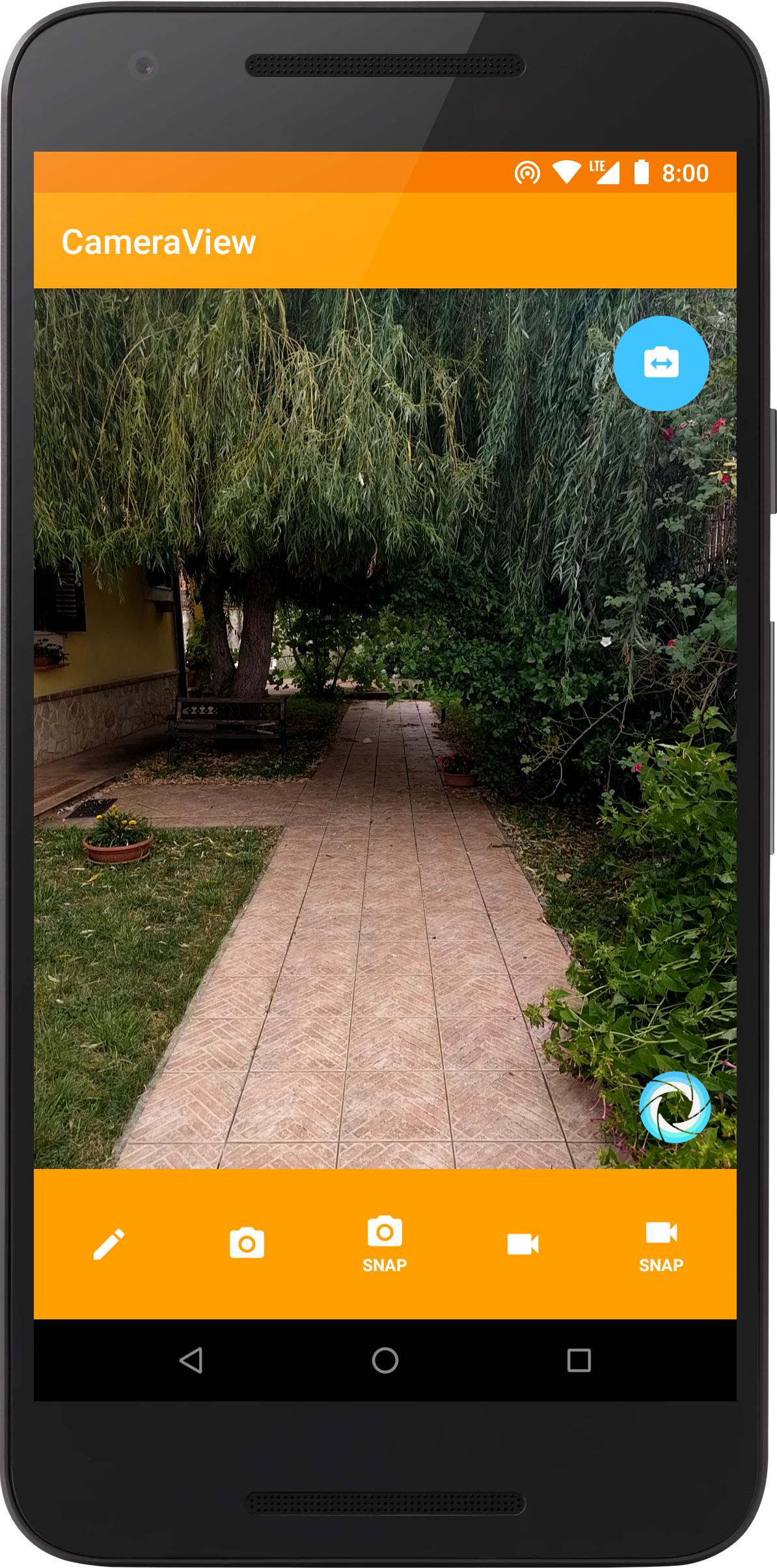
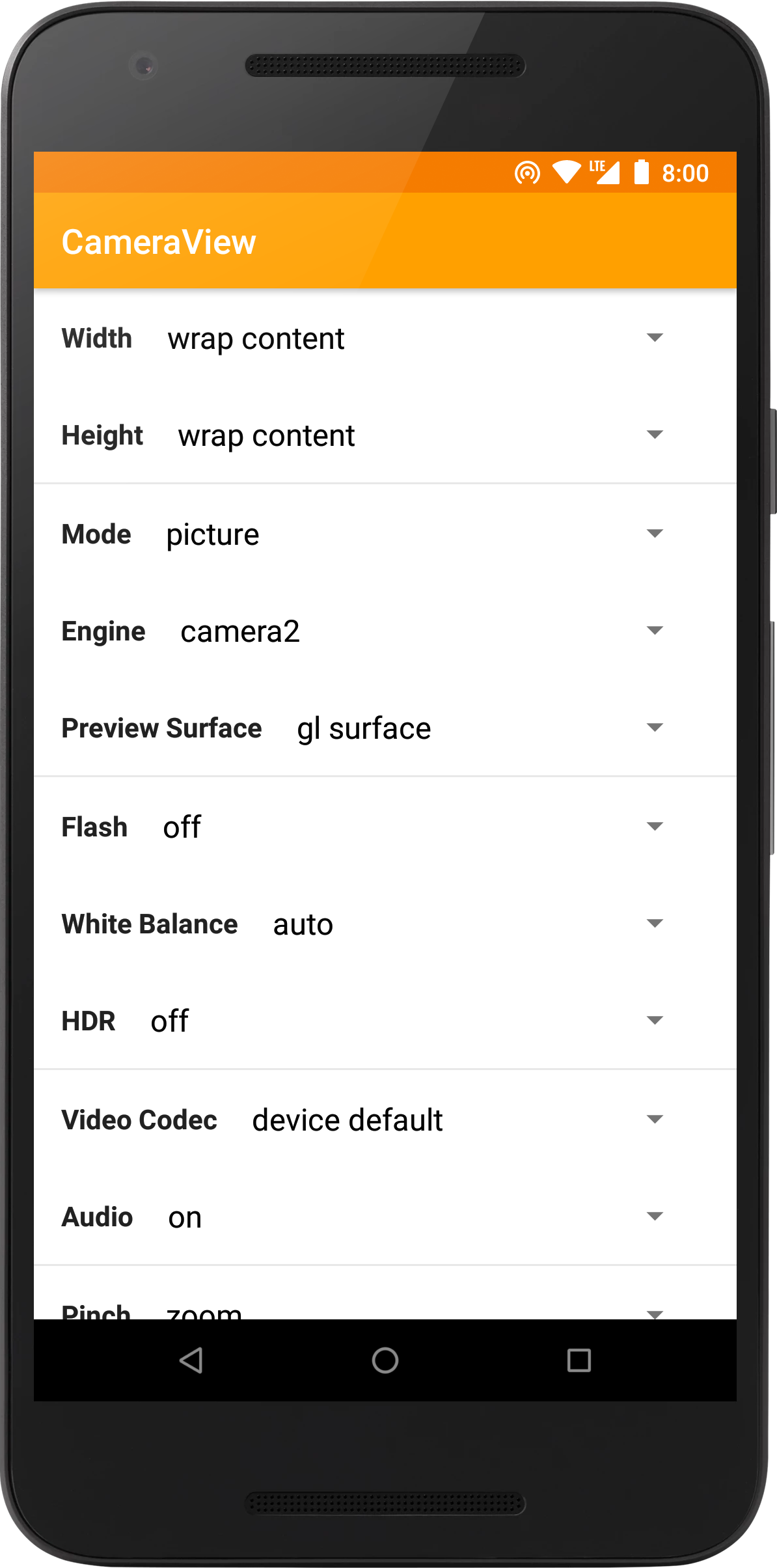

⠀
Support
If you like the project, make profit from it, or simply want to thank back, please consider sponsoring me through the GitHub Sponsors program! You can have your company logo here, get private support hours or simply help me push this forward. If you prefer, you can also donate to our OpenCollective page.
CameraView is trusted and supported by ShareChat, a social media app with over 100 million downloads.

Feel free to contact me for support, consulting or any other business-related question.
Thanks to all our project backers... [become a backer]

...and to all our project sponsors! [become a sponsor]


Setup
Please read the official website for setup instructions and documentation. You might also be interested in our changelog or in the v1 migration guide. Using CameraView is extremely simple:
<com.otaliastudios.cameraview.CameraView
    xmlns:app="http://schemas.android.com/apk/res-auto"
    android:layout_width="wrap_content"
    android:layout_height="wrap_content"
    app:cameraPictureSizeMinWidth="@integer/picture_min_width"
    app:cameraPictureSizeMinHeight="@integer/picture_min_height"
    app:cameraPictureSizeMaxWidth="@integer/picture_max_width"
    app:cameraPictureSizeMaxHeight="@integer/picture_max_height"
    app:cameraPictureSizeMinArea="@integer/picture_min_area"
    app:cameraPictureSizeMaxArea="@integer/picture_max_area"
    app:cameraPictureSizeSmallest="false|true"
    app:cameraPictureSizeBiggest="false|true"
    app:cameraPictureSizeAspectRatio="@string/video_ratio"
    app:cameraVideoSizeMinWidth="@integer/video_min_width"
    app:cameraVideoSizeMinHeight="@integer/video_min_height"
    app:cameraVideoSizeMaxWidth="@integer/video_max_width"
    app:cameraVideoSizeMaxHeight="@integer/video_max_height"
    app:cameraVideoSizeMinArea="@integer/video_min_area"
    app:cameraVideoSizeMaxArea="@integer/video_max_area"
    app:cameraVideoSizeSmallest="false|true"
    app:cameraVideoSizeBiggest="false|true"
    app:cameraVideoSizeAspectRatio="@string/video_ratio"
    app:cameraSnapshotMaxWidth="@integer/snapshot_max_width"
    app:cameraSnapshotMaxHeight="@integer/snapshot_max_height"
    app:cameraFrameProcessingMaxWidth="@integer/processing_max_width"
    app:cameraFrameProcessingMaxHeight="@integer/processing_max_height"
    app:cameraFrameProcessingFormat="@integer/processing_format"
    app:cameraFrameProcessingPoolSize="@integer/processing_pool_size"
    app:cameraFrameProcessingExecutors="@integer/processing_executors"
    app:cameraVideoBitRate="@integer/video_bit_rate"
    app:cameraAudioBitRate="@integer/audio_bit_rate"
    app:cameraGestureTap="none|autoFocus|takePicture"
    app:cameraGestureLongTap="none|autoFocus|takePicture"
    app:cameraGesturePinch="none|zoom|exposureCorrection|filterControl1|filterControl2"
    app:cameraGestureScrollHorizontal="none|zoom|exposureCorrection|filterControl1|filterControl2"
    app:cameraGestureScrollVertical="none|zoom|exposureCorrection|filterControl1|filterControl2"
    app:cameraEngine="camera1|camera2"
    app:cameraPreview="glSurface|surface|texture"
    app:cameraPreviewFrameRate="@integer/preview_frame_rate"
    app:cameraPreviewFrameRateExact="false|true"
    app:cameraFacing="back|front"
    app:cameraHdr="on|off"
    app:cameraFlash="on|auto|torch|off"
    app:cameraWhiteBalance="auto|cloudy|daylight|fluorescent|incandescent"
    app:cameraMode="picture|video"
    app:cameraAudio="on|off|mono|stereo"
    app:cameraGrid="draw3x3|draw4x4|drawPhi|off"
    app:cameraGridColor="@color/grid_color"
    app:cameraPlaySounds="true|false"
    app:cameraVideoMaxSize="@integer/video_max_size"
    app:cameraVideoMaxDuration="@integer/video_max_duration"
    app:cameraVideoCodec="deviceDefault|h264|h263"
    app:cameraAutoFocusResetDelay="@integer/autofocus_delay"
    app:cameraAutoFocusMarker="@string/cameraview_default_autofocus_marker"
    app:cameraUseDeviceOrientation="true|false"
    app:cameraFilter="@string/real_time_filter"
    app:cameraPictureMetering="true|false"
    app:cameraPictureSnapshotMetering="false|true"
    app:cameraPictureFormat="jpeg|dng"
    app:cameraRequestPermissions="true|false"
    app:cameraExperimental="false|true">

    <!-- Watermark! -->
    <ImageView
        android:layout_width="wrap_content"
        android:layout_height="wrap_content"
        android:layout_gravity="bottom|end"
        android:src="@drawable/watermark"
        app:layout_drawOnPreview="true|false"
        app:layout_drawOnPictureSnapshot="true|false"
        app:layout_drawOnVideoSnapshot="true|false"/>

</com.otaliastudios.cameraview.CameraView>
探索相关项目
加载中…