
mateusz1913/react-native-avoid-softinput
关于
针对 React Native 中焦点视图被软输入视图遮挡这一常见问题的原生解决方案。
网站与应用实测星标增长
- 24小时
- 0
- 7天
- 0
- 15天
- 正在收集历史
- 1个月
- 正在收集历史
各周期内的星标净变化,周期相互重叠,并非每日新增。缺失的测量保持空白。星标代表关注度,不代表软件质量。
README.md
原文react-native-avoid-softinput

Handle keyboard in React Native apps like a Pro
Native solution for common React Native problem of focused views being covered by soft input view. It is solved by listening for soft input events and applying translation to react root view (or bottom padding if focused element's parent is scroll view) entirely on native side and only if currently focused view is covered by soft input frame. It supports focused views being positioned in scroll views and regular views (check out example app). It also supports modal content, when content is wrapped in AvoidSoftInputView.
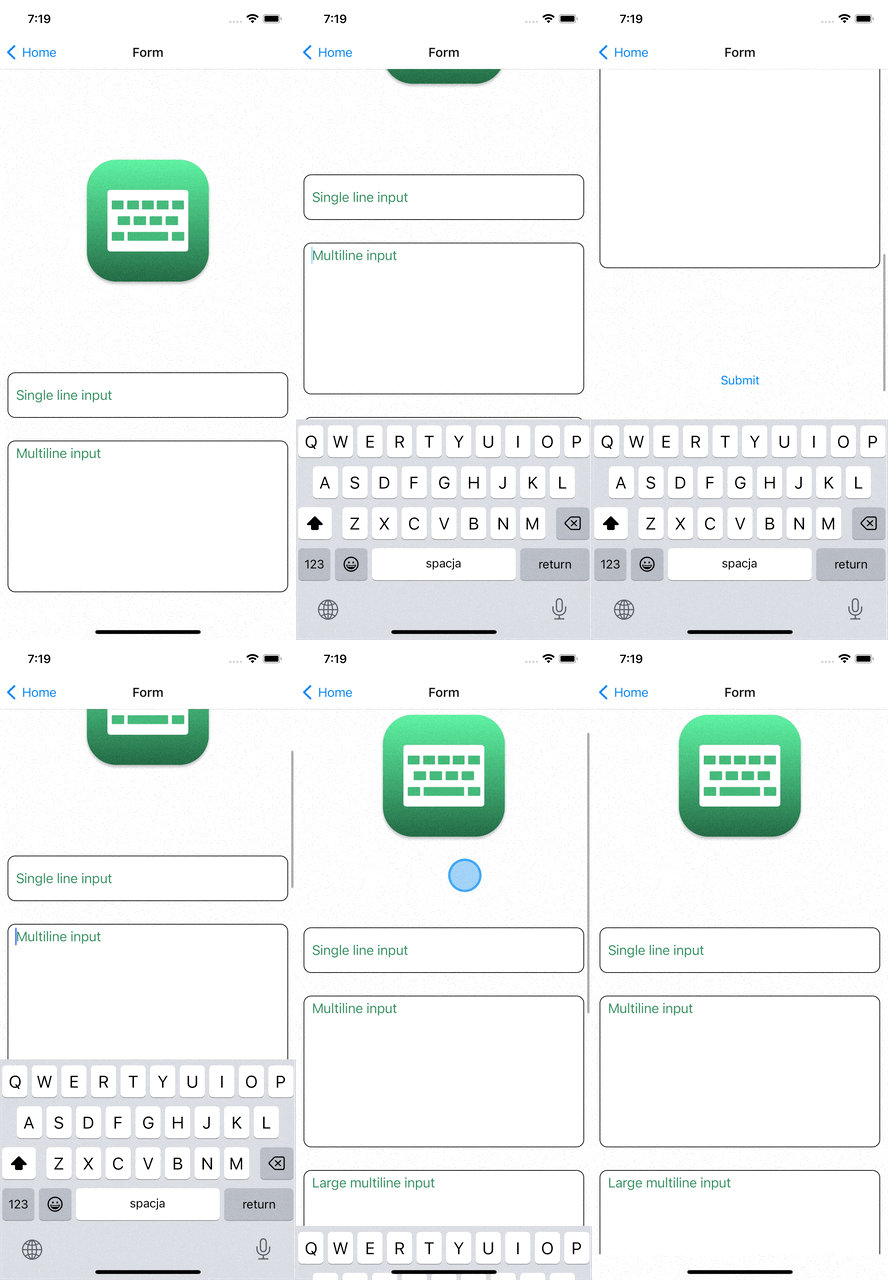
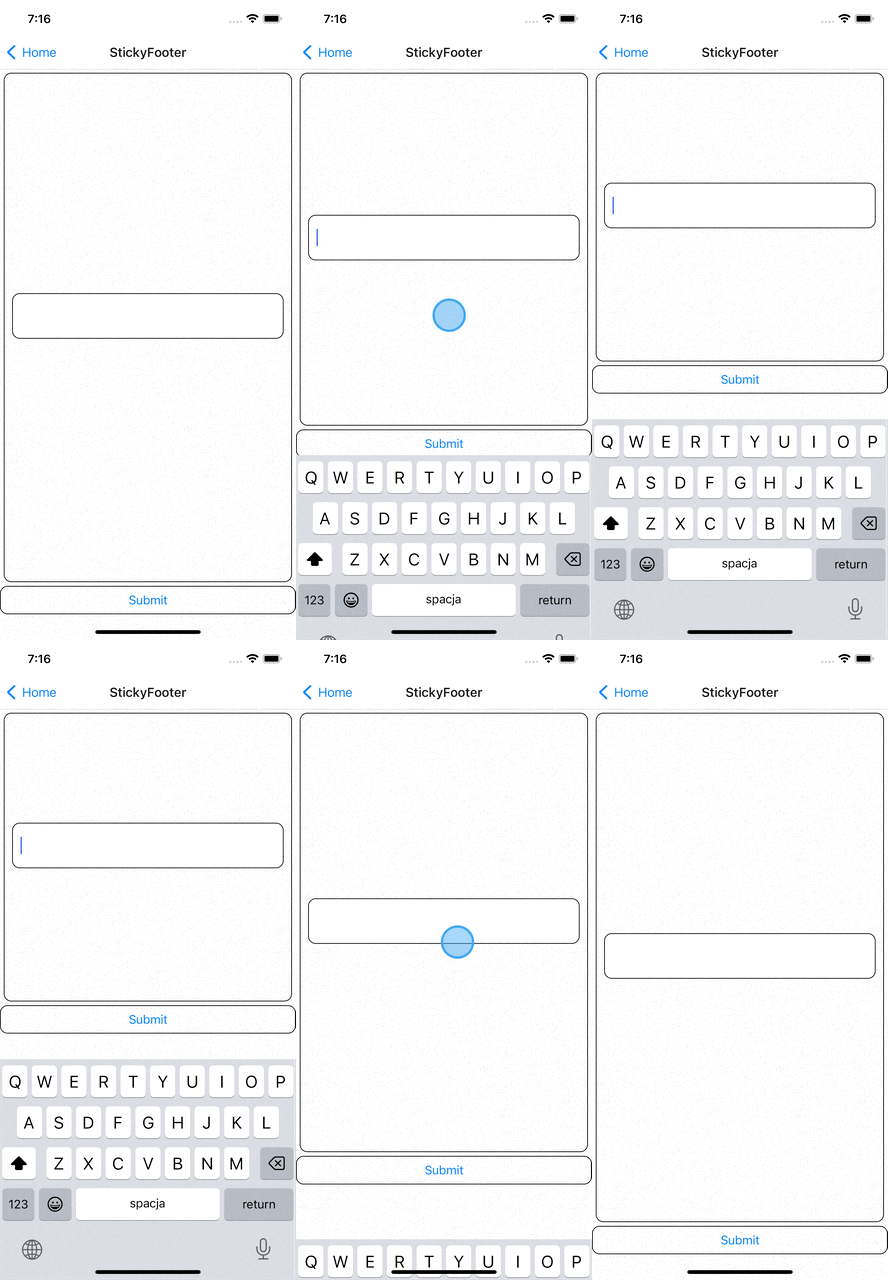
Documentation
Check package documentation
Support
This library follows the React Native releases support policy. It is supporting the latest version, and the two previous minor series. You may find it working correctly with some older React Native versions, but it'll be a "Use at your own risk" case.
This library supports "New Architecture".
Installation
Library supports Android & iOS, for out-of-tree platforms, View component is used as fallback.
- Install library with your package manager:
yarn add react-native-avoid-softinput
or
npm i --save react-native-avoid-softinput
- (iOS-only) Install pods:
npx pod-install
For reference, you can visit Getting started section
Expo
- ✅ You can use this library with Development Builds. No config plugin is required.
- ❌ This library can't be used in the "Expo Go" app because it requires custom native code.
Usage
Check usage guides for module and view
Alternatives
If library does not suite your needs, you can check alternatives section
Contributing
See the contributing guide to learn how to contribute to the repository and the development workflow.
License
MIT
探索相关项目
加载中…