
martpie/museeks
关于
🎵 一款简单、简洁且跨平台的音乐播放器
创作与媒体可以做什么
- 💻 Cross-platform music player (Linux, macOS, and Windows)
- 🎧 Supported formats: mp3, mp4, m4a/aac, flac, wav, ogg, 3gpp
- 🔄 Library auto-refresh
- 🎼 Queue management
实测星标增长
- 24小时
- -1
- 7天
- 0
- 15天
- +1
- 1个月
- 正在收集历史
各周期内的星标净变化,周期相互重叠,并非每日新增。缺失的测量保持空白。星标代表关注度,不代表软件质量。
README.md
原文Museeks


A simple, clean, and cross-platform music player. (museeks.io)
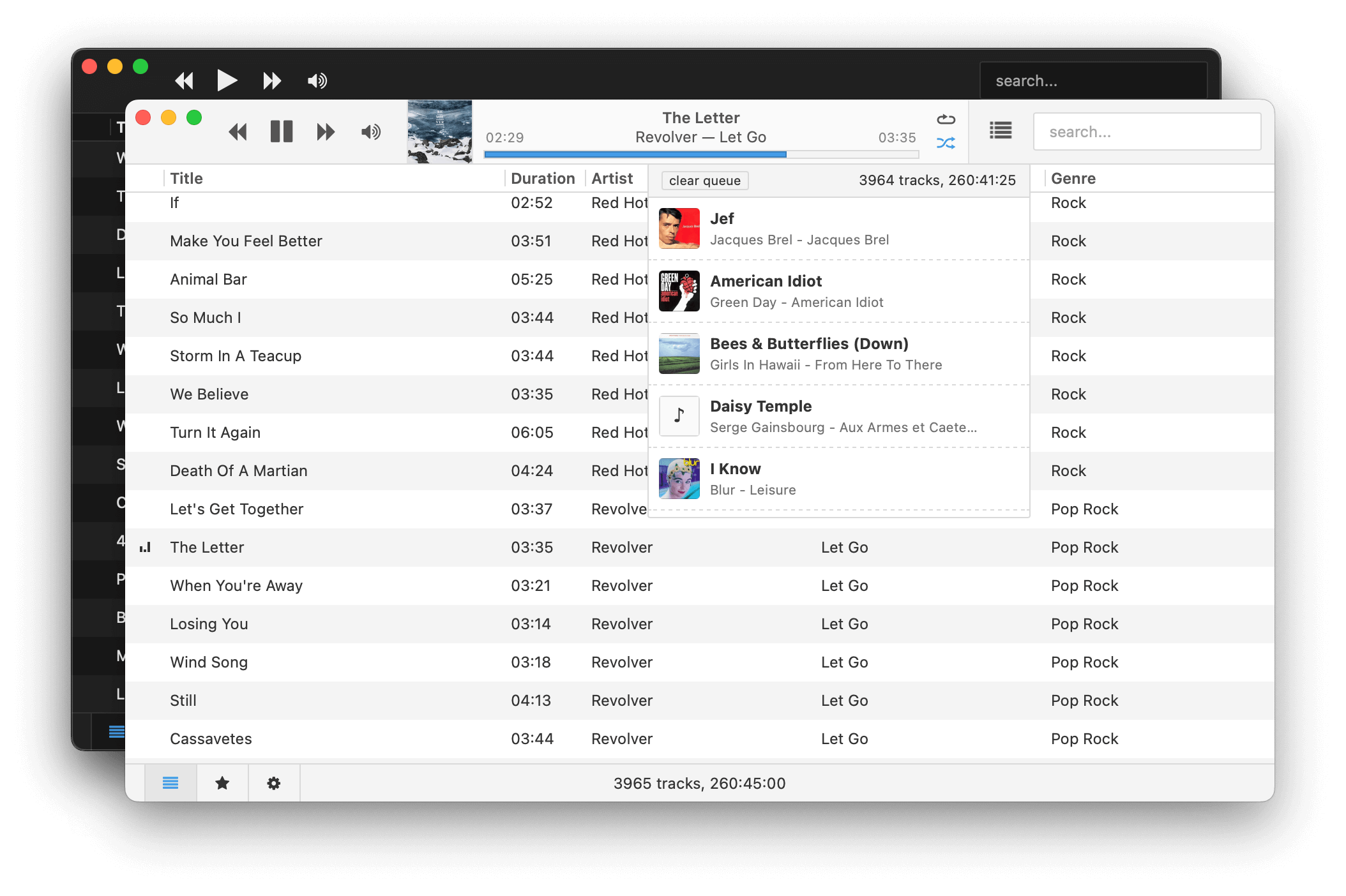
Features
Museeks aims to be a simple and easy-to-use music player with a clean UI. You will not find tons of features, as its goal is not to compete with more complete and more famous music players.
Here is a little preview though:
- 💻 Cross-platform music player (Linux, macOS, and Windows)
- 🎧 Supported formats: mp3, mp4, m4a/aac, flac, wav, ogg, 3gpp
- 🔄 Library auto-refresh
- 🌟 Playlists
- 🎼 Queue management
- ➰ Shuffle, loop
- 🌄 Cover art
- 🤓 Dark theme
- 🚤 Playback speed control
- 😴 Sleep mode blocker
- 📥
.m3uimport/export
Want more? Open a new issue or 👍 an existing one so we can talk about it.
Installation
Binaries/Installers can be found on the releases page.
[!NOTE] The publication of Museeks to package managers is community-maintained. Museeks may be available there (like Homebrew, AUR, etc.), but there is no guarantee it will be the latest version.
Release Notes
Bugs
Please open an issue on GitHub, mention your OS, your Museeks version, and how to reproduce it. Adding a screenshot of the console (Menu -> View -> Toggle Developer Tools) is a big help too.
Thank you!
Troubleshooting
Since version 0.20, I try to keep things as backwards-compatible as possible, but I may miss some edge cases.
If you encounter freezes or crashes when using the app, you can reset Museeks.
Reset Museeks
- Go to Settings -> Open Storage Directory
- Alternatively, go to the Museeks folder directly:
- Windows:
%AppData%\museeks - macOS:
~/Library/Application Support/museeks - Linux:
~/.config/museeks/or$XDG_CONFIG_HOME/museeks
- Windows:
- Delete everything there
- Restart Museeks
If you still have problems after that, please open an issue :)
Contributing and Development
Guidelines
- Before making complex changes, don't hesitate to open an issue first to discuss it ;)
- Understandable code > short code: comment if needed
- That's it :)
Setup
Museeks is built upon:
So you will need to install the following dependencies:
- Tauri requirements for
rust vp(Vite+) for the frontend toolchain (handles Node.js, dependencies, and build tools)
Then you can:
- Fork the repository
git clone [email protected]:<username>/museeks.gitcd museeksvp env useto setup Node.js and the package manager
Development Mode
vp installvp run tauri dev
This will launch Museeks in dev mode. Hot reload will work out-of-the-box, so when you update a .js file, the UI will automatically update. When you edit a .rs file, Museeks will automatically rebuild.
Package Binaries
vp installvp run tauri build
Tauri does not support cross-platform binaries, so the command will only generate binaries for your current platform (macOS, Linux, or Windows).
Translations
- Follow the steps from the "Setup" and "Development Mode" sections
- Go to
src/translations/languages.ts - Add your language information to the list
- Run
vp run gen:translations - This will create a new file
<your_language_code>.poin the same folder - Fill in the translations from the created
.pofile - Open a Pull Request
Pluralization Help
ps: Translations are in an early stage. If your language has "special" characteristics, like right-to-left, specific locales instead of languages, or something else, Museeks might not be ready for it yet. Please open an issue to discuss it!
探索相关项目
加载中…