
machbase/neo-server
machbase/neo-server has 205 GitHub stars and 11 forks. GitHot measured 0 stars in 24 hours and 0 in 7 days. Last checked 2026-11-21 19:22 UTC. Last push 2026-11-20.
实测星标增长
- 24小时
- 0
- 7天
- 0
- 15天
- 正在收集历史
- 1个月
- 正在收集历史
各周期内的星标净变化,周期相互重叠,并非每日新增。缺失的测量保持空白。星标代表关注度,不代表软件质量。
关于
machbase-neo = time series database + mqtt + http + data visualization
数据README.md
原文


machbase-neo
Machbase is a blazing fast time-series database designed specifically for IoT applications and implemented in C.
Based on the high-performance Machbase database, machbase-neo is a data platform that offers essential and convenient features for processing large-scale time-series data,
including MQTT and HTTP APIs. It is highly versatile and can be installed on a wide range of machines,
from Raspberry Pi devices to high-performance servers.
API and Interfaces
- HTTP: Applications and sensors read/write data via HTTP REST API
- MQTT: Sensors write data via MQTT protocol
- SSH: Command line interface for human and batch processes
- WEB UI (Batteries included)
- UI API to build custom UI (Batteries replaceable)
- A zero-dependency Go client for building applications, available at https://github.com/machbase/neo-client
Documents
Install Prebuilt Binary
- Download
sh -c "$(curl -fsSL https://docs.machbase.com/install.sh)"
- Unzip the archive file
Install Using Docker
docker pull machbase/machbase-neo
https://hub.docker.com/r/machbase/machbase-neo
Deploy to Kubernetes (including air-gapped / closed networks)
scripts/build-k8s-offline-bundle.sh pulls the published
machbase/machbase-neo image, saves it as a tar archive, and generates ready-to-use Kubernetes
manifests (Namespace/Service/StatefulSet) plus a README under scripts/tmp/k8s/.
./scripts/build-k8s-offline-bundle.sh --tag v8.7.0 --registry <your-registry-host:port>
The --registry option only matters if you plan to push the image into your own private/closed-network
registry; the generated manifests' image: field is set to <registry>/machbase/machbase-neo:<tag>.
If your cluster can pull directly from Docker Hub, skip load-image.sh and either drop --registry
(it only affects the generated manifests, not the pulled/saved image itself) or edit the image: field
in scripts/tmp/k8s/manifests/02-statefulset.yaml back to machbase/machbase-neo:<tag> before applying.
The generated scripts/tmp/k8s/images/load-image.sh loads the tar and pushes it to your private
registry, and scripts/tmp/k8s/manifests/*.yaml can be applied with kubectl apply -f. See
scripts/tmp/k8s/README.md (generated from scripts/build-k8s-offline-bundle.md)
for the full step-by-step guide, including transferring the image into a closed network.
Build using docker
It is recommended to build machbase-neo using a container to ensure a consistent and reproducible build environment.
Checkout
machbase/neo-serverPrepare build container
docker build -t centos-build-env -f ./scripts/CentOS7.Dockerfile .
- Run build container
docker run --rm -v ./tmp:/app/tmp -v ./packages:/app/packages centos-build-env
- Find the executable binary in
./tmp/machbase-neoand pakcage zip file in./packages.
Build from Sources
- Install Go latest version
- Require a C compiler and linker (e.g., gcc)
- Checkout
machbase/neo-server - Execute
go run mage.go install-neo-webto download the web-UI package - Execute
go run mage.go install-neo-engineto download the machbase engine - Execute
go run mage.go machbase-neoto buildmachbase-neo - Find the executable binary in
./tmp/machbase-neo
Web User Interface
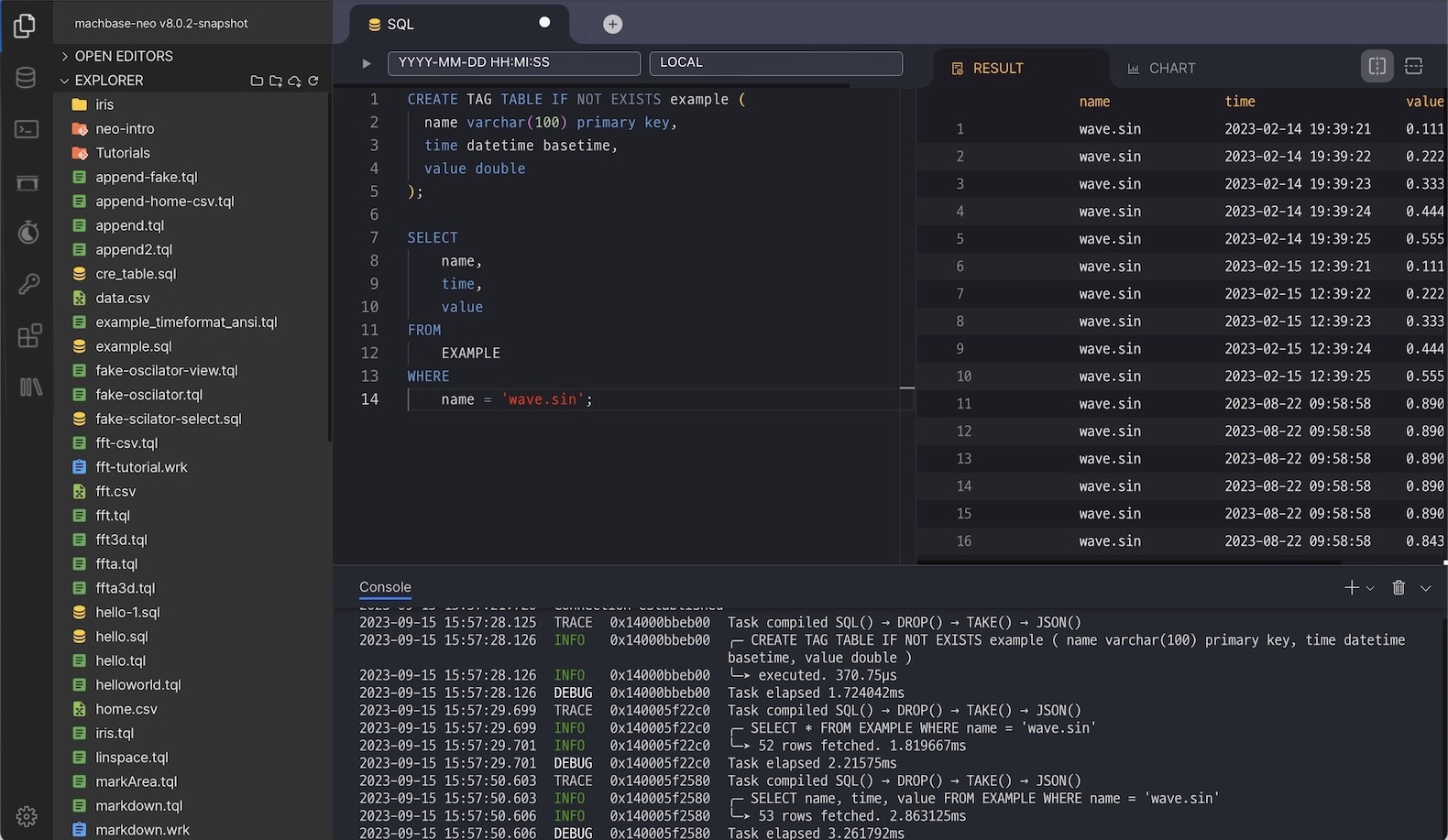
SQL
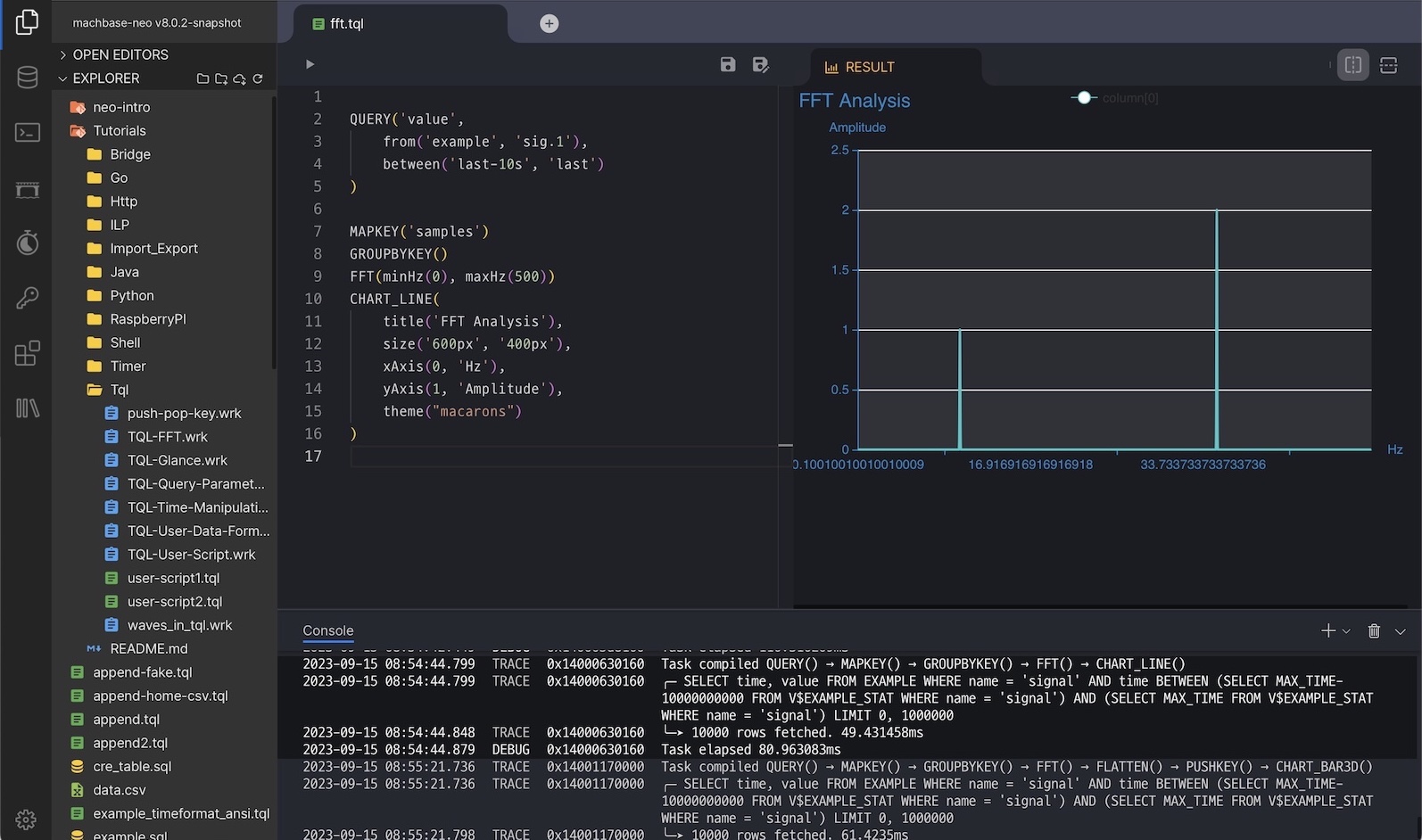
TQL: Script for transforming data
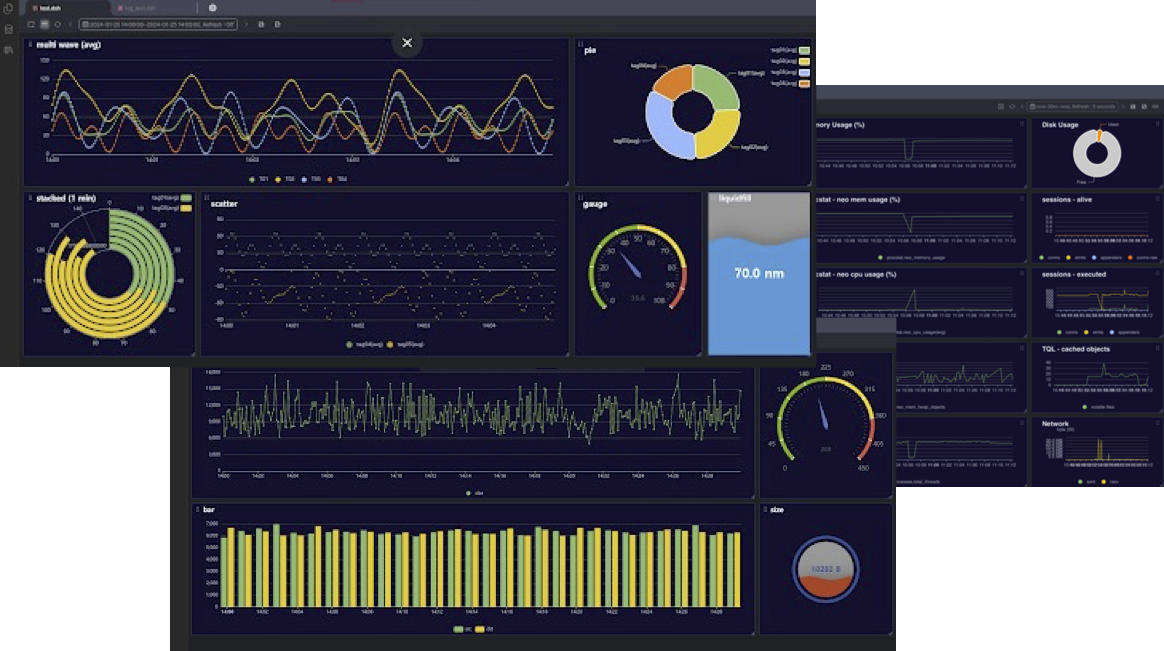
Dashboard: Data Monitoring
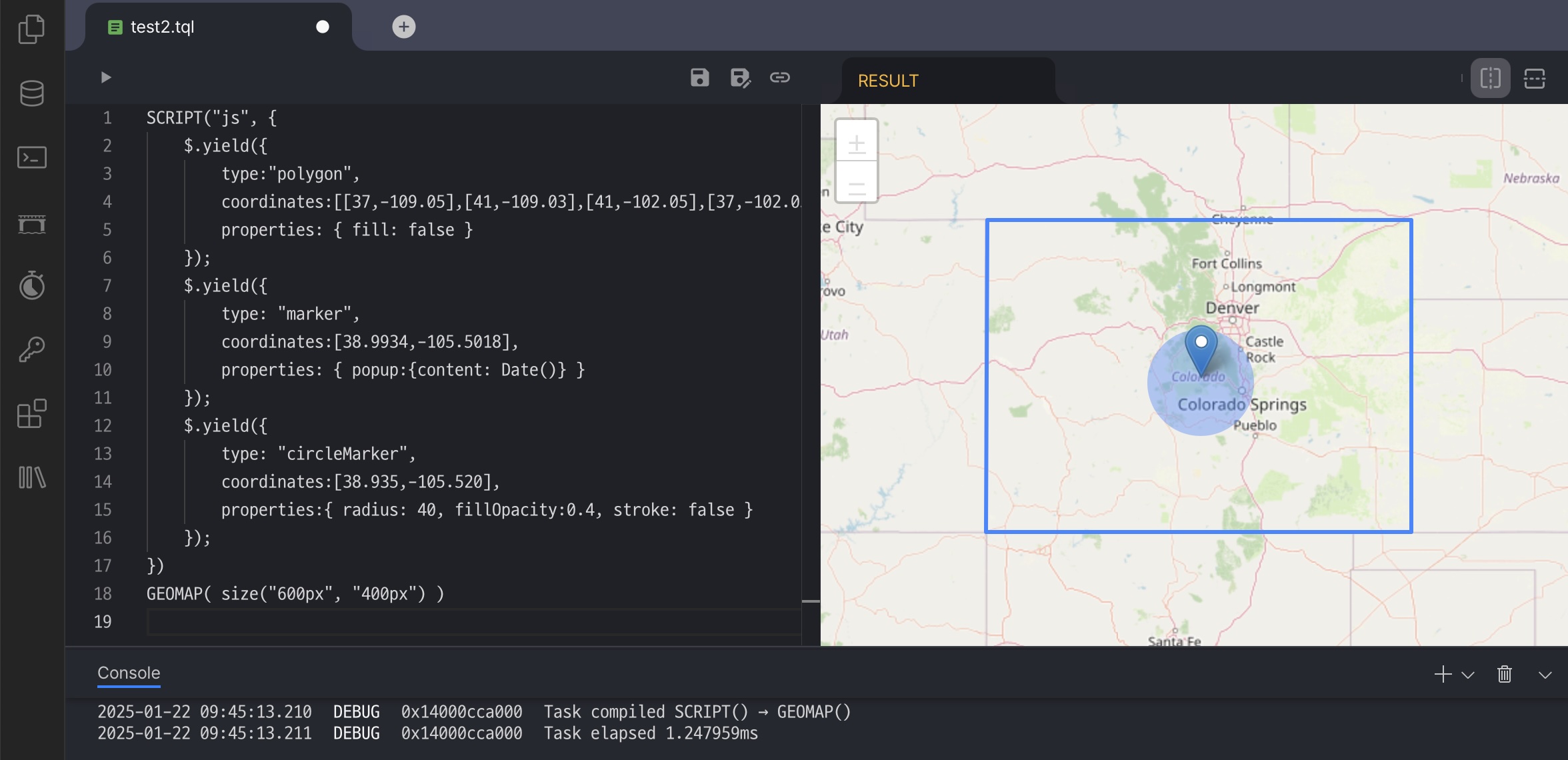
Geodetic Data Visualization
Data Visualization
Find more samples in the documents.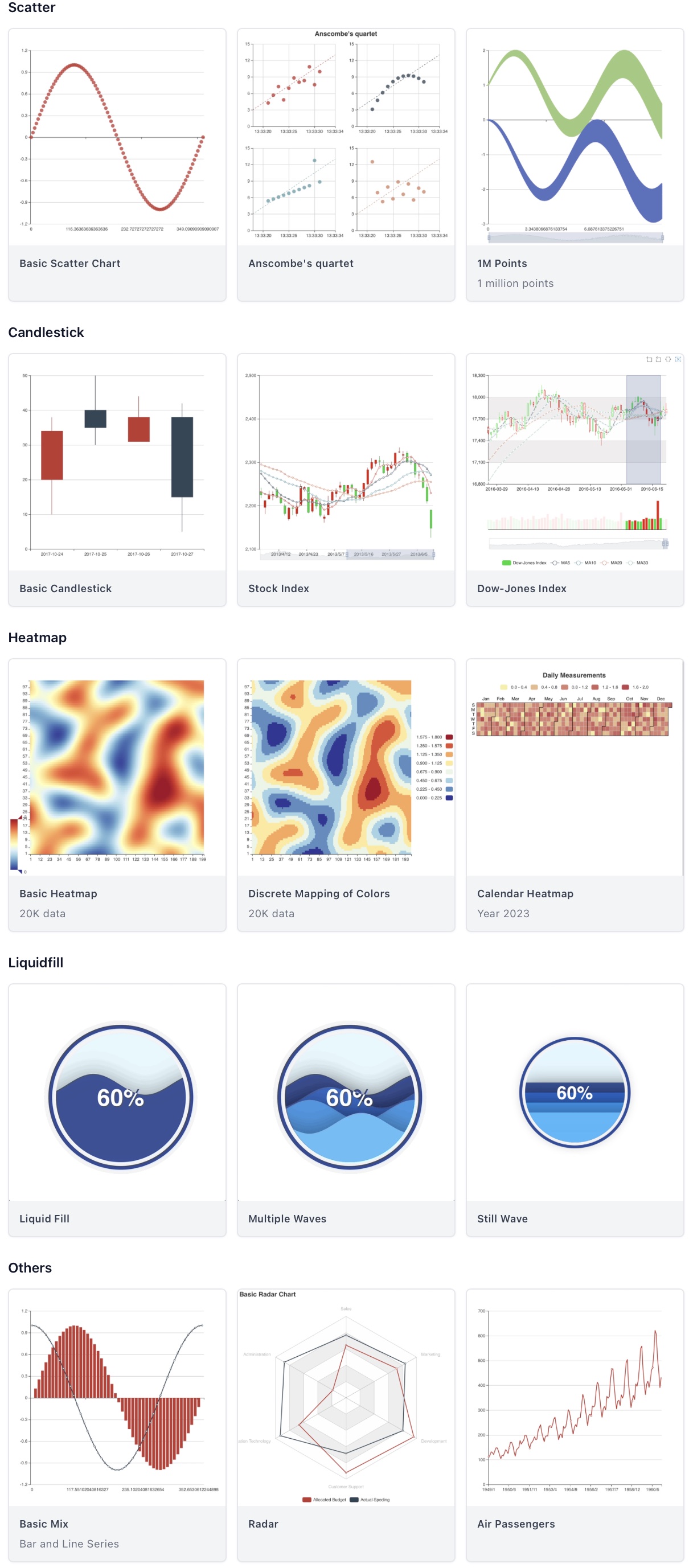
探索相关项目
加载中…