
lab-emi/OpenDPD
关于
OpenDPD is an end-to-end learning framework built in PyTorch for power amplifier (PA) modeling and digital pre-distortion (DPD). You are cordially invited to contribute to this project by providing your own backbone neural networks, pretrained models or measured PA datasets.
机器学习实测星标增长
- 24小时
- 0
- 7天
- +2
- 15天
- 正在收集历史
- 1个月
- 正在收集历史
各周期内的星标净变化,周期相互重叠,并非每日新增。缺失的测量保持空白。星标代表关注度,不代表软件质量。
README.md
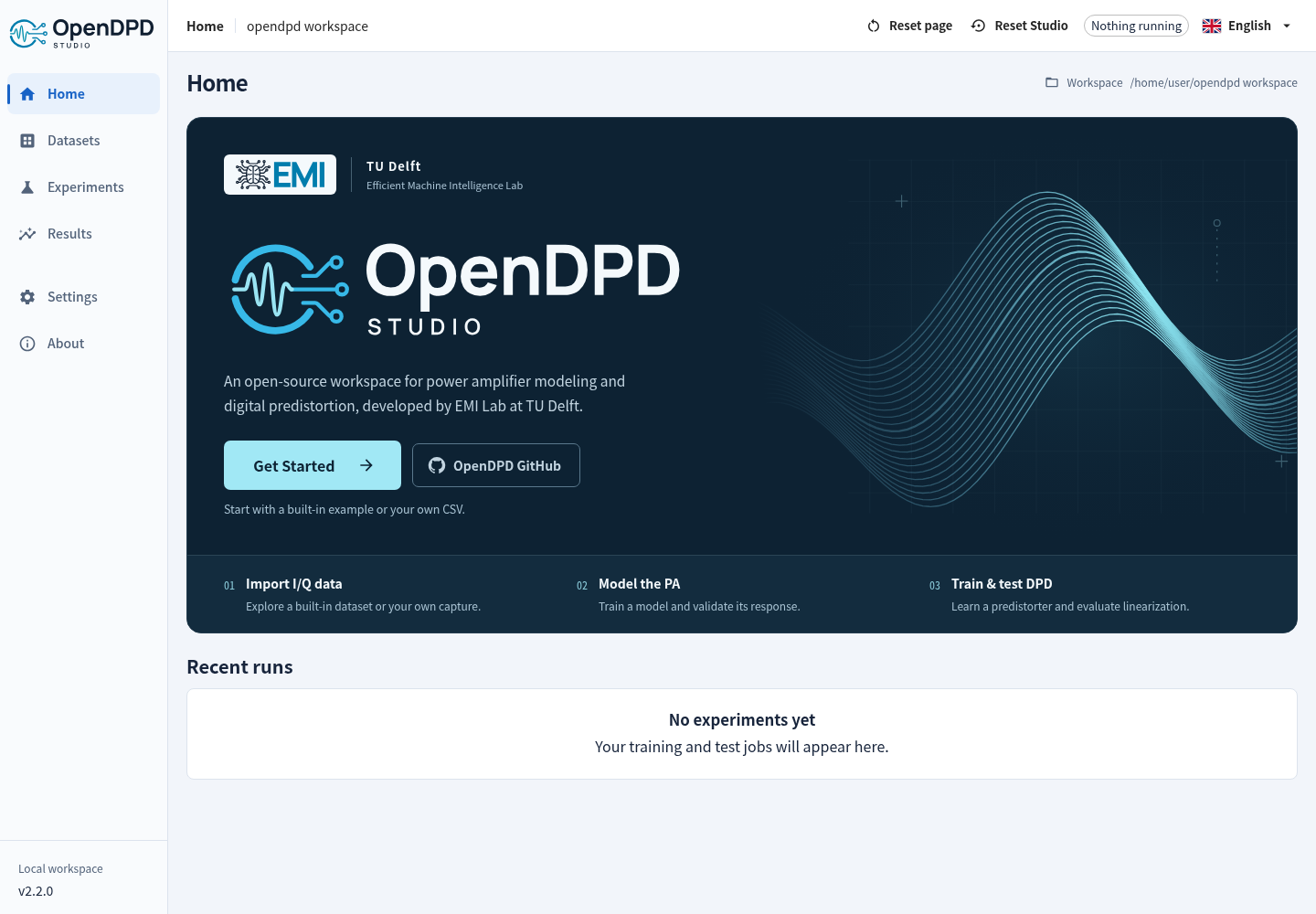
原文Try OpenDPD Studio in your browser →
No installation. Explore example data or upload your own CSV, train PA/DPD models on shared CUDA compute, and download your checkpoints. During the trial, 2 hours without user activity clears that IP’s temporary workspaces; all data is deleted within 12 hours.
OpenDPD


Model a power amplifier. Train a digital predistorter. Understand the result.
OpenDPD is a PyTorch framework for power amplifier (PA) modeling and digital predistortion (DPD), developed by the Efficient Machine Intelligence Lab at TU Delft. Use OpenDPD Studio in the browser or locally for a guided workflow, or automate experiments with the CLI and Python API. All three use the original OpenDPD training core.



Documentation · Studio walkthrough · Examples & Colab · Papers & citation
What's new
OpenDPD 2.4.2 reduces hosted VM memory residency while retaining the same 8 GiB guest capacity, compute limits and numerical behavior. See the 2.4.2 release notes.
OpenDPD 2.4.1 adds the NR FR1 standard test models of 3GPP TS 38.141-1 to the Signal Generator: NR-FR1-TM1.1, 1.2, 2, 2a, 2b, 3.1, 3.1a, 3.1b, 3.2, 3.3 and NR-N-TM, as FDD or TDD baseband signals of 15/30/60 kHz and 3–100 MHz with one to sixteen carriers. The 5G NR tab opens on the model picker and lists what the standard fixes; the generic preset matrix is behind a button. With the data convention set to MATLAB's, the resource grids agree with MATLAB R2026a's 5G Toolbox in all 438 compared configurations (414 bit-identical, the rest within 3.2e-16); the default convention follows the standard's text and differs from MATLAB's random bits for TDD, TM2/2a/2b and captures longer than one frame. The signals are uncoded baseband stimuli (PDCCH, PDSCH and DM-RS); at default settings 35 of the 80 combinations of duplex mode, subcarrier spacing and bandwidth (10 of 40 FDD, 25 of 40 TDD) of a single carrier are shorter than the standard's 10 or 20 ms, because a capture holds at most 1,000,000 samples; the EVM shown is a known-grid diagnostic, not a conformance claim.
OpenDPD 2.4.0 added the MATLAB toolbox, MATLINK and a Python SDK: train PA/DPD models from MATLAB, export portable model packages, and verify them in plain MATLAB. Two versioned LTE EVM/ACLR profiles pass all 115 registered digital-signal comparisons with MATLAB; the original v1 failure record remains available. DPD Arena, introduced in 2.3.0, compares 23 DPD model entries on APA_200MHz_b across parameter budgets using test EVM, output ACLR, arithmetic cost and Pareto fronts. Results are predictions through one frozen PA model, not new hardware measurements.
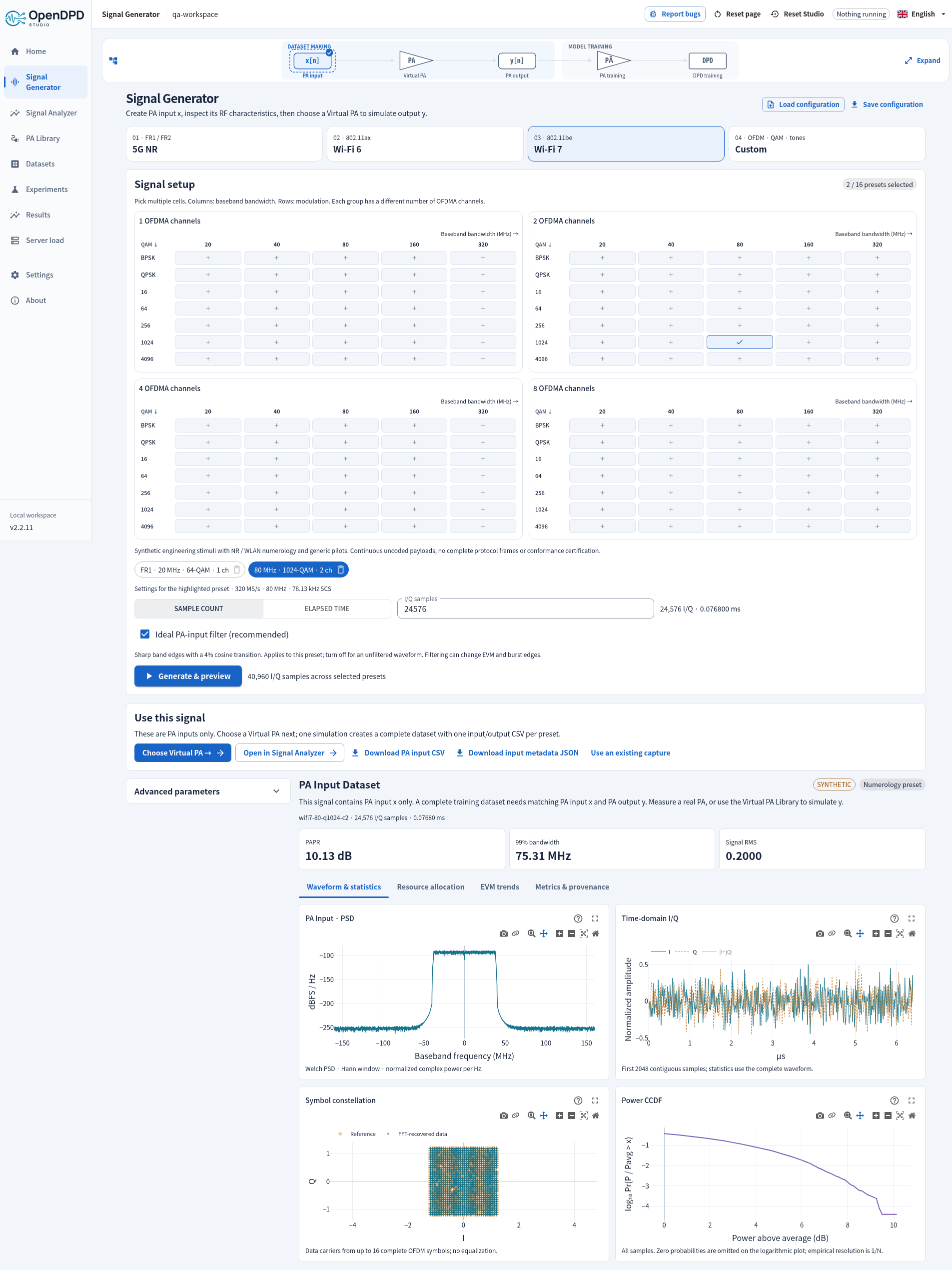
Signal Generator → PA Library → PA training → DPD training/testing. Generate a PA input, simulate its output with one of nine Virtual PAs, or use existing input/output data. Matrix presets are uncoded engineering stimuli and the NR test models are uncoded baseband implementations of the standard's definitions; each capture keeps its own sample rate and length.
2.4.1 release notes · NR standard test models · MATLAB toolbox · Signal Generator · Signal Analyzer. During the hosted trial, 2 hours of inactivity clears that IP’s temporary workspaces; the top bar shows the expiry time.
Feature history · Verified platform status
Get started with Studio
Use Studio on the web, or install locally:
1. Install uv (then open a new terminal).
macOS / Linux:
curl -LsSf https://astral.sh/uv/install.sh | sh
Windows PowerShell:
powershell -ExecutionPolicy ByPass -c "irm https://astral.sh/uv/install.ps1 | iex"
2. Create an environment, install, and launch (same commands on all three platforms):
mkdir opendpd-lab
cd opendpd-lab
uv venv --python 3.12
uv pip install --python .venv "opendpd==2.4.2" --torch-backend=auto
uv run --no-project --python .venv opendpd gui
PyTorch, Studio and pywebview install together; no Node.js is needed. uv selects a PyTorch backend for the detected platform/drivers. Studio prefers available CUDA or Apple MPS, then CPU. Keep the terminal running. A 127.0.0.1 link opens on the computer running OpenDPD; for SSH, use the port-forwarding instructions.
Click Get Started → Signal Generator, or Use an existing dataset. See Installation for drivers, Linux system libraries, native-window troubleshooting and pip; Studio walkthrough for your first experiment.
Studio 2.3 adds DPD Arena with Rank, Submit and Rules pages. The benchmark uses only APA_200MHz_b. Compare individual DPD configurations through one frozen TRes-GRU PA, using complete-symbol EVM, output ACLR and fixed-reference complexity FoM across a 250–2,000-parameter sweep. Inspect PA validation/test accuracy, actual parameter and operation counts, and four Pareto plots, or evaluate a validated custom backbone in your workspace. PA and DPD training, validation and test inputs come only from original measured captures; cascade outputs are PA-model predictions.
Develop from source (Git and Node.js 22.22+ required)
git clone https://github.com/lab-emi/OpenDPD.git
cd OpenDPD
uv venv --python 3.12
uv pip install --python .venv -e ".[dev]" --torch-backend=auto
npm --prefix frontend ci
npm --prefix frontend run build
uv run --no-project --python .venv opendpd gui
The PA → DPD workflow
| Step | What you do | What you learn |
|---|---|---|
| 1. Make or select data | Generate x → configure a Virtual PA → simulate y → create a paired dataset; or open existing x/y data. | Input/output provenance, signal quality and data splits. |
| 2. Model the PA | Train a behavioral model, then test it on held-out data. | How closely it predicts the dataset response, measured or explicitly synthetic. |
| 3. Train DPD | Place a predistorter before the trained PA model. | Whether the simulated cascade becomes more linear. |
| 4. Test & export | Compare results and export the predistorted I/Q signal. | A PA input signal ready for a separate measurement experiment. |
A DPD result evaluated through a PA model is a simulation. Exported u = DPD(x) is the PA input; a physical PA measurement is needed to establish measured linearization performance. See the Studio walkthrough and measured DPD guide.
PA Library guide · Reading signal-chain PSD plots
Choose your next step
| I want to… | Read |
|---|---|
| Run the same workspace experiments from a terminal | Headless CLI |
| Train from Python or try a notebook | Examples · API reference |
| Understand the original training pipeline and quantization | Training guide |
| Use my own I/Q measurements through Python or the CLI | Dataset formats · Import & preprocessing |
| Configure plots, animations and dashboards | Visualization guide |
| Compare models or reproduce a paper | Benchmark · Reproduction guide |
| Evaluate waveforms, streaming or hardware export | Advanced guides |
| Resolve installation or signal-metric questions | FAQ |
Contribute & cite
Contributions of models, tests and documentation are welcome. Start with CONTRIBUTING.md; see testing and how we maintain the docs.
If you use OpenDPD in research, cite the OpenDPD paper. BibTeX and related papers · CITATION.cff
Chang Gao — Project Leader · Yizhuo Wu — Leading Developer. Meet the team · EMI Lab
探索相关项目
加载中…