
hugues31/duckpad
hugues31/duckpad has 317 GitHub stars and 10 forks. GitHot measured +1 stars in 24 hours, +13 in 7 days, and +52 in 15 days. Last checked 2026-11-11 11:59 UTC. Last push 2026-11-05.
开源社区值得拥有的数据转换工具。
实测星标增长
- 24小时
- +1
- 7天
- +13
- 15天
- +52
- 1个月
- 更新延迟
各周期内的星标净变化,周期相互重叠,并非每日新增。缺失的测量保持空白。星标代表关注度,不代表软件质量。
README.md
原文Duckpad




See the flow. Trust the result.
An open-source SQL workspace powered by DuckDB 2.0. Turn scattered data into visual pipelines, explore the results and trace a number all the way back to its source.

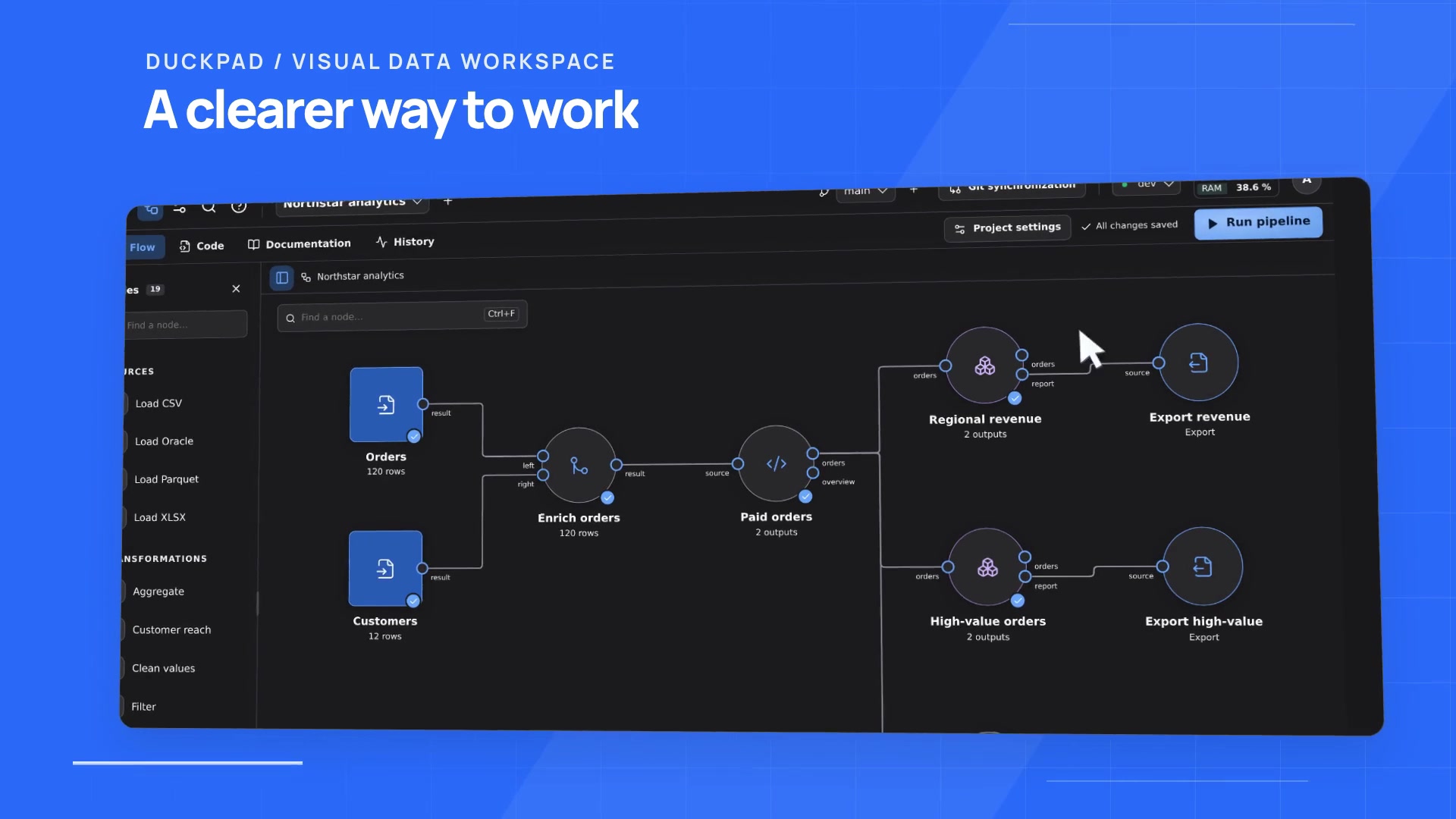
- Compose visually. Connect sources, joins and reusable components. Use guided forms to prepare columns and values, or write your own SQL nodes.
- Explore and check your data. Sample and filter results, save views, compute column statistics, and keep data tests and execution messages next to your SQL.
- Explain a number. Follow a result cell back to its contributing source values, with explicit lineage coverage.
- Review changes. Saves create Git commits. Work on separate branches, compare changes visually and review a merge before applying it.
- Run repeatable work. Share typed variables across nodes and environments, then launch Jobs against reviewed versions from the interface, CLI or a scheduler.
- Ask for help in context. Use the AI assistant to explain a flow, inspect its edits and confirm executions with your existing project permissions.
- Keep control. Run on your infrastructure, configure connections per environment, manage team access and import extensions for offline use.
Try it
With Python 3.11+ and Git installed:
pip install duckpad
duckpad start
Open the printed local address and sign in with the initial admin password from the terminal. Follow Duckpad in 15 minutes to build your first pipeline from scratch, write SQL and explain a result.
Prefer a ready-made project? Choose New project → Start from an example, enter a name, then Create → Run all to explore Northstar. See installation for platform requirements and setup options.
Go further
Installation & accounts · Single sign-on · Python nodes · Offline extensions · Project documentation · Dataiku & Alteryx vocabulary · Architecture · Validation · Releases · Security
Want to contribute? Start with CONTRIBUTING.md.
探索相关项目
Asabeneh/30-Days-Of-Python
30 Days of Python 编程挑战是一份循序渐进的指南,用于在 30 天内学习 Python 编程语言。这项挑战可能需要超过 100 天。请按自己的节奏进行。这些视频或许也有帮助:https://www.youtube.com/channel/UC7PNRuno1rzYPb1xLa4yktw
78,560 星标grafana/grafana
开放且可组合的可观测性与数据可视化平台。可对来自 Prometheus、Loki、Elasticsearch、InfluxDB、Postgres 等众多数据源的指标、日志和追踪进行可视化。
77,830 星标redis/redis
对于正在构建实时数据驱动应用的开发者而言,Redis 是首选、速度最快且功能最丰富的缓存、数据结构服务器和文档与向量查询引擎。
77,395 星标apache/superset
Apache Superset 是一个数据可视化与数据探索平台
75,473 星标