
google-gemini/live-api-web-console
关于
一个基于 React 的入门应用,用于通过 WebSocket 使用 Gemini 的 Live API
网站与应用实测星标增长
- 24小时
- 0
- 7天
- +1
- 15天
- +3
- 1个月
- 正在收集历史
各周期内的星标净变化,周期相互重叠,并非每日新增。缺失的测量保持空白。星标代表关注度,不代表软件质量。
README.md
原文Live API - Web Console
This repository contains a react-based starter app for using the Live API over a websocket. It provides modules for streaming audio playback, recording user media such as from a microphone, webcam or screen capture as well as a unified log view to aid in development of your application.
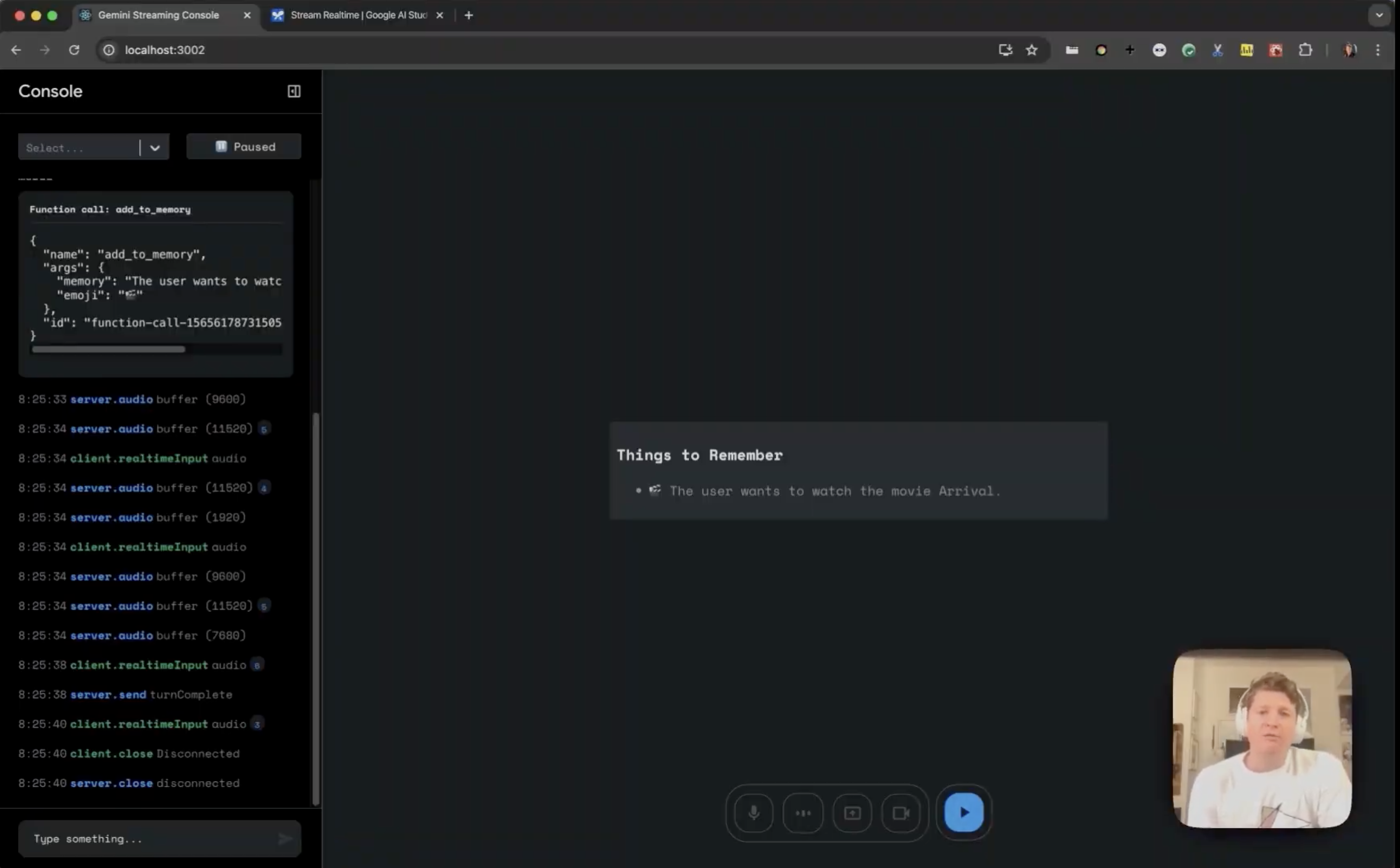
Watch the demo of the Live API here.
Usage
To get started, create a free Gemini API key and add it to the .env file. Then:
$ npm install && npm start
We have provided several example applications on other branches of this repository:
New demos with GenAI SDK:
- demos/proactive-audio - demonstrates the Live API's proactive audio feature
Original demos:
Example
Below is an example of an entire application that will use Google Search grounding and then render graphs using vega-embed:
import { type FunctionDeclaration, SchemaType } from "@google/generative-ai";
import { useEffect, useRef, useState, memo } from "react";
import vegaEmbed from "vega-embed";
import { useLiveAPIContext } from "../../contexts/LiveAPIContext";

export const declaration: FunctionDeclaration = {
  name: "render_altair",
  description: "Displays an altair graph in json format.",
  parameters: {
    type: SchemaType.OBJECT,
    properties: {
      json_graph: {
        type: SchemaType.STRING,
        description:
          "JSON STRING representation of the graph to render. Must be a string, not a json object",
      },
    },
    required: ["json_graph"],
  },
};

export function Altair() {
  const [jsonString, setJSONString] = useState<string>("");
  const { client, setConfig } = useLiveAPIContext();

  useEffect(() => {
    setConfig({
      model: "models/gemini-2.0-flash-exp",
      systemInstruction: {
        parts: [
          {
            text: 'You are my helpful assistant. Any time I ask you for a graph call the "render_altair" function I have provided you. Dont ask for additional information just make your best judgement.',
          },
        ],
      },
      tools: [{ googleSearch: {} }, { functionDeclarations: [declaration] }],
    });
  }, [setConfig]);

  useEffect(() => {
    const onToolCall = (toolCall: ToolCall) => {
      console.log(`got toolcall`, toolCall);
      const fc = toolCall.functionCalls.find(
        (fc) => fc.name === declaration.name
      );
      if (fc) {
        const str = (fc.args as any).json_graph;
        setJSONString(str);
      }
    };
    client.on("toolcall", onToolCall);
    return () => {
      client.off("toolcall", onToolCall);
    };
  }, [client]);

  const embedRef = useRef<HTMLDivElement>(null);

  useEffect(() => {
    if (embedRef.current && jsonString) {
      vegaEmbed(embedRef.current, JSON.parse(jsonString));
    }
  }, [embedRef, jsonString]);
  return <div className="vega-embed" ref={embedRef} />;
}
development
This project was bootstrapped with Create React App. Project consists of:
- an Event-emitting websocket-client to ease communication between the websocket and the front-end
- communication layer for processing audio in and out
- a boilerplate view for starting to build your apps and view logs
Available Scripts
In the project directory, you can run:
npm start
Runs the app in the development mode.
Open http://localhost:3000 to view it in the browser.
The page will reload if you make edits.
You will also see any lint errors in the console.
npm run build
Builds the app for production to the build folder.
It correctly bundles React in production mode and optimizes the build for the best performance.
The build is minified and the filenames include the hashes.
Your app is ready to be deployed!
See the section about deployment for more information.
This is an experiment showcasing the Live API, not an official Google product. We’ll do our best to support and maintain this experiment but your mileage may vary. We encourage open sourcing projects as a way of learning from each other. Please respect our and other creators' rights, including copyright and trademark rights when present, when sharing these works and creating derivative work. If you want more info on Google's policy, you can find that here.
探索相关项目
加载中…