
fullstackreact/food-lookup-demo
关于
使用 `create-react-app` 搭配服务器的示例
网站与应用实测星标增长
- 24小时
- -1
- 7天
- -1
- 15天
- 0
- 1个月
- 正在收集历史
各周期内的星标净变化,周期相互重叠,并非每日新增。缺失的测量保持空白。星标代表关注度,不代表软件质量。
README.md
原文create-react-app with a server example


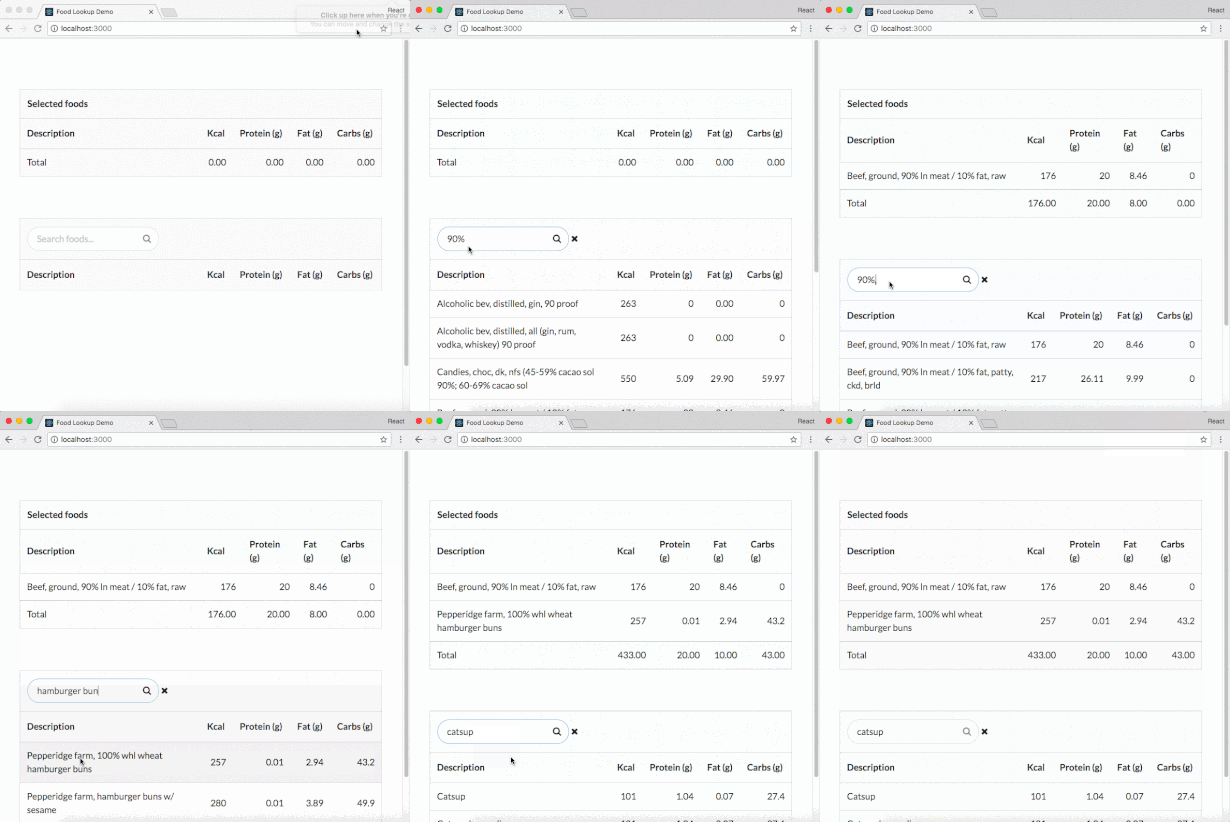
This project demonstrates using the setup generated by create-react-app alongside a Node Express API server.
Detailed blog post
We have a detailed blog post that explains this repository.
Rails
Check out the Rails version if that's your preferred API server platform.
Running locally
git clone https://github.com/fullstackreact/food-lookup-demo.git
cd food-lookup-demo
npm i

cd client
npm i

cd ..
npm start
Overview
create-react-app configures a Webpack development server to run on localhost:3000. This development server will bundle all static assets located under client/src/. All requests to localhost:3000 will serve client/index.html which will include Webpack's bundle.js.
To prevent any issues with CORS, the user's browser will communicate exclusively with the Webpack development server.
Inside Client.js, we use Fetch to make a request to the API:
// Inside Client.js
return fetch(`/api/food?q=${query}`, {
  // ...
})
This request is made to localhost:3000, the Webpack dev server. Webpack will infer that this request is actually intended for our API server. We specify in package.json that we would like Webpack to proxy API requests to localhost:3001:
// Inside client/package.json
"proxy": "http://localhost:3001/",
This handy features is provided for us by create-react-app.
Therefore, the user's browser makes a request to Webpack at localhost:3000 which then proxies the request to our API server at localhost:3001:

This setup provides two advantages:
- If the user's browser tried to request
localhost:3001directly, we'd run into issues with CORS. - The API URL in development matches that in production. You don't have to do something like this:
// Example API base URL determination in Client.js
const apiBaseUrl = process.env.NODE_ENV === 'development' ? 'localhost:3001' : '/'
This setup uses concurrently for process management. Executing npm start instructs concurrently to boot both the Webpack dev server and the API server.
Deploying
Background
The app is ready to be deployed to Heroku.
In production, Heroku will use Procfile which boots just the server:
web: npm run server
Inside server.js, we tell Node/Express we'd like it to serve static assets in production:
if (process.env.NODE_ENV === 'production') {
  app.use(express.static('client/build'));
}
You just need to have Webpack produce a static bundle of the React app (below).
Steps
We assume basic knowledge of Heroku.
0. Setup your Heroku account and Heroku CLI
For installing the CLI tool, see this article.
1. Build the React app
Running npm run build creates the static bundle which we can then use any HTTP server to serve:
cd client/
npm run build
2. Commit the client/build folder to source control
From the root of the project:
git add client/build
git commit -m 'Adding `build` to source control'
3. Create the Heroku app
heroku apps:create food-lookup-demo
4. Push to Heroku
git push heroku master
Heroku will give you a link at which to view your live app.
探索相关项目
加载中…