
eaonlabs/eaon-desktop
eaonlabs/eaon-desktop has 53 GitHub stars and 9 forks. Star changes are not measured yet. Last checked 2026-11-12 12:07 UTC. Last push 2026-11-12.
An AI desktop app that runs on your own keys. Chat with any model, let always-on Workers take jobs off your plate, and run every coding agent side by side.
实测星标增长
- 24小时
- 更新延迟
- 7天
- 更新延迟
- 15天
- 更新延迟
- 1个月
- 更新延迟
各周期内的星标净变化,周期相互重叠,并非每日新增。缺失的测量保持空白。星标代表关注度,不代表软件质量。
README.md
原文

An AI desktop app that runs on your own keys.
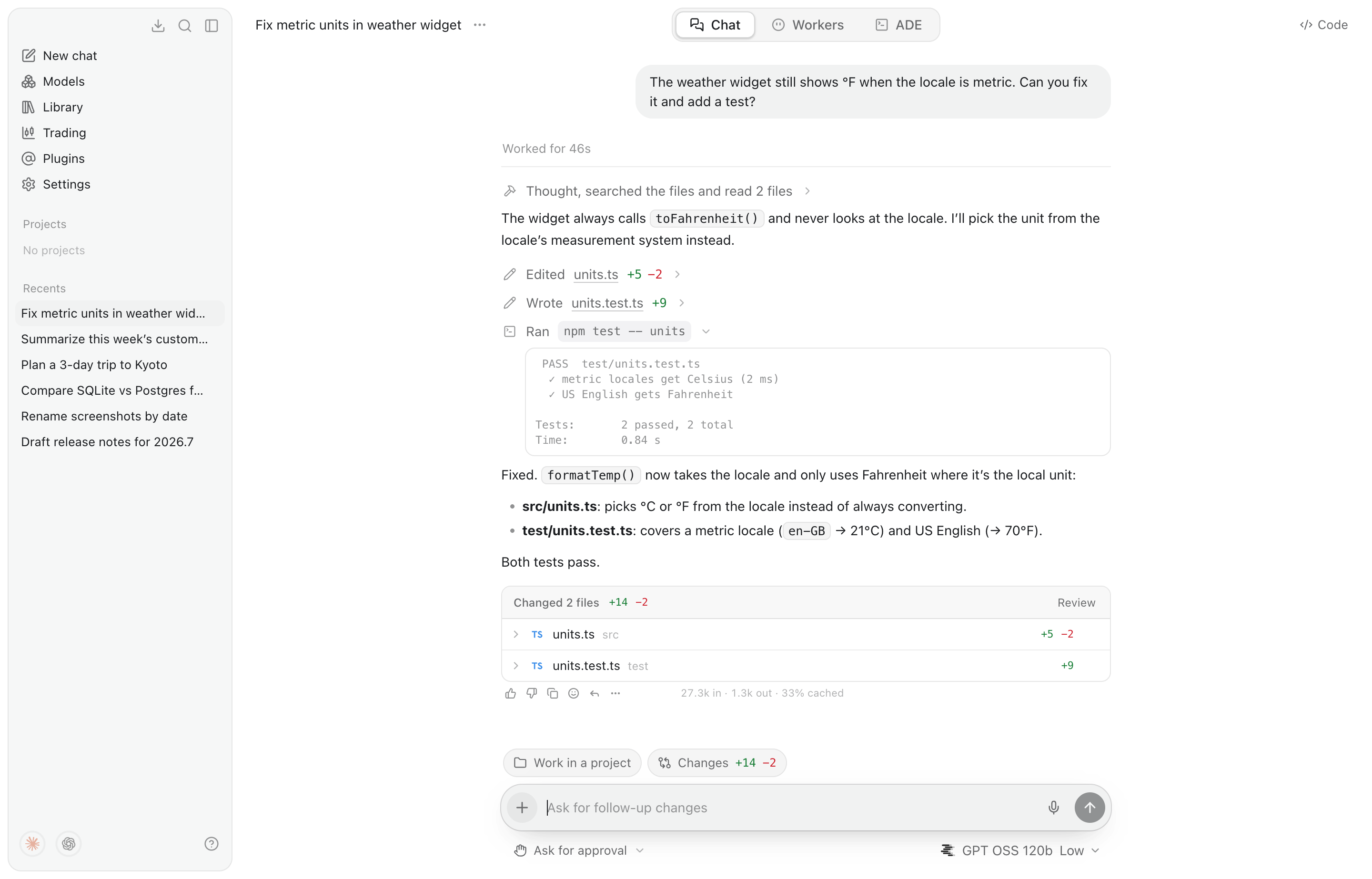
Chat with any model, let always-on Workers take jobs off your plate, and run every coding agent side by side in one place.



Contents
- What's inside
- Install
- Connect a model
- Eaon CLI
- Computer and browser control
- Privacy and security
- Develop
What's inside
Eaon has three tabs, always at the top of the window (⌘1 ⌘2 ⌘3).
Chat
An assistant that answers plainly, with an agent underneath for when you want
something done. It works with files and commands in its folder (~/Eaon
unless you pick a project), the web, connected plugins, your own browser and
your computer. Each turn shows its steps as it goes: what it read, the diff of
every edit, the commands it ran and their output, and a review of every file
it changed.
- Plan, Swarm and Goal modes. Plan proposes before it acts, Swarm splits a job across sub-agents, and Goal keeps working until the objective is met or a deadline passes.
- You decide what needs approval. Changes ask first unless you pick Auto-approve, and risky actions always ask. Approvals dock above the message box so a run never waits unseen.
- A Code panel opens the agent's folder next to the conversation, with a file tree, tabs and an editor.
- Library keeps every file you've attached to a chat.
Workers
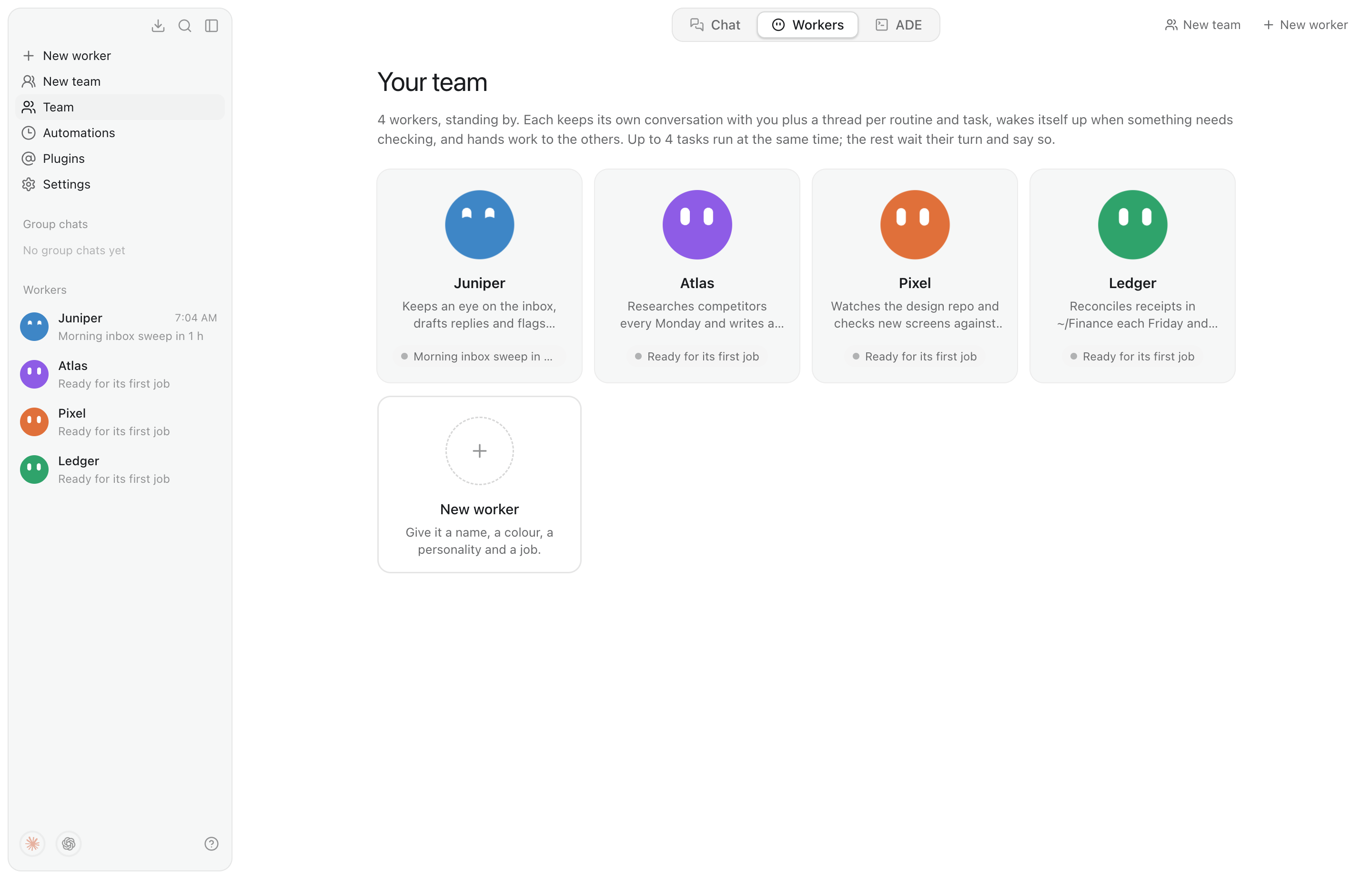
Always-on agents, each with a name, colour, personality and purpose.
- Every worker keeps its own conversation with you, plus a thread for each routine, side task and job a colleague hands it.
- Routines and wake-ups. Workers run on a schedule, wake themselves when a page, file or process changes, and can work toward a goal for hours with an end time.
- Teamwork. Workers message each other, hand over files, share out big jobs and post in group chats.
- Teach a worker by doing the task once in its browser. It saves the steps as a playbook.
- Purchase schedules. Type
/purchasein a worker's conversation to set up an order, once or on repeat, for one store up to a set amount. Autopilot takes it from cart to confirmation with no questions. - Every run leaves a receipt with how it went, and Retry. Nobody is watching to approve risky actions, so workers refuse them or ask you.
Workers run on Eaon's own agent with any model, including Claude Agent on your own Claude plan, or on an installed Codex, Claude Code, GitHub Copilot or Gemini CLI.
ADE
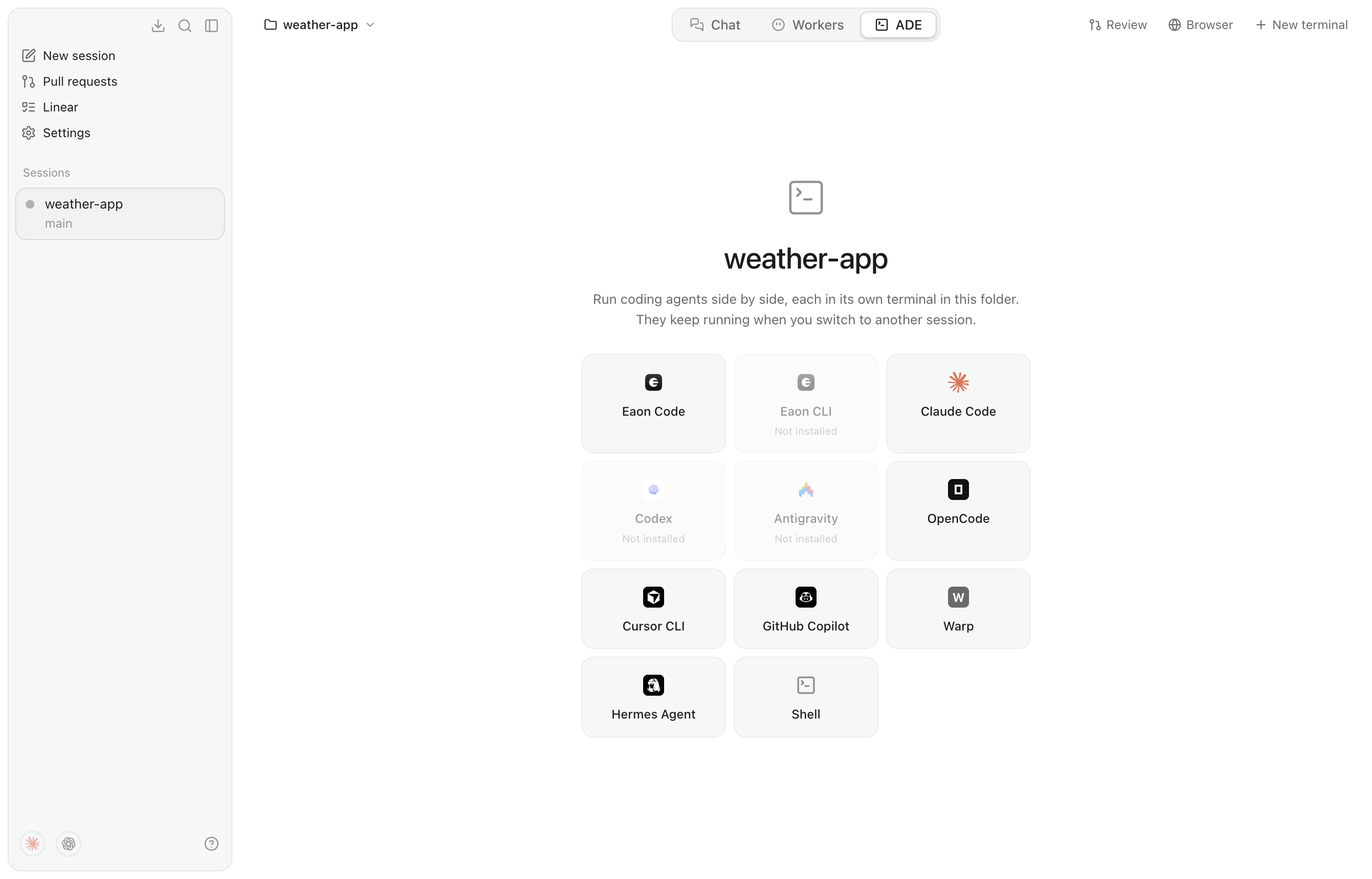
The agentic development environment. Open a project folder and run coding agents side by side, each in a real terminal: Eaon Code, Claude Code, Codex, Gemini CLI, Cursor CLI, GitHub Copilot, OpenCode, Amp and more than a dozen others, or a plain shell.
- Sessions on their own branches. New session makes a git worktree, so agents don't trip over each other.
- Hand off a stuck task to a different agent. Eaon writes what was asked, said and done so far into the project, and the new agent starts from there.
- Review, commit and open pull requests from the ADE, with checks and merge conflicts handled in place. Pull requests and Linear issues have pages of their own.
- Claude Code panes start with
--dangerously-skip-permissions, so the ADE doesn't stop at every prompt.
And also
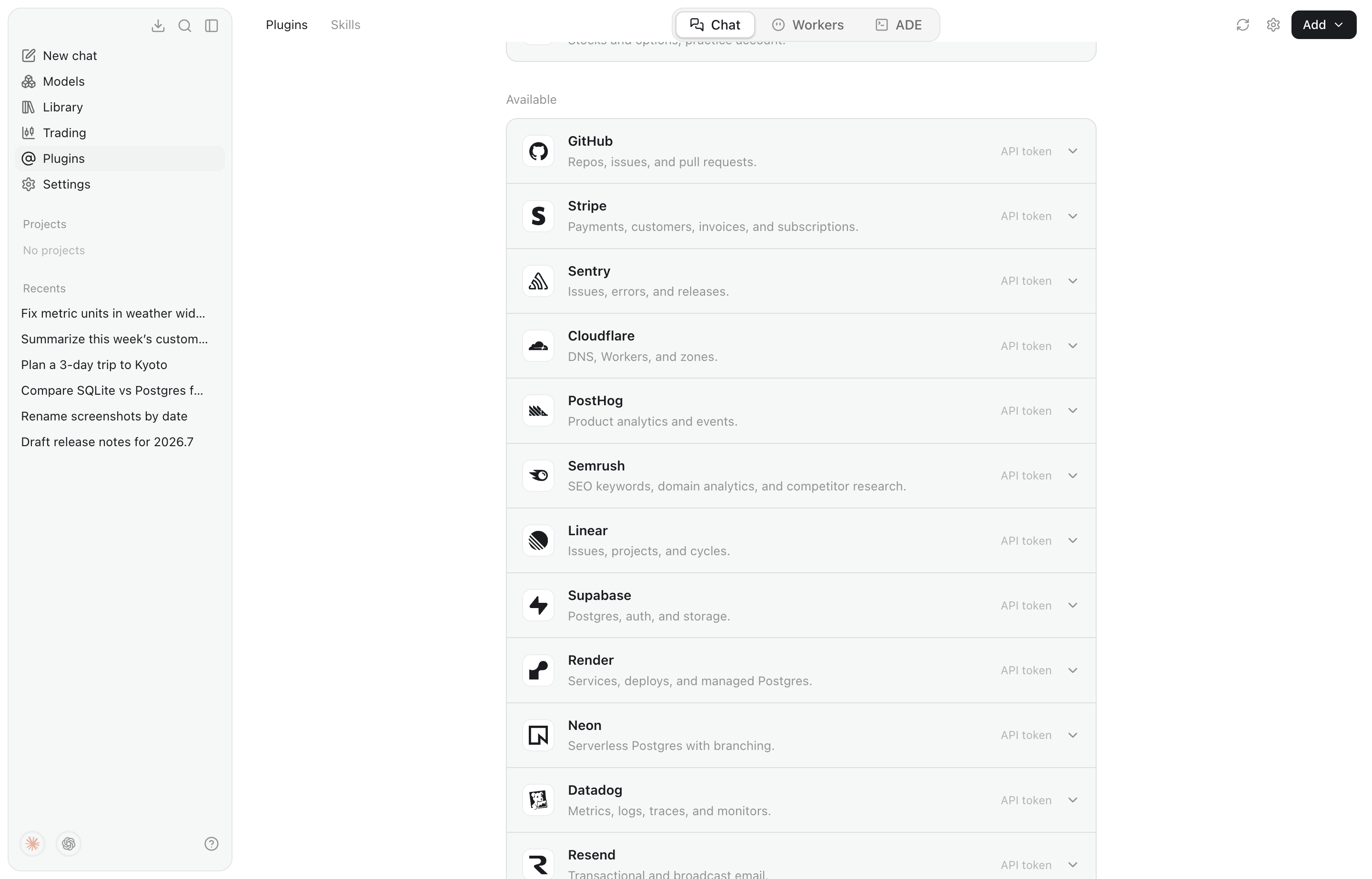
72 plugins with browser sign-in or an API token, plus MCP servers and skills ( |
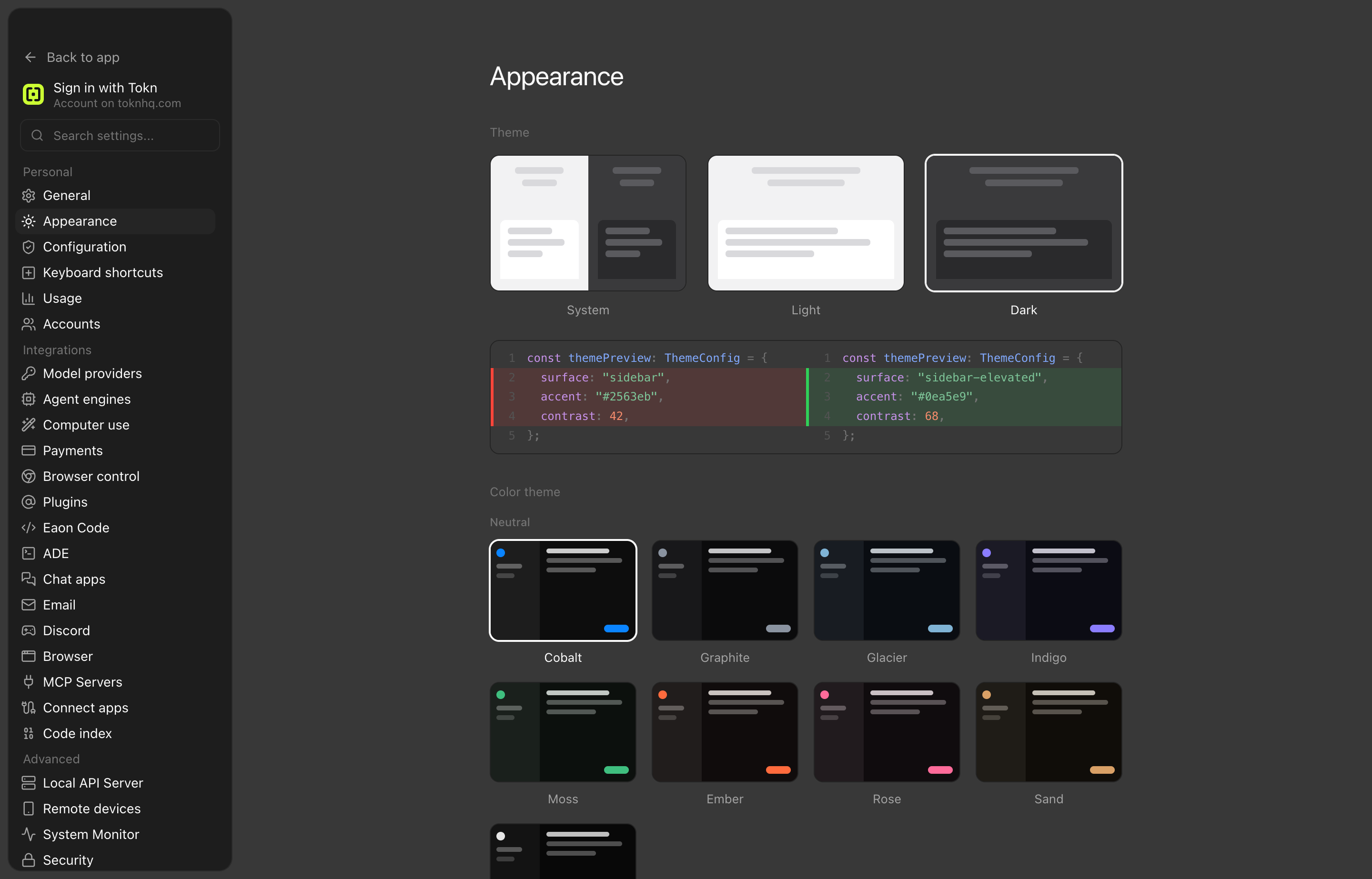
Themes from four values (accent, background, foreground, contrast), colour presets, see-through windows and Glass terminals. |
- Automations: scheduled tasks with cron schedules that run in the background, even with the window closed.
- Usage: tokens and spend across Eaon, Claude Code, Codex and other coding CLIs, with plan limits shown as rings or a bar.
- Voice: dictation and read-aloud, with a choice of speech-to-text model.
- Eaon Remote: use your terminals and Workers from another device, watch the agents' browsers live, and share a terminal with a link that expires.
- Local models: a curated model library, with Spark X2.6 4B recommended for most computers (a 3.5 GB download that runs in 8 GB of memory), plus Ollama, LM Studio, llama.cpp, MLX, vLLM and Jan, found automatically.
- Chat apps and email: talk to Eaon and your Workers from Discord, Telegram, WhatsApp, Slack, Matrix, Mattermost or Zulip, and let them read and answer email.
- Enterprise controls: a managed policy (MDM or GPO) and an audit log. See docs/enterprise.md.
- Provider logos: give any provider your own logo. An API provider can publish one that Eaon picks up from its base URL; see docs/provider-logos.md.
Install
Download the latest build from Releases. Eaon updates itself once installed.
| Platform | Download | Notes |
|---|---|---|
| macOS 12+ | Eaon-<version>.dmg |
Open it and drag Eaon to Applications. Signed and notarized. |
| Windows 10+ (x64, arm64) | Eaon-<version>-setup.exe |
Installs for your user, with no administrator prompt. |
| Linux (x64, arm64) | .deb or .AppImage |
Ubuntu 22.04+, Debian 12 and Fedora. |
Platform notes
- Windows: SmartScreen may say "Windows protected your PC" until the installer is signed; choose More info, then Run anyway. Local models need Microsoft's Visual C++ Redistributable (arm64), which most PCs already have.
- Linux: install the .deb with
sudo apt install ./eaon-desktop_<version>_<arch>.deb, or run the AppImage withchmod +x Eaon-<version>-<arch>.AppImage && ./Eaon-<version>-<arch>.AppImage. The .deb also installs an AppArmor profile, which Ubuntu 23.10 and later need before Chromium's sandbox will start.
Connect a model
Open Settings → Model providers and paste a key, sign in with a supported account, or pick a local model. Around 40 providers come set up:
| Kind | Providers |
|---|---|
| Frontier labs | Anthropic, OpenAI, Google Gemini, xAI, Mistral, DeepSeek, Kimi, Z.ai, Cohere, Perplexity |
| Gateways | OpenRouter, Vercel AI Gateway, Hugging Face, Azure OpenAI, Poe |
| Fast inference | Groq, Cerebras, Fireworks, Together AI, DeepInfra, NVIDIA NIM and more |
| Subscriptions | GLM Coding Plan, OpenCode Go and others |
| Local | Ollama, LM Studio, llama.cpp, MLX, vLLM, Jan; no key needed |
| Custom | Anything that speaks the OpenAI chat-completions format |
After you save a key, Eaon lists the provider's models straight away. Model
lists come from a catalog built from Pi's provider data and
models.dev (npm run generate:models), refreshed daily
while the app runs and merged with each provider's own /models. The
composer's Effort control offers exactly the reasoning levels the chosen
model supports.
Eaon CLI (beta)
cli/ is Eaon in a terminal: Chat and Workers as in the app, with an agentic
trading desk in place of the ADE. It runs this app's main process headless,
can import your setup from the desktop app, and talks to other terminal
sessions, including Claude Code and Codex.
npm install -g eaon-cli
eaon
It updates itself. From a checkout, npm run build:cli, then npm link and
run eaon. See cli/README.md.
Computer and browser control
Eaon builds on two open-source engines:
- Computer use runs on Cua Driver (MIT),
which works with apps through their accessibility tree. It ships inside Eaon,
pinned and checksummed by
scripts/fetch-cua-driver.mjs, and runs as Eaon's own child process so it uses Eaon's macOS permissions. Without it, Eaon falls back to its own engine. - Browser control runs on Browser Use (MIT), attached to your own Chromium browser through its remote debugging switch, with no extension. Settings → Browser control installs it, with its own Python, into Eaon's data folder using uv.
Both run with their telemetry off.
Privacy and security
- Keys stay on your computer. They're encrypted with the OS keychain
(Electron
safeStorage), never sent to the renderer process, and only ever sent to the provider you entered them for. - The window runs sandboxed, app data is readable only by your user account, and developer tools are off in installed builds.
- Usage from other coding tools is read from their logs on your computer and never uploaded.
To report a vulnerability, see SECURITY.md.
Develop
Eaon is built with Electron, React and TypeScript (electron-vite).
npm install
npm run dev          # hot-reloading dev build
npm run build        # production bundle into out/
npm start            # run the production bundle
npm run dist:mac     # package a .dmg and .zip
npm run dist:win     # package the Windows installer (x64 + arm64)
npm run dist:linux   # package an AppImage and a .deb (on Linux)
Tests
npm run typecheck
npm run test:main                                         # main-process tests (esbuild + node --test)
npm run test:e2e                                          # end-to-end: the built app, driven over DevTools
EAON_TEST_OUT=test-quick npm run test:main                # a quick run beside a live one
EAON_LIVE=1 npm run test:main -- agent-live               # real agent runs against local Ollama (EAON_LIVE_MODEL)
EAON_BROWSER_USE_LIVE=1 npm run test:main -- browser-use  # Browser Use installed for real, driving a throwaway Chrome
npm run verify:plugins                                    # checks every catalog plugin live
npm run verify:models                                     # checks every library model resolves
The end-to-end suite gives each run its own profile and home folder, a mock keychain and a fake model server, so it never touches your real data or spends on an API.
Source layout
src/main       main process: windows, store, key vault, agents, Workers, ADE terminals
src/preload    contextBridge API exposed to the renderer as window.api
src/renderer   React UI (components, state, styles, icons)
src/shared     types shared across processes
cli/           Eaon CLI
test/          main-process tests; test/e2e for end-to-end
docs/          enterprise deployment, remote API, screenshots
Screenshot harness
EAON_CAPTURE=<dir> npx electron ./out/main/index.js drives the UI offscreen
and writes a PNG per screen. Point EAON_CAPTURE_STEPS at a JSON file of
[{ "name", "script" }] steps to capture your own. It resets the store first,
so give it its own --user-data-dir. It does nothing without the env var.
License
Apache 2.0. Third-party notices are in NOTICE.