
databricks/Spark-The-Definitive-Guide
databricks/Spark-The-Definitive-Guide has 3,150 GitHub stars and 2,910 forks. GitHot measured 0 stars in 24 hours, +1 in 7 days, and -1 in 15 days. Last checked 2026-11-21 05:31 UTC. Last push 2020-08-26.
实测星标增长
- 24小时
- 0
- 7天
- +1
- 15天
- -1
- 1个月
- 正在收集历史
各周期内的星标净变化,周期相互重叠,并非每日新增。缺失的测量保持空白。星标代表关注度,不代表软件质量。
关于
Spark: The Definitive Guide's Code Repository
开发工具README.md
原文Spark: The Definitive Guide
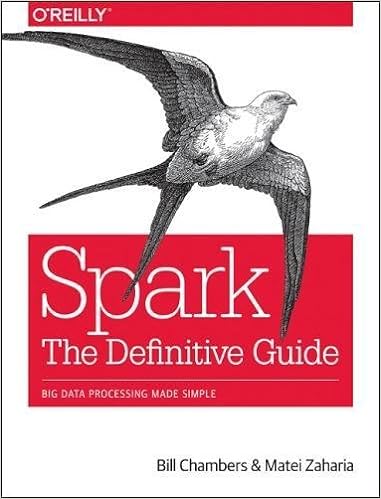
This is the central repository for all materials related to Spark: The Definitive Guide by Bill Chambers and Matei Zaharia.
This repository is currently a work in progress and new material will be added over time.
Code from the book
You can find the code from the book in the code subfolder where it is broken down by language and chapter.
How to run the code
Run on your local machine
To run the example on your local machine, either pull all data in the data subfolder to /data on your computer or specify the path to that particular dataset on your local machine.
Run on Databricks
To run these modules on Databricks, you're going to need to do two things.
- Sign up for an account. You can do that here.
- Import individual Notebooks to run on the platform
Databricks is a zero-management cloud platform that provides:
- Fully managed Spark clusters
- An interactive workspace for exploration and visualization
- A production pipeline scheduler
- A platform for powering your favorite Spark-based applications
Instructions for importing
- Navigate to the notebook you would like to import
For instance, you might go to this page. Once you do that, you're going to need to navigate to the RAW version of the file and save that to your Desktop. You can do that by clicking the Raw button. Alternatively, you could just clone the entire repository to your local desktop and navigate to the file on your computer.
- Upload that to Databricks
Read the instructions here. Simply open the Databricks workspace and go to import in a given directory. From there, navigate to the file on your computer to upload it. Unfortunately due to a recent security upgrade, notebooks cannot be imported from external URLs. Therefore you must upload it from your computer.
- You're almost ready to go!
Now you just need to simply run the notebooks! All the examples run on Databricks Runtime 3.1 and above so just be sure to create a cluster with a version equal to or greater than that. Once you've created your cluster, attach the notebook.
- Replacing the data path in each notebook
Rather than you having to upload all of the data yourself, you simply have to change the path in each chapter from /data to /databricks-datasets/definitive-guide/data. Once you've done that, all examples should run without issue. You can use find and replace to do this very efficiently.