
coderyi/NetworkEye
coderyi/NetworkEye has 1,397 GitHub stars and 232 forks. GitHot measured 0 stars in 24 hours, -1 in 7 days, and -2 in 15 days. Last checked 2026-11-24 03:51 UTC. Last push 2020-08-24.
实测星标增长
- 24小时
- 0
- 7天
- -1
- 15天
- -2
- 1个月
- 正在收集历史
各周期内的星标净变化,周期相互重叠,并非每日新增。缺失的测量保持空白。星标代表关注度,不代表软件质量。
关于
用于 iOS 的网络调试库,监控 HTTP 请求
开发工具README_Chinese.md
原文NetworkEye


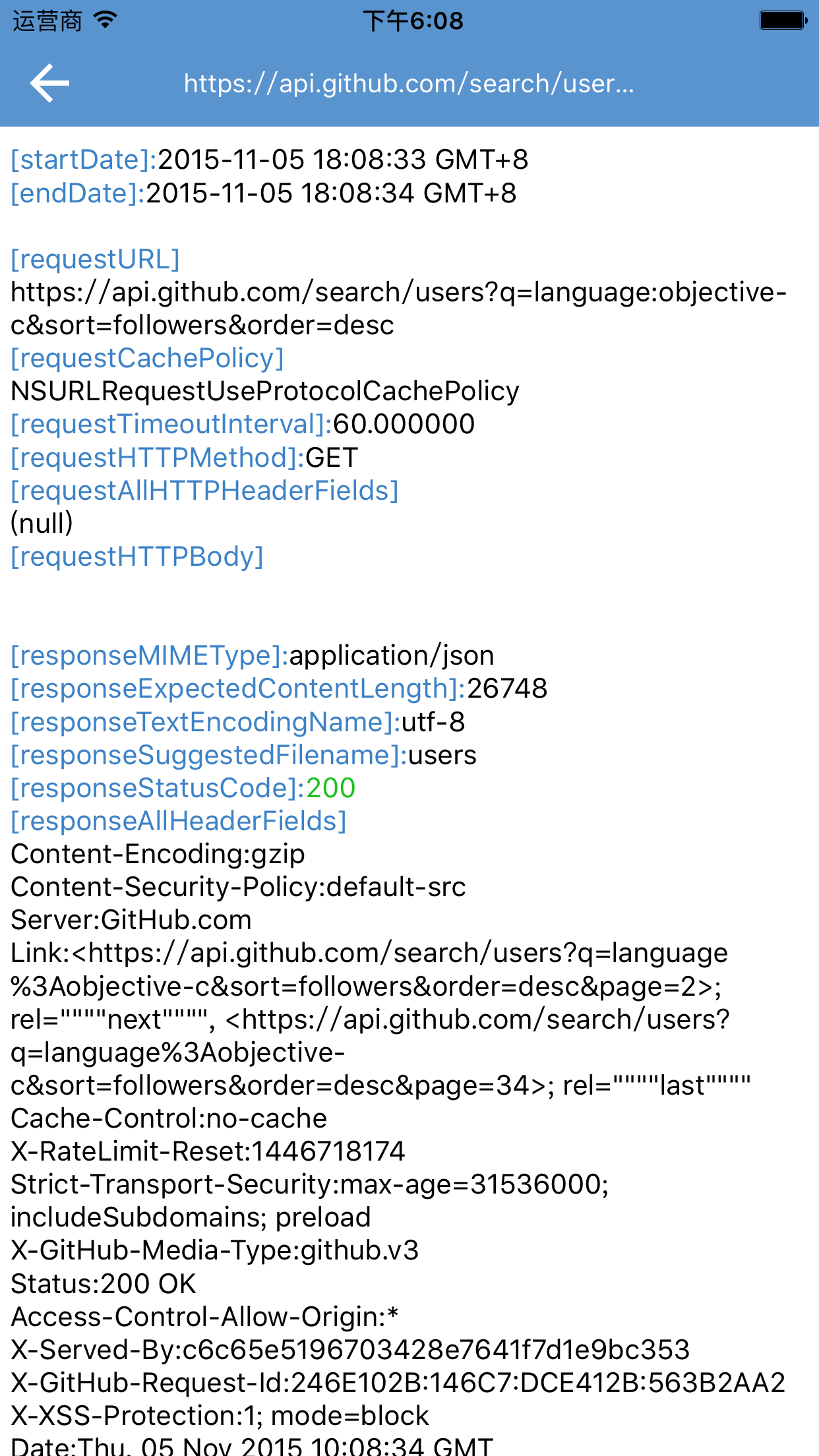
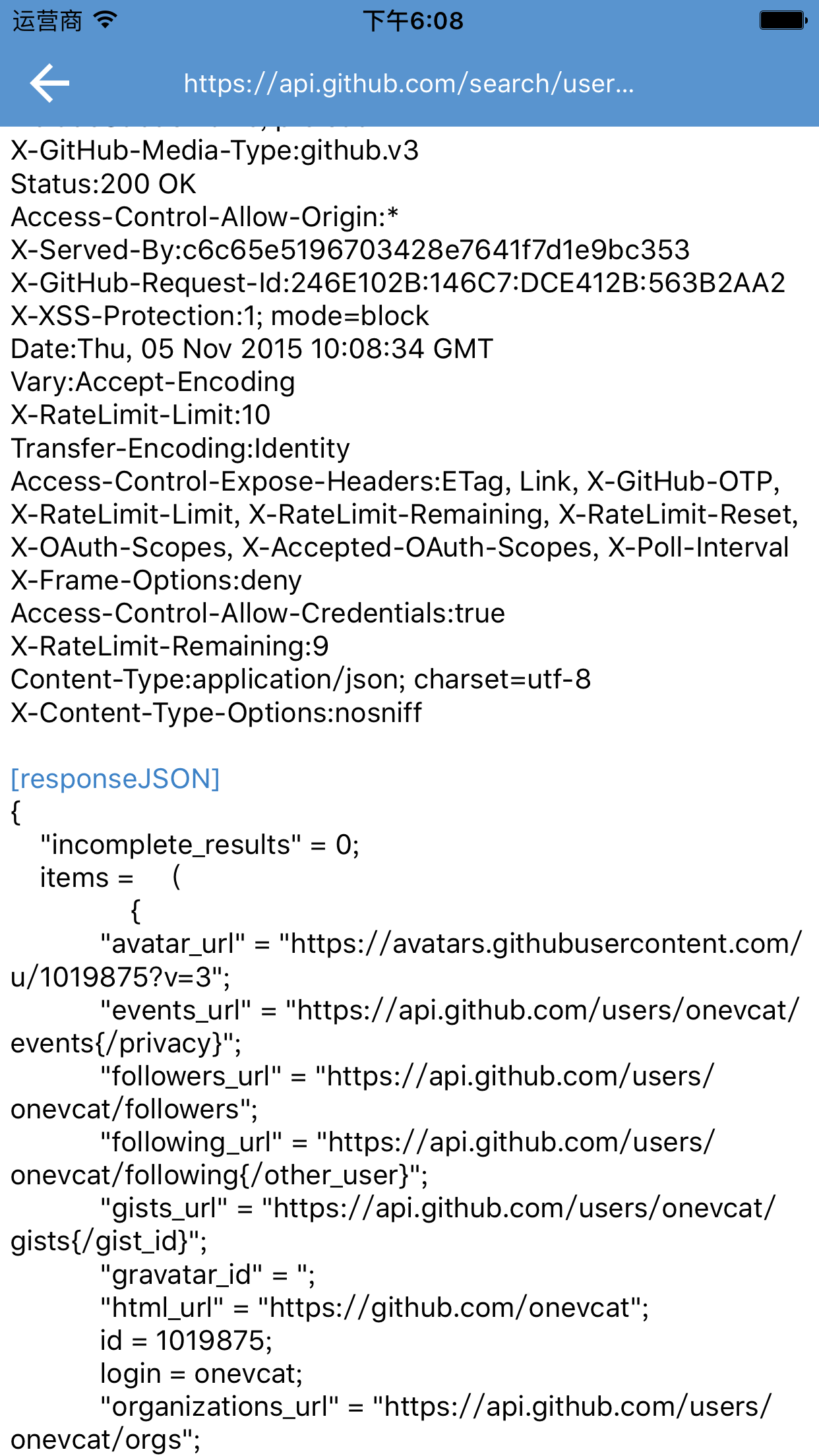
NetworkEye是一个网络调试库,可以监控App内HTTP请求并显示请求相关的详细信息,方便App开发的网络调试。
可以检测到包括网页,NSURLConnection,NSURLSession,AFNetworking,第三方库,第三方SDK等的HTTP请求,非常方便实用。并且可以统计App内流量
NetworkEye,a iOS network debug library,It can monitor all HTTP requests within the App and displays all information related to the request.
Podfile
platform :ios, '7.0'
pod 'NetworkEye', '~> 1.0.1'
使用
注意请在DEBUG模式下使用NetworkEye 在AppDelegate.m里面加入下面代码就可以了
#import "NEHTTPEye.h"
#if defined(DEBUG)||defined(_DEBUG)
    [NEHTTPEye setEnabled:NO];
#endif
使用的时候可以通过双指轻拍或者摇一摇(Shake Gesture)手势调出监控数据界面NEHTTPEyeViewController 也可以用如下代码直接present出来。
#if defined(DEBUG)||defined(_DEBUG)
    NEHTTPEyeViewController *vc=[[NEHTTPEyeViewController alloc] init];
    [self presentViewController:vc animated:YES completion:nil];
#endif
在NEHTTPEye.h里面有两个可以配置的参数即默认数据库密码是networkeye和默认监控最多300条请求,请求的保存位置在缓存目录的networkeye.sqlite内。
#define kSQLitePassword @"networkeye"

#define kSaveRequestMaxCount 300
NetworkEye依赖仓库FMDB和SQLCipher。 FMDB用于存储监控数据,SQLCipher用于加密数据库。
监控数据界面支持的搜索条件为URL,statusCode,HTTPMethod,MIMEType。
NetworkEye的监控数据界面如图:

探索相关项目
加载中…