项目 在 GitHub 查看
ckrgithub/PageRecyclerView
关于
PageRecyclerView achieves page turning function and unlimited carousel
开发工具实测星标增长
- 24小时
- 0
- 7天
- 0
- 15天
- 正在收集历史
- 1个月
- 正在收集历史
各周期内的星标净变化,周期相互重叠,并非每日新增。缺失的测量保持空白。星标代表关注度,不代表软件质量。
README-ZH.md
原文PageRecyclerView
PageRecyclerView实现翻页功能及无限轮播。另外,使用了banner的作者的翻页动画。
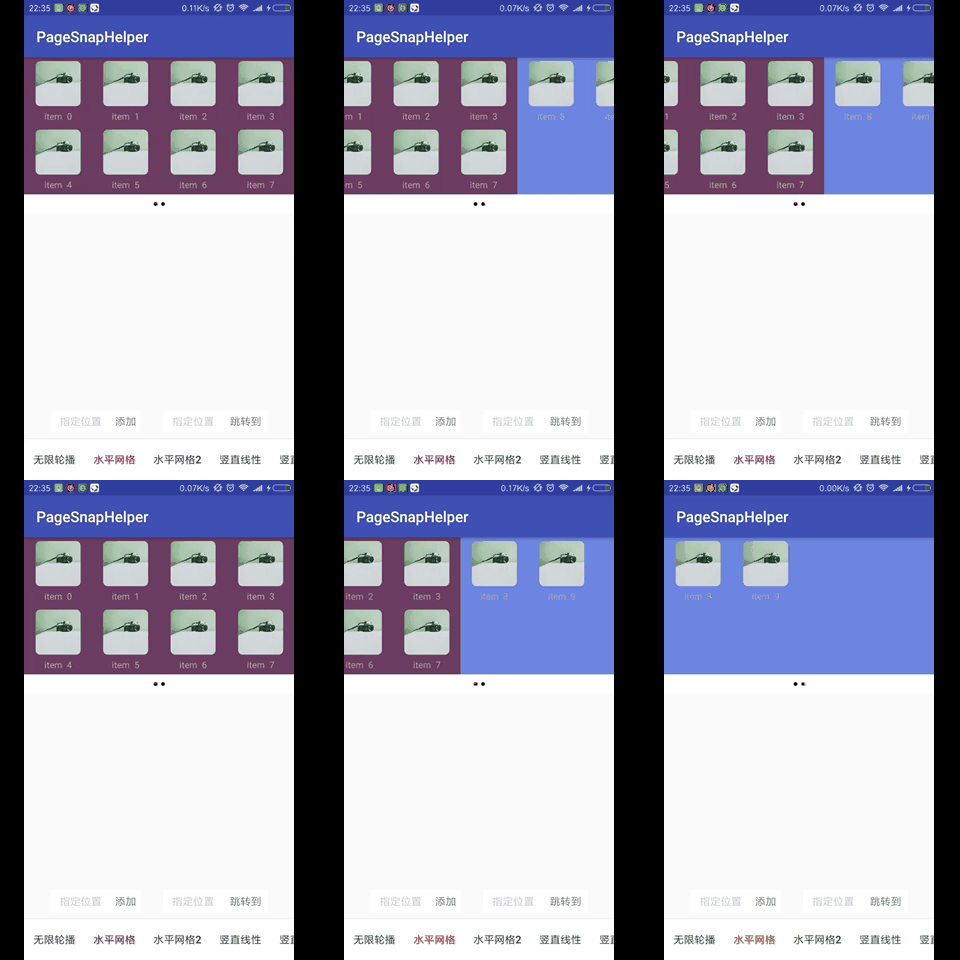
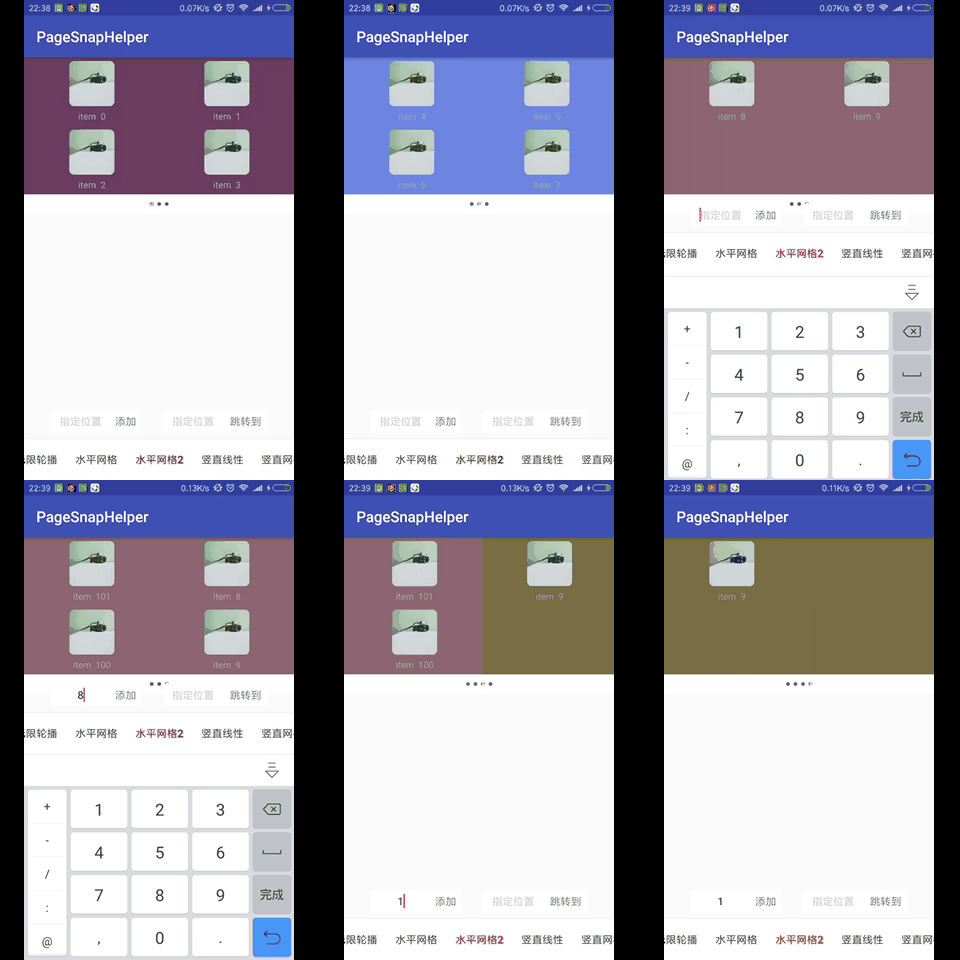
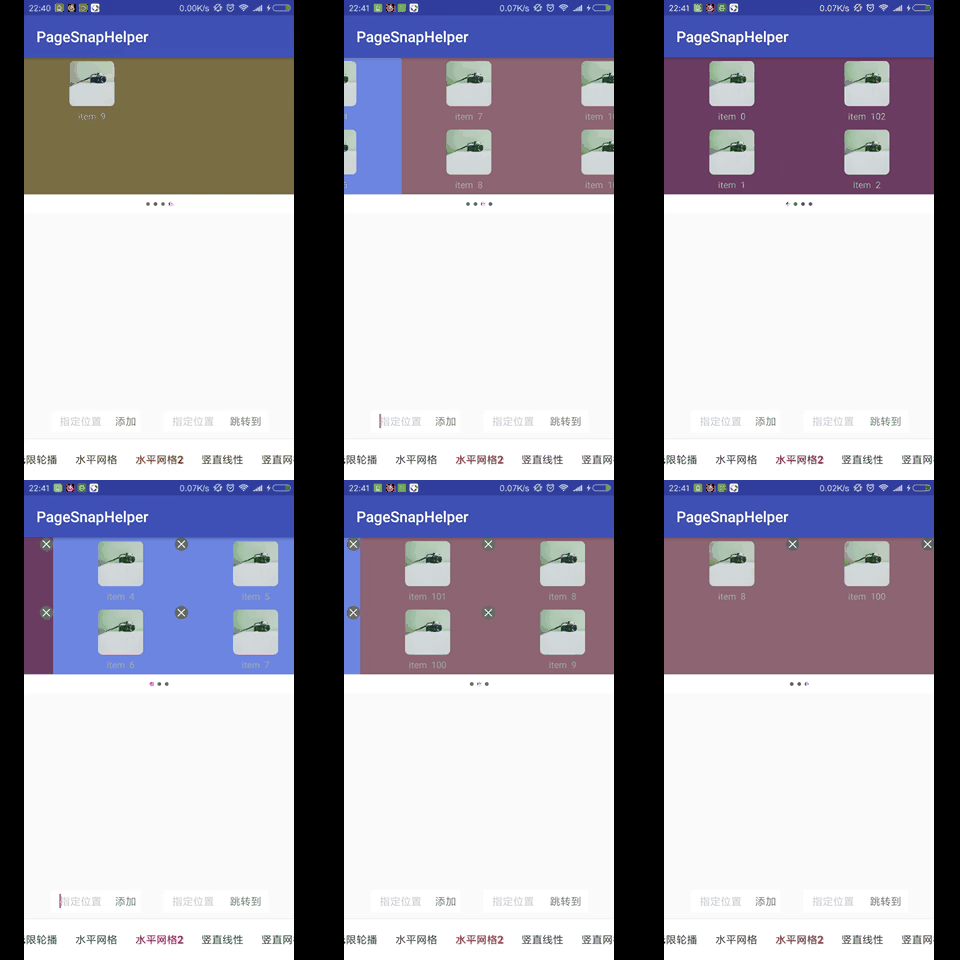
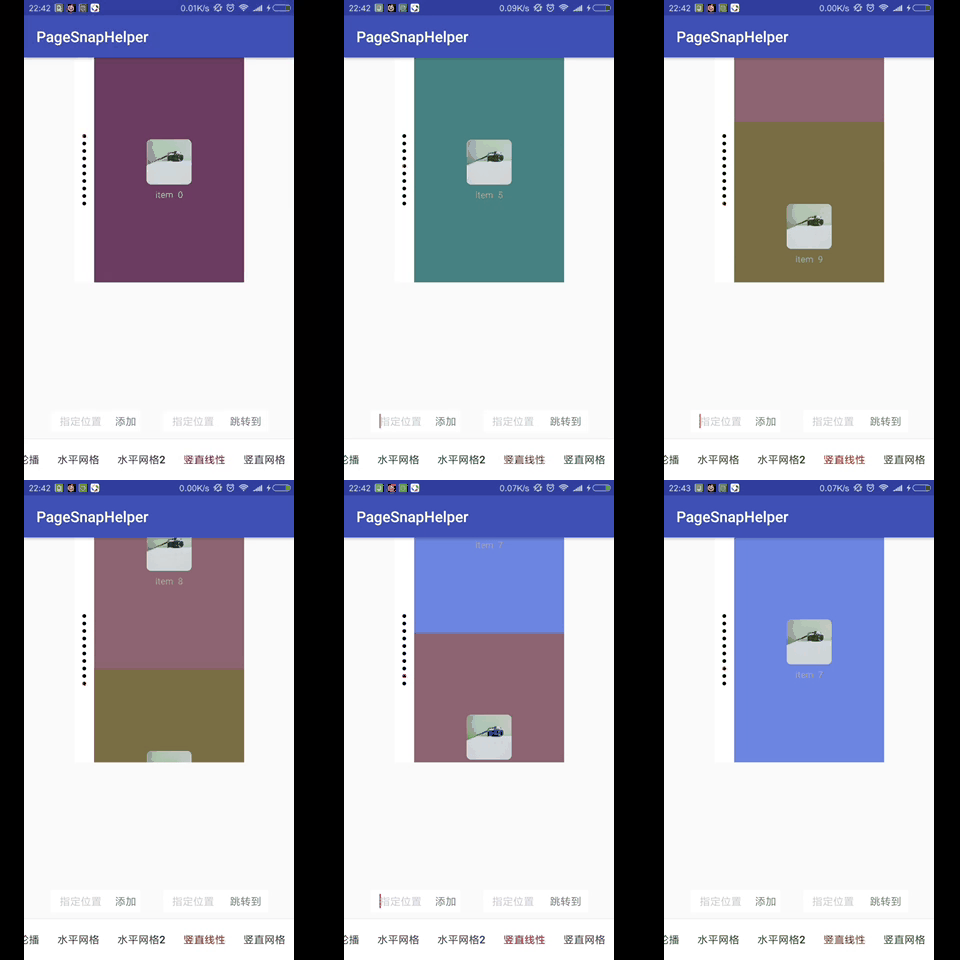
效果演示
| 无限轮播 | 水平网格分页 | 添加数据 |
|---|---|---|
 |
 |
 |
| 移除数据 | 竖直线性分页 |
|---|---|
 |
 |
Demo
依赖
添加依赖:
	dependencies {
		implementation 'ckrjfrog.Page:PageView:1.2.12'//gradle plugin 3.0(包含)以上使用
		//compile 'ckrjfrog.Page:PageView:1.2.12'//gradle plugin 3.0一下使用
	}
功能及使用
1.布局引用
    <com.ckr.pageview.view.PageView
        android:id="@+id/pageView"
        android:layout_width="match_parent"
        android:layout_height="wrap_content"
        android:layout_gravity="center_horizontal"
        app:autoplay="true"
	app:autosize="false"
        app:loop="true"
        app:loop_interval="3000"
        app:hide_indicator="false"
        app:indicator_container_background="#fff"
        app:indicator_container_height="@dimen/viewpager_indicator_container_height"
        app:indicator_group_alignment="center"
        app:indicator_margin="@dimen/viewpager_indicator_margin"
        app:layout_flag="linear"
        app:orientation="horizontal"
        app:overlap_layout="false"
        app:clipToPadding="false"
        app:pagePadding="0dp"
        app:page_background="#fff"
        app:page_column="one"
        app:page_row="one"
        app:selected_indicator_diameter="@dimen/viewpager_selected_indicator_diameter"
        app:selected_indicator_drawable="@drawable/shape_point_selected"
        app:unselected_indicator_diameter="@dimen/viewpager_unselected_indicator_diameter"
        app:unselected_indicator_drawable="@drawable/shape_point_unselected"/>
2.属性说明
| 属性 | 描述 | 类型 | 默认值 |
|---|---|---|---|
| loop | 是否启动无限轮播(当每页只有一个item时有效) | boolean | false |
| loop_interval | 轮询时间间隔 | int | 3000 |
| autoplay | 自动轮播 | boolean | false |
| autosize | item宽或高自适应(只在网格布局有效) | boolean | false |
| hide_indicator | 是否隐藏指示器 | boolean | false |
| indicator_container_background | 指示器父容器的背景 | drawable | null |
| indicator_contianer_heigt | 指示器父容器的高度 | int | 90 |
| indicator_contianer_width | 指示器父容器的高度 | int | 90 |
| indicator_group_alignment | 指示器组的对齐方式 | int | 0x11(center) |
| indicator_group_marginLeft | 指示器组的marginLeft | int | 0 |
| indicator_group_marginTop | 指示器组的marginTop | int | 0 |
| indicator_group_marginRight | 指示器组的marginRight | int | 0 |
| indicator_group_marginBottom | 指示器组的marginBottom | int | 0 |
| indicator_margin | 指示器间的间距 | int | 15 |
| clipToPadding | recyclerView的clipTopadding设置 | boolean | false |
| pagePadding | recyclerView的左右padding设置 | int | 15 |
| layout_flag | 标记线性布局或网格布局 | int | 0(线性) |
| orientation | 布局方向 | int | 0(horizontal) |
| overlap_layout | 指示器容器是否遮住PageRecyclerView | boolean | false |
| page_column | 每页的列数 | int | 1 |
| page_row | 每页的行数 | int | 1 |
| selected_indicator_color | 当前页的指示器颜色 | int | Color.RED |
| selected_indicator_diameter | 当前页的指示器直径 | int | 15 |
| selected_indicator_drawable | 当前页的指示器drawable(优先级高于颜色) | drawable | null |
| unselected_indicator_color | 非当前页的指示器颜色 | int | Color.BLACK |
| unselected_indicator_diameter | 非当前页的指示器直径 | int | 15 |
| selected_indicator_drawable | 非当前页的指示器drawable(优先级高于颜色) | drawable | null |
| page_background | 当前页的背景 | drawable | null |
| enable_touch_scroll | 是否允许触摸滚动 | boolean | true |
| max_scroll_duration | 每页滚动最大时间 | int | 600 |
| min_scroll_duration | 每页滚动最小时间 | int | 0 |
| sub_loop_interval | 轮播时,下标自动调整时下一页的轮播时间间隔 | int | 100 |
3.代码使用
    mainAdapter = new MainAdapter(getContext(), itemLayoutId);//该MainAdapter需继承BasePageAdapter<T,ViewHolder>
    pageView.setAdapter(mainAdapter);//设置adapter
    pageView.updateAll(items);//更新数据
感谢
我的开源项目
CollapsingRefresh:AppBarLayout+ViewPager+RecyclerView的刷新功能
FlexItemDecoration:recyclerView分割线的绘制
版本更新
1.2.0-release
- 添加:autopaly属性
- 添加:翻页动画
1.1.1-release
- 修复:快速滑动,指示器没有及时更新的问题
- 修复:当引用android O 的recyclerview时,setCurrentItem(1,false)不起效问题
- 添加:clipToPadding和pagePadding的配置
1.1.0-release
- 添加:指示器容器的对齐方式、margin设置、背景设置和overlap布局样式
- 其他:优化代码
1.0.9-release
- 修复:轮播时,数据源发生变化引起指示点错乱的问题
QQ群
QQ群号:862950533
二维码:
License
Copyright 2018 ckrgithub

Licensed under the Apache License, Version 2.0 (the "License");
you may not use this file except in compliance with the License.
You may obtain a copy of the License at

   http://www.apache.org/licenses/LICENSE-2.0

Unless required by applicable law or agreed to in writing, software
distributed under the License is distributed on an "AS IS" BASIS,
WITHOUT WARRANTIES OR CONDITIONS OF ANY KIND, either express or implied.
See the License for the specific language governing permissions and
limitations under the License.
探索相关项目
加载中…