
chiphuyen/sniffly
chiphuyen/sniffly has 1,286 GitHub stars and 118 forks. GitHot measured 0 stars in 24 hours, +1 in 7 days, and +7 in 15 days. Last checked 2026-11-22 16:46 UTC. Last push 2025-08-08.
实测星标增长
- 24小时
- 0
- 7天
- +1
- 15天
- +7
- 1个月
- 正在收集历史
各周期内的星标净变化,周期相互重叠,并非每日新增。缺失的测量保持空白。星标代表关注度,不代表软件质量。
关于
Claude Code 仪表板,提供使用统计、错误分析和可分享功能
数据README.md
原文Sniffly - Claude Code Analytics Dashboard
Analyze Claude Code logs to help you use Claude Code better.
Website | Quickstart | Features | Sharable dashboard
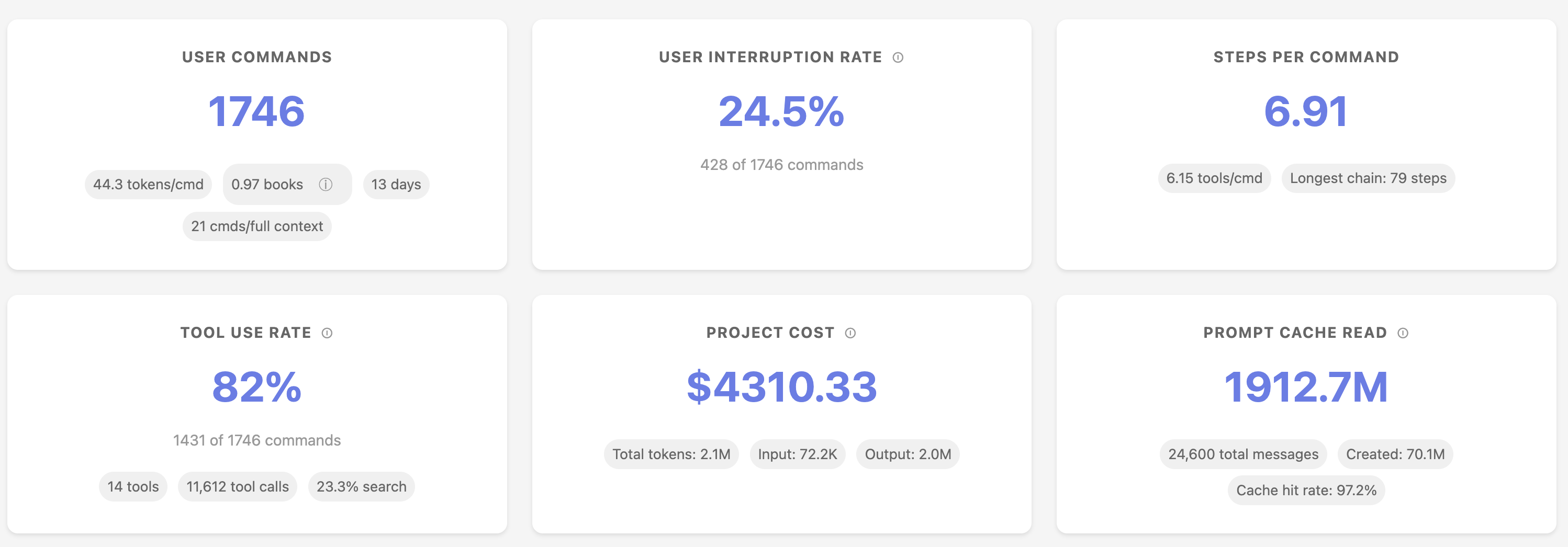
📊 Features
Understanding your usage patterns
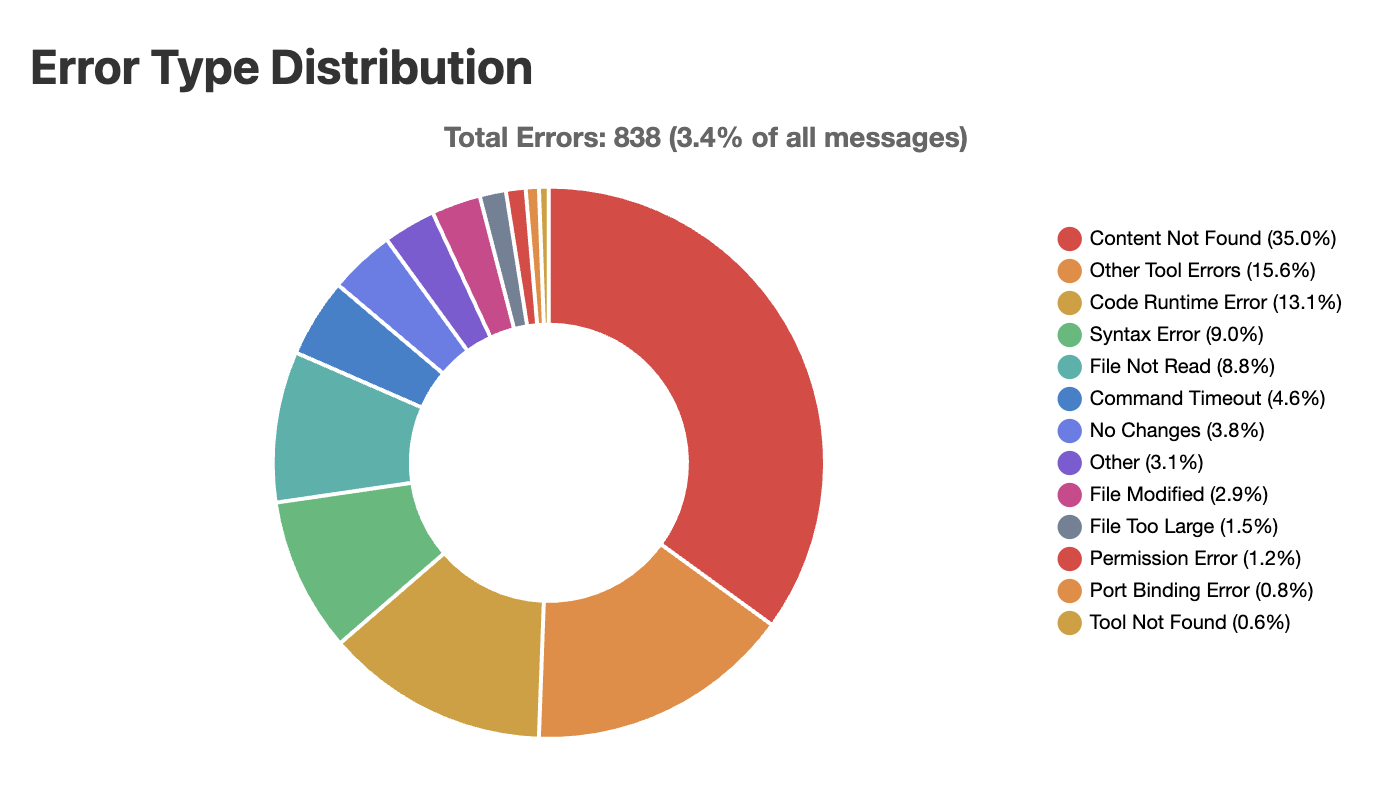
Error breakdown
See where Claude Code makes mistakes so that you avoid these mistakes.
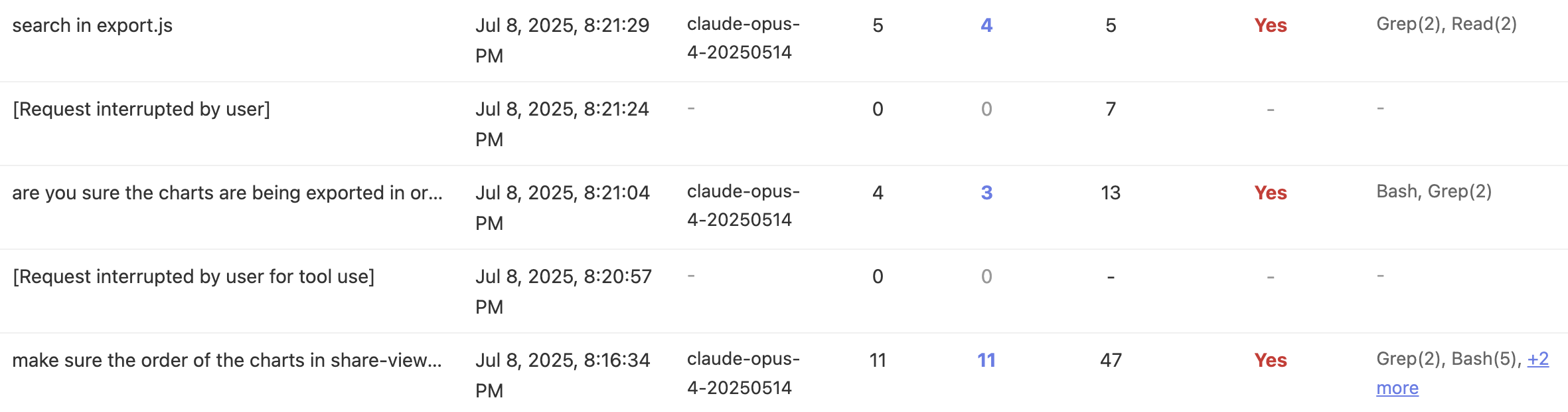
Message history analysis
Walk through all your instructions and share them with your coworkers if needed.
🚀 Quickstart
- Requirement: Python 3.10+
With UV (recommended)
Make sure you have uv installed! https://github.com/astral-sh/uv
# One-time execution (no installation needed)
uvx sniffly@latest init
# Install the package
uv tool install sniffly@latest
sniffly init
After running sniffly init, access your dashboard on your browser at http://localhost:8081 (or whichever host/port you choose).
If you run Sniffly on a remote server, use port forwarding to open the browser on your local computer.
With pip
pip install sniffly
sniffly init
From source
git clone https://github.com/chiphuyen/sniffly.git
cd sniffly
pip install -e .
sniffly init
🔧 Configuration
Common Settings
# Change port (default: 8081)
sniffly config set port 8090

# Disable auto-opening browser
sniffly config set auto_browser false

# Show current configuration
sniffly config show
All Configuration Options
| Key | Default | Description |
|---|---|---|
port |
8081 | Server port |
host |
127.0.0.1 | Server host |
auto_browser |
true | Auto-open browser on start |
cache_max_projects |
5 | Max projects in memory cache |
cache_max_mb_per_project |
500 | Max MB per project |
messages_initial_load |
500 | Initial messages to load |
max_date_range_days |
30 | Max days for date range selection |
See full CLI Reference for all options and commands.
💡 Sharing Your Dashboard
You can create a link to share your project's stats and instructions with your coworkers.
- Click the "📤 Share" button in your dashboard
- Choose privacy options:
- Private: Only people with the link can view
- Public: Listed in the public gallery
- Include Commands: Share your actual command text
- Copy and share the generated link
🚨 Troubleshooting
Common Issues
sniffly help
Port already in use?
# Use a different port
sniffly init --port 8090

# Or change default
sniffly config set port 8090
Browser doesn't open?
# Check setting
sniffly config show

# Enable auto-browser
sniffly config set auto_browser true

# Or manually visit http://localhost:8081
Configuration issues?
# View all settings and their sources
sniffly config show

# Reset a setting to default
sniffly config unset port

# Remove all custom config
rm ~/.sniffly/config.json
For more issues, see GitHub Issues.
🔐 Privacy
Sniffly runs entirely on your local machine:
- ✅ All data processing happens locally
- ✅ No telemetry
- ✅ Your conversations never leave your computer
- ✅ Shared dashboards are opt-in only
📄 License
MIT License - see LICENSE file.
🔗 Links
- Homepage: sniffly.dev
- Documentation: Full CLI Reference
- Issues: GitHub Issues
探索相关项目
加载中…