项目

challenger-deep-theme/vim has 645 GitHub stars and 40 forks. GitHot measured 0 stars in 24 hours and 0 in 7 days. Last checked 2026-11-22 20:39 UTC. Last push 2023-01-17.
实测星标增长
- 24小时
- 0
- 7天
- 0
- 15天
- 正在收集历史
- 1个月
- 正在收集历史
各周期内的星标净变化,周期相互重叠,并非每日新增。缺失的测量保持空白。星标代表关注度,不代表软件质量。
关于
FlatColor vim colorscheme
开发工具README.md
原文
Challenger Deep Theme for VIM
To enable this color scheme, set it in your vimrc:
colorscheme challenger_deep
Terminal True Color Support
Add this to your .vimrc to enable true colors:
if has('nvim') || has('termguicolors')
  set termguicolors
endif
Installation
vim-plug
Plug 'challenger-deep-theme/vim', { 'as': 'challenger-deep' }
vundle
Plugin 'challenger-deep-theme/vim', {'name': 'challenger-deep-theme'}
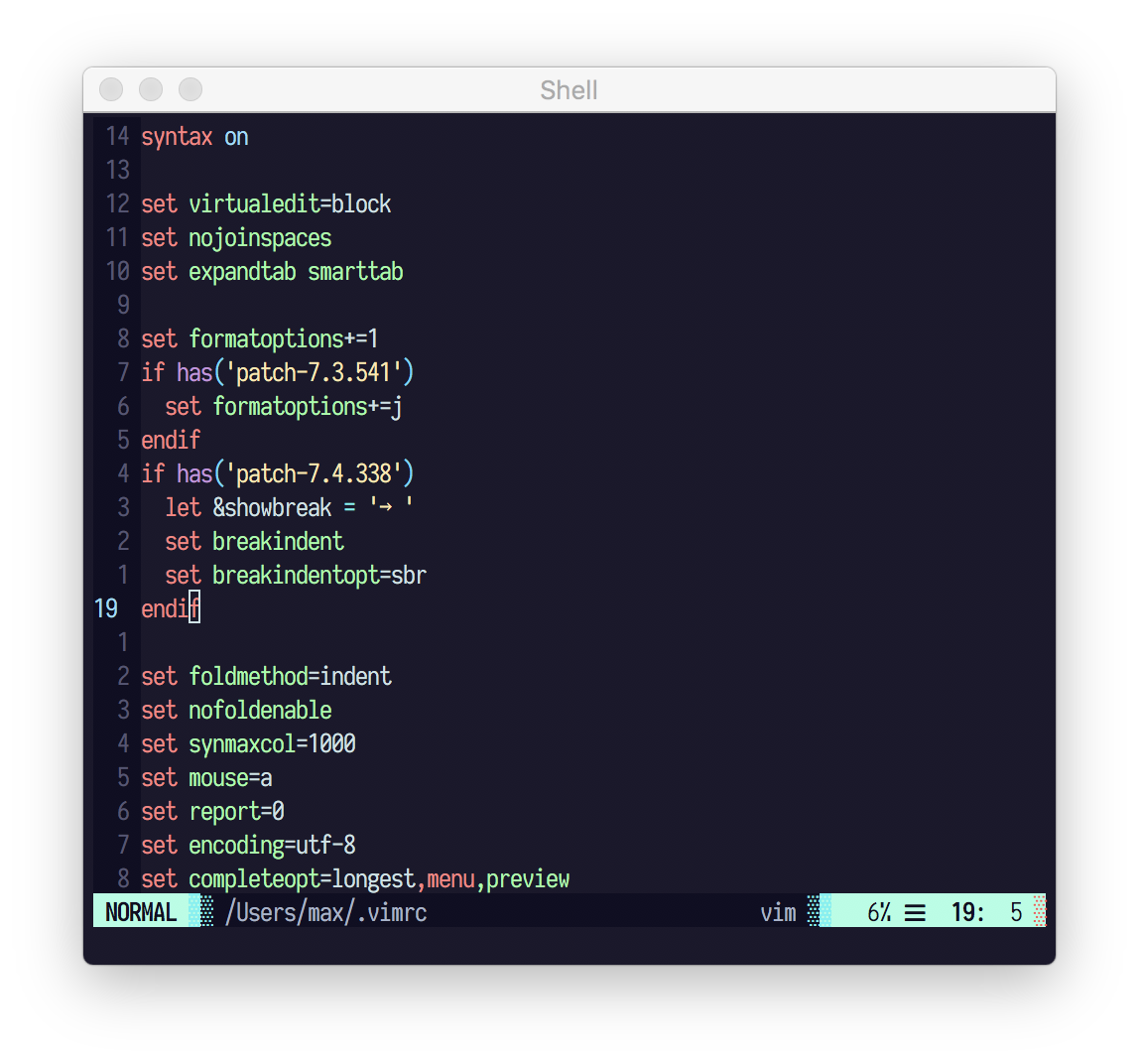
Screenshot
Options
- g:challenger_deep_termcolors This options sets the terminal colors to 16 or 256 Colors. Default value is 256. If it is set to 16 ,this colorscheme will attempt to use the standard 16 colors of your terminal emulator and background color will be the default background color of your terminal emulator. For the best colors in terminal, its recommended to set set your terminalcolors to Challenger Deep Terminal Colors and use 16 colors.
Challenger Deep Terminal Colors
! ~/.Xresource
*.foreground:   #cbe3e7
*.background:   #1e1c31
*.cursorColor:  #fbfcfc

! black
*.color0:       #565575
*.color8:       #100e23

! red
*.color1:       #ff8080
*.color9:       #ff5458

! green
*.color2:       #95ffa4
*.color10:      #62d196

! yellow
*.color3:       #ffe9aa
*.color11:      #ffb378

! blue
*.color4:       #91ddff
*.color12:      #65b2ff

! magenta
*.color5:       #c991e1
*.color13:      #906cff

! cyan
*.color6:       #aaffe4
*.color14:      #63f2f1

! white
*.color7:       #cbe3e7
*.color15:      #a6b3cc
Lightline Theme

Challenger Deep supports lightline.vim. To enable the colorscheme,
add one of the following lines to your .vimrc:
let g:lightline = { 'colorscheme': 'challenger_deep'}
Lualine Theme
Challenger Deep also supports lualine.vim. To enable the colorscheme,
add the following lines to your init.lua:
require'lualine'.setup {
  options = { theme = 'challenger_deep' }
}
Troubleshooting
If you are running vim inside tmux with the alacritty terminal, make sure to set default-terminal to xterm-256color in your tmux config (see this issue for more details:
# ...
set-option -g default-terminal "xterm-256color"
# ...
探索相关项目
加载中…