
ccbrown/iocraft
ccbrown/iocraft has 1,586 GitHub stars and 71 forks. GitHot measured 0 stars in 24 hours, +3 in 7 days, and +7 in 15 days. Last checked 2026-11-23 09:38 UTC. Last push 2026-11-12.
可以做什么
- Define your UI using a clean, highly readable syntax.
- Organize your UI using flexbox layouts powered by taffy.
- Output colored and styled UIs to the terminal or ASCII output anywhere else.
- Create animated or interactive elements with event handling and hooks.
实测星标增长
- 24小时
- 0
- 7天
- +3
- 15天
- +7
- 1个月
- 正在收集历史
各周期内的星标净变化,周期相互重叠,并非每日新增。缺失的测量保持空白。星标代表关注度,不代表软件质量。
关于
用于构建精美、匠心打造的 CLI、TUI 和基于文本的输入输出的 Rust crate。
开发工具README.md
原文iocraft
✨ A Rust crate for beautiful, artisanally crafted CLIs, TUIs, and text-based IO. ✨




iocraft is a library for crafting beautiful text output and interfaces for the terminal or
logs. It allows you to easily build complex layouts and interactive elements using a
declarative API.
Features
- Define your UI using a clean, highly readable syntax.
- Organize your UI using flexbox layouts powered by
taffy. - Output colored and styled UIs to the terminal or ASCII output anywhere else.
- Create animated or interactive elements with event handling and hooks.
- Build fullscreen terminal applications with ease.
- Pass props and context by reference to avoid unnecessary cloning.
- Broad support for both Unix and Windows terminals so your UIs look great everywhere.
Getting Started
If you're familiar with React, you'll feel right at home with iocraft. It uses all the same
concepts, but is text-focused and made for Rust.
Here's your first iocraft program:
use iocraft::prelude::*;

fn main() {
    element! {
        View(
            border_style: BorderStyle::Round,
            border_color: Color::Blue,
        ) {
            Text(content: "Hello, world!")
        }
    }
    .print();
}
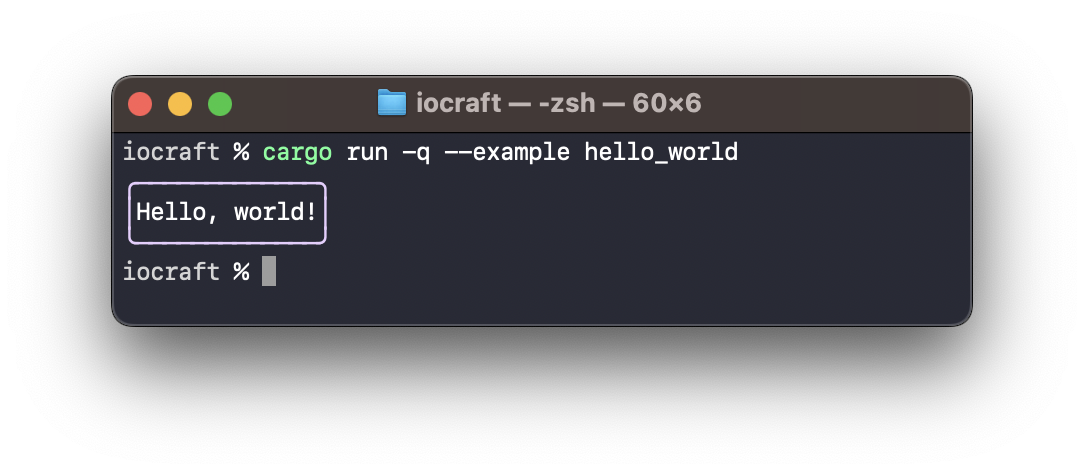
Your UI is composed primarily via the element! macro, which allows you to
declare your UI elements in a React/SwiftUI-like syntax.
iocraft provides a few built-in components, such as View, Text, and
TextInput, but you can also create your own using the #[component] macro.
For example, here's a custom component that uses a hook to display a counter which increments every 100ms:
use iocraft::prelude::*;
use std::time::Duration;

#[component]
fn Counter(mut hooks: Hooks) -> impl Into<AnyElement<'static>> {
    let mut count = hooks.use_state(|| 0);

    hooks.use_future(async move {
        loop {
            smol::Timer::after(Duration::from_millis(100)).await;
            count += 1;
        }
    });

    element! {
        Text(color: Color::Blue, content: format!("counter: {}", count))
    }
}

fn main() {
    smol::block_on(element!(Counter).render_loop()).unwrap();
}
More Examples
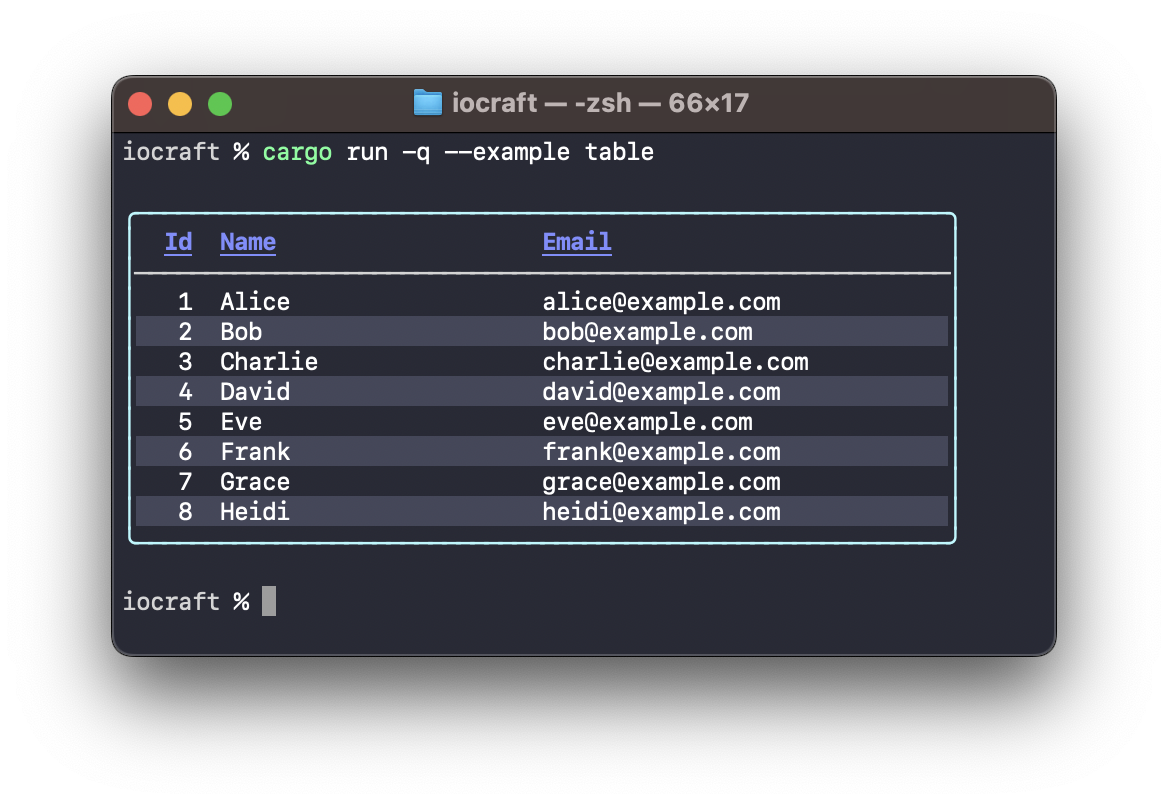
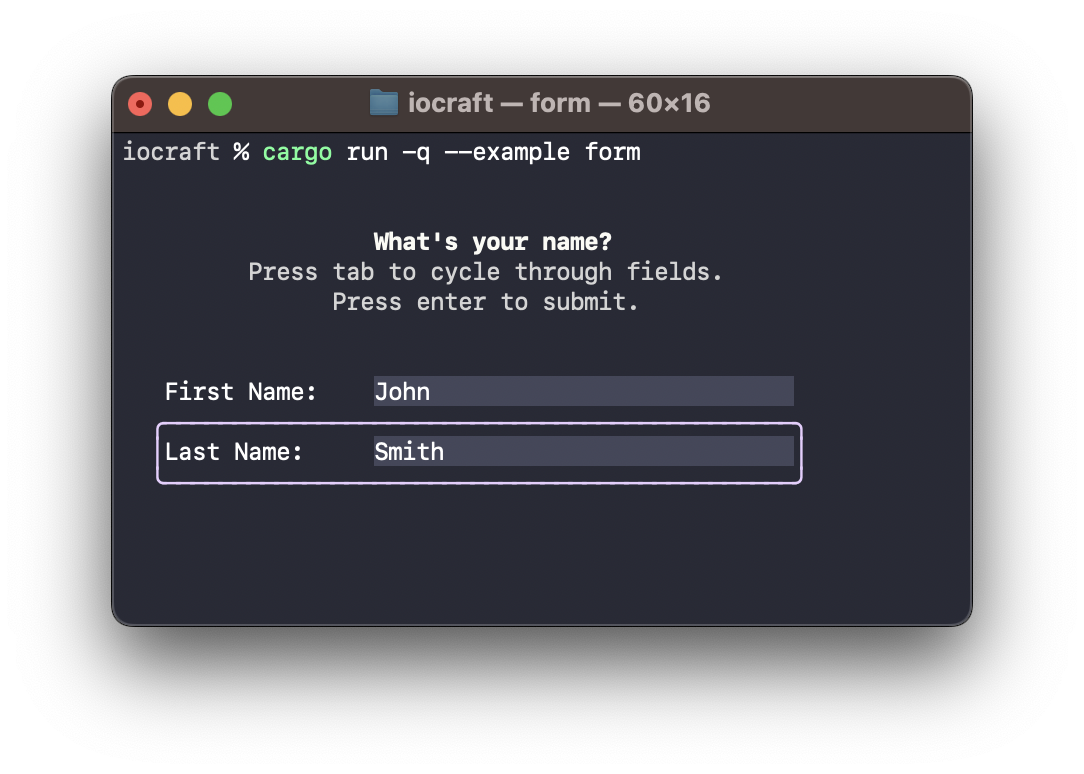
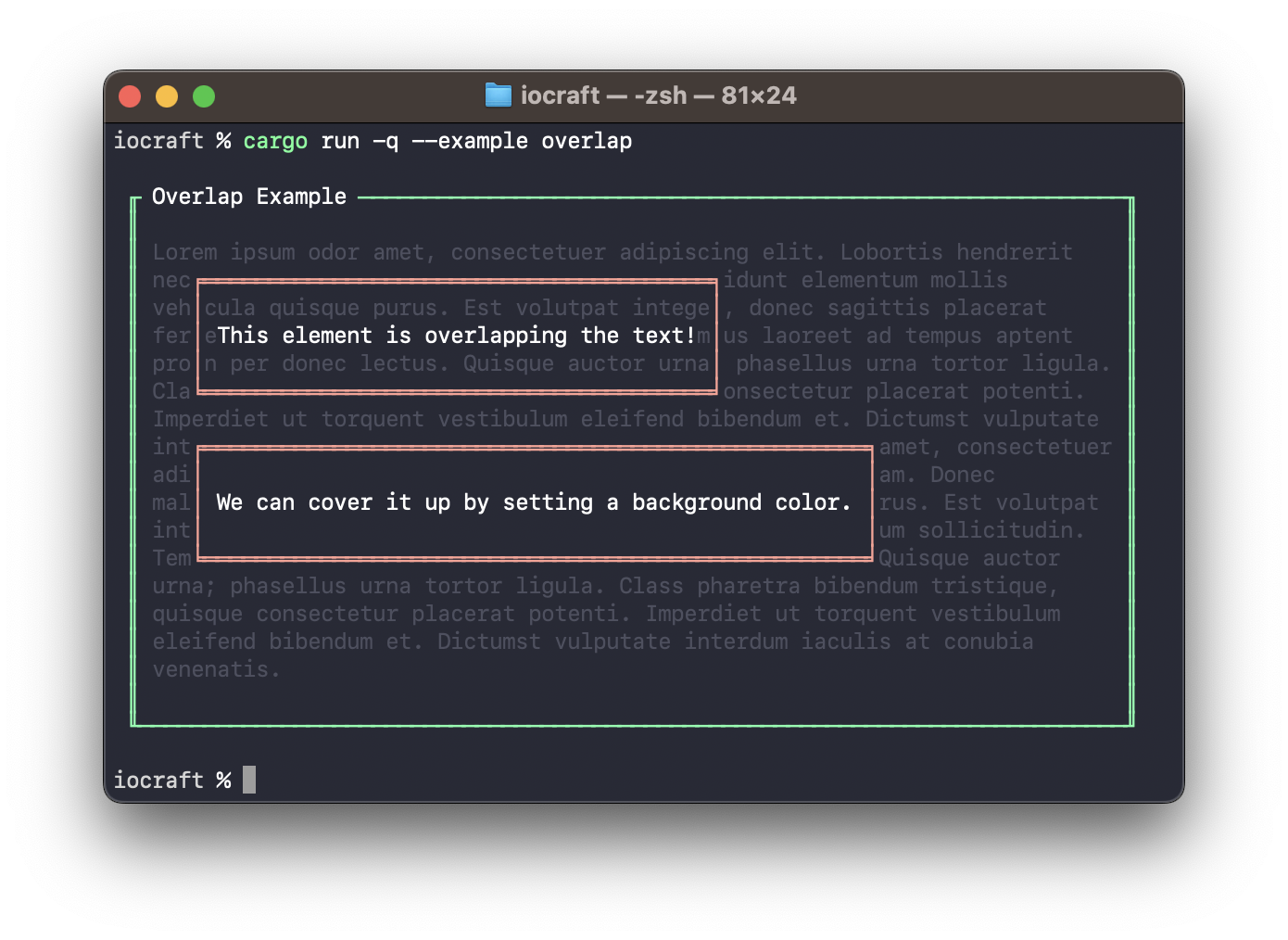
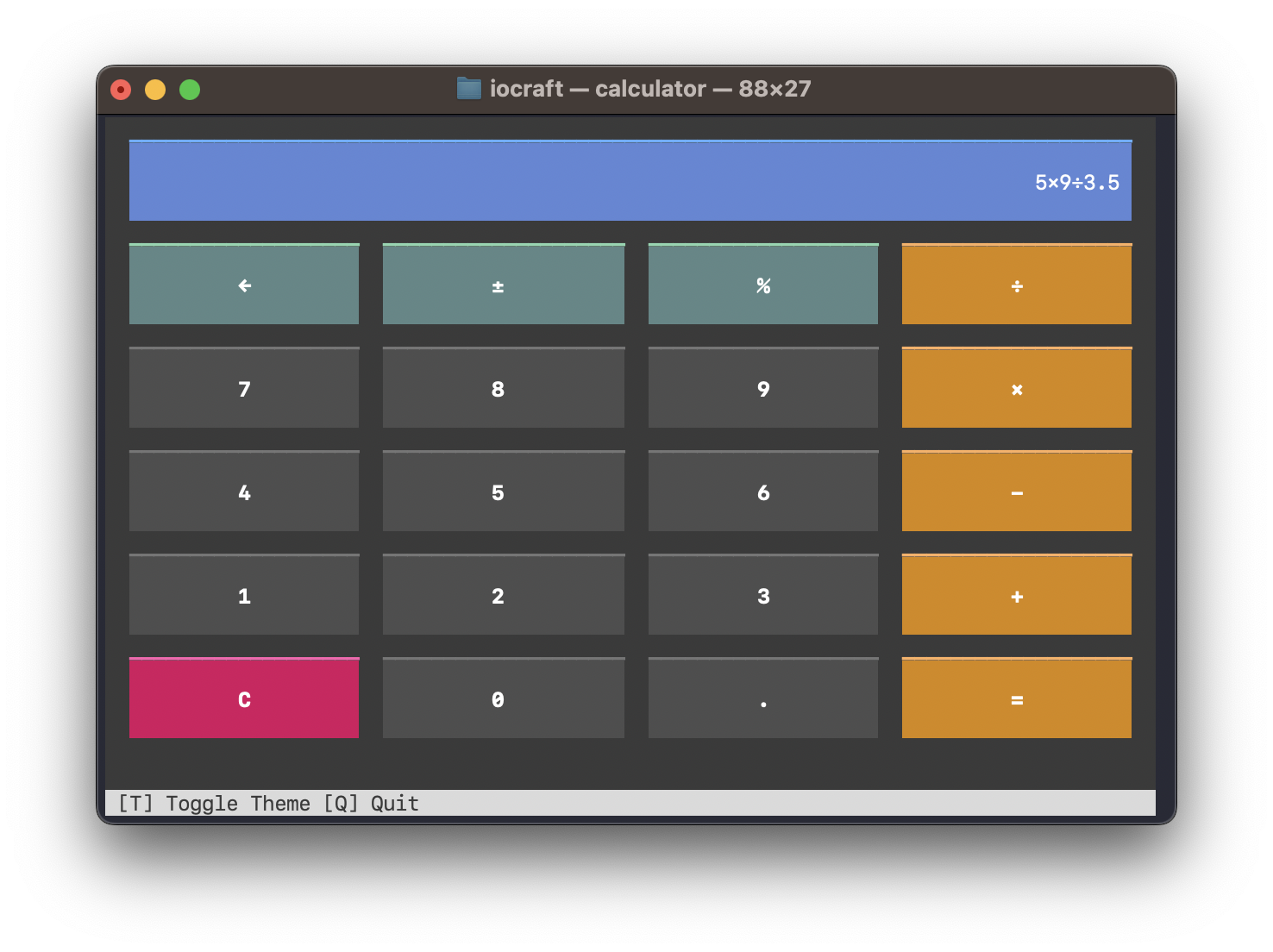
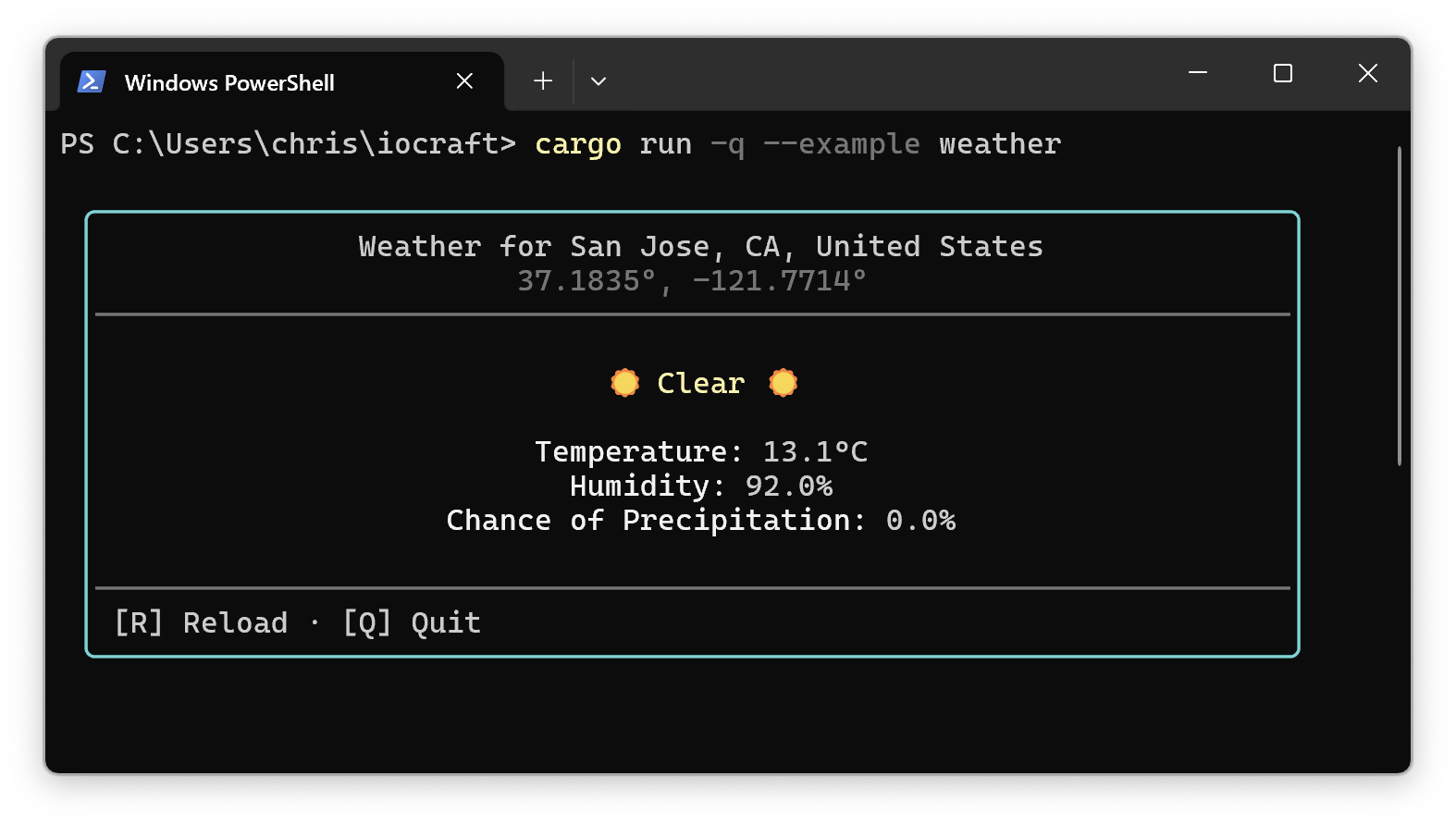
There are many examples on GitHub which demonstrate various concepts such as tables, progress bars, fullscreen apps, forms, and more!
Shoutouts
iocraft was inspired by Dioxus and
Ink, which you should also check out,
especially if you're building graphical interfaces or interested in using
JavaScript/TypeScript.
You may also want to check out Ratatui, which serves a similar purpose with a less declarative API.
License
Licensed under either of
- Apache License, Version 2.0 (LICENSE-APACHE or http://www.apache.org/licenses/LICENSE-2.0)
- MIT license (LICENSE-MIT or http://opensource.org/licenses/MIT)
at your option.
Contribution
Unless you explicitly state otherwise, any contribution intentionally submitted for inclusion in the work by you, as defined in the Apache-2.0 license, shall be dual licensed as above, without any additional terms or conditions.
探索相关项目
加载中…