项目 在 GitHub 查看
catppuccin/minecraft
catppuccin/minecraft has 336 GitHub stars and 8 forks. GitHot measured 0 stars in 24 hours. Last checked 2026-11-21 07:34 UTC. Last push 2025-06-22.
实测星标增长
- 24小时
- 0
- 7天
- 正在收集历史
- 15天
- 正在收集历史
- 1个月
- 正在收集历史
各周期内的星标净变化,周期相互重叠,并非每日新增。缺失的测量保持空白。星标代表关注度,不代表软件质量。
关于
⛏️ Soothing pastel theme for Minecraft
开发工具README.md
原文

Catppuccin for Minecraft


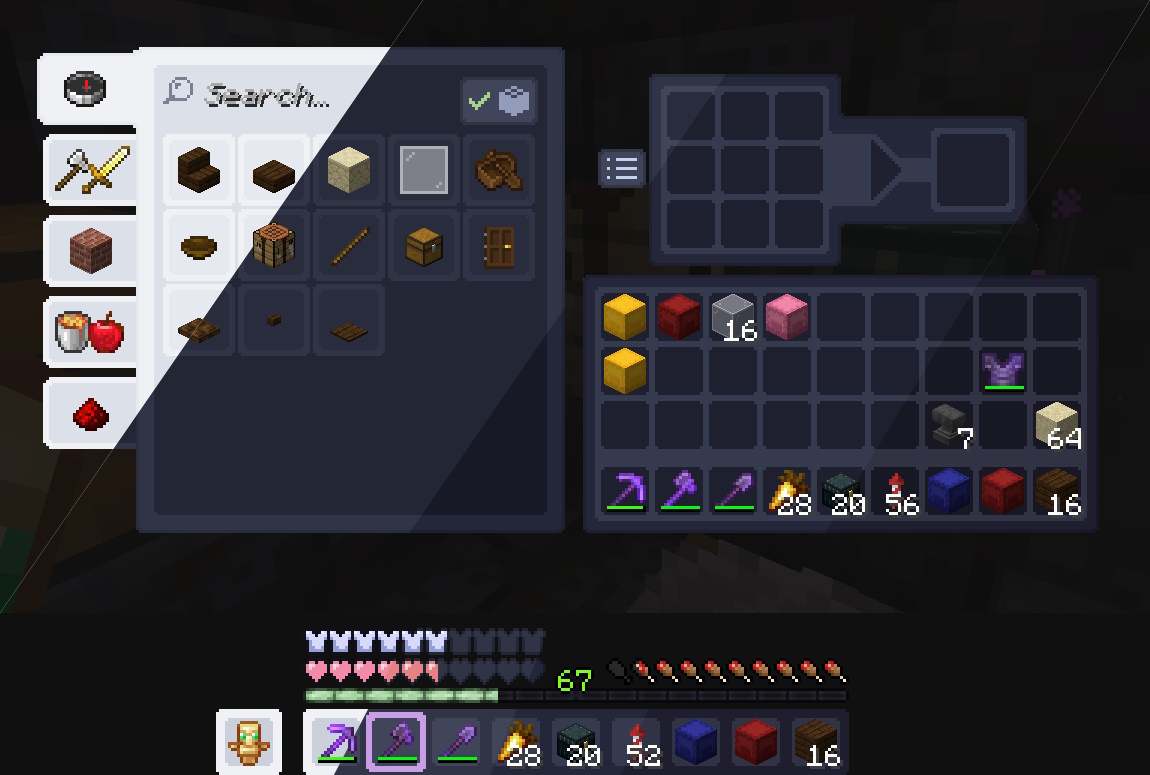

Usage
[!WARNING] Only download mods from sources you trust. Mods can execute arbitrary code. In the past, there have been multiple cases of malicious people including malware inside mods. It is very rare, but something everyone should be aware of.
[!NOTE] Adding support for new mods in Catppuccin UI is temporarily paused. I plan to add support for more mods in future, so feel free to make mod support requests.
Resource Pack
- Go to our Modrinth versions page and click on the version with your preferred flavor and the Minecraft version you're playing.
- Scroll down to the "Files" section and download
Catppuccin {flavor} {accent color}.zipzip file with your preferred accent color. - Move that zip file you downloaded to the
resourcepacksfolder within your.minecraftdirectory (or your Minecraft profile folder, depending on your installation). - Launch Minecraft and open the resource packs menu from the options.
- Select the pack and press done.
Generating packs from templates
usage: create_flavors.py [-h] [-f {Latte,Frappé,Macchiato,Mocha,Frappe}] [-a {Rosewater,Flamingo,Pink,Mauve,Red,Maroon,Peach,Yellow,Green,Teal,Sky,Sapphire,Blue,Lavender}]

Create different flavors of Catppuccin UI resource pack from a template.

options:
  -h, --help            show this help message and exit
  -f, --flavor {Latte,Frappé,Macchiato,Mocha,Frappe}
                        Flavor to create. If not specified, all flavors will be created.
  -a, --accent {Rosewater,Flamingo,Pink,Mauve,Red,Maroon,Peach,Yellow,Green,Teal,Sky,Sapphire,Blue,Lavender}
                        Accent color to create. If not specified, all accent colors will be created.
- From the root directory, run
cd resource-packs/Catppuccin UI. - If you don't have the dependencies installed, install them with
pip install pillow catppuccinbefore runnning the script. - Run
python create_flavors.py. Optionally use the flags-fand-ato specitify for an single combination. - The packs should be generated in the
outputdirectory inside the Catppuccin UI directory.
Shaders
- Install Iris and Sodium.
- Download a
catppuccin-shaders.zipzip file from the releases page. - Move it to your shader packs folder within your
.minecraftdirectory (or your Minecraft profile folder, depending on your installation). - Go to Options -> Video -> Shader Packs.
- Select the pack.
- Set the flavor in the shader settings.
💝 Thanks to

Copyright © 2021-present Catppuccin Org
