
bomberstudios/artboard-manager
bomberstudios/artboard-manager has 671 GitHub stars and 23 forks. GitHot measured 0 stars in 24 hours and 0 in 7 days. Last checked 2026-11-22 19:42 UTC. Last push 2023-10-26.
实测星标增长
- 24小时
- 0
- 7天
- 0
- 15天
- 正在收集历史
- 1个月
- 正在收集历史
各周期内的星标净变化,周期相互重叠,并非每日新增。缺失的测量保持空白。星标代表关注度,不代表软件质量。
关于
Because moving Artboards manually is *so* 2016
开发工具README.md
原文Sketch Artboard Manager

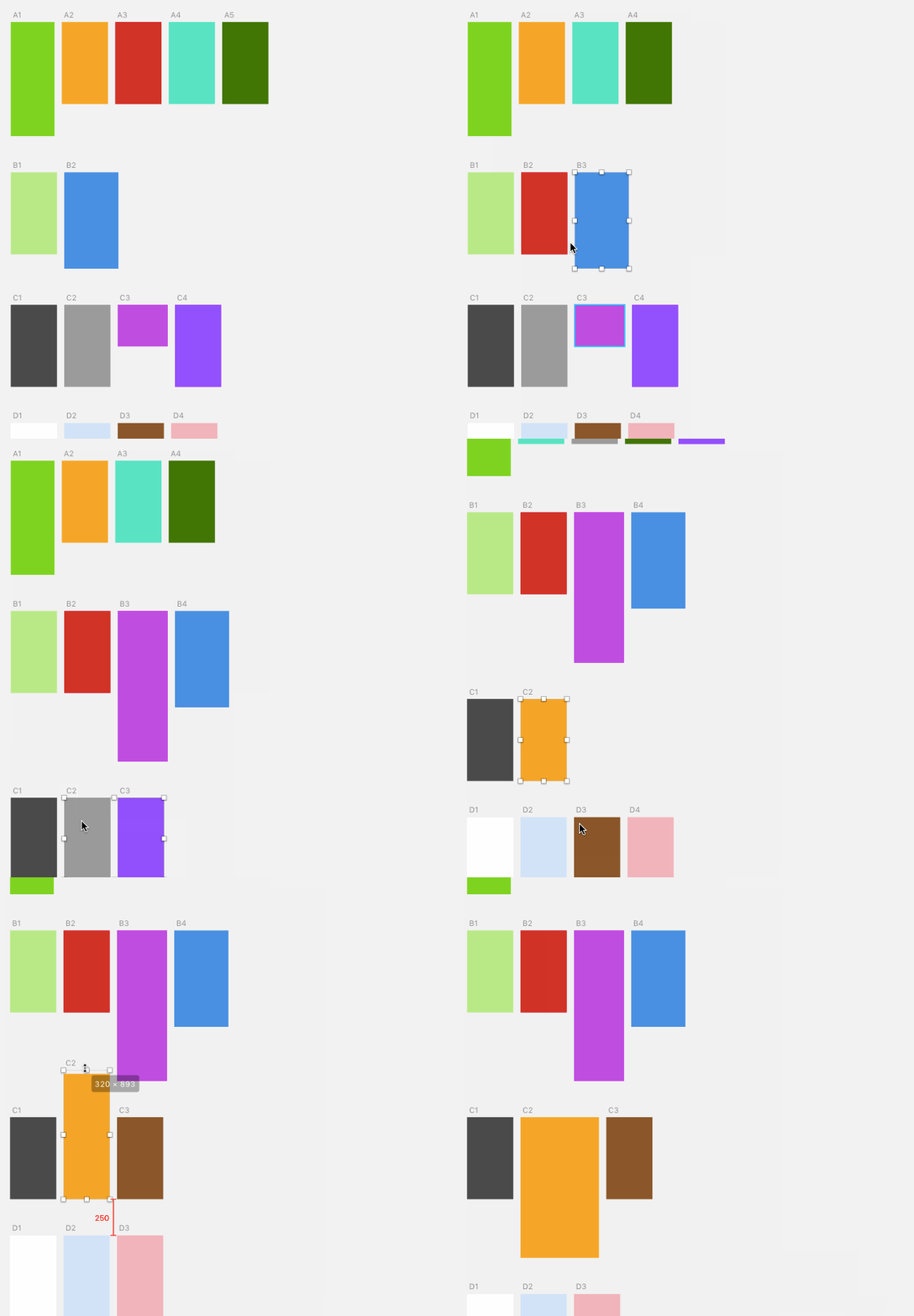
This plugin automatically arranges the position of all Artboards in your Sketch document, to snap them to rows & columns.

Installation
- Download the latest release, unzip and double click on the .sketchplugin file.
Usage
Once the plugin is installed, Artboards will be arranged automatically when added, moved, or resized.
If you want to disable the plugin temporarily, you can toggle it using the Auto Mode menu option (shortcut: Ctrl Shift A). The setting is stored in the app's preferences, so it will persist between launches.
If, for some reason, you want to arrange your Artboards manually, you can choose the Artboard Manager › Arrange Artboards menu option.
Configuration
You can tweak some of the settings by opening Plugins › Artboard Manager › Settings:
- Horizontal Space: the amount of pixels you want to have between your Artboard columns. The default is 50.
- Vertical Space: the amount of pixels you want to have between your Artboard rows. The default is 100.
- Rename Artboards: if enabled, the plugin will rename all Artboards in the current page when arranging the layout, so handle it with care!
- Arrange Symbols: if enabled, Artboards which are masters for Symbols are also arranged. Defaults to off.
- Arrange Symbols Page: if enabled, Artboards in the Symbols page will be arranged when you move them. It defaults to off, in case you’re using something like Symbol Organiser.
- Exclude Pattern: if your Artboard names start with this pattern, they will be ignored by the plugin. Defaults to
--.
TODO
- Ability to enable the plugin per document / page
- Ability to rename Artboards automatically based on multiple criteria
探索相关项目
加载中…