项目 在 GitHub 查看
ayushgoel/AGEmojiKeyboard
关于
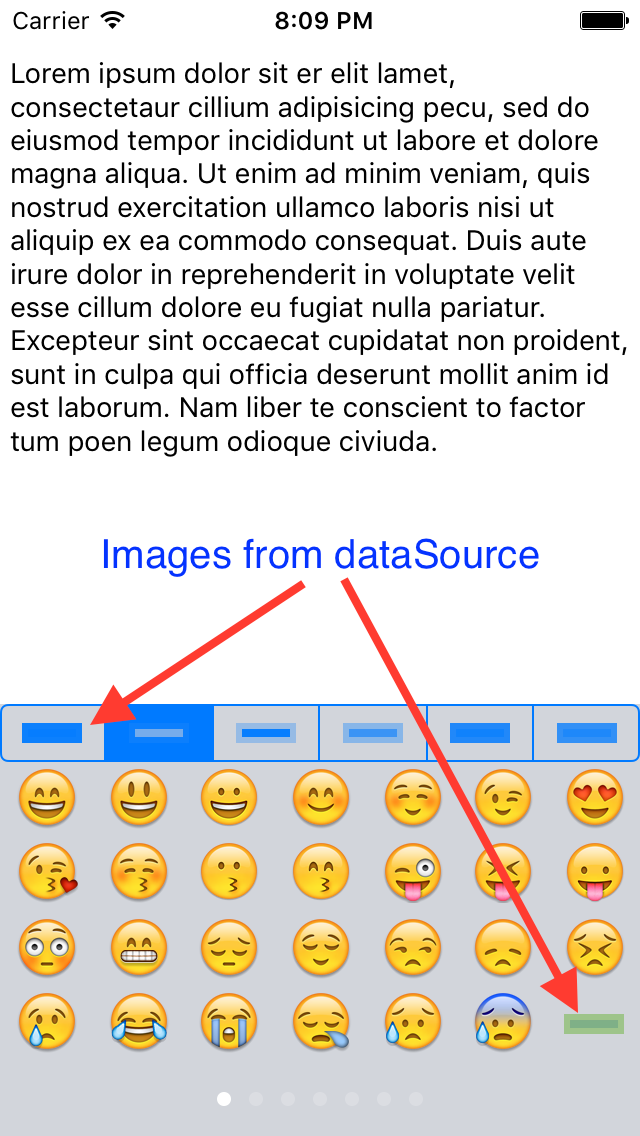
适用于 iOS 的 Emoji 键盘
开发工具实测星标增长
- 24小时
- 0
- 7天
- 0
- 15天
- 正在收集历史
- 1个月
- 正在收集历史
各周期内的星标净变化,周期相互重叠,并非每日新增。缺失的测量保持空白。星标代表关注度,不代表软件质量。
README.md
原文AGEmojiKeyboard


An alternate keyboard for iOS that lets you display all the emojis supported by iOS. Documentation is available via CocoaDocs.
Additions that need to be done:
- Stickers
- Custom emojis (different font)
Example Project
To run the example project:
- Clone the repo to a local folder.
- Run
pod installfrom the Example directory. - Open
AGEmojiKeyboardSample.xcworkspaceplaced in Example folder. - Run.
Installation
Via CocoaPods
AGEmojiKeyboard is available through CocoaPods, to install
it simply add the following line to your Podfile:
pod "AGEmojiKeyboard"
Copy the files
Copy the classes from AGEmojiKeyboard/ and resources from Resources/ to your project. Look at the Example/ folder to see how the classes are used for more detail.
Usage
- Use your own
ViewController(optionally) to conform to AGEmojiKeyboardViewDataSource and AGEmojiKeyboardViewDelegate protocol. - Create an instance of [AGEmojiKeyboardView][AGEmojiKeyboardView] and set it as your
textView'sinputView.
  CGRect keyboardRect = CGRectMake(0, 0, self.view.frame.size.width, 216);
  AGEmojiKeyboardView *emojiKeyboardView = [[AGEmojiKeyboardView alloc] initWithFrame:keyboardRect
                                                                           dataSource:self];
  emojiKeyboardView.autoresizingMask = UIViewAutoresizingFlexibleHeight;
  emojiKeyboardView.delegate = self;
  self.textView.inputView = emojiKeyboardView;
Author
Ayush Goel, [email protected]
License
AGEmojiKeyboard is available under the MIT license. See the LICENSE file for more info.
探索相关项目
加载中…