
awkward/Alembic
关于
⚗️ 从 Sketch 图像中提取调色板
开发工具实测星标增长
- 24小时
- 0
- 7天
- 0
- 15天
- 0
- 1个月
- 正在收集历史
各周期内的星标净变化,周期相互重叠,并非每日新增。缺失的测量保持空白。星标代表关注度,不代表软件质量。
README.md
原文

Alembic


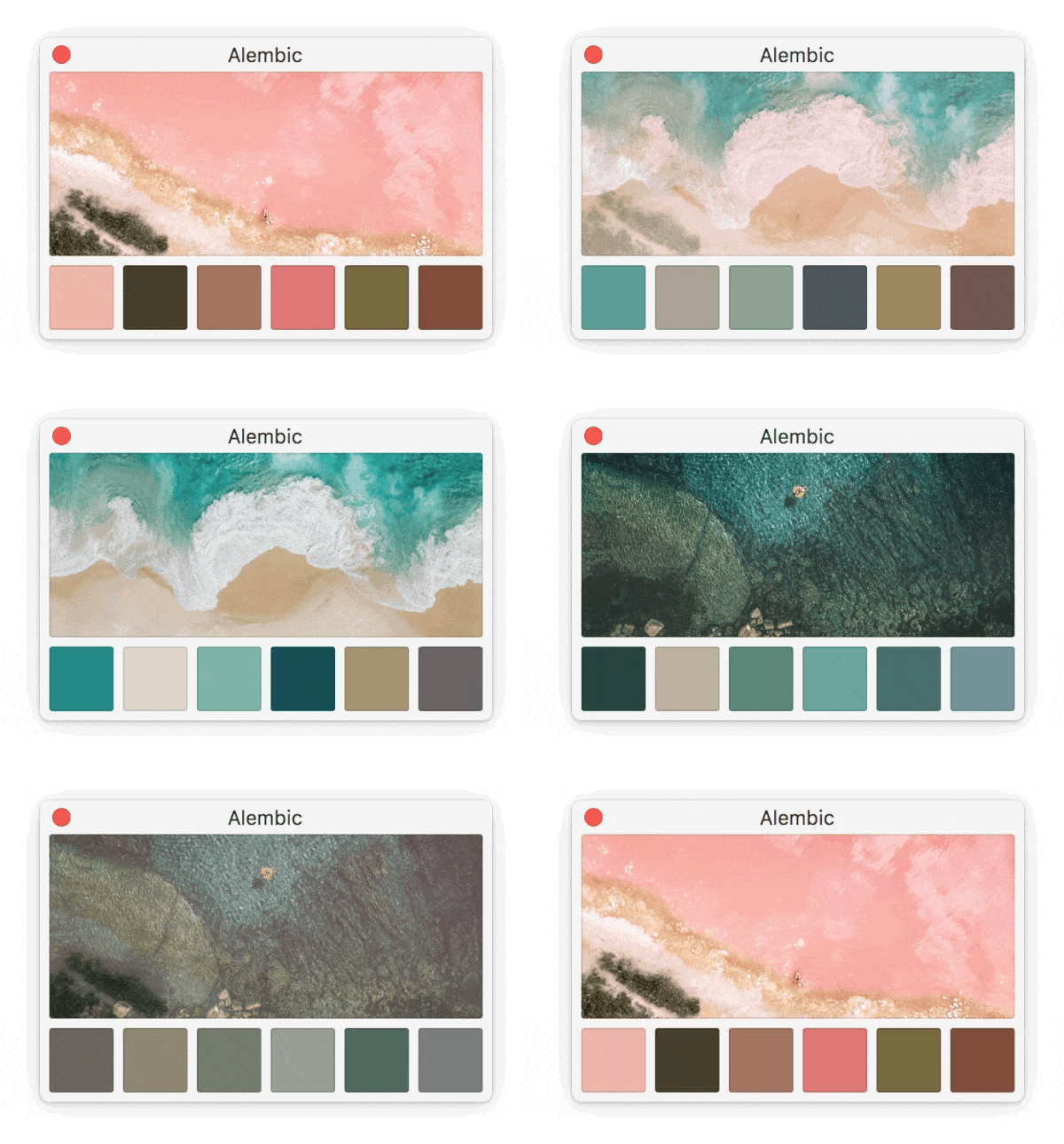


A Sketch plugin to extract a color palette from any layer that contains bitmap data. This works for both images and layers with a Pattern fill. Alembic uses Color Thief to extract a representative color palette.
Introduction
Hi, we’re Awkward. A while ago, we came across this Tweet with an idea for a Sketch plugin that extracts color palettes from images. We felt like it was perfect to experiment with and the idea resulted in Alembic.
Usage
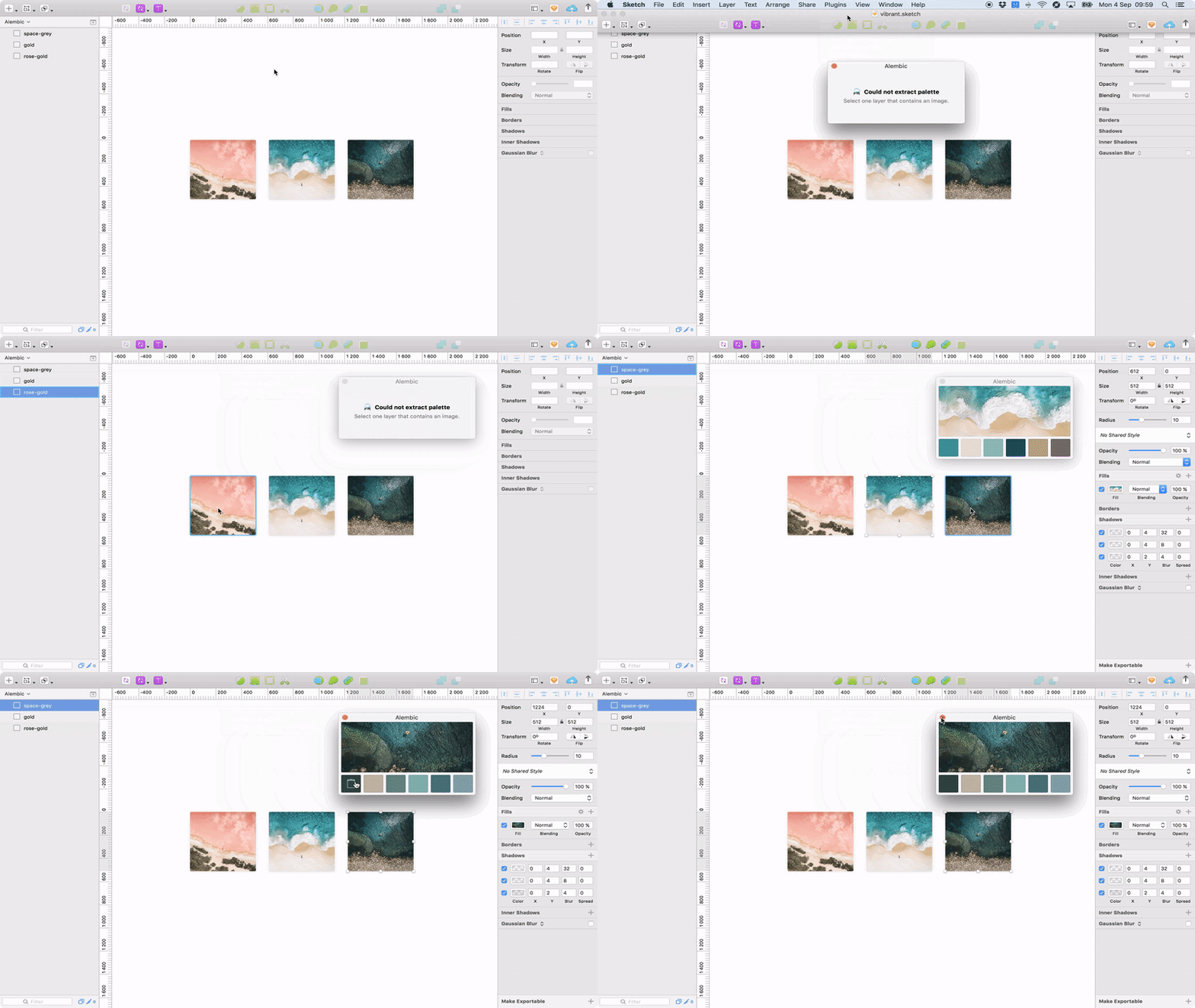
- Launch
Plugins › ⚗️ Alembic - Select the layer you want to extract the colors from
- Click a color to copy it to your clipboard
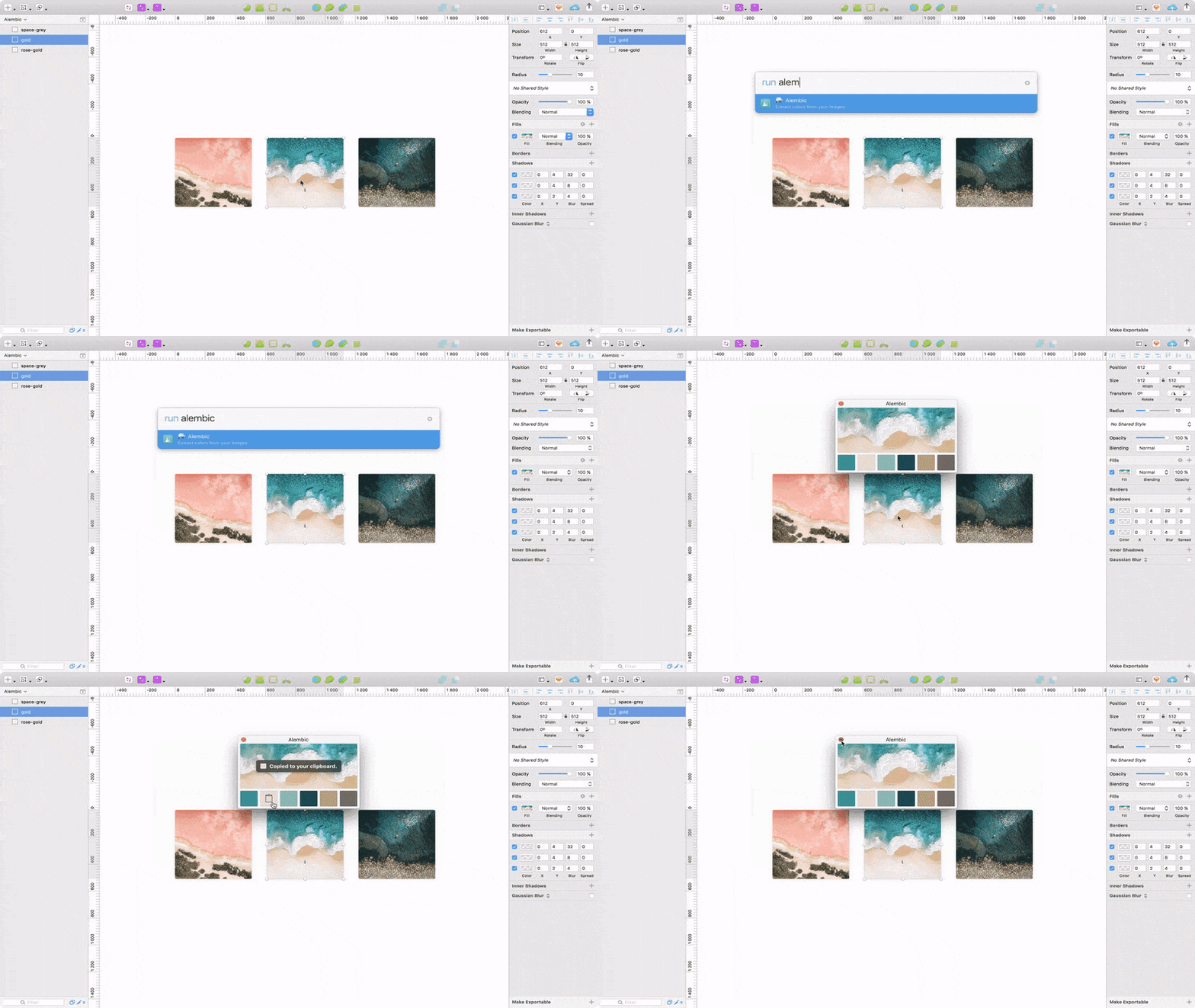
You can also use Sketch Runner to quickly launch Alembic.
Installation
Using Sketch Runner
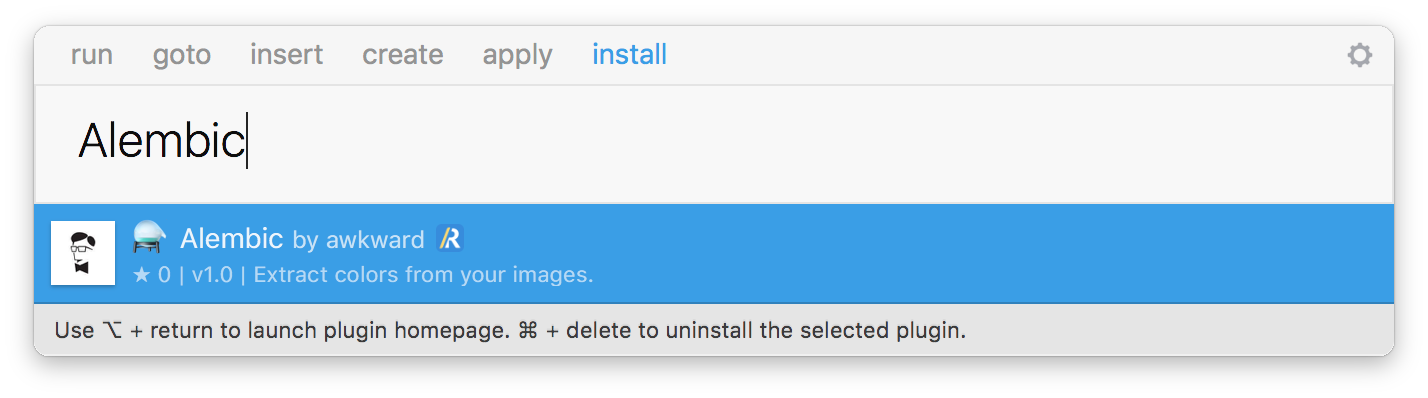
With Sketch Runner, just go to the install command and search for Alembic.
Using Sketchpacks
Search for Alembic in Sketchpacks or just install it directly.
Manually
- Download the latest release
- Open
Alembic.sketchplugin
License
Alembic is available under the MIT license. See the LICENSE file for more info.
探索相关项目
加载中…