项目 在 GitHub 查看
arsaboo/homeassistant-config
关于
🏡 我的 Home Assistant 配置。别忘了给我的仓库加上 :star2:,以便关注更新!
开发工具实测星标增长
- 24小时
- -1
- 7天
- 0
- 15天
- +2
- 1个月
- 正在收集历史
各周期内的星标净变化,周期相互重叠,并非每日新增。缺失的测量保持空白。星标代表关注度,不代表软件质量。
README.md
原文Home Assistant Configuration
Here's my Home Assistant configuration. I have installed HA on an Intel NUC SkullCanyon with 32GB RAM and 500GB NVMe SSD. I am currently running Ubuntu 16.04 LTS on the NUC and used the virtual environment approach to install HA.
I regularly update my configuration files. You can check my current HA version here. If you like anything here, Be sure to :star2: my repo!
Other things that I run on my NUC
- Home Assistant
- Homebridge
- Plex media server in a Docker container using the command
docker create \
--name plex --net=host --restart=always \
-e TZ="America/New York" \
-e PUID=1000 -e PGID=1000 \
-e PLEX_CLAIM="<CLAIM>" \
-p 32400:32400 \
-v /docker/containers/plex/config:/config \
-v /docker/containers/plex/transcode:/transcode \
-v /mnt/music:/data/music:shared \
-v "/mnt/media/TV Shows":/data/tvshows:shared \
-v /mnt/bollywood:/data/bollywood:shared \
-v /mnt/hollywood:/data/movies:shared \
 plexinc/pms-docker:plexpass
- Machinebox image tagging service in a Docker container using the following command. First obtain your API key and assign it to
MB_KEYand then run the container using (you can access the Tagbox interface at http://ip.ad.dr.es:8081):
$ sudo docker run --name=machinebox -p 8081:8080 -e "MB_KEY=$MB_KEY" -d machinebox/tagbox
Some of the devices and services that I use with HA
- Aeotec Z-Stick Gen5 for Z-Wave control
- I use a z-wave dry contact relay along with a tilt sensor for automating my garage door.
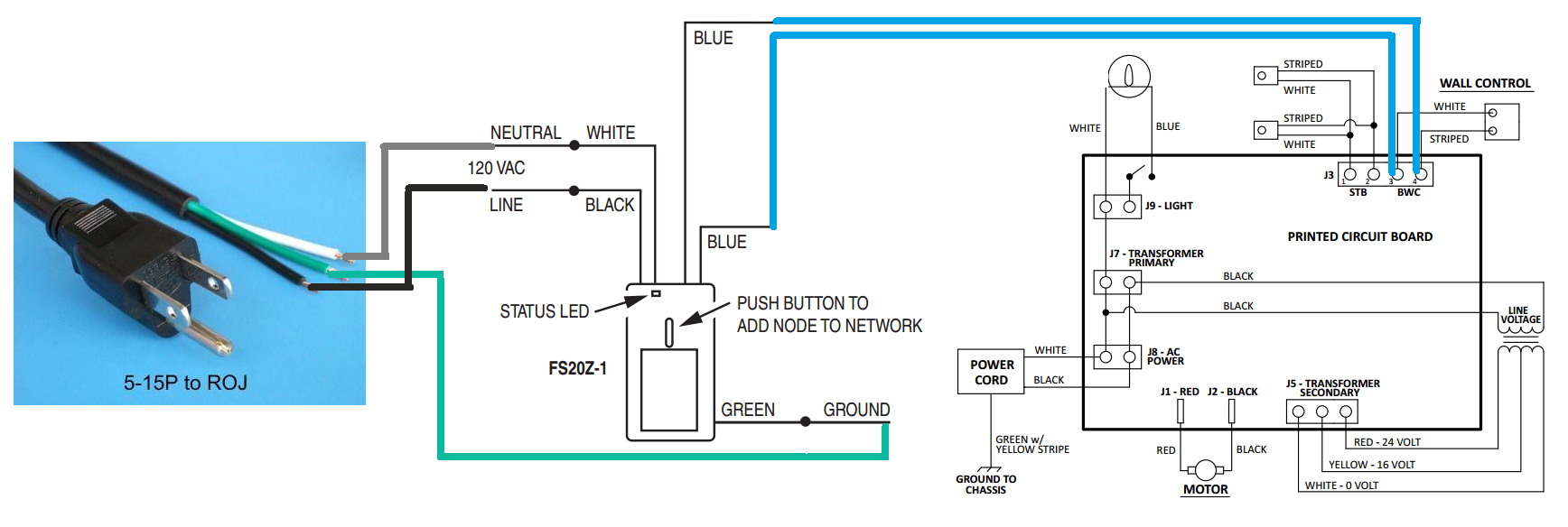
- I use a z-wave dry contact relay along with a tilt sensor for automating my garage door.
- Xiaomi Aqara for Zigbee sensors
- Currently using water, temperature/humidity, door/window, and human body sensors
- Also, using Mi Magic Cube for volume and brightness automation.
- Presence detection is the cornerstone for my setup and I use an elaborate approach as explained here. Currently, I combine the information from the following device trackers using a
python_scriptand a Bayesian binary sensor. Here are the components that I use for presence:- Unifi WAP for network-based device tracking
- OwnTracks, Geofency, and Life360 custom_component for tracking our iOS devices
- iOS app
- Security
- Abode home security that is almost entirely automated using presence
- Four Hikvision DS-2CD2042WD-I cameras across the house integrated using Synology Camera component
- Three Arlo cameras for indoor monitoring
- Ring doorbell
- Networking
- Lights and Switches
- LIFX wifi lights
- Wemo switches for porch and driveway
- Wemo plugs for miscellaneous automation including smart charging (to prevent overcharging), humidifier, Christmas lights, etc.
- GE Z-wave dimmer 12724 for kitchen lights
- Voice Interaction
- Google Home, with the Google Assistant and Dialogflow components
- Amazon Echo Dot with HA Cloud
- Media
- Sonos speakers and component
- Plex for media consumption along with Plex component
- Plex activity monitor to track my PMS.
- Google Cast on my Nvidia Shield TV
- Notifications:
- iOS and Pushbullet for basic notifications
- Telegram and iOS for actionable notifications
- TTS with the Sonos
- Notification for Android TV to send visual notifications to Shield
- Weather and Climate related
- Ecobee thermostats in the main floor and kids rooms
- Wunderground to integrate my weather station
- Bloomsky weather station DarkSky for weather data and forecasts
- Pollen sensor for allergy related information
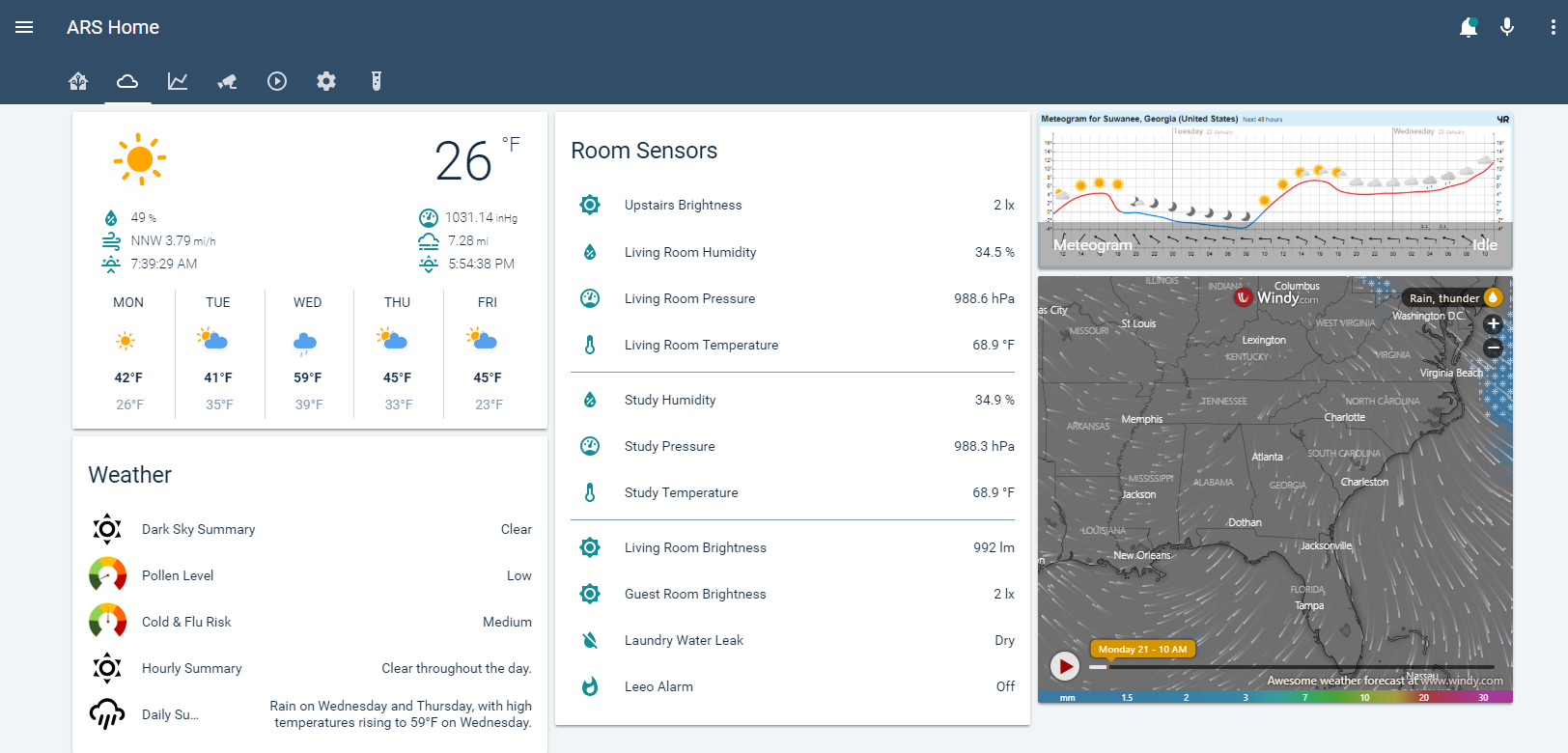
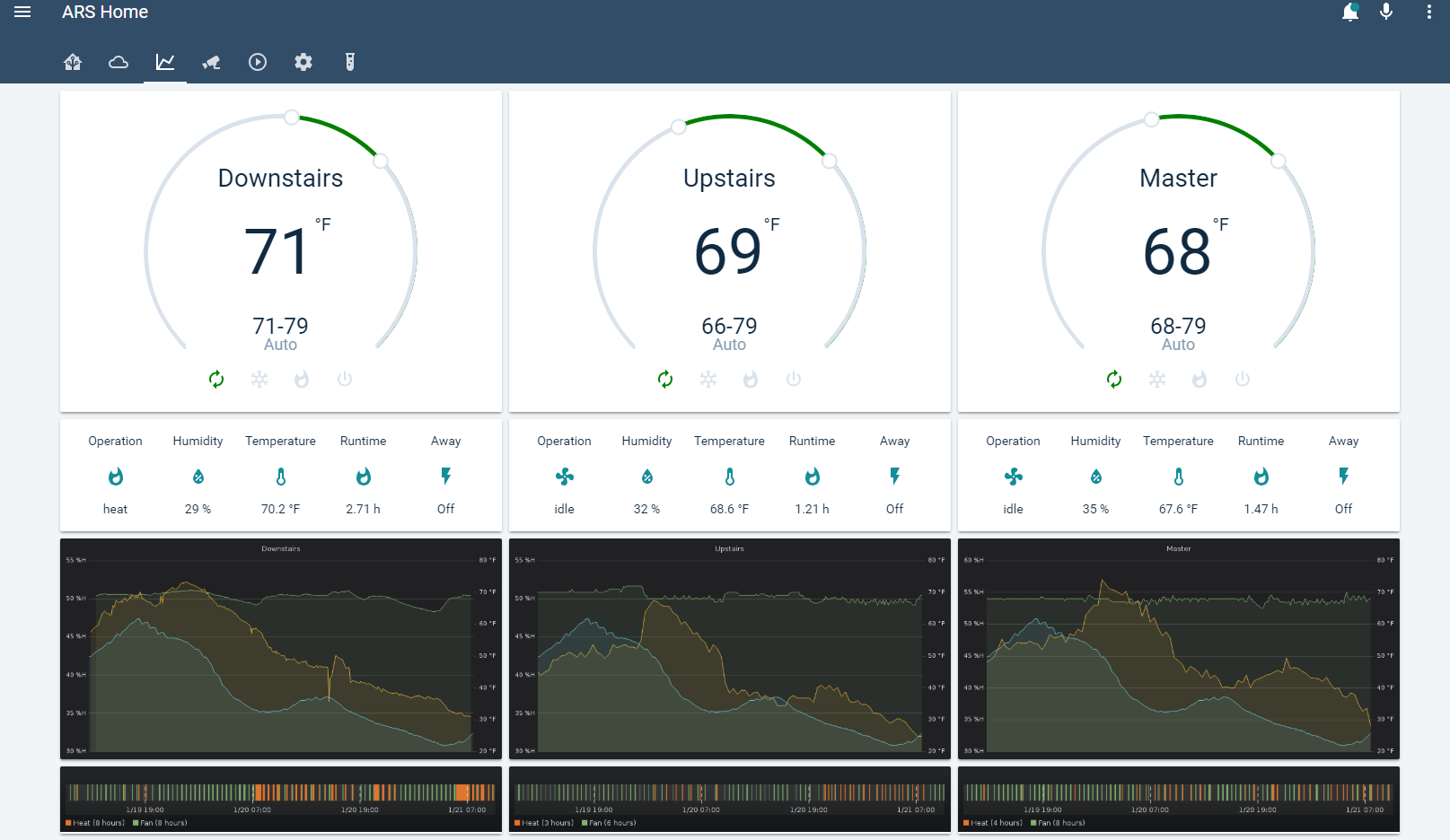
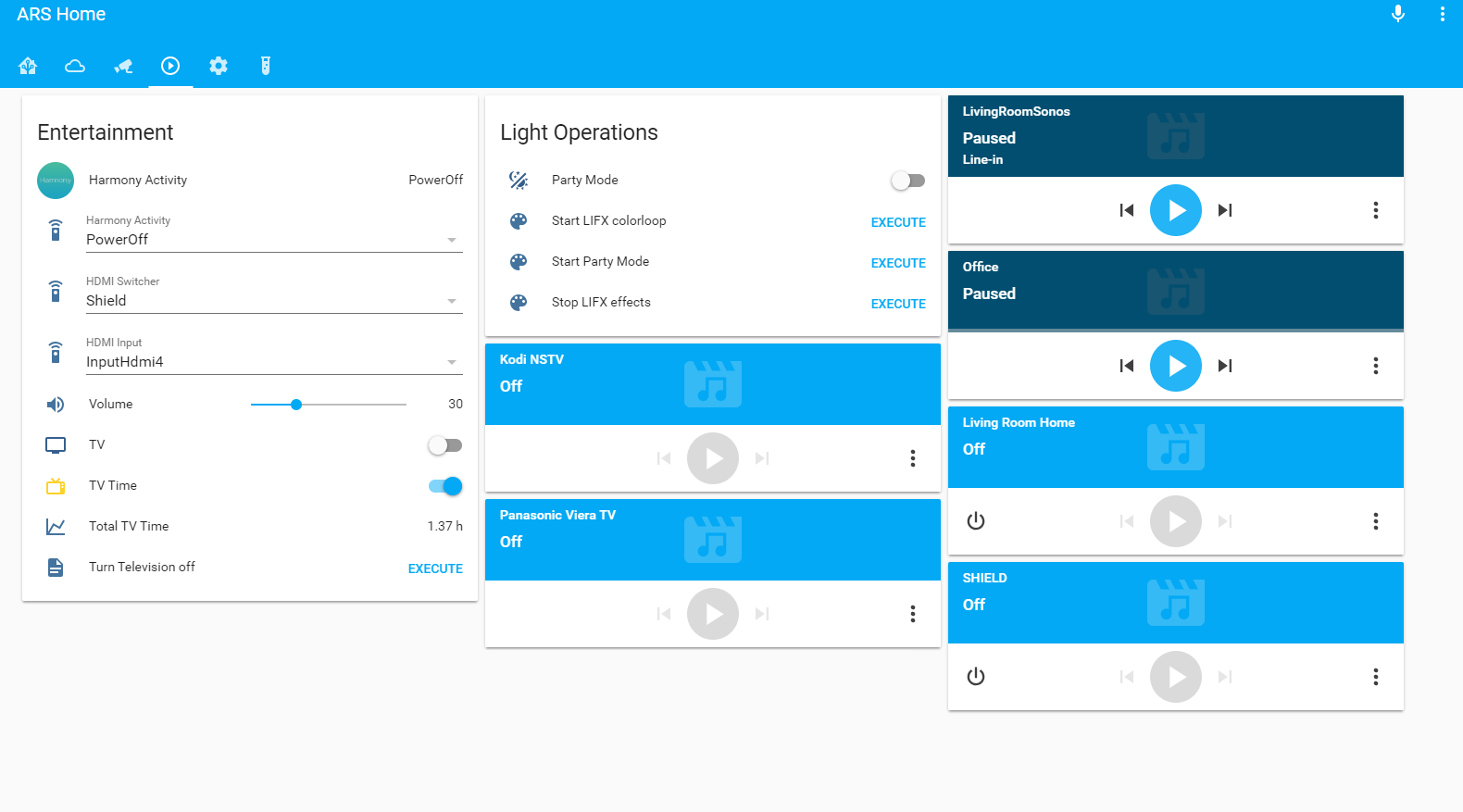
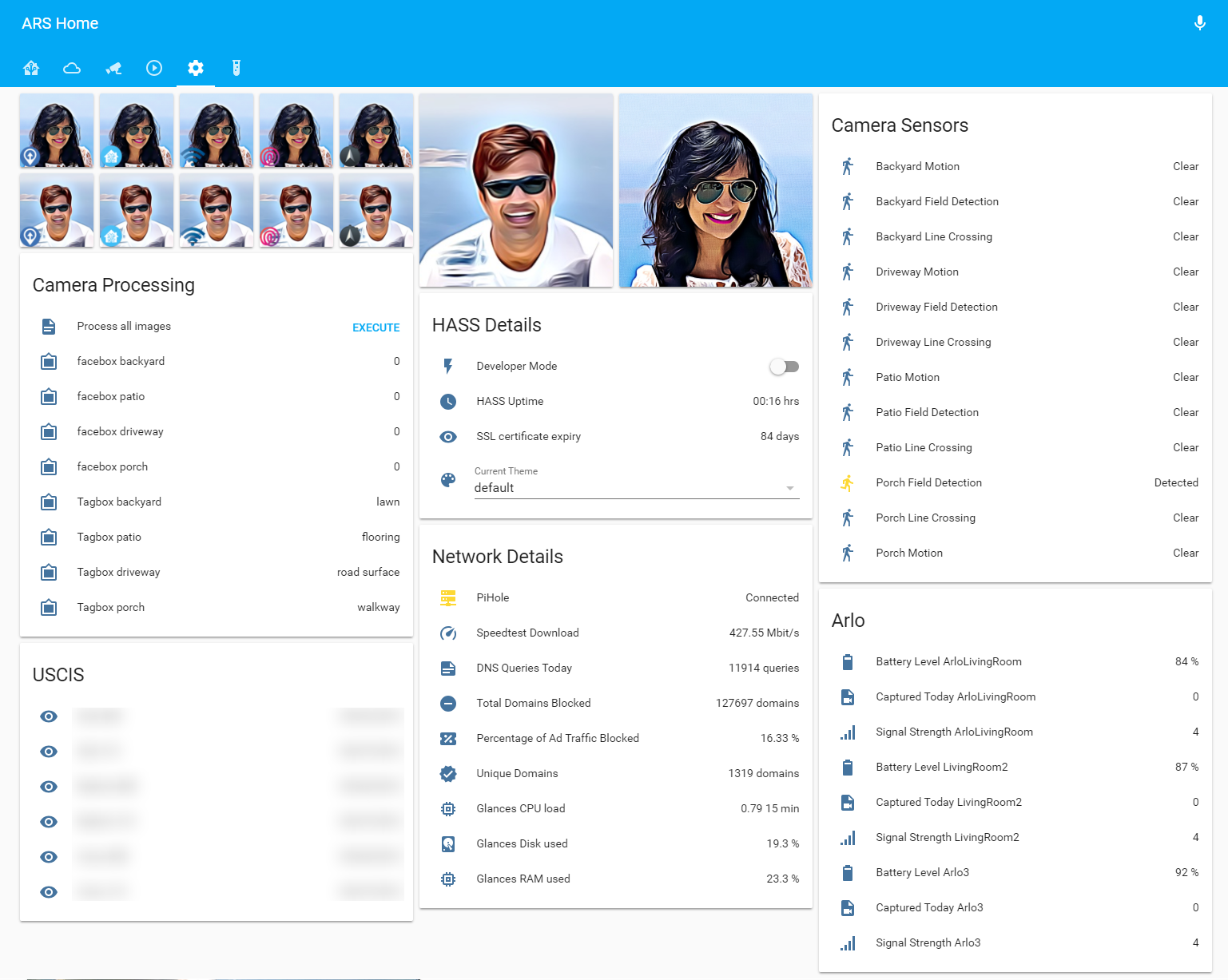
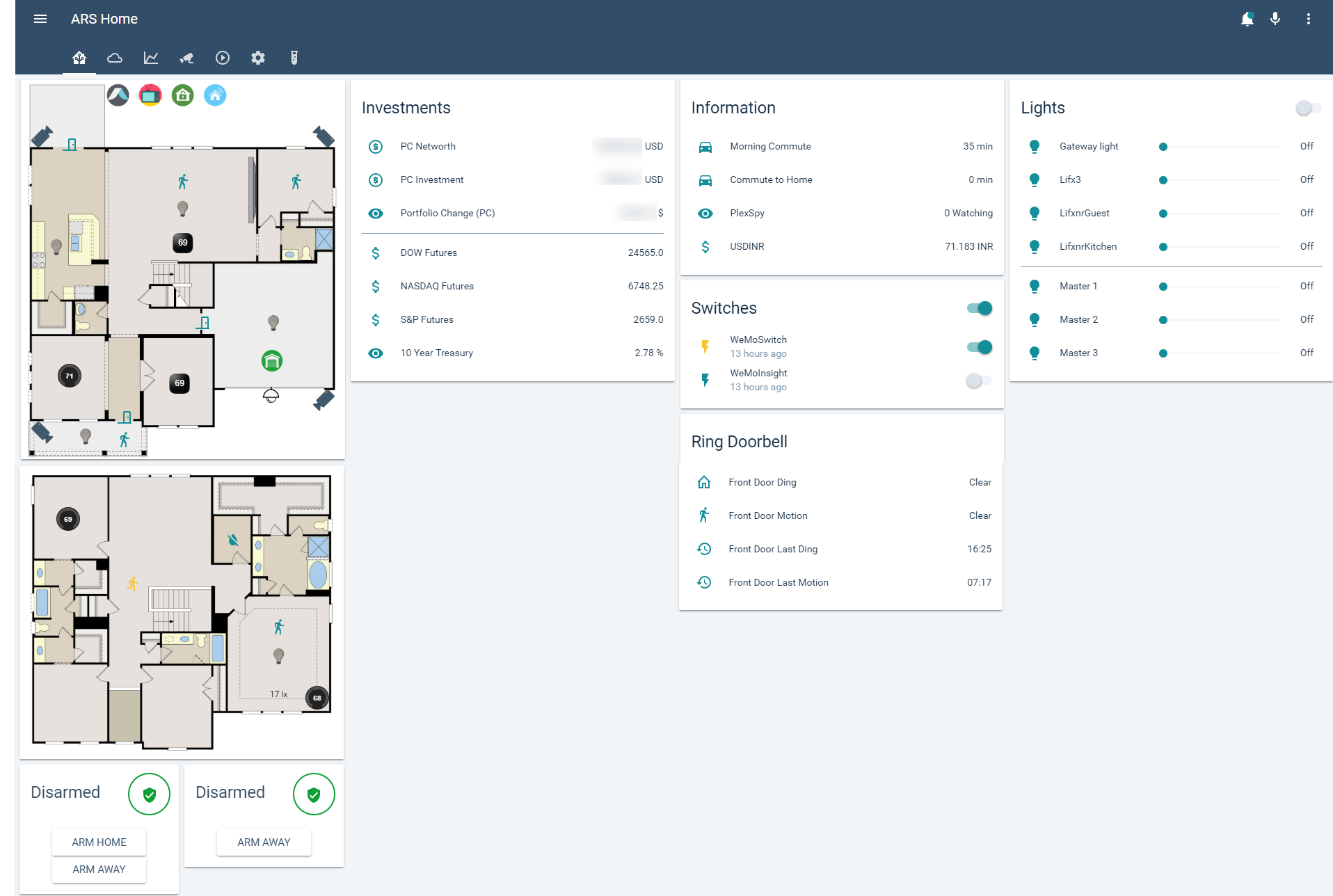
My Home Assistant dashboard
I moved my entire configuration to Lovelace. Here are some screenshots (please note that these may not be the most updated images, but you should get an idea).
Useful links
- HA cheat sheet for miscellaneous tips and tricks.
探索相关项目
加载中…