
armcha/AutoLinkTextView
关于
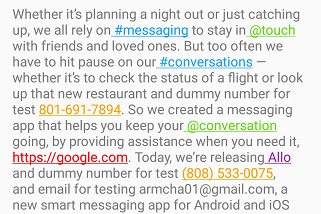
AutoLinkTextView 是一种 TextView,可自动识别标签(#)、提及(@)、URL(http://)、电话号码和电子邮件,并支持处理点击。
开发工具可以做什么
- Default support for Hashtag, Mention, Link, Phone number and Email
- Support for custom types via regex
- Ability to set text color
- Ability to set pressed state color
实测星标增长
- 24小时
- 0
- 7天
- 0
- 15天
- -1
- 1个月
- 正在收集历史
各周期内的星标净变化,周期相互重叠,并非每日新增。缺失的测量保持空白。星标代表关注度,不代表软件质量。
README.md
原文AutoLinkTextView

Deprecated
Please use the new version of AutoLinkTextView
AutoLinkTextView is TextView that supports Hashtags (#), Mentions (@) , URLs (http://), Phone and Email automatically detecting and ability to handle clicks.
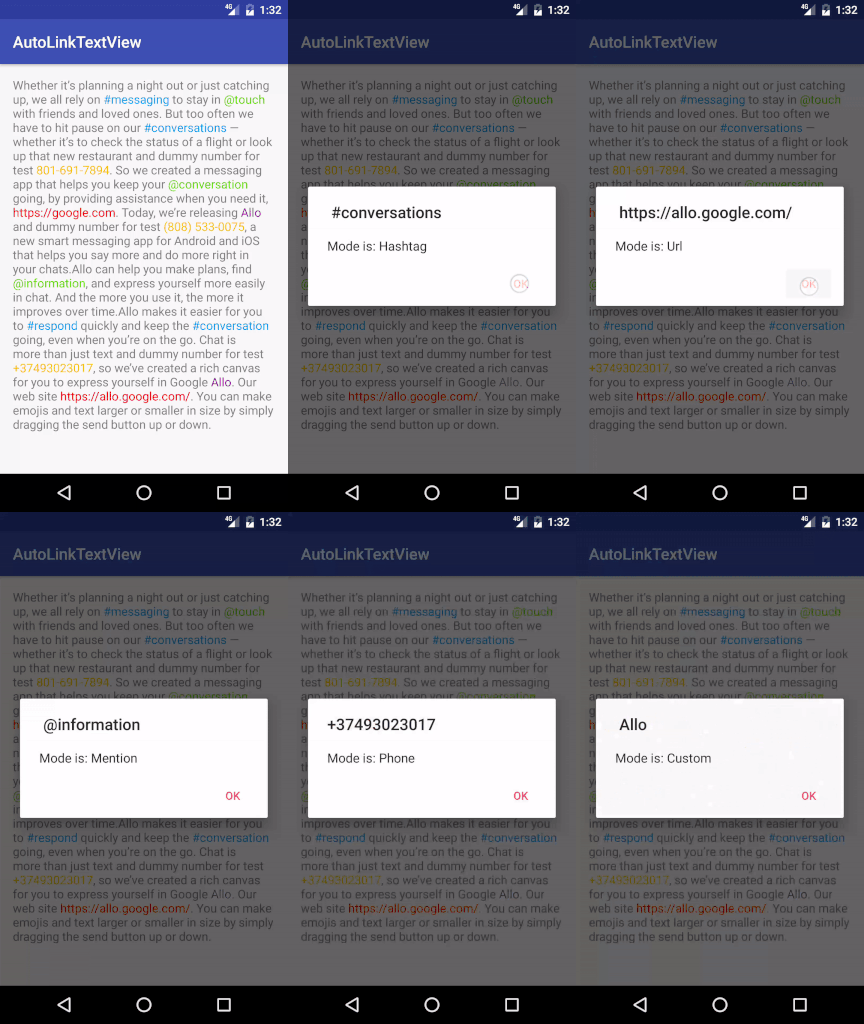
The current minSDK version is API level 14 Android 4.0 (ICE CREAM SANDWICH).
Download sample apk
Features
- Default support for Hashtag, Mention, Link, Phone number and Email
- Support for custom types via regex
- Ability to set text color
- Ability to set pressed state color
- Ability to make specific modes bold
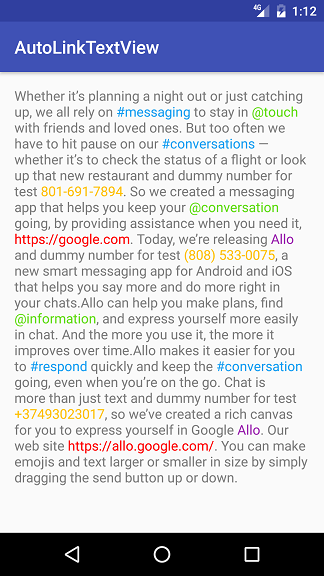
Download
Gradle:
compile 'com.github.armcha:AutoLinkTextView:0.3.0'
Setup and usage
Add AutoLinkTextView to your layout
    <com.luseen.autolinklibrary.AutoLinkTextView
         android:id="@+id/active"
         android:layout_width="wrap_content"
         android:layout_height="wrap_content" />
AutoLinkTextView autoLinkTextView = (AutoLinkTextView) findViewById(R.id.active);
Set up mode or modes
autoLinkTextView.addAutoLinkMode(
                AutoLinkMode.MODE_PHONE);
Set text to AutoLinkTextView
autoLinkTextView.setAutoLinkText(getString(R.string.long_text));
Set AutoLinkTextView click listener
autoLinkTextView.setAutoLinkOnClickListener(new AutoLinkOnClickListener() {
            @Override
            public void onAutoLinkTextClick(AutoLinkMode autoLinkMode, String matchedText) {

            }
        });
Customizing
AutoLinkModes
AutoLinkMode.MODE_PHONE
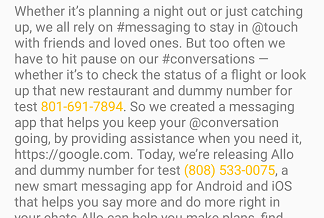
AutoLinkMode.MODE_HASHTAG
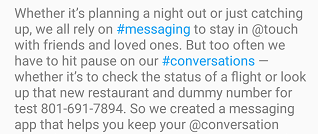
AutoLinkMode.MODE_URL
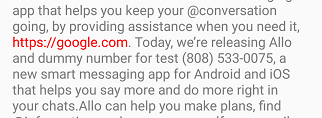
AutoLinkMode.MODE_MENTION
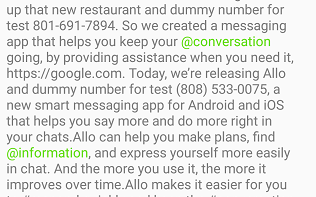
AutoLinkMode.MODE_EMAIL
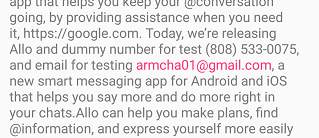
AutoLinkMode.MODE_CUSTOM
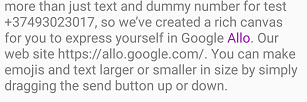
if you use custom mode, you should also add custom regex,
autoLinkTextView.setCustomRegex("\\sAllo\\b");
Note:Otherwise MODE_CUSTOM will return MODE_URL
You can also use multiple types
autoLinkTextView.addAutoLinkMode(
                AutoLinkMode.MODE_HASHTAG,
                AutoLinkMode.MODE_PHONE,
                AutoLinkMode.MODE_URL,
                AutoLinkMode.MODE_MENTION,
                AutoLinkMode.MODE_CUSTOM);
You can also change text color for autoLink mode
autoLinkTextView.setHashtagModeColor(ContextCompat.getColor(this, R.color.yourColor));
autoLinkTextView.setPhoneModeColor(ContextCompat.getColor(this, R.color.yourColor));
autoLinkTextView.setCustomModeColor(ContextCompat.getColor(this, R.color.yourColor));
autoLinkTextView.setUrlModeColor(ContextCompat.getColor(this, R.color.yourColor));
autoLinkTextView.setMentionModeColor(ContextCompat.getColor(this, R.color.yourColor));
autoLinkTextView.setEmailModeColor(ContextCompat.getColor(this, R.color.yourColor));
And also autoLink text pressed state color
autoLinkTextView.setSelectedStateColor(ContextCompat.getColor(this, R.color.yourColor));
Set modes that should be bold
autoLinkTextView.setBoldAutoLinkModes(
  AutoLinkMode.MODE_HASHTAG,
  AutoLinkMode.MODE_PHONE,
  AutoLinkMode.MODE_URL,
  AutoLinkMode.MODE_EMAIL,
  AutoLinkMode.MODE_MENTION
);
Enable under line
autoLinkTextView.enableUnderLine();
Contact :book:
:arrow_forward: Email: [email protected]
:arrow_forward: Medium: https://medium.com/@chatikyan
:arrow_forward: Twitter: https://twitter.com/ArmanChatikyan
:arrow_forward: Google+: https://plus.google.com/+ArmanChatikyan
:arrow_forward: Website: https://armcha.github.io/
License
  Auto Link TextView library for Android
  Copyright (c) 2018 Arman Chatikyan (https://github.com/armcha/AutoLinkTextView).

  Licensed under the Apache License, Version 2.0 (the "License");
  you may not use this file except in compliance with the License.
  You may obtain a copy of the License at

     http://www.apache.org/licenses/LICENSE-2.0

  Unless required by applicable law or agreed to in writing, software
  distributed under the License is distributed on an "AS IS" BASIS,
  WITHOUT WARRANTIES OR CONDITIONS OF ANY KIND, either express or implied.
  See the License for the specific language governing permissions and
  limitations under the License.
探索相关项目
加载中…