
antonkomarev/github-profile-views-counter
antonkomarev/github-profile-views-counter has 5,070 GitHub stars and 430 forks. GitHot measured +1 stars in 24 hours and +8 in 7 days. Last checked 2026-11-09 11:43 UTC. Last push 2026-10-30.
统计你的 GitHub 个人资料被查看的次数。免费的云端微服务。
实测星标增长
- 24小时
- +1
- 7天
- +8
- 15天
- 更新延迟
- 1个月
- 更新延迟
各周期内的星标净变化,周期相互重叠,并非每日新增。缺失的测量保持空白。星标代表关注度,不代表软件质量。
README.md
原文GitHub Profile Views Counter


Introduction
Try Ÿ HŸPE service as the more robust and feature rich solution.
GHPVС project is proof of concept. This counter designed to be an analytical instrument for you, but not for people who are visiting your profile. It could be used to see profile views dynamics as result of development activity, blogging or taking part in a conference.
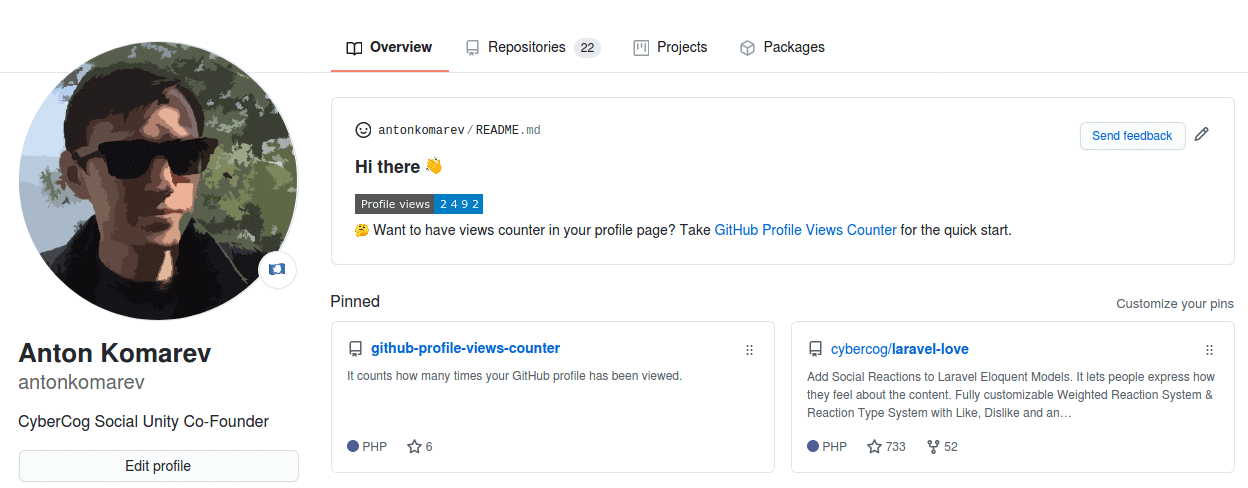
It counts how many times your GitHub profile has been viewed and displays them in your profile, for free.
Usage
Cloud solution launched as 100% free experience. Help me cut server costs if you like this service.
If you want to see big numbers in your profile, deploy a standalone solution to draw any views count you want without spamming our server. Everybody knows that any counters could be faked.
A billion fake profile views doesn't make you a very popular person, it makes you a person with a billion number in the counter.
Create GitHub profile repository
GitHub magic will happen as soon as you will create a new repository named equally to your username.

Live demo of my profile repository.
Add counter to GitHub profile
You need to add counter in README.md file in your profile repository via Markdown syntax:

[!NOTE]
Don't forget to replace example
your-github-usernameparameter with real value.
Make it personal
Color
You can use any valid HEX color or pick from a predefined set of named colors (blue is the default).
| color | demo |
|---|---|
brightgreen |
 |
green |
 |
yellow |
 |
yellowgreen |
 |
orange |
 |
red |
 |
blue |
 |
grey |
 |
lightgrey |
 |
blueviolet |
 |
ff69b4 |
 |
Named color

Hex color

[!NOTE]
HEX colors should be used without
#symbol prefix.
Styles
The following styles are available (flat is the default).
| style | demo |
|---|---|
flat |
 |
flat-square |
 |
plastic |
 |
for-the-badge |
 |
pixel |
this is "invisible" mode for counter. Use it when you want to have counter without of displaying of it |

Label
You can overwrite default Profile views text with your own label.


[!NOTE]
Replace whitespace with
+character in multi-word labels.
Base number
You can provide a base number to add to the counter.
This is useful if you are migrating from another service.
For example, a user with 1000 views on another service who wants to migrate to GHPVC will use the following url to ensure the 1000 views are accounted for:

Abbreviation
You can set the abbreviated parameter to true if you would like the counter to be abbreviated.
For example, a counter with 12345 views, will be displayed as 12.3K.


FAQ
Can I see detailed statistics?
This project provides minimalistic counter only. Use Ÿ HŸPE service if you want to get detailed info about:
- user profile views
- user followers history
- repository stars history
- repository traffic for longer than 14 days
How to reset counter?
To reset counter you should log in to the Ÿ HŸPE service, and then you will be able to reset counter on the https://yhype.me/ghpvc page.
Why does the counter increase every time the page is reloaded?
This is counter of profile views (page hits), not a counter of unique visitors. There is no way to get the username, browser user agent or IP address of the visitor because GitHub proxies all image URLs through the GitHub Camo service. In other words, we can only increment the counter for each request from the GitHub proxy server, we don't know who initiated it.
Are you making money on it?
No. Only spending it. Become a sponsor if you want it to keep running & receive new features.
Alternatives
- Ÿ HŸPE enhanced GitHub professional account statistics & analytics
License
GitHub Profile Views Counterapplication is open-sourced software licensed under the MIT license by Anton Komarev.Eye Octiconhero image licensed under MIT license by GitHub, Inc.
🌟 Stargazers over time

探索相关项目
Asabeneh/30-Days-Of-Python
30 Days of Python 编程挑战是一份循序渐进的指南,用于在 30 天内学习 Python 编程语言。这项挑战可能需要超过 100 天。请按自己的节奏进行。这些视频或许也有帮助:https://www.youtube.com/channel/UC7PNRuno1rzYPb1xLa4yktw
78,486 星标grafana/grafana
开放且可组合的可观测性与数据可视化平台。可对来自 Prometheus、Loki、Elasticsearch、InfluxDB、Postgres 等众多数据源的指标、日志和追踪进行可视化。
77,790 星标redis/redis
对于正在构建实时数据驱动应用的开发者而言,Redis 是首选、速度最快且功能最丰富的缓存、数据结构服务器和文档与向量查询引擎。
77,332 星标apache/superset
Apache Superset 是一个数据可视化与数据探索平台
75,455 星标