
aceinnolab/Inkycal
关于
几分钟内创建出色的电子纸仪表盘!模块化?支持!Python 3?支持!可在 Raspberry Pi Zero W 上运行?支持!支持自定义模块?支持!
学习资源可以做什么
- Calendars and schedules
- Weather forecasts
- Tasks and reminders
- Photos and slideshows
实测星标增长
- 24小时
- 0
- 7天
- -1
- 15天
- -1
- 1个月
- 正在收集历史
各周期内的星标净变化,周期相互重叠,并非每日新增。缺失的测量保持空白。星标代表关注度,不代表软件质量。
README.md
原文Welcome to InkyCal







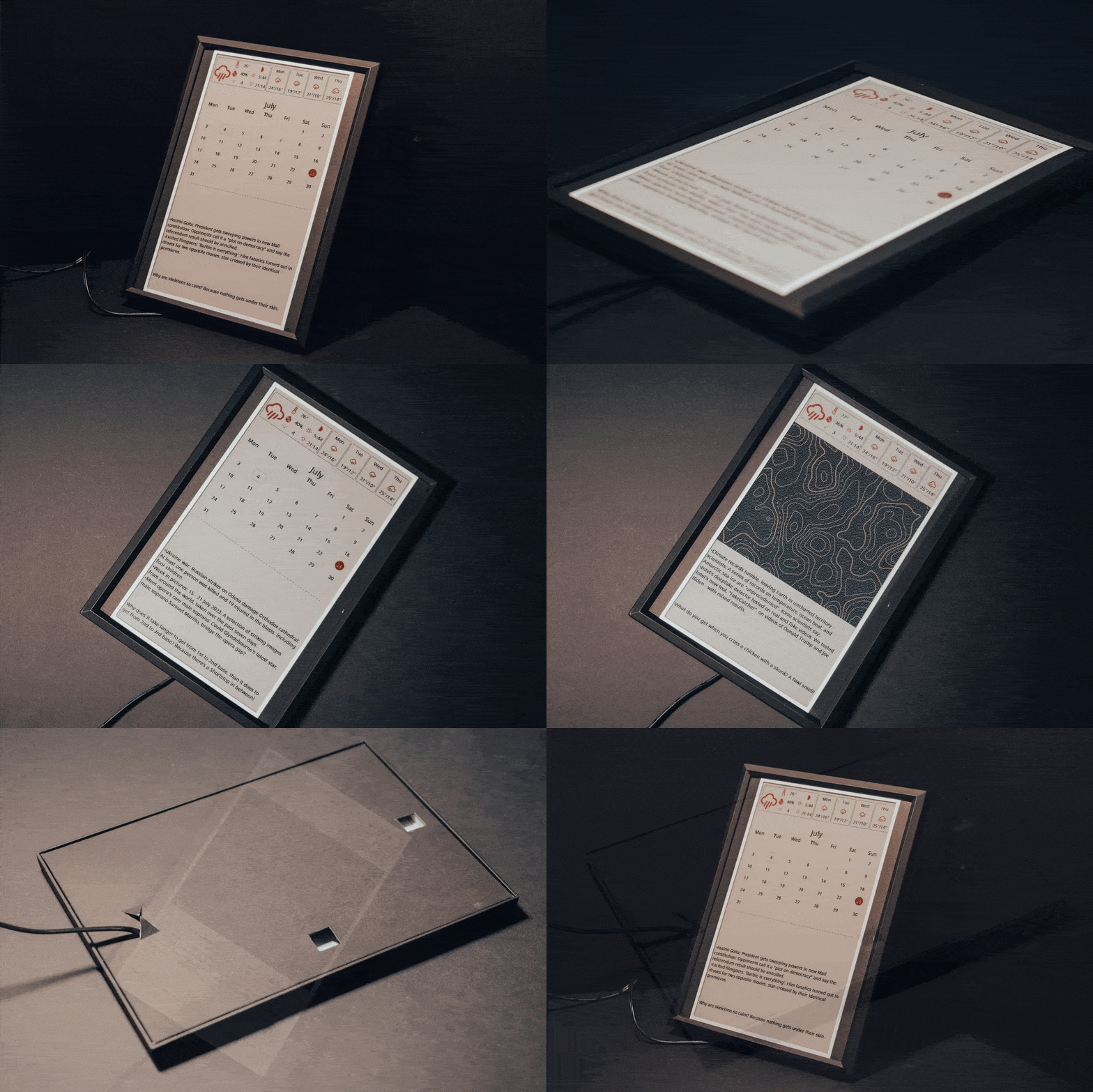
InkyCal is a small dashboard for e-paper screens. It shows calendars, weather, tasks, photos, and custom modules on a Raspberry Pi.
Two paths, one project:
- InkyCal v3 = the ready-made product/customer setup
- Inkycal = the open-source software you can install yourself
Where should I go?
- I bought InkyCal v3 → start at the customer hub: inkycal.aceinnolab.com
- I want to configure
settings.json→ use the Web UI generator: inkycal.aceinnolab.com/ui - I want to install manually → read the docs installation guide: aceinnolab.github.io/Inkycal/installation
- I want the source code → this repository: github.com/aceinnolab/Inkycal
- I need help → Discord or GitHub Issues
Quick start
- Pick your display model.
- Create
settings.jsonin the Web UI. - Follow the installation guide in the docs.
- Run InkyCal on your Pi.
What InkyCal can do
- Calendars and schedules
- Weather forecasts
- Tasks and reminders
- Photos and slideshows
- Custom Python modules
- Local web UI for settings and display tools
Documentation
- Canonical docs: aceinnolab.github.io/Inkycal
- Quickstart: aceinnolab.github.io/Inkycal/quickstart
- InkycalOS-Lite: aceinnolab.github.io/Inkycal/inkycalos-lite
- Local Web UI: aceinnolab.github.io/Inkycal/webui
- Support: Discord
Hardware and community
- Assembled hardware: Tindie store
- Printable cases: 3D-printable cases
- Community gallery: Hall of Fame
InkyCal is meant to be easy to start with, but flexible enough to grow with you.
❤️ Support the project
InkyCal is maintained in spare time. If it saves you hours of setup or powers your daily dashboard, consider sponsoring — it covers hardware costs, display testing, and keeps development going.
👉 Sponsor on GitHub — one-time or monthly, any amount helps.
Sponsors also get access to InkycalOS-Lite: a pre-built SD card image with everything already configured, so you can skip the installation entirely.
探索相关项目
加载中…