
Splode/pomotroid
Splode/pomotroid has 5,587 GitHub stars and 492 forks. GitHot measured +2 stars in 24 hours and +6 in 7 days. Last checked 2026-11-05 08:22 UTC. Last push 2026-10-09.
:tomato: 简洁美观的番茄工作法计时器
可以做什么
- Configurable timer — customise work duration, break durations, and the number of rounds per long break
- Statistics — daily, weekly, and all-time session history with charts and a 52-week heatmap
- 38 bundled themes — including Dracula, Nord, Tokyo Night, Catppuccin, Gruvbox, Rose Piné, and more; auto-switches with your OS light/dark preference
- Custom themes — drop a JSON file into the themes folder; applied instantly without a restart
实测星标增长
- 24小时
- +2
- 7天
- +6
- 15天
- 更新延迟
- 1个月
- 更新延迟
各周期内的星标净变化,周期相互重叠,并非每日新增。缺失的测量保持空白。星标代表关注度,不代表软件质量。
README.md
原文
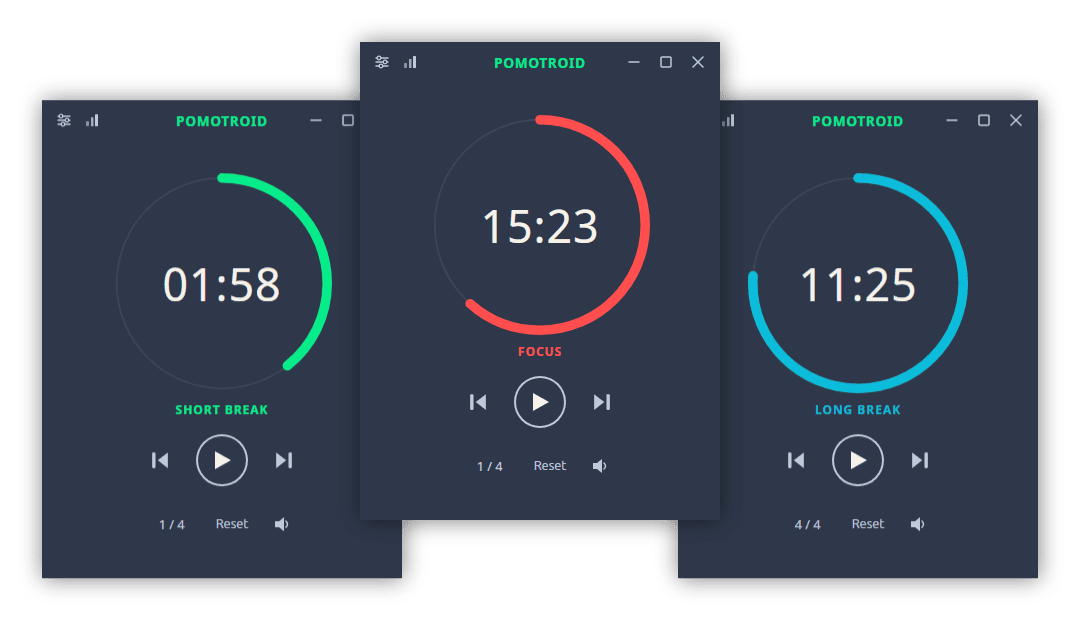
Simple and visually-pleasing Pomodoro timer.
Overview
Pomotroid is a simple and configurable Pomodoro timer. It aims to provide a visually-pleasing and reliable way to track productivity using the Pomodoro Technique.
Built with Tauri 2, Rust, and Svelte 5.
Features
- Configurable timer — customise work duration, break durations, and the number of rounds per long break
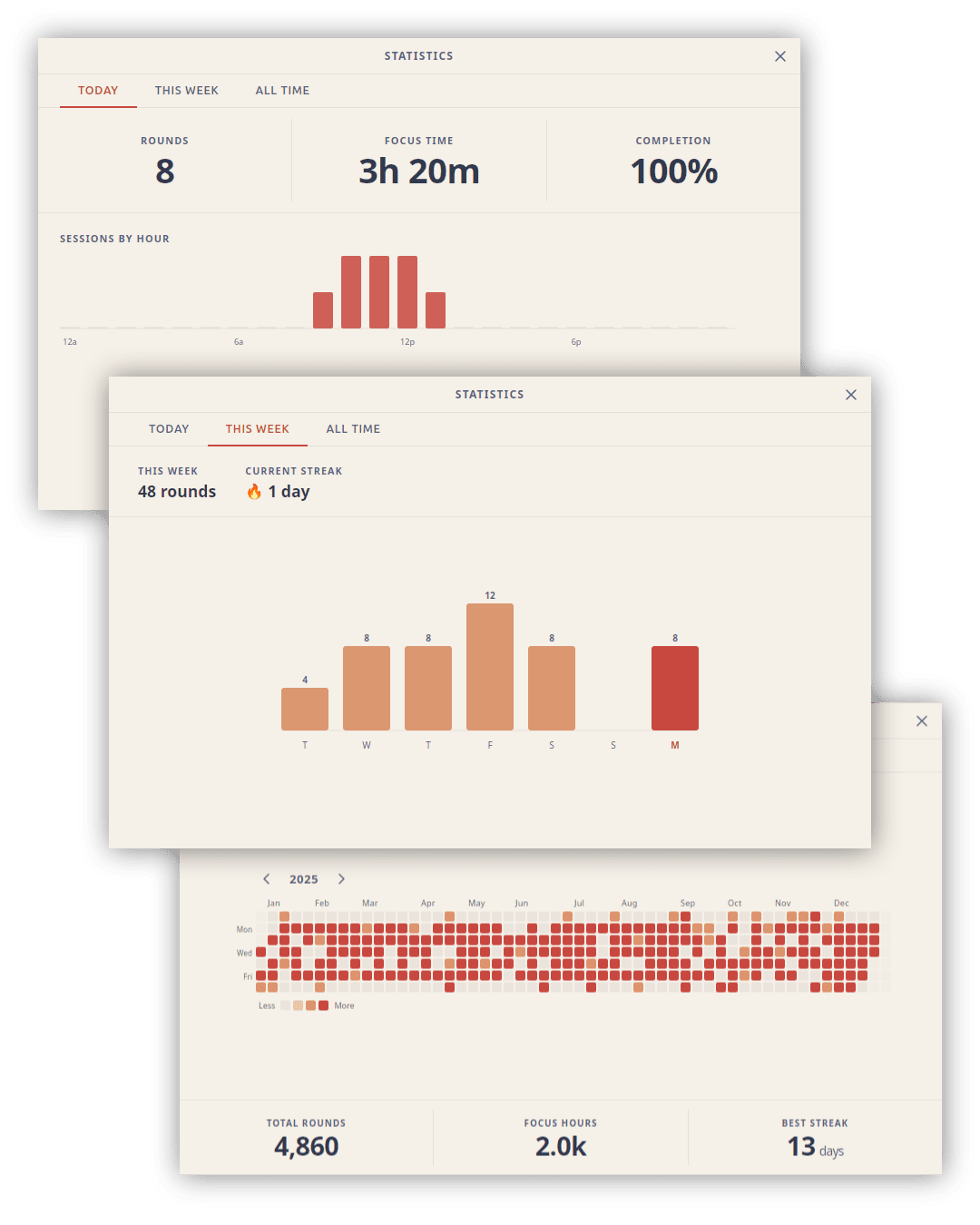
- Statistics — daily, weekly, and all-time session history with charts and a 52-week heatmap
- 38 bundled themes — including Dracula, Nord, Tokyo Night, Catppuccin, Gruvbox, Rose Piné, and more; auto-switches with your OS light/dark preference
- Custom themes — drop a JSON file into the themes folder; applied instantly without a restart
- Localization — 8 languages: English, Spanish, French, German, Japanese, Chinese (Simplified), Turkish, and Portuguese; auto-detects OS language
- Global shortcuts — control the timer from anywhere, even when the window is hidden
- Custom audio — replace the built-in alert sounds with your own files
- Tick sounds — optional ticking during work and break rounds, independently toggleable
- Dynamic tray icon — progress arc updates in real time; reflects round type and pause state
- Minimise / close to tray — keep Pomotroid running in the background
- Desktop notifications — native OS alerts on round transitions
- Compact mode — a minimal set of controls appears when the window is resized small
- Always on top — optionally keep the timer above other windows
- WebSocket server — opt-in local server for stream overlays and external integrations
- Diagnostic logging — rotating log file with a one-click shortcut to the log folder
Statistics
Pomotroid tracks every completed session and surfaces the data across three views: a daily summary with an hourly breakdown, a weekly bar chart with streak tracking, and an all-time 52-week heatmap.
Themes
Pomotroid ships with 38 themes and supports fully custom themes with live hot-reload.
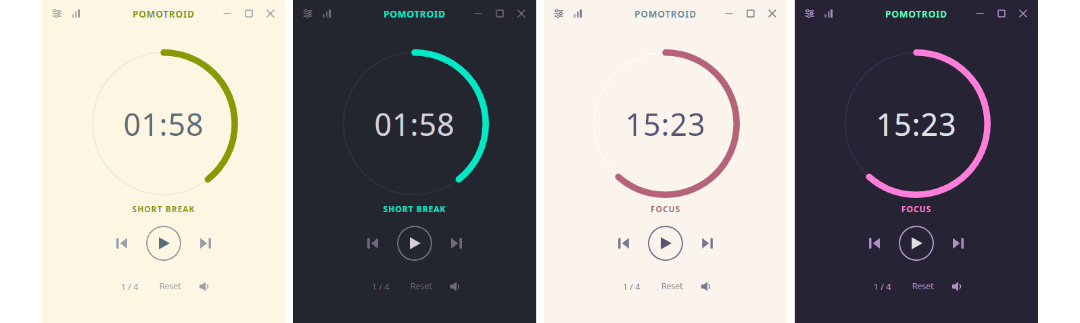
See THEMES.md for the full theme list and instructions on creating your own.
Install
Download
Download the latest release from the releases page.
Available for Windows (installer + standalone exe), macOS (universal DMG), and Linux (.deb + AppImage).
Note: Pomotroid is currently unsigned. Depending on your OS security settings you may see a warning on first launch — this is expected and can be safely dismissed.
Linux notes
System tray on GNOME: GNOME does not display tray icons by default. To use the tray icon feature (Settings → System → Show in System Tray), install the AppIndicator and KStatusNotifierItem Support extension, then log out and back in. On Fedora: sudo dnf install gnome-shell-extension-appindicator. On Debian/Ubuntu it is pre-installed. Other desktop environments (KDE Plasma, XFCE, Cinnamon, MATE) support tray icons natively with no extra steps.
Homebrew (macOS)
brew install --cask pomotroid
The Homebrew cask is maintained separately and may lag behind the latest release. Check the releases page for the most current version.
Custom Themes
Pomotroid supports user-created themes with automatic hot-reload — no restart required. See THEMES.md for directory paths, the full color reference, and a step-by-step guide.
WebSocket API
Pomotroid exposes an optional WebSocket server (disabled by default) for integration with external tools, stream overlays, and automation scripts.
Enable it in Settings → Advanced → WebSocket Server, then connect to ws://127.0.0.1:<port> (default port: 1314).
Messages
Client → Server
| Message | Description |
|---|---|
{ "type": "getState" } |
Request the current timer state |
Server → Client
| Event | Payload | Description |
|---|---|---|
state |
TimerState object |
Response to getState |
roundChange |
TimerState object |
Fired whenever the timer advances to a new round |
error |
{ message } |
Protocol error |
TimerState fields: elapsed_secs, total_secs, is_running, is_paused, round_type, work_round_number, work_rounds_total.
Development
See CONTRIBUTING.md for full setup instructions, project structure, and the release process.
Quick start
# Install dependencies
npm install

# Run in development mode (hot-reload)
npm run tauri dev

# Build a production release
npm run tauri build
Localization
UI strings live in src/messages/<locale>.json (en, es, fr, de, ja, zh, pt, tr). The compiled output in src/paraglide/ is generated at build time and is not committed to the repository.
During development, the Paraglide Vite plugin compiles messages automatically whenever npm run tauri dev or npm run tauri build is run — no manual step required.
After adding or changing message keys, regenerate the output explicitly so that svelte-check and your editor can pick up the new types:
npm run paraglide:compile
This is also run automatically as part of npm run check.
License
MIT © Christopher Murphy
探索相关项目
n8n-io/n8n
具备原生 AI 能力的 Fair-code 工作流自动化平台。可将可视化构建与自定义代码相结合,支持自行部署或使用云服务,并提供 400 多种集成。
209,638 星标langgenius/dify
在同一个协作工作区中构建智能体工作流和 RAG 流水线,并提供丰富的 AI 模型与工具支持。可部署到云端、VPC 或自行部署,团队无需重建技术栈即可从原型进入生产。
160,482 星标microsoft/PowerToys
Microsoft PowerToys 是一组提升 Windows 生产力和自定义能力的实用工具
140,594 星标stablyai/orca
Orca 是使用智能体集群开展工作的地方(例如 Grok Bot、Claude Code)。可使用你自己的订阅运行任意编程智能体。支持桌面端、移动端和远程运行时。
116,718 星标