Sousannah/hand-tracking-using-mediapipe
Sousannah/hand-tracking-using-mediapipe has 42 GitHub stars and 10 forks. GitHot measured 0 stars in 24 hours. Last checked 2026-11-14 18:46 UTC. Last push 2026-09-13.
实测星标增长
- 24小时
- 0
- 7天
- 正在收集历史
- 15天
- 正在收集历史
- 1个月
- 正在收集历史
各周期内的星标净变化,周期相互重叠,并非每日新增。缺失的测量保持空白。星标代表关注度,不代表软件质量。
关于
This Python script utilizes the MediaPipe library to perform hand tracking in real-time using your webcam. It detects hand landmarks and draws connections between them, allowing you to visualize hand movements.
开发工具README.md
原文Hand Tracking using MediaPipe
This Python script utilizes the MediaPipe library to perform hand tracking in real-time using your webcam. It detects hand landmarks and draws connections between them, allowing you to visualize hand movements.
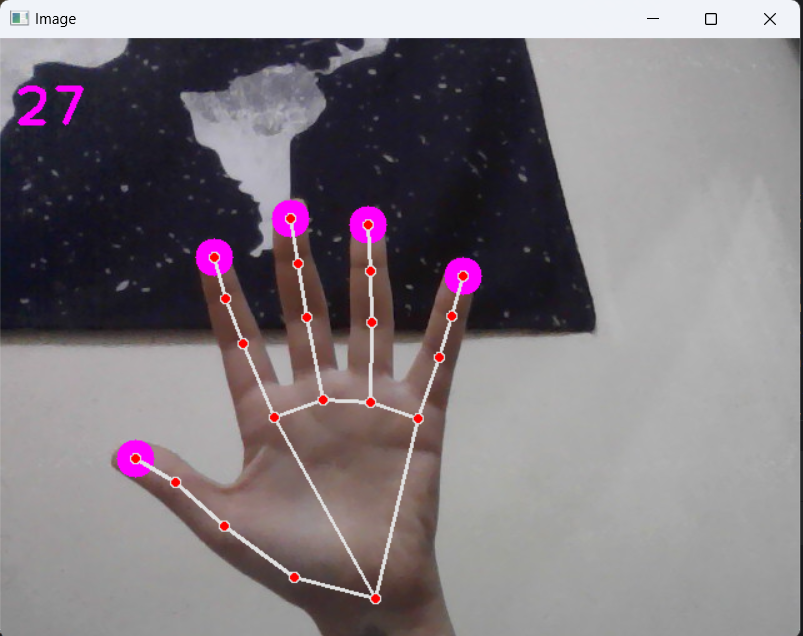
Sample Output
Prerequisites
Before running the script, ensure you have the following installed:
- Python (version 3.7 or higher)
- OpenCV (
opencv-pythonpackage) - MediaPipe (
mediapipepackage)
You can install the required packages using pip:
pip install opencv-python mediapipe==0.10.18
Note: Newer versions of mediapipe may cause errors with this project.
Usage
- Clone this repository to your local machine.
- Navigate to the directory containing the script.
- Run the script using Python:
python hand_tracking.py
- A window will pop up displaying your webcam feed with hand tracking overlay.
- Press 'q' to exit the program.
Code Explanation
- The script captures video input from your webcam (
cv2.VideoCapture). - It utilizes MediaPipe's
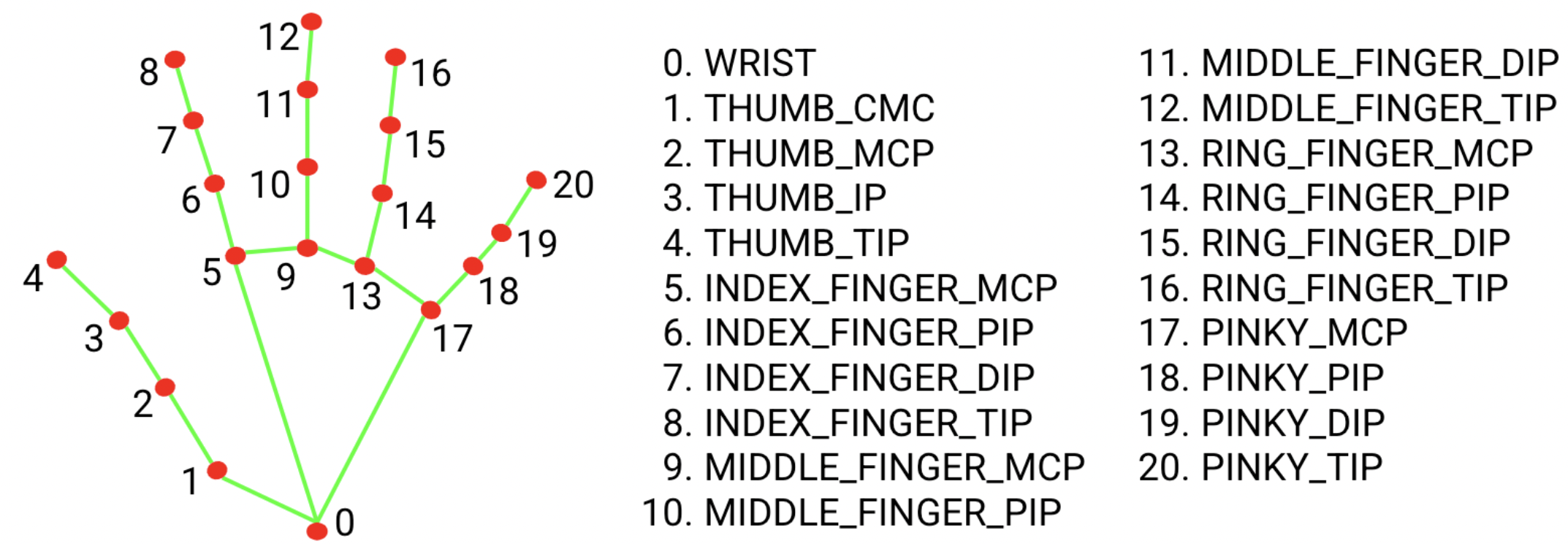
Handsmodel to detect hand landmarks in each frame. - Detected landmarks are used to draw circles at specific key points on the hand (e.g., fingertips, base).
- Hand connections are drawn between landmarks to visualize hand structure.
- The script calculates and displays frames per second (FPS) to monitor performance.
- Pressing 'q' quits the application.
Mediapipe Hand Landmarks